Key Takeaways
- Seedance 2.0 is ByteDance’s AI video tool that generates videos by combining text prompts with reference files (images, videos, audio) for more precise control.
- Its main advantage is character consistency: with reference photos and motion videos, the same character stays consistent across multiple clips.
- You can test Seedance 2.0 for free on Dreamina using daily credits before deciding whether it’s worth paying for.
Why Seedance 2.0 Videos Are Suddenly All Over Your Feed?
Over the past few days, something felt different.
My TikTok feed filled up with AI dance videos where the face didn’t change. Instagram started pushing product ads labeled “100% AI.” Even YouTube had smooth anime clips without the usual character drift.
After a bit of digging, the tool behind most of them turned out to be Seedance 2.0—a name that kept coming up across Reddit and creator forums as one of the best AI video generators for character consistency.
ByteDance released Seedance 2.0 in early February 2026 on Dreamina, and within days, examples started spreading across Reddit and Twitter. The core idea is surprisingly simple: you upload photos and videos, and the Seedance AI copies what it sees—a clear shift toward show, don’t tell. Some creators are generating 15-second videos with audio from a single close-up image.
Below is my hands-on breakdown of how this actually works in real use, what setups hold up, and where Seedance 2.0 still falls apart.
What Actually Fixed AI Video in Seedance 2.0?
Here’s the simplest explanation: It’s an AI video maker that copies your uploaded files instead of guessing from words.
The Old Problem vs The New Solution
Before Seedance:
You write “woman in red dress dancing.” The AI Seedance 2.0 has to guess what shade of red you mean. It has to guess what dancing style you want. Every time you generate a new clip, it makes different guesses. Your character looks different in every shot.
With Seedance:
You upload a photo of the exact red dress. You upload a video showing the exact dance moves. The AI copies what it sees. Your clips stay consistent.
Why this works (ByteDance explains it this way):
Traditional AI video has what engineers call a “semantic ambiguity problem.” When you say “dancing,” the model picks from millions of possible styles. Reference-based generation removes that guesswork. You show it once, it remembers.
Seedance AI 2.0 isn’t perfect, but for anyone who cares about character consistency, it’s the first AI video tool that actually feels usable instead of experimental.
The biggest surprise: automatic multi-camera shots
This is the moment Seedance 2.0, developed by ByteDance, starts to feel genuinely different.
Most AI video tools give you one static shot per prompt.
Seedance automatically cuts between multiple camera angles in a single generation.
Example prompt:
“A person runs through a park.”
What Seedance generates automatically:
- Wide shot of the entire park
- Close-up of the runner’s face
- Side angle showing motion
- Detail shot of feet hitting the ground
All in 5 seconds. All automatically switched.
This is huge because:
- Old method: Generate 4 separate clips, then edit them together (30+ minutes)
- New method: One prompt, AI handles all camera work (2 minutes)
I didn’t need to describe each angle or piece clips together anymore. With Seedance 2.0, ByteDance essentially moved that work into the model itself.
What ByteDance Says Makes It Special
ByteDance doesn’t frame Seedance 2.0 as a faster generator. They frame it as a shift from generation to directorial control.
| 🌟 Capability | What It Does | Why It Changes Everything |
| Auto-cinematography | You describe the story, and Seedance 2.0 decides camera movement, framing, and shot transitions automatically. | Creators no longer need to script camera moves. ByteDance says professional cinematography instincts are now built into the model itself. |
| Multi-shot consistency | Keeps the same character identity across multiple shots and angles within one sequence. | Solves face drift between cuts, one of the biggest failures of earlier AI video tools. |
| Synchronized audio-video | Generates sound effects and music alongside video, with lip-sync and facial expressions aligned to dialogue and emotion. | Reduces post-production work and avoids mismatches between visuals and audio timing. |
| All-around reference system | Accepts up to 12 reference files (images, videos, audio) to control appearance, motion, camera style, and sound. | Shifts AI video from text guessing to reference-based control. ByteDance describes this as a “director’s toolkit.” |
How to Use Seedance 2.0: Upload References, Then Guide the Scene
Before you start shouting “action,” you need a cast that actually looks the part. If your gallery is missing the right protagonist, you can design one using an AI image generator to establish the character’s face, outfit, and overall style. Once those visual assets are locked in, here’s the official playbook for turning static files into a controllable cinematic sequence.
The Official Way to Use Seedance 2.0: Reference Everything, Then Generate
Step 1: Gather Your Files
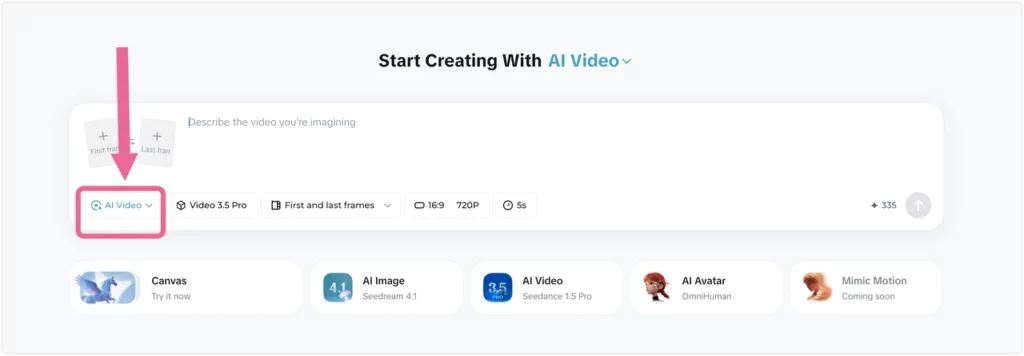
What you need for your first test:
- 3 character photos (front view, side view, angled view)
- 1 motion video you like (5-10 seconds showing movement or camera style)
- Optional: 1 music file (15 seconds max, MP3 format)
Where to upload: Go to dreamina.capcut.com (free signup, no card required)
Step 2: Write Your @ Reference Prompt
The @ symbol tags your uploaded files.
Basic template:
[Subject] @filename [action] in [location], [camera style], [mood]Real example:
Woman @character dances like @dance-video while @song plays in gardenThe AI will:
- Use the face from your character photos
- Copy movements from your dance video
- Sync everything to your music
Generation time: Usually 60-90 seconds Credits used: Around 95-130 (varies by complexity)
Once my test clips started matching what I wanted, the free credits ran out pretty fast. The Seedance 2.0 Pro plan by ByteDance costs $45/month, which works out to about 130–140 videos if you’re generating regularly.
Alternative Access Points (If Dreamina Doesn’t Work)
Can’t access Seedance 2.0 on Dreamina? Try these:
Option 1: Jimeng Platform
– Go to jimeng.jianying.com
– Click “Video Generation” at the bottom
– Switch mode to “Universal Reference” or “First-Last Frame”
– Look for Seedance 2.0 in the model list
Option 2: Xiaoyunque App
– Download the Xiaoyunque mobile app
– Some accounts get beta access here first
– Same features as Dreamina
Option 3: PhotoGrid (Multi-Model Testing)
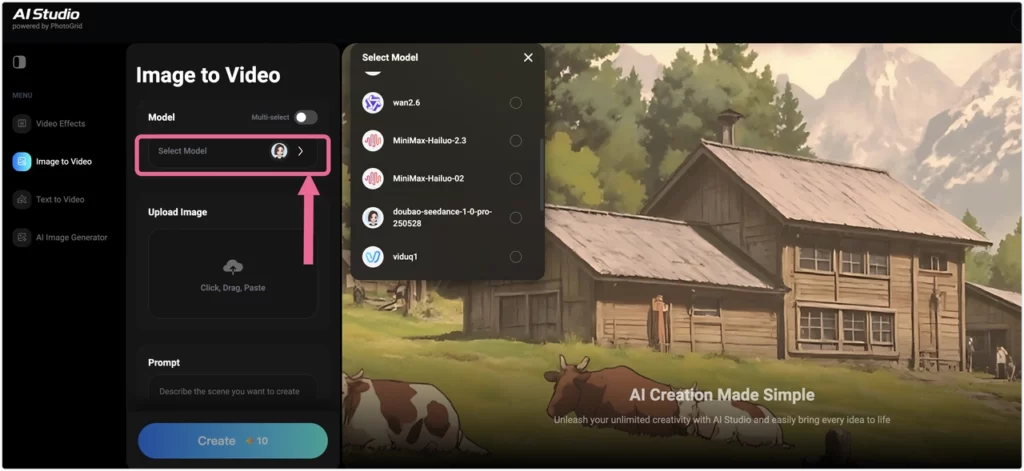
Besides using Dreamina, I noticed something else while testing.
PhotoGrid’s AI video generator includes multiple AI video models, and ByteDance Seedance 2.0 was added relatively early. I did not plan my workflow around that at first, but having several models in one place gradually changed how I tested the same shot.
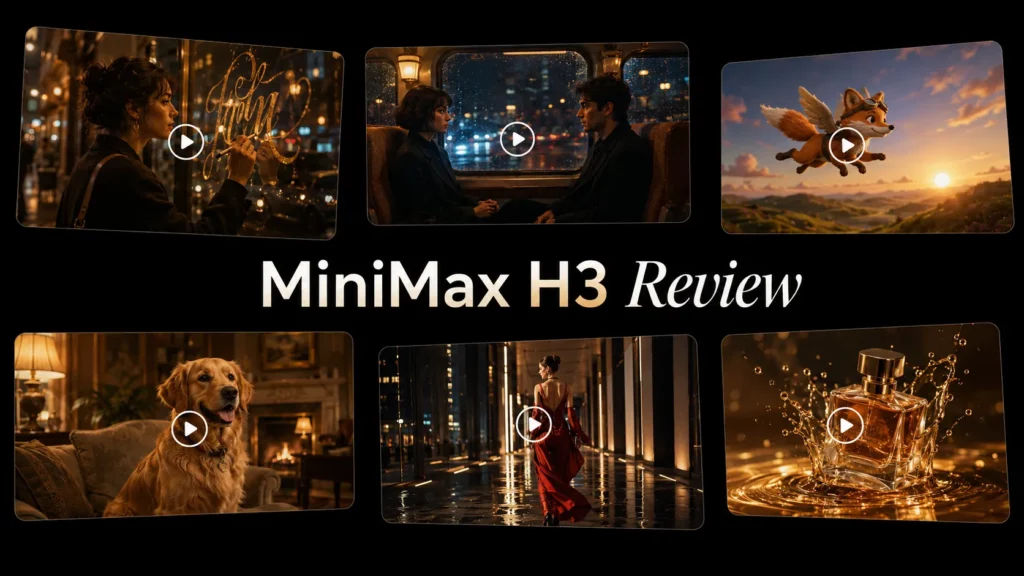
When a Seedance result did not quite work, I could compare it with another model before spending more credits. MiniMax H3 is now another useful option for short reference-driven shots, native audio, and targeted editing. I cover its quality, pricing, real examples, and how it compares with Seedance in my MiniMax H3 review.
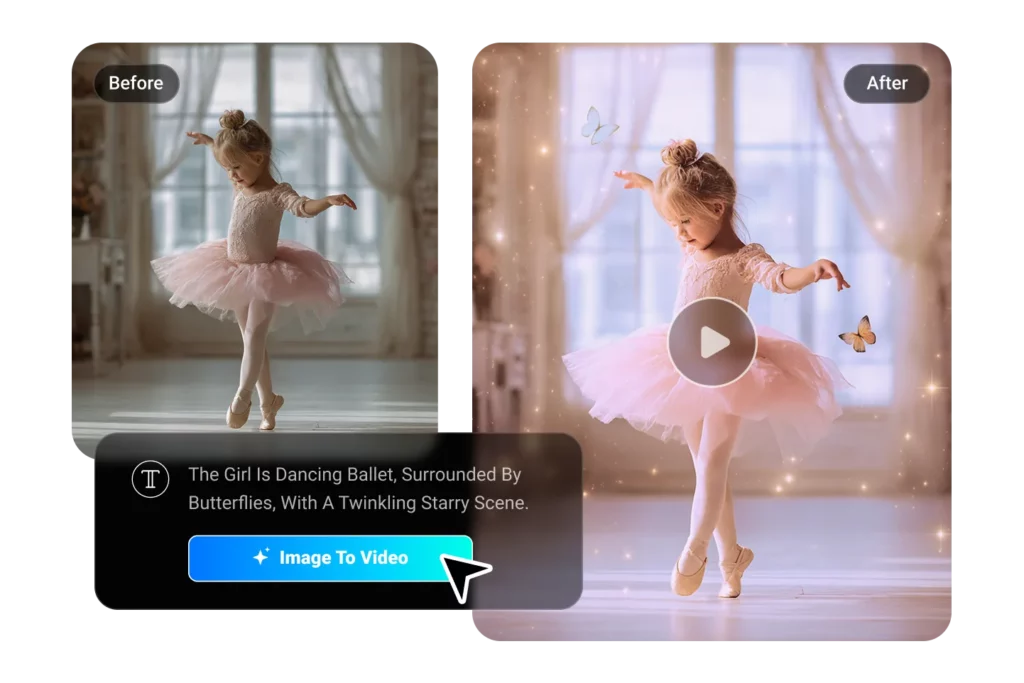
PhotoGrid makes photo animation effortless: upload any image, and our AI video generator brings it to life with professional-quality motion.
What I personally noticed:
- I could run the same short setup across different models without redoing everything.
- Seedance 2.0 was already there when I wanted to try it, instead of waiting for a separate rollout.
- Testing 4–5 second clips felt easier when multiple popular models sat side by side.
- If one result felt slightly off, I could check another model before committing more credits.
- I stopped thinking in terms of “which model is best” and more in terms of “which one fits this shot.”
None of this was something I set out to optimize. It just turned into the way I worked once I realized Seedance 2.0 wasn’t isolated, but part of a broader multi-model setup on PhotoGrid.
Coming soon: Volcano Engine API will enable Seedance 2.0 on more platforms.
Note: If you don’t see Seedance 2.0 as an option, your account might not have beta access yet. Try a different platform or wait a few days.
What You Can Actually Upload
The system accepts 12 files total, split however you need:
- Photos: Up to 9 (for character, outfits, settings)
- Videos: Up to 3, each 15 seconds max (for movement, camera style)
- Audio: Up to 3 MP3 files, each 15 seconds max (for music, voice)
Example combinations:
- 6 character photos + 3 motion videos + 3 songs = 12 ✓
- 9 character angles + 2 dance clips + 1 music track = 12 ✓
What You Get Back
- Videos up to 15 seconds (you pick 4-15s length)
- 2K resolution quality
- Automatic sound and music generation
- Same character face across all your clips
Seedance 2.0 doesn’t just add background music. It adds scene-specific sounds.
Examples from real tests:
- Sci-fi battle scene: Laser beam sounds, explosion effects
- Street scene: Car engines, footsteps, traffic noise
- Dance video: Music beat-syncs to every movement
- Office scene: Keyboard clicks, phone rings, door sounds
Advanced audio features:
- Upload a voice sample to clone the tone
- Tell the AI what words to say in the video
- Auto-sync dance moves to music beats
- Generate ambient sound for any location
This makes videos feel real. Not like AI output.
What Can You Actually Make With Seedance 2.0?
1. Videos With the Same Character
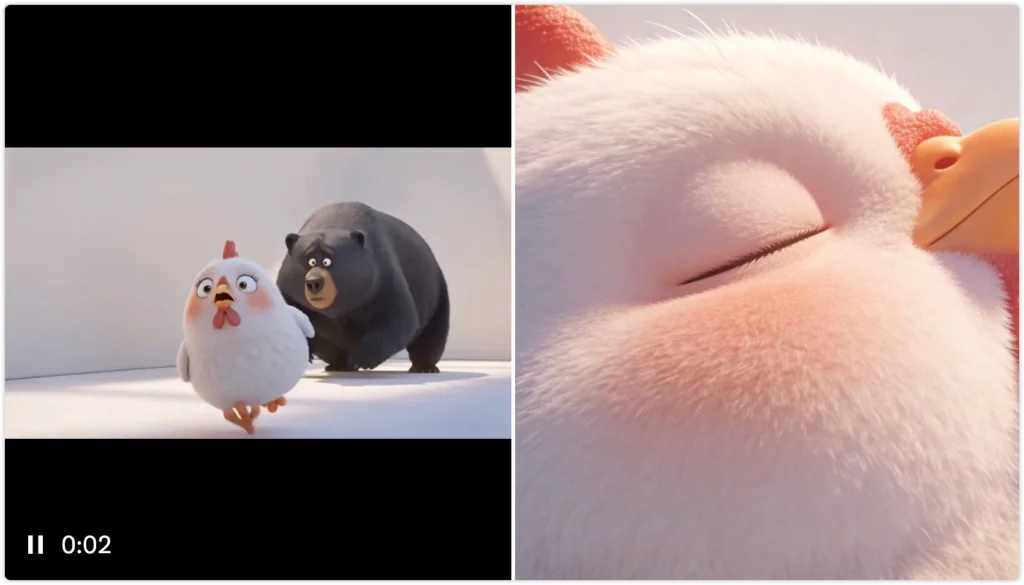
Best for: Stories, ads, explainer videos, multi-part content
Most AI video tools struggle to keep a character’s face consistent between clips.
Seedance AI solves this by anchoring the character to your reference images.
What you need
- 3 character photos (front, side, angled)
- A short prompt for each scene
Why multiple photos matter Single-photo setups often drift by the second clip. Multiple angles give the model a stable identity to follow.
Example scene flow
- Walks into a coffee shop (rear-follow shot)
- Orders at the counter (Keep Shooting)
- Sits by the window (front-facing)
- Quiet close-up looking outside
Result
- ~60s video with the same face and outfit throughout
- Time: ~30–35 minutes (including stitching in CapCut)
- Cost: ~$10–12 in credits
Quick fix If lighting shifts, add “maintain previous scene lighting.” If clothing changes, upload a full-body reference photo.
2. Product Ads for Social Media
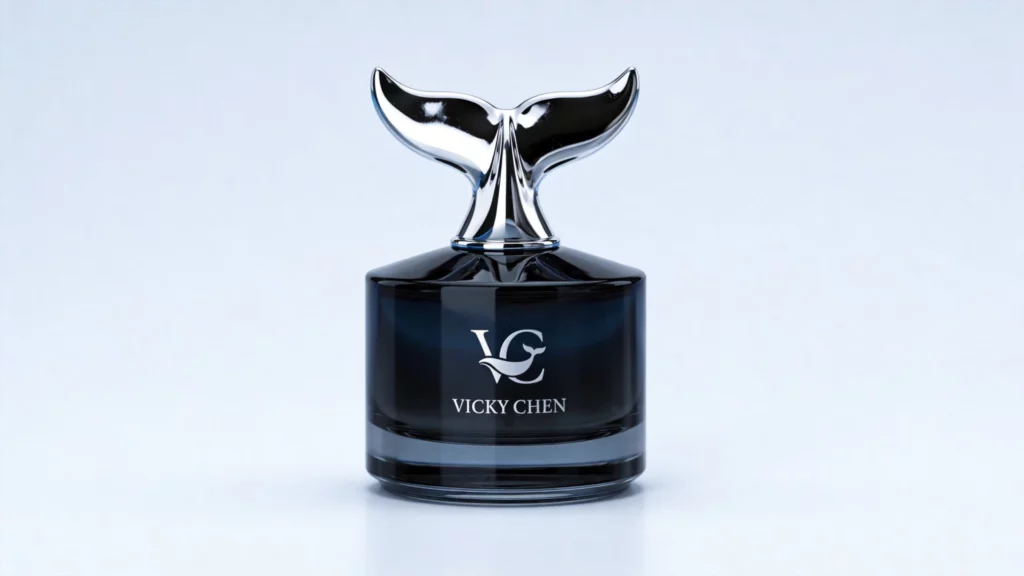

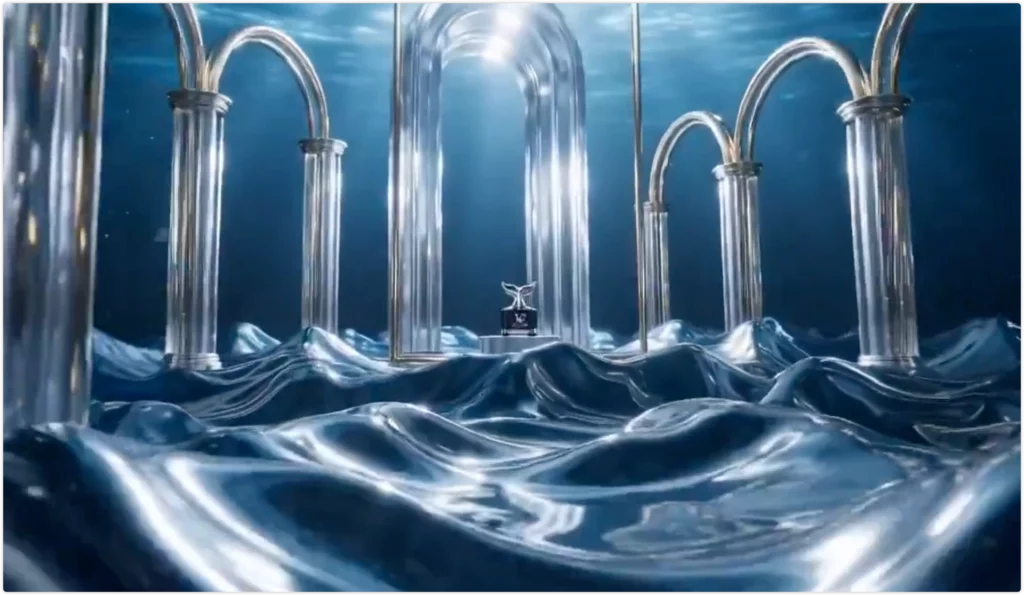
https://twitter.com/BFAVicky/status/2020267913316561195
Best for: E-commerce, TikTok ads, Instagram Reels, rapid A/B testing
Traditional product shoots cost thousands. This setup takes minutes.
What you need
- 1 clean product photo
- 1 logo (PNG preferred)
- Optional: a camera-motion reference video
Common variations
- Gym / fitness energy
- Office / professional tone
- Outdoor / adventure vibe
Typical output
- 9:16 vertical video
- Smooth camera movement
- Logo appears near the end
Time & cost
- Time: ~18–20 minutes for 3 versions
- Cost: ~$10–12 in credits
Quick fix If the background feels fake, add “realistic modern [setting] equipment.” If the logo overlaps the product, specify an exact timestamp and position.
3. Music Videos and Dance Content
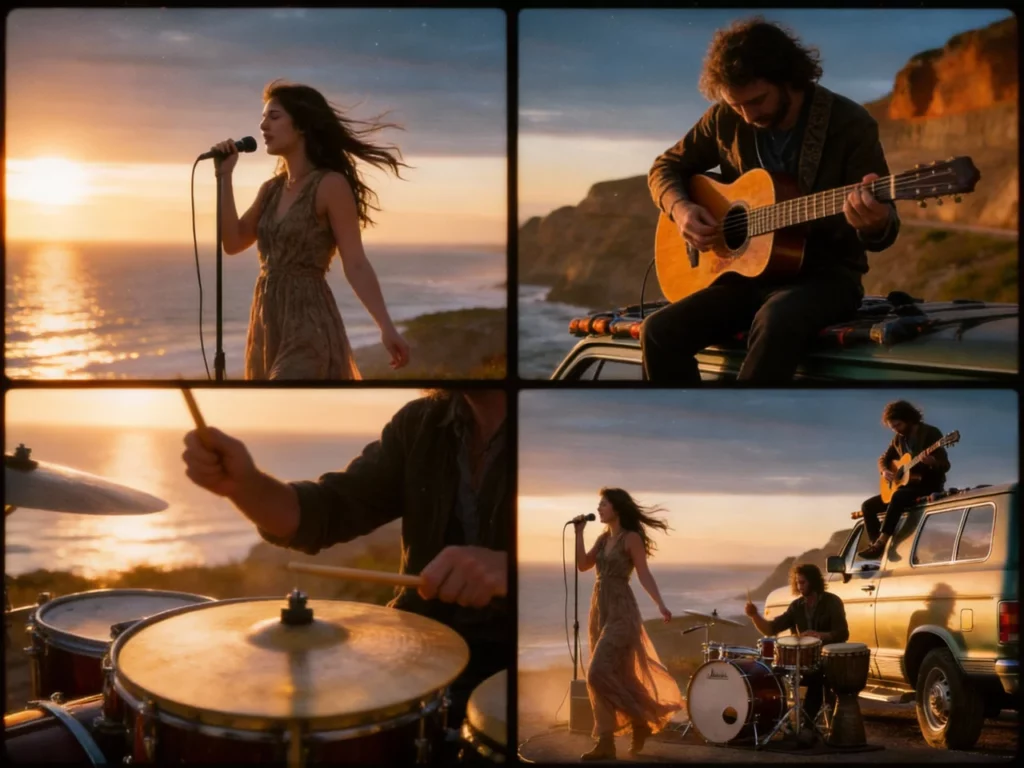
Best for: Musicians, dancers, TikTok choreography
Seedance 2.0 automatically syncs motion to music beats.
What you need
- 3 character photos
- 1 short dance reference (5–10s)
- 1 music file (≤15s)
Why it works
- Movement follows beat timing
- Camera tracks motion naturally
Time & cost
- Time: ~15–20 minutes
- Cost: ~$10–12 in credits
Quick fix If fast spins look off, simplify the dance reference. If beat sync feels loose, specify timing points (e.g. 2s, 5s, 8s).
4. Short-Form Storytelling & AI Mini Dramas
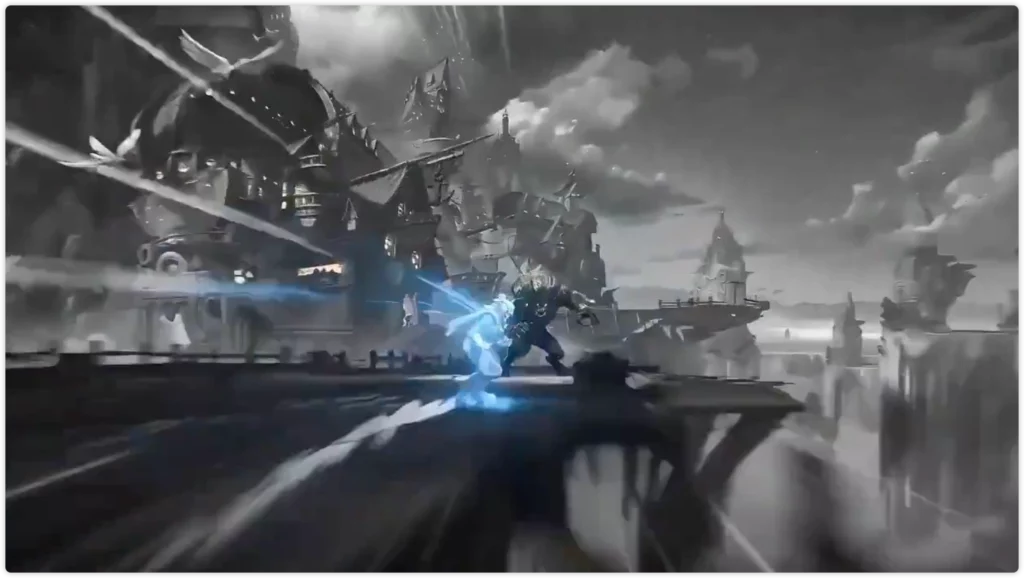
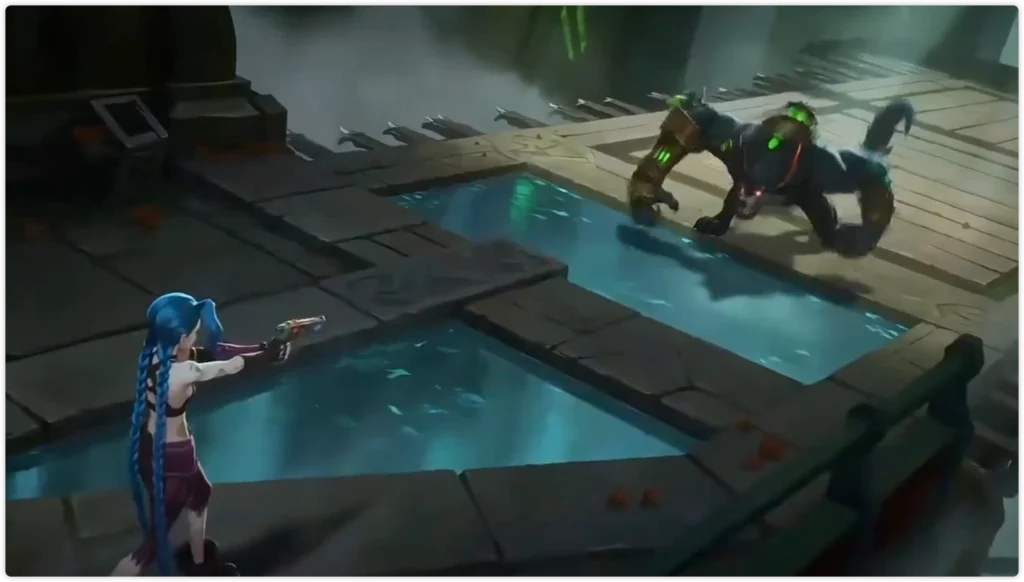
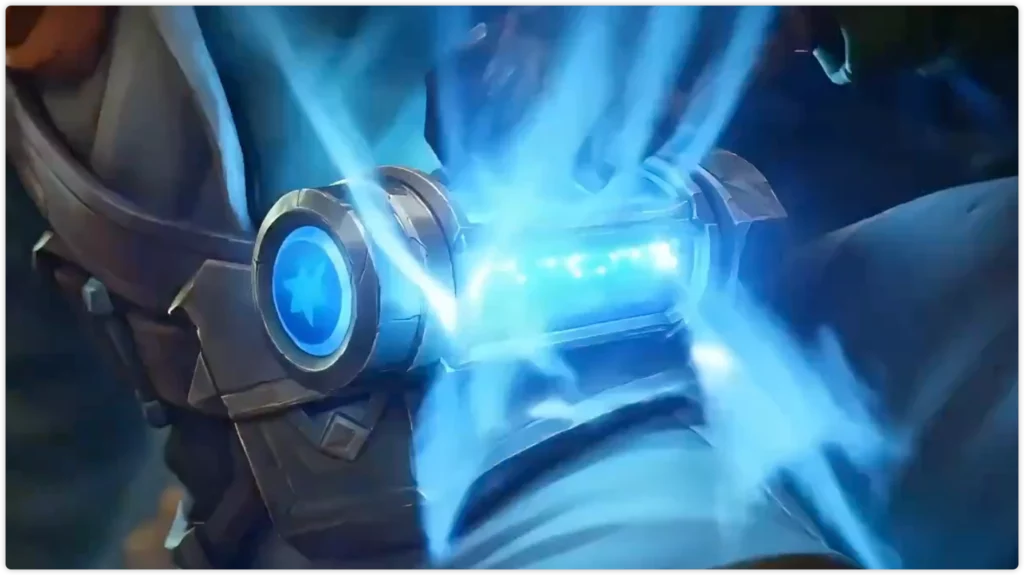
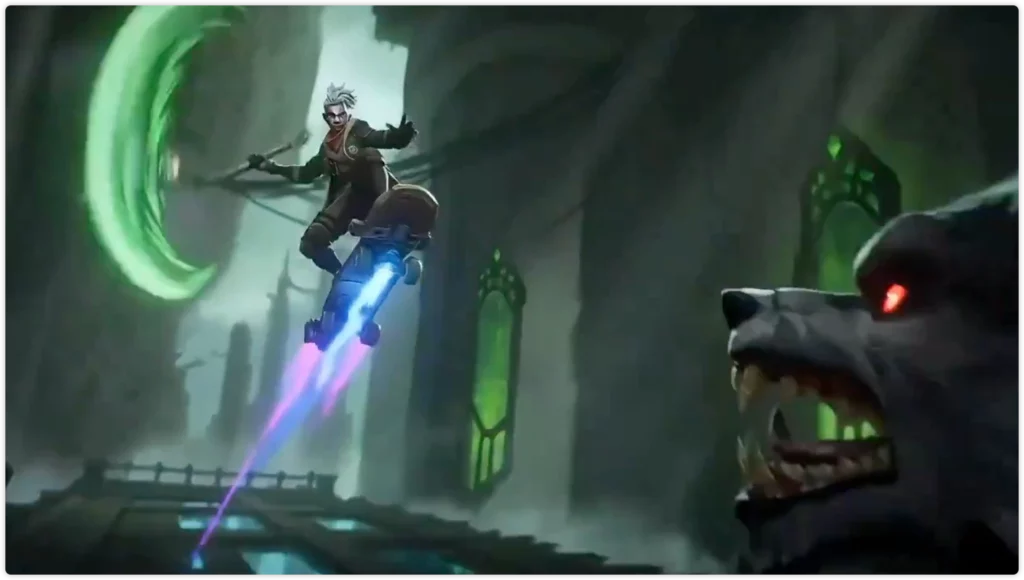
Best for: Social shorts, thriller intros, character reveals, emotional scenes
Most AI tools fail at short dramas because the main character keeps changing.
Seedance 2.0 keeps the same face across scenes.
Mini drama example
- Entrance @hero walks into a rainy alley at night, cool cinematic tones.
- Close-up (Keep Shooting) @hero stops and looks straight into the camera.
- Conflict @hero reveals a mysterious envelope; rain and heartbeat sounds blend automatically.
Why it works You describe story beats. The AI handles camera cuts—so it feels directed, not generated.
Time & cost
- Time: ~20–25 minutes
- Cost: ~$8–10 in credits
5. Extending Videos Beyond 15 Seconds
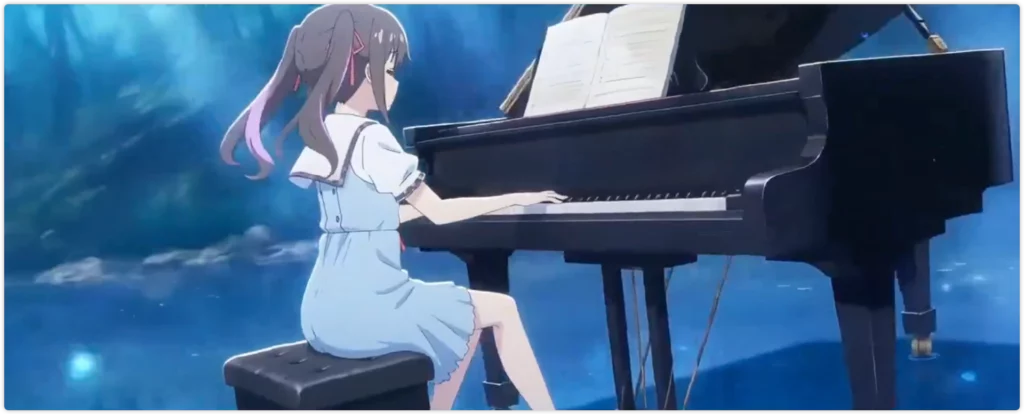
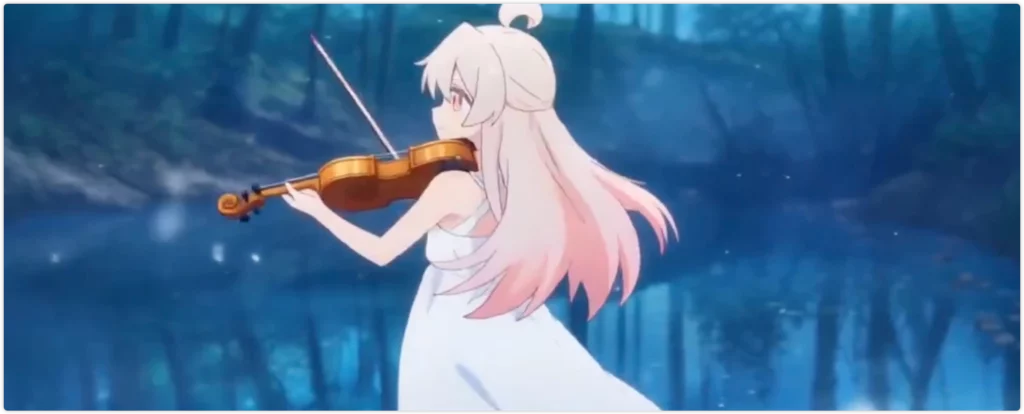

https://twitter.com/NACHOS2D_/status/2020959031465214230
Best for: Longer narratives, tutorials, continuous scenes
Each Seedance clip is capped at 15 seconds—but scenes don’t have to stop there.
How creators extend scenes
- Generate the first clip
- Click Keep Shooting
- Continue with the same @character
- Repeat and stitch clips together
Example flow
- Walks down the street
- Stops at a shop window
- Enters the store
- Close-up on product
Result
- 4 × 15s clips → 60s continuous scene
- Time: ~30–35 minutes
- Cost: ~$10–12 in credits
Key rule: Always reuse the same @character reference to prevent face drift.
Which Tool Should You Choose: Seedance vs Sora vs Kling?
I compared creator reports and demos from all three platforms.
Quick Ratings
| Capability | Seedance 2.0 | Sora 2 | Kling | Winner |
| Character consistency | ⭐⭐⭐⭐⭐ (5) | ⭐⭐⭐⭐ (4) | ⭐⭐⭐ (3) | Seedance 2.0 |
| Motion control via refs | ⭐⭐⭐⭐⭐ (5) | ⭐⭐⭐ (3) | ⭐⭐⭐⭐ (4) | Seedance 2.0 |
| Native audio sync | ⭐⭐⭐⭐⭐ (5) | ⭐⭐⭐⭐ (4) | ⭐⭐⭐ (3) | Seedance 2.0 |
| Physics realism | ⭐⭐⭐⭐ (4) | ⭐⭐⭐⭐⭐ (5) | ⭐⭐⭐⭐ (4) | Sora 2 |
| Max duration | ⭐⭐⭐ (15s) | ⭐⭐⭐⭐ (25s) | ⭐⭐⭐⭐⭐ (varies) | Kling |
| Speed to result | ⭐⭐⭐⭐ (4) | ⭐⭐⭐ (3) | ⭐⭐⭐ (3) | Seedance 2.0 |
| Cost efficiency | ⭐⭐⭐⭐ (4) | ⭐⭐⭐ (3) | ⭐⭐⭐⭐ (4) | Tie |
Feature Breakdown
| Feature | Seedance 2.0 | Sora 2 | Kling |
| Max length | 15 seconds | 25 seconds | Varies by version* |
| File uploads | 12 total | 2月3日 | Varies* |
| Native audio | Yes | Yes | Partial* |
| Reported success | ~90% with refs | ~70% | ~75% |
| Monthly cost | $18-84 | $20-200 | $15-60* |
Note: Kling features, duration limits, and pricing can vary significantly by version and region.
Choose Seedance when:
- You need consistent characters across clips
- Making TikTok or Instagram content
- Want automatic music sync
- Budget matters
Choose Sora when:
- Need videos longer than 15 seconds
- Physics accuracy is critical (water, explosions, etc.)
- Have budget for multiple retries
Choose Kling when:
- Need very long videos (some versions support extended duration)
- Making quick social posts
- Want faster generation (reports vary)
Quality Reports from Early Testers
Chinese AI communities reported in early February 2026:
“Almost no wasted outputs. Good framing, good quality. Few typical AI collapse issues.” – Xiaohongshu tester
“Compared to Sora 2, Dreamina seems to have matched or possibly exceeded baseline quality while achieving better sharpness.” – Community report
Important: These are subjective creator observations, not controlled benchmarks. Results vary by use case and prompt style.
What Doesn’t Work Well in Seedance 2.0?
- The 15-Second Limit
What it means: Each generation maxes out at 15 seconds.
Comparison: Sora goes to 25 seconds. Some Kling versions reportedly support longer durations.
Workaround: Use “Keep Shooting” to make multiple 15-second clips, then stitch them in CapCut.
- Complex Physics Break Down
What works:
- People walking, running
- Fabric and hair movement
- One object falling or moving
What struggles:
- Many objects hitting each other at once
- Crowd scenes with lots of people
- Water, smoke, or liquid effects
Example test: “Person runs through market, knocks over fruit stand, apples scatter everywhere”
What happens: First 2-3 seconds look good. After that, individual objects start looking unnatural.
Reported success rate: Around 40-45% for complex physics (varies by scene complexity)
Fix: Keep physics scenes simple. Fewer objects. Shorter duration (under 3 seconds for physics-heavy moments).
- Queue Wait Times Vary
Observed patterns (times may vary):
- Early morning: 60-90 seconds
- Afternoon/evening: 10-20 minutes
Strategy: Work during off-peak hours, or use multiple platforms to spread load.
- Credit Costs Add Up
Approximate costs per 15-second video (may vary):
| What You Include | Credits |
| Text only | 85-95 |
| Text + photos | 95-105 |
| Text + photos + video | 105-120 |
| Full quad-modal | 120-135 |
Money-saving trick: Test every new idea at 5 seconds first (costs around 30-35 credits). Only generate the full 15 seconds if the 5-second test looks good.
- Watch Out for Fake Websites
Real website only: dreamina.capcut.com ✅
Fake sites (avoid these):
- seedance2pro.com ❌
- seedance2ai.app ❌
- seedanceapi.org ❌
How to verify: Look for official ByteDance or CapCut branding. Check the URL carefully.
How Much Does Seedance 2.0 Actually Cost?
| Plan | Monthly Price | Credits | Est. Videos | Per Video | Best For |
| Free | $0 | Varies daily | ~15-20 | $0 | Testing |
| Basic | $18 | ~3,780 | ~40-45 | ~$0.40 | Hobby |
| Pro | $45 | ~12,600 | ~130-140 | ~$0.32 | Creators |
| Advanced | $84 | ~49,500 | ~540-560 | ~$0.15 | Studios |
Note: Credit allocations, pricing, and video estimates may vary by region, tier, and generation settings. Costs are approximate.
Seedance 2.0 FAQs
1. How does the 12-file limit actually work?
You can upload 12 files total, in any combination.
Examples:
- 9 photos + 3 videos + 0 audio = 12
- 6 photos + 3 videos + 3 audio = 12
- 9 photos + 2 videos + 1 audio = 12
How to plan your files:
- Use more photos if character consistency matters
- Use more videos or audio if motion or timing matters
Some creators test different file mixes first, then reuse the same setup across platforms like Dreamina and PhotoGrid once they find what works.
2. Does “Keep Shooting” really keep the character the same?
Creator reports show it maintains visually consistent characters when you:
- Use the same @character tag in every new prompt
- Keep the same reference photos uploaded
- Maintain similar lighting descriptions
This behavior stays consistent whether you continue a sequence on Dreamina or generate follow-up clips through PhotoGrid, since both rely on reference-following, not re-generating the character from scratch.
3. Can I use these videos to make money?
According to current Dreamina terms, commercial use is allowed.
Before deploying anything commercially:
- Always verify usage rights for your specific plan tier
- Check for regional restrictions
In practice, some creators export final clips through PhotoGrid as part of their delivery workflow—especially when preparing social-ready formats or client-facing versions.
4. How do I avoid wasting credits?
Most credit loss comes from testing too long, too early. What works better:
- Test at 5 seconds first Short tests cost around 30–35 credits and reveal problems fast.
- Only go full 15 seconds after the test works If the 5-second clip looks right, the long version usually does too.
- Use strong reference files Good references reduce retries more than longer prompts.
- Generate during off-peak hours Queue load affects speed and consistency. Early morning tends to work best.
Smart workflow:
- Use free daily credits to test ideas and prompts
- Once a setup works, move it to PhotoGrid to generate, edit, and export in one place
- No need to re-upload files or rebuild the setup each time
5. Where else can I access Seedance 2.0 besides Dreamina?
PhotoGrid’s AI video generator also includes the Seedance 2.0 model.
Some creators use:
- Dreamina for main generation
- PhotoGrid when they want to combine generation with editing, resizing, or export in one app
PhotoGrid accesses Seedance 2.0 through ByteDance’s official API, so the underlying model behavior and output quality are comparable.
6. Why do my Seedance 2.0 videos look different from examples online?
This usually comes down to inputs, not the model itself.
Common reasons:
- Different reference photos Image quality, lighting, and resolution matter more than most people expect.
- Prompts that are too vague Short is fine, but action, camera movement, and mood still need clarity.
- Not enough reference angles One photo often causes face drift. Three or more angles work much better.
- Natural randomness in generation Even with the same setup, outputs can vary slightly between runs.
- Peak-hour generations During busy times, queue load can affect sharpness and consistency.
How to troubleshoot:
- Use the exact same reference files and prompt from a working example
- If it matches → your setup likely needs adjustment
- If it doesn’t → timing or platform load may be the issue
- Try regenerating during off-peak hours before changing anything else
- If results still feel inconsistent, compare the same short prompt across multiple models Tools like PhotoGrid make this easier by letting creators test Seedance 2.0 alongside other popular models—helpful for isolating whether the issue comes from the prompt, the references, or normal model variation.1