Key Takeaways
- In my tests, the strongest collage prompts named a clear mood, layout, and decoration style instead of relying on vague directions like “make it pretty.”
- You do not need a long prompt. Short directions such as “minimal scrapbook layout” or “hand-drawn sticker style” were often enough to change the overall design.
- Follow-up prompts worked better when I described the replacement style I wanted. Asking the AI to simply “remove” or “reduce” elements sometimes stripped away too much.
Why I Got Tired of Picking Templates
I got into AI collage prompts for a very simple reason: I was tired of spending more time picking a layout than actually making the collage.
Scroll through templates. Pick one that looks close. Drag photos in one by one. Adjust spacing. Hunt for stickers. Move things around. Still looks off. Start over.
And even when I finally found a layout that worked, the result often felt too generic: oversaturated colors, stock-looking decorations, and nothing that really matched the mood of my photos. I was not the only one frustrated. A thread on r/ChatGPT put it directly: fixed templates mean colors rarely match your photos, and most AI tools tend to alter or warp uploaded images rather than arrange them as-is.
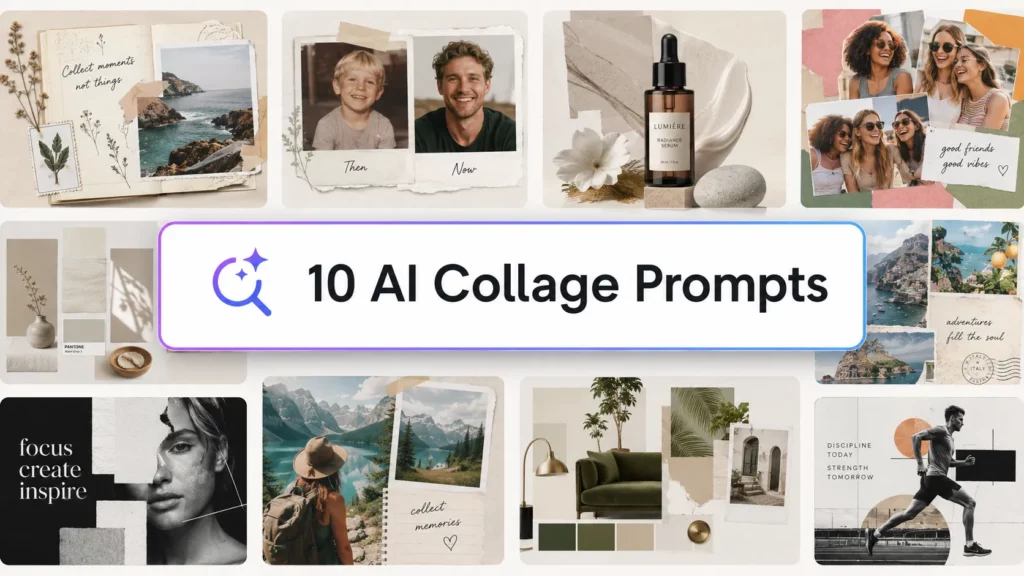
Below are 10 copy-ready English prompts based on collage tests I ran in PhotoGrid Agent. I only kept the ones that produced results I was happy with.
10 AI Collage Prompts to Copy and Paste
Upload your photos, paste the prompt as written, and keep the final “Call the template_design skill” line.
Travel Collages
1. Summer beach trip 2 photos
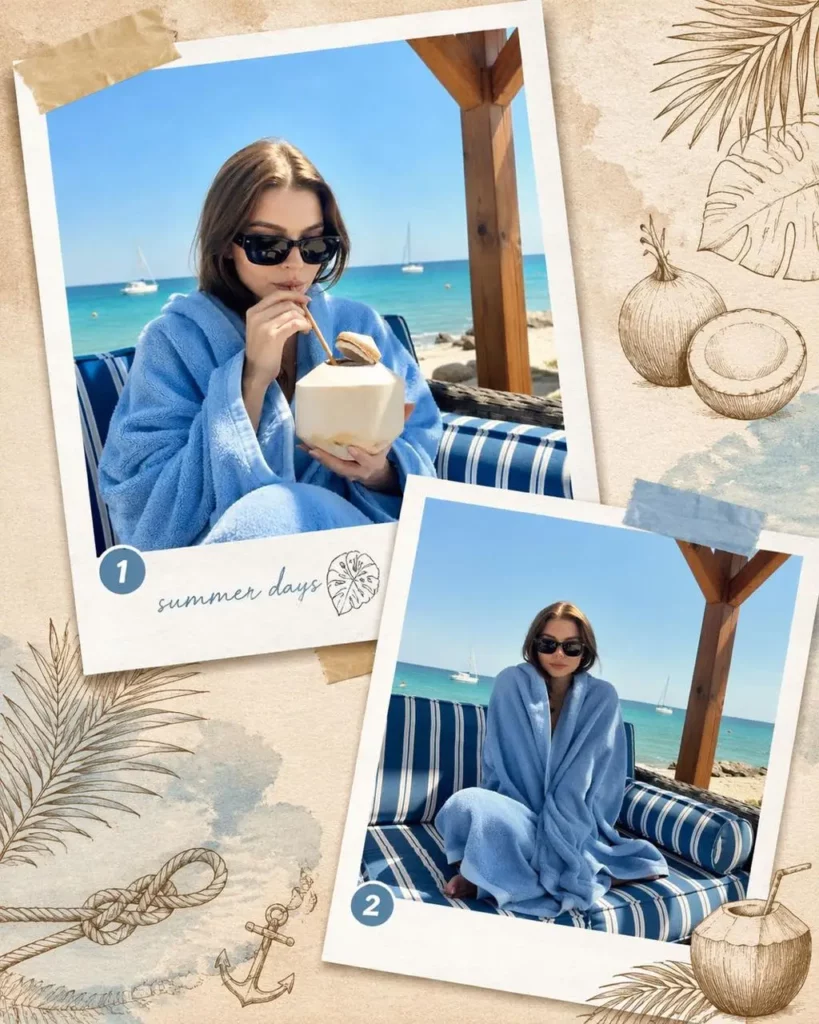
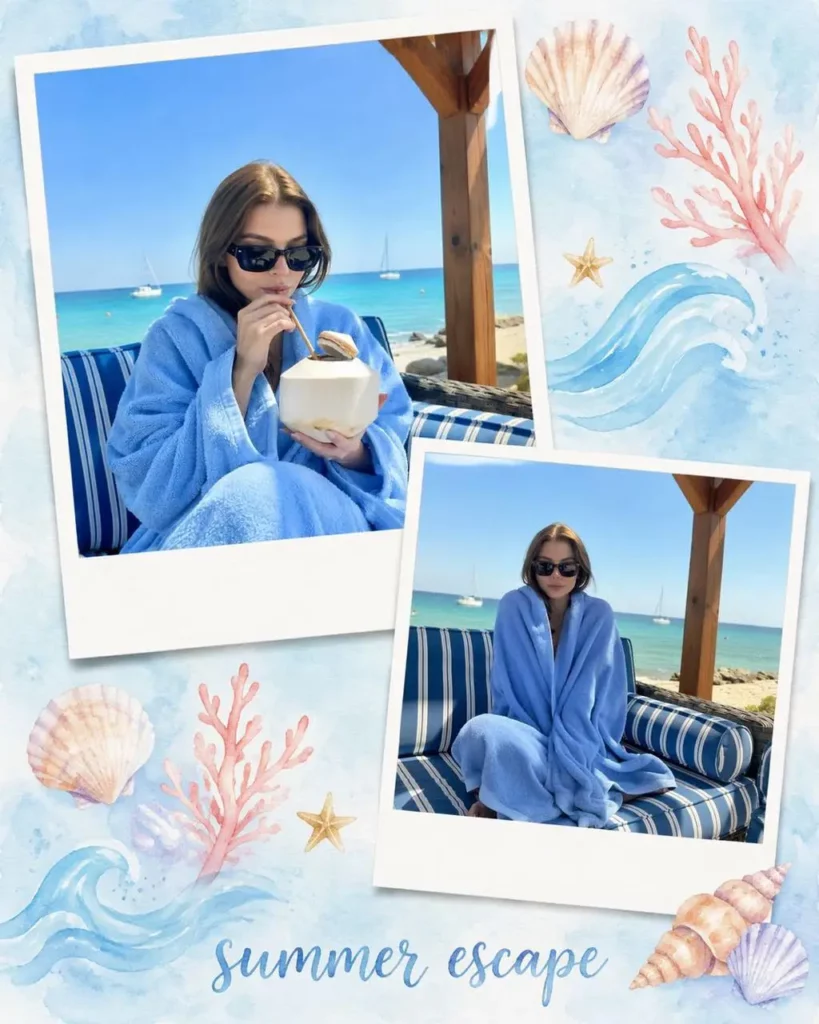
Combine these two photos into a summer travel collage and decorate it with elements that fit the theme.
Call the template_design skill.
Warm tones, beach-themed decorations, clean Polaroid-style layout.
2. Italian holiday aesthetic 6 photos
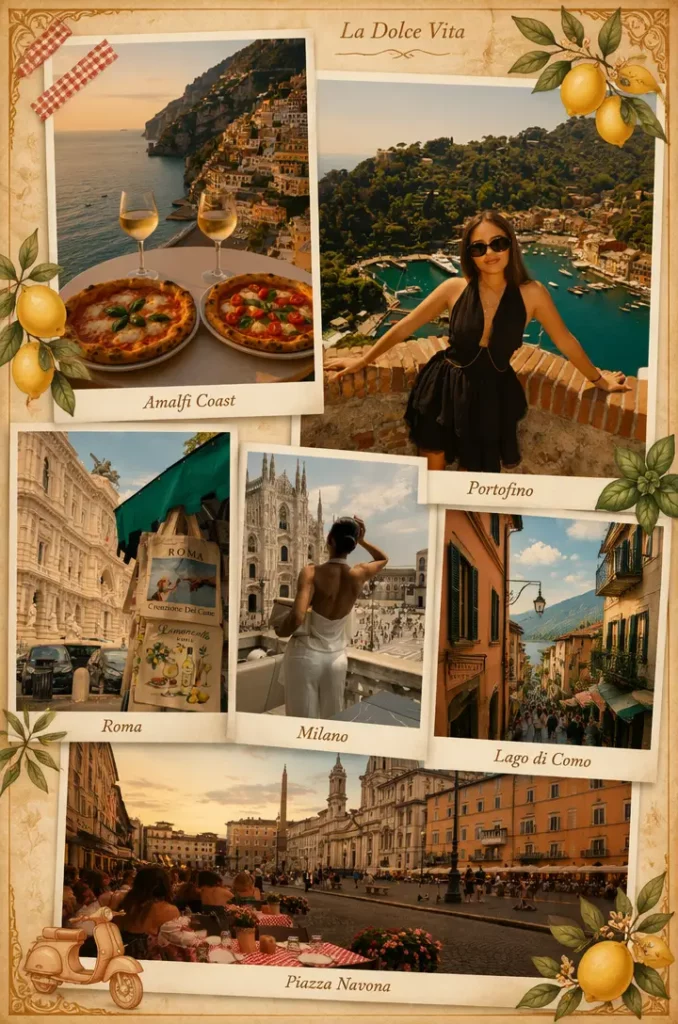
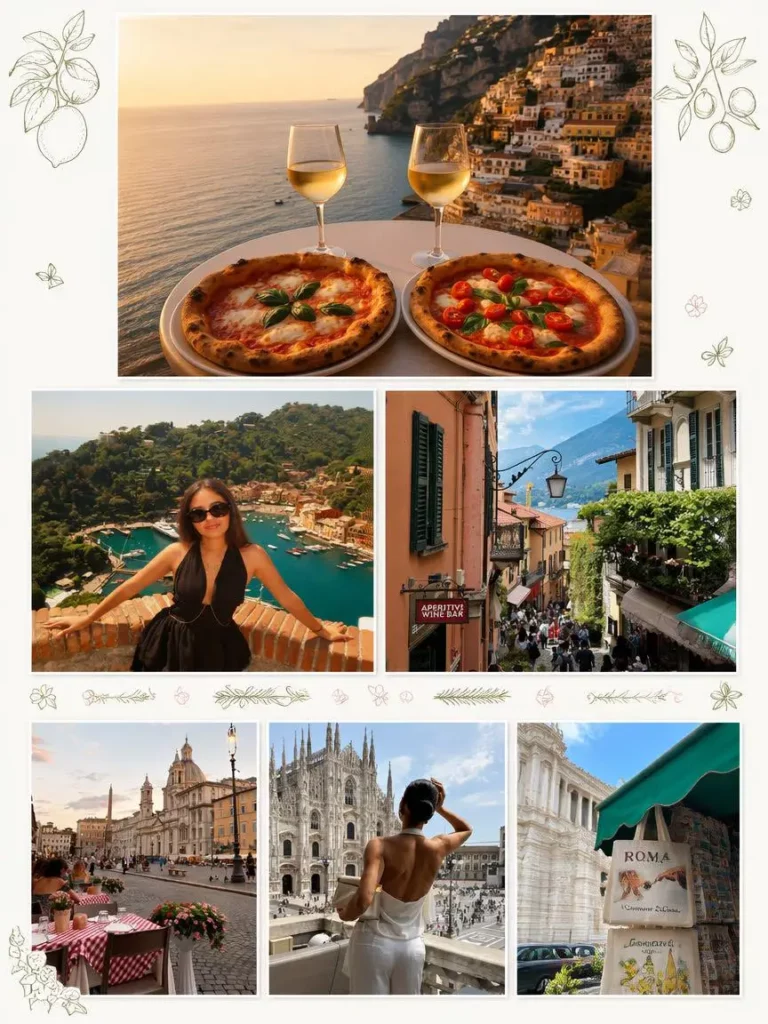
Incorporate stylistic elements unique to Italian flair to decorate and arrange the composition.
Call the template_design skill.
Rich European atmosphere with destination-matched decoration elements.
3. European summer travel, minimal style 3 photos
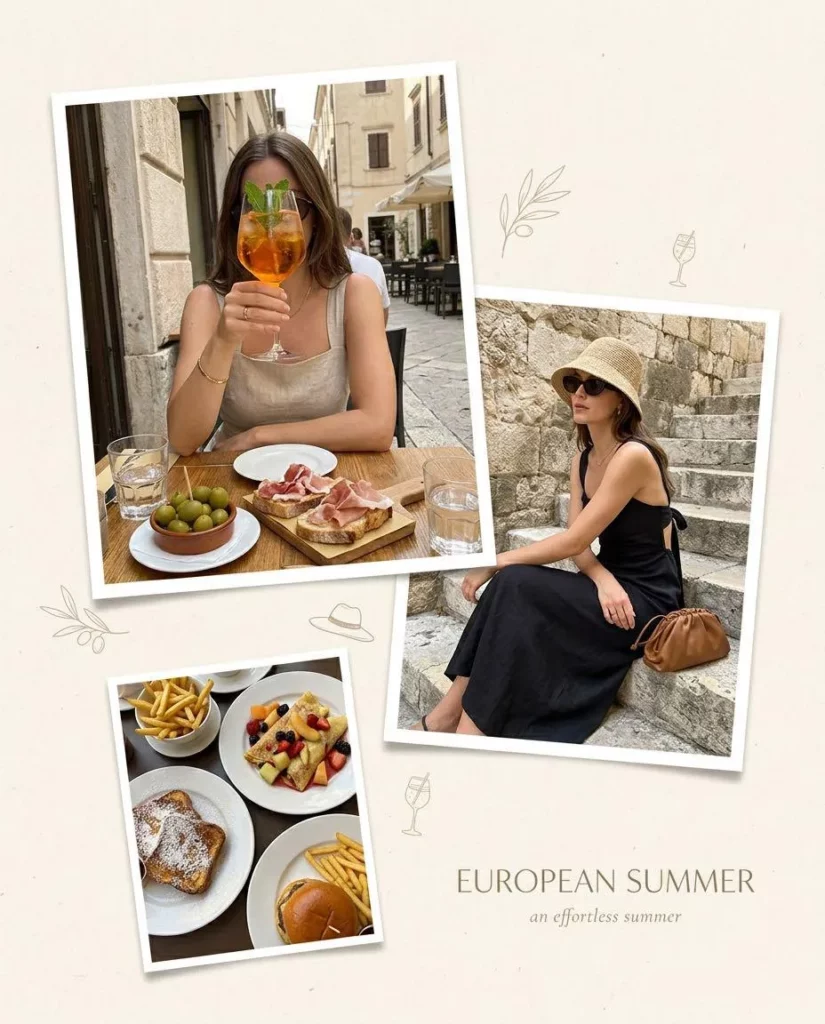
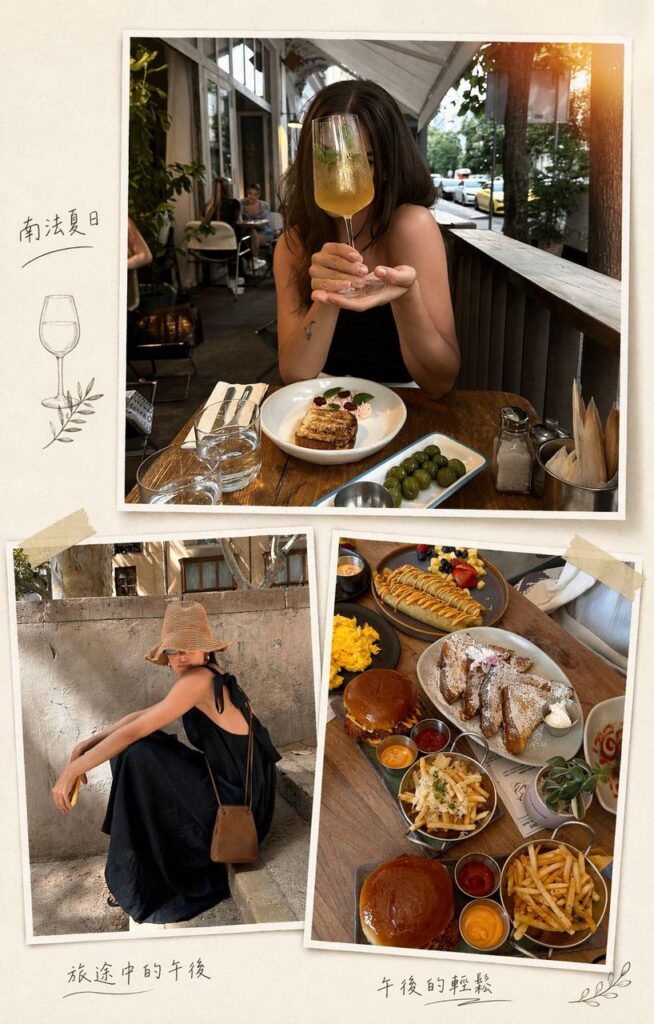
Arrange these three photos into a stylish European summer travel collage with a casual and minimal style.
Call the template_design skill.
Clean, casual layout with a light summer feel.
Want a French botanical style instead?
Switch to a French floral style with hand-drawn elements and warm, transparent sunlight tones.
Call the template_design skill.
4. Food and travel 4 photos
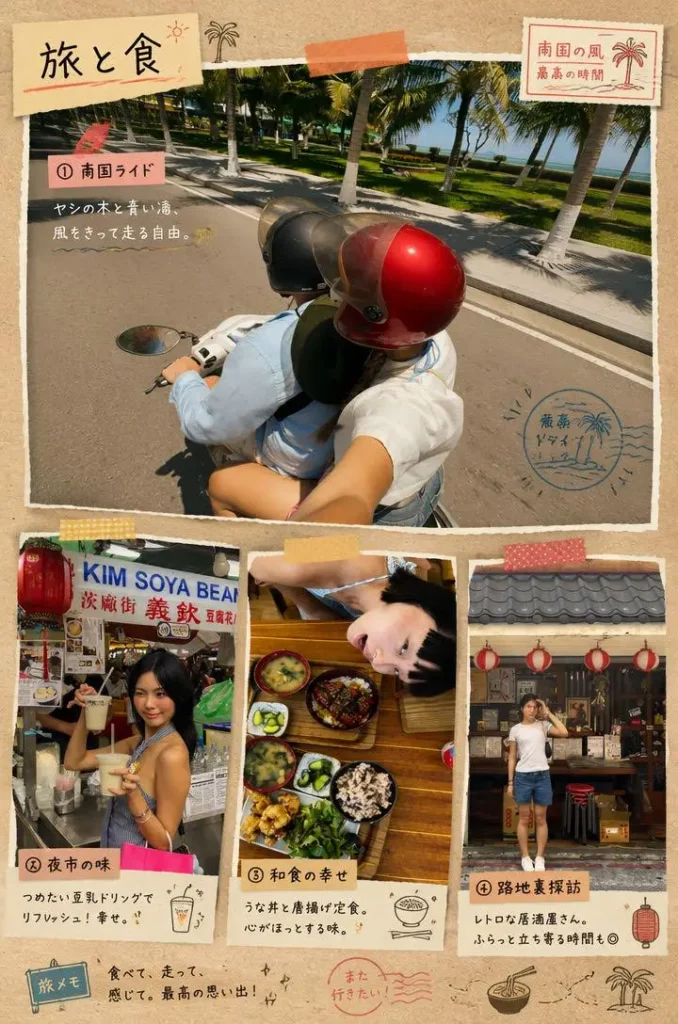
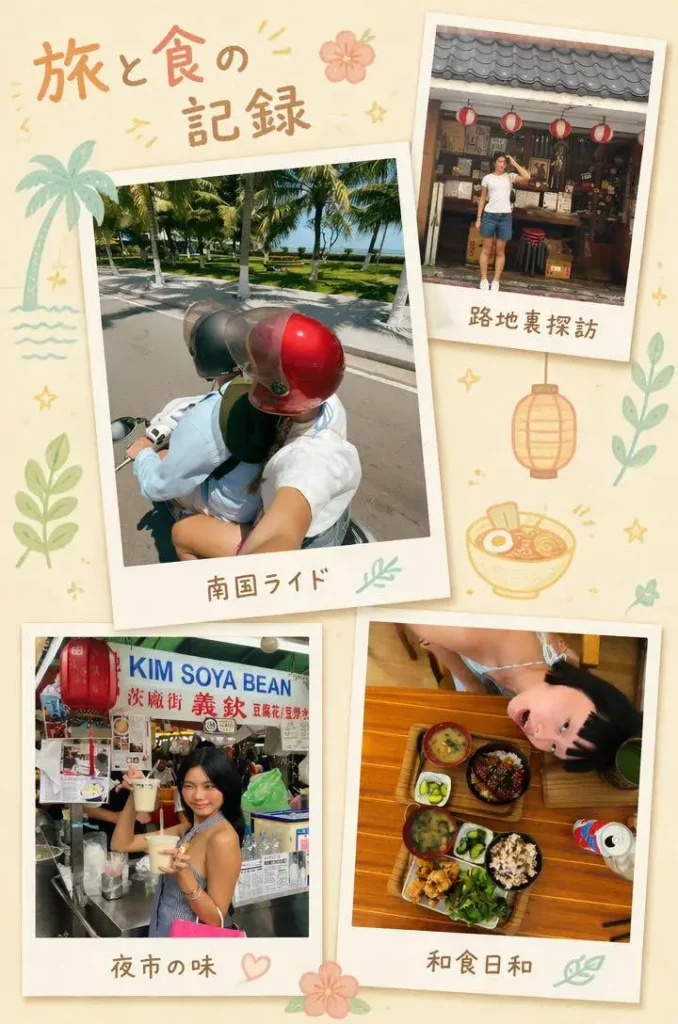
Combine these four photos to express the deliciousness of the food and the freedom of travel.
Call the template_design skill.
Warm, expressive layout that balances food and travel photos naturally.
Want a Polaroid feel instead?
Switch to a Polaroid style with photos placed freely, decorated with tropical plants and food in simple soft pastel tones.
Call the template_design skill.
Aesthetic and Moodboard Collages
5. Summer memories 2 photos
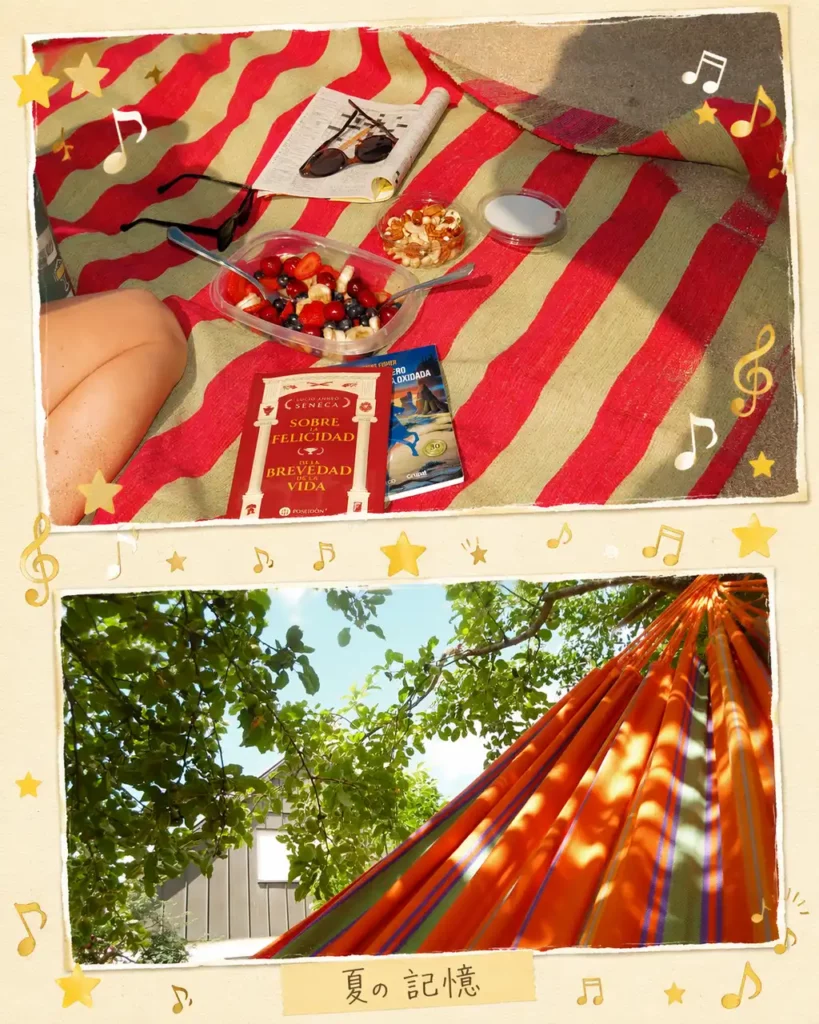
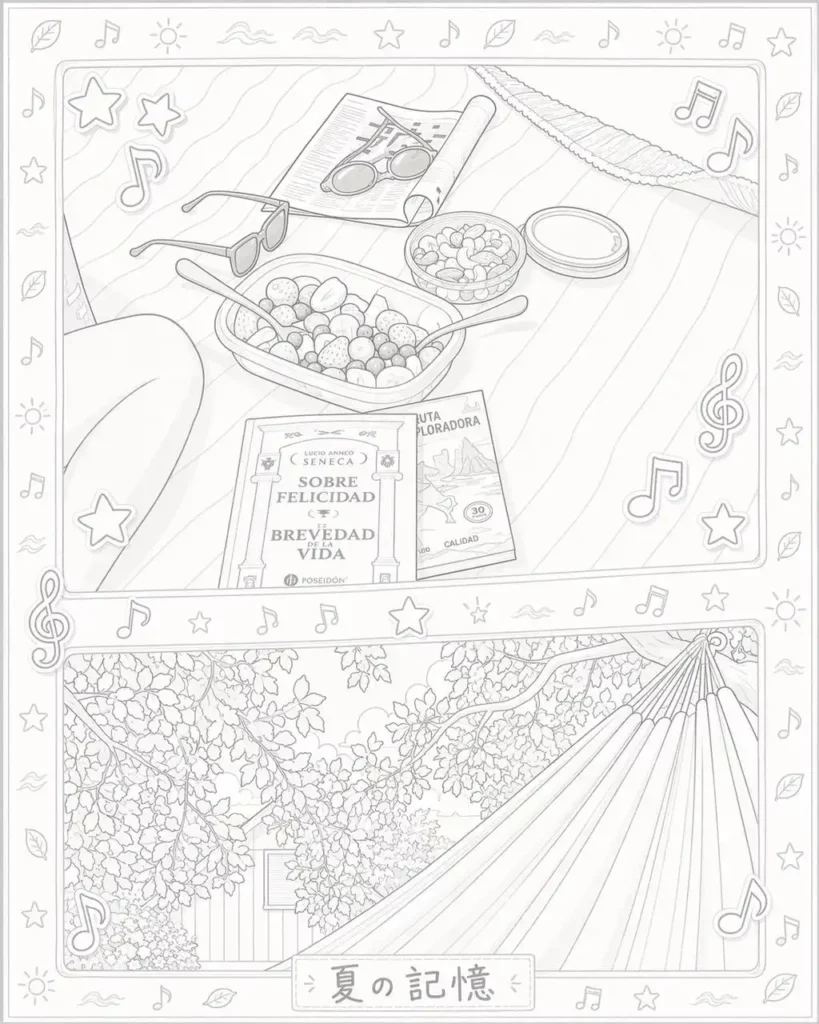
Combine these two photos and add music note and star elements.
Call the template_design skill.
Warm, nostalgic layout with music note and star decorations. Works well for relaxed lifestyle or summer day photos.
6. Golden hour atmosphere 6 photos
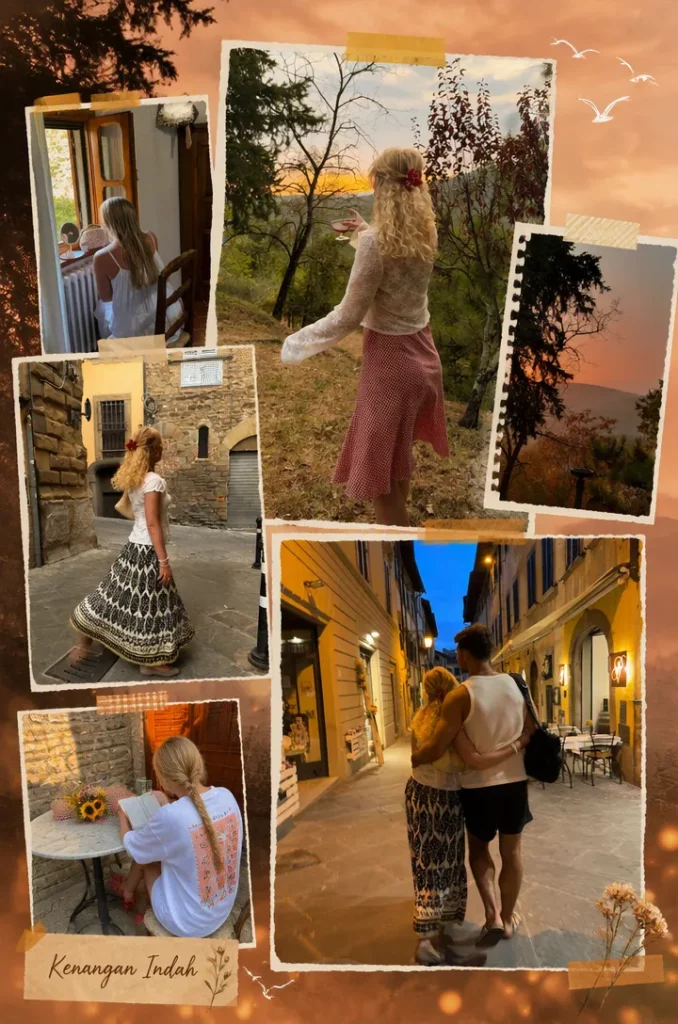
Combine six photos and add sunset elements with small seagulls.
Call the template_design skill.
One of the most atmospheric results in testing, with warm sunset tones and small seagull silhouettes across the layout.
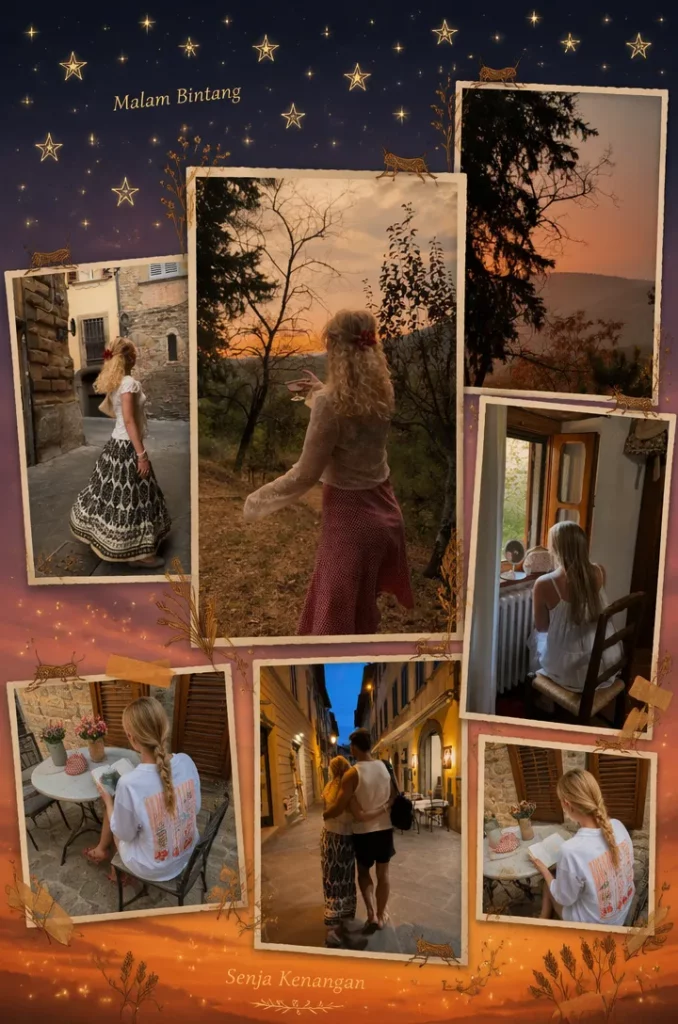
Want to switch to an evening sky with stars?
Switch to dusk and stars, and add crickets as decoration elements.
Call the template_design skill.
7. City travel journal 6 photos
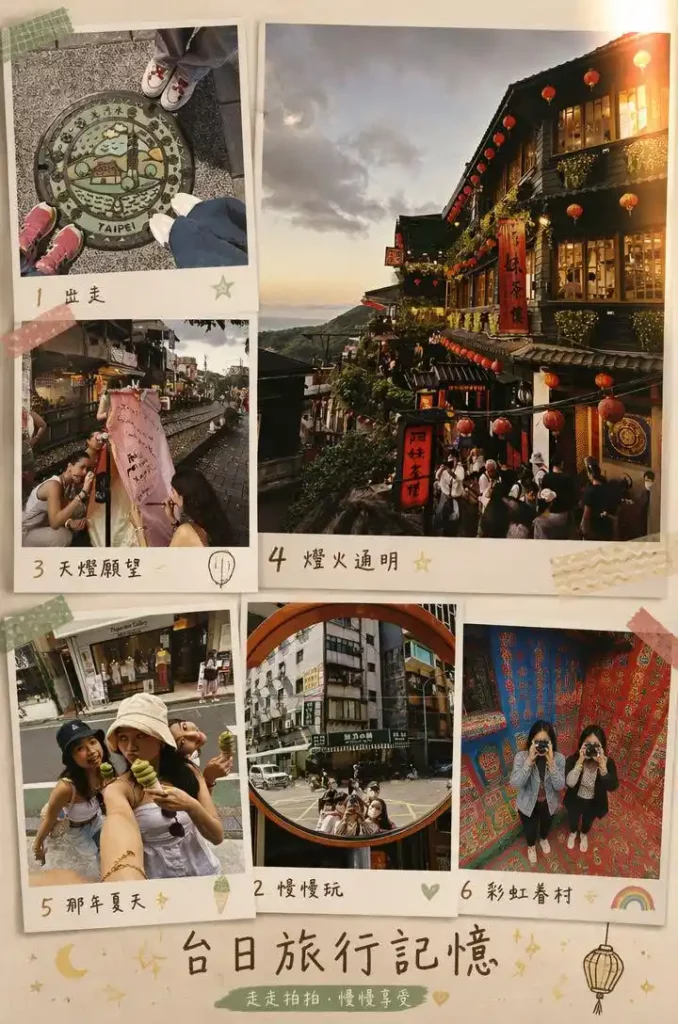
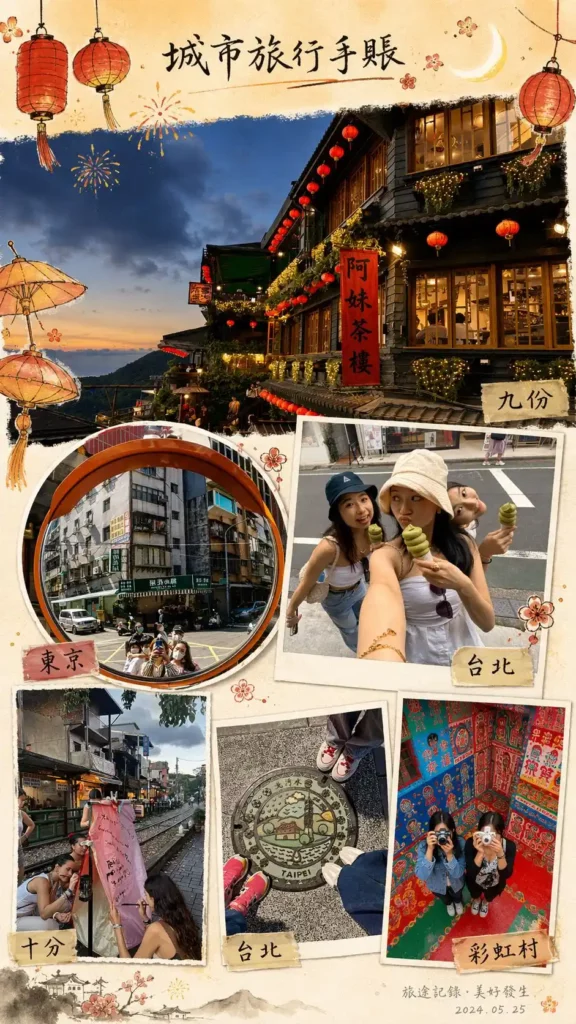
Combine these six photos with a relaxed decorative style and a matching filter tone.
Call the template_design skill.
Relaxed, journal-style layout with matching filter tones.
Want a Chinese ink art style with warm tones?
Add traditional Chinese decorative elements with soft, clear warm tones that feel like a city travel journal full of everyday life.
Call the template_design skill.
Celebration and Fun Collages
8. Ice cream stickers and stars 3 photos
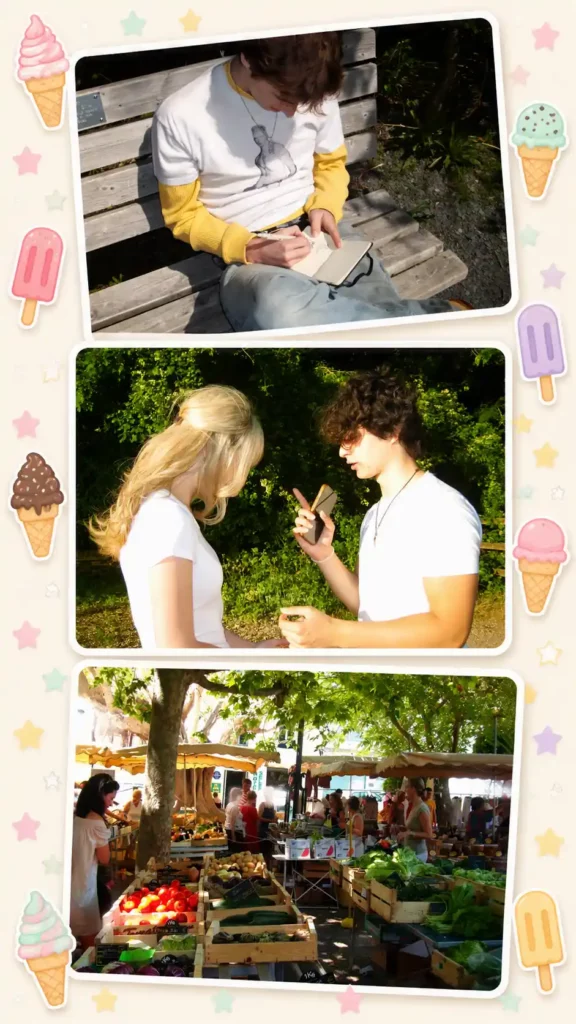
Add some ice cream decoration stickers around, along with five-pointed stars. Arrange them in three rows vertically.
Call the template_design skill.
Playful vertical layout with summer sticker decorations. For more sticker options, you can also add stickers to photos directly in the editor.
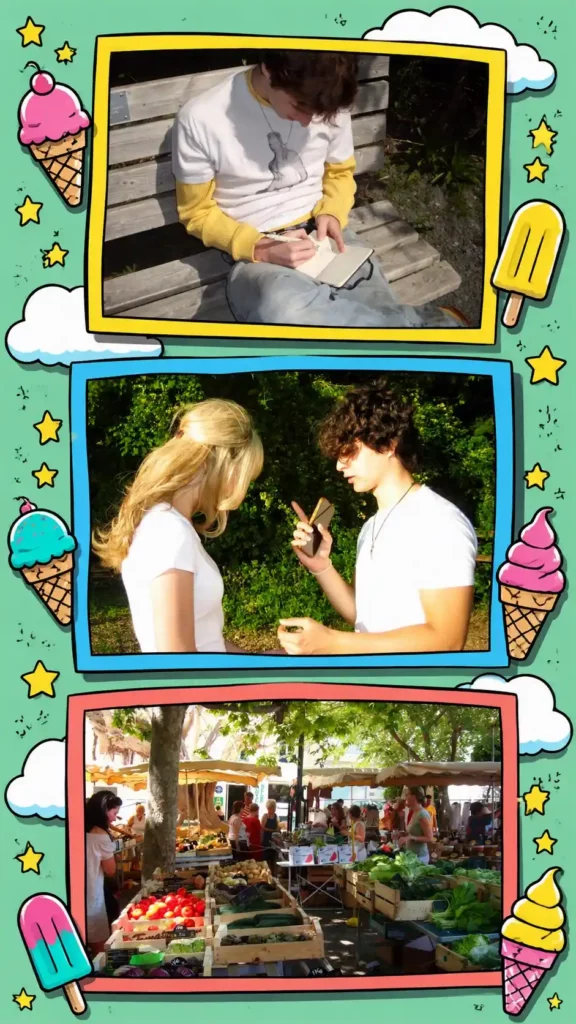
Want to switch to cartoon style?
Change it to a cartoon style.
Call the template_design skill.
9. Summer ice cream theme 5 photos
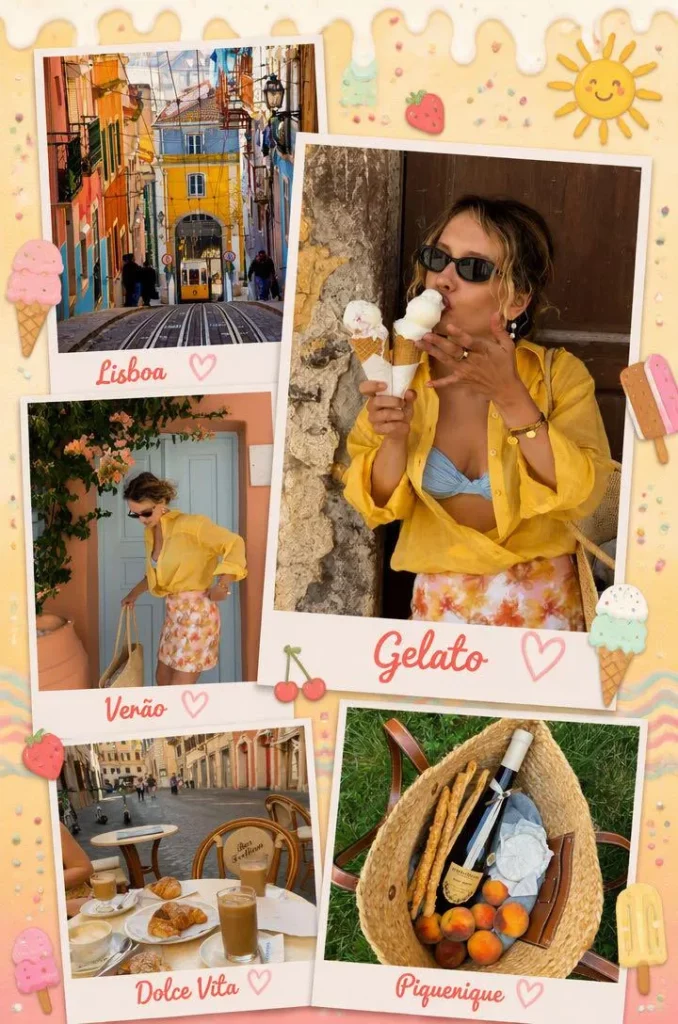
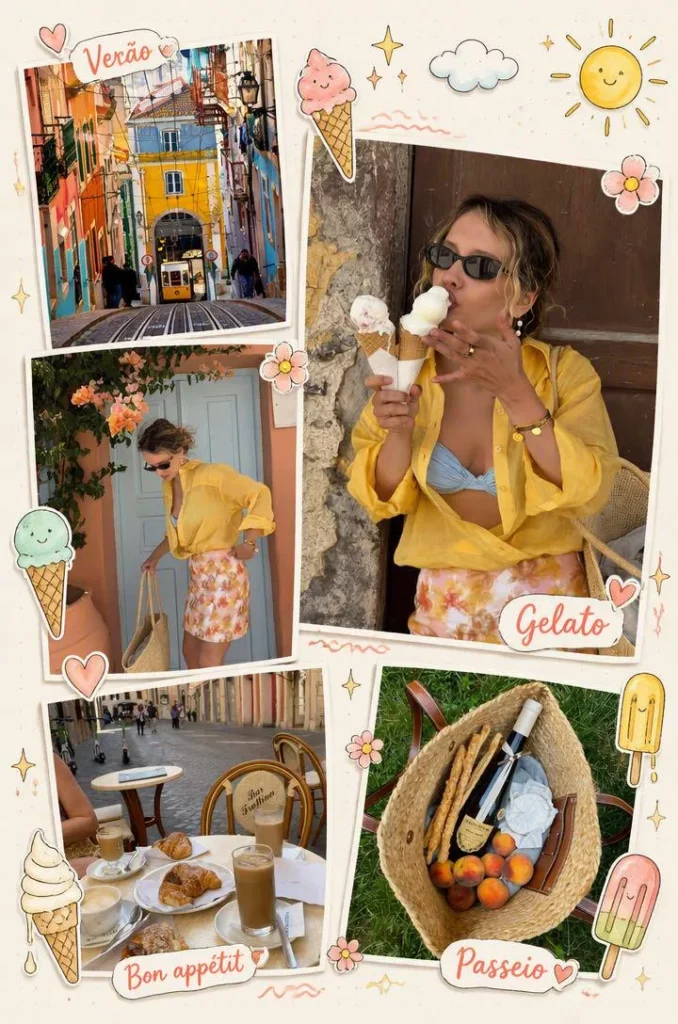
Combine these five photos and add summer-themed ice cream decorations.
Call the template_design skill.
Bright summer feel with ice cream decoration elements.
Want hand-drawn stickers instead?
Replace the sticker content with a hand-drawn style.
Call the template_design skill.
10. Grid with cheerful stickers 3 photos
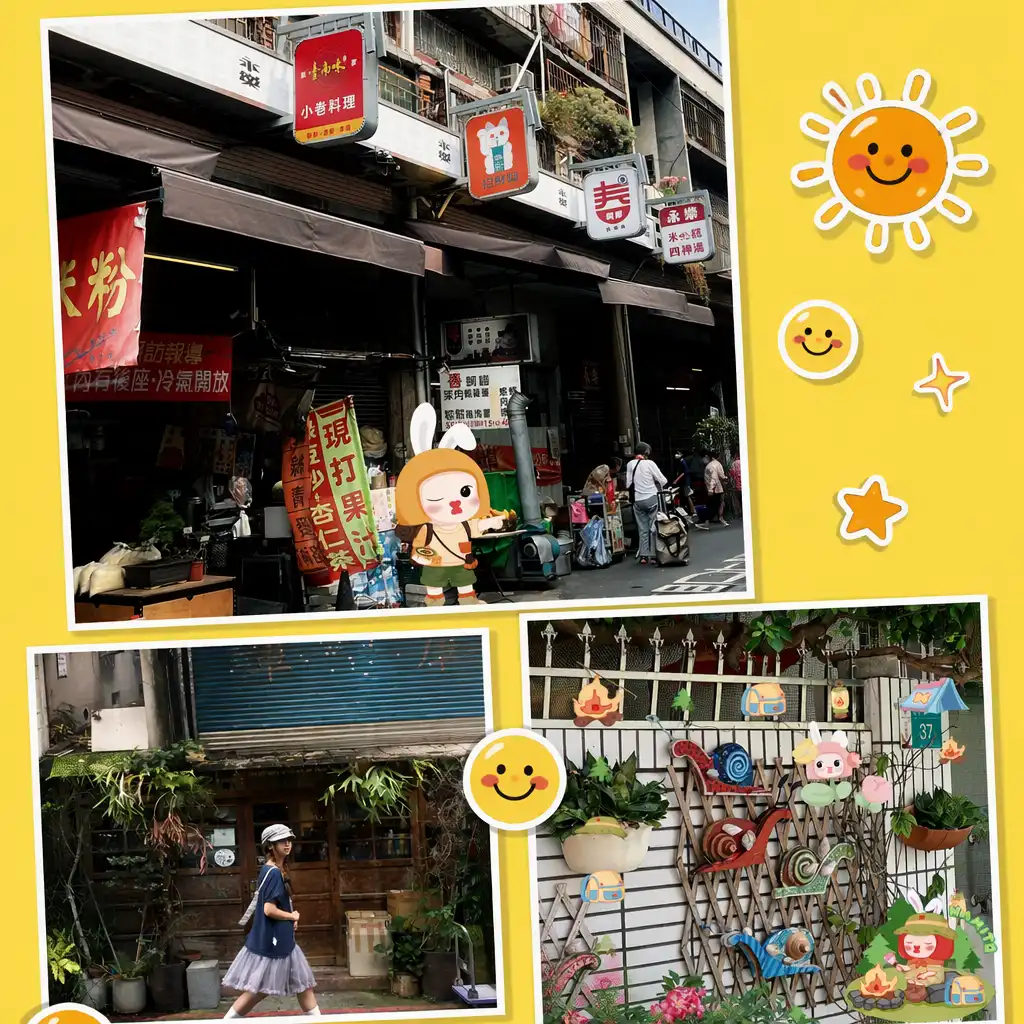
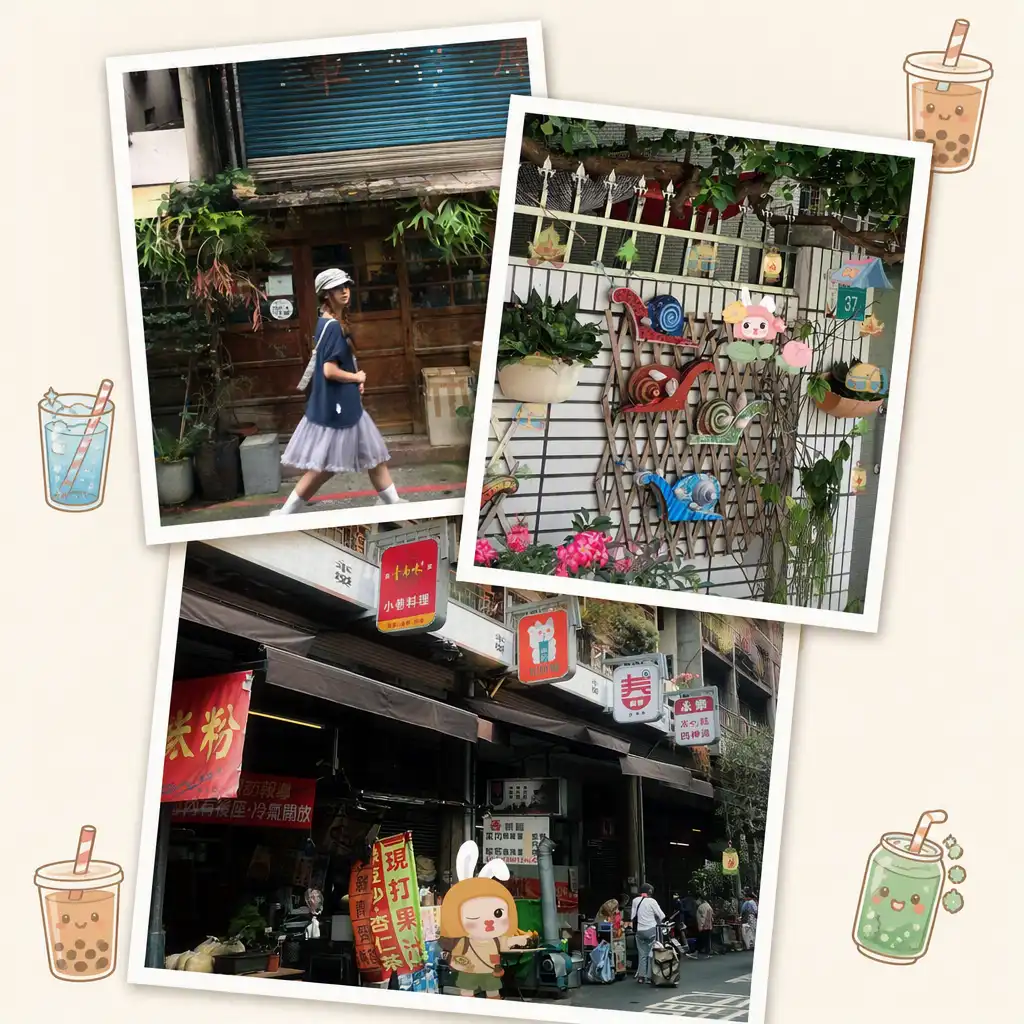
Arrange these three photos in a grid layout. Yellow background, add a few smile and sun stickers.
Call the template_design skill.
Yellow background grid with cheerful sticker decorations.
Want a more minimal style with bubble tea stickers?
Switch to a minimal style and add bubble tea stickers.
Call the template_design skill.
3 Bonus AI Collage Prompts Worth Trying
Bonus 1. Scrapbook journal style 4 to 6 photos
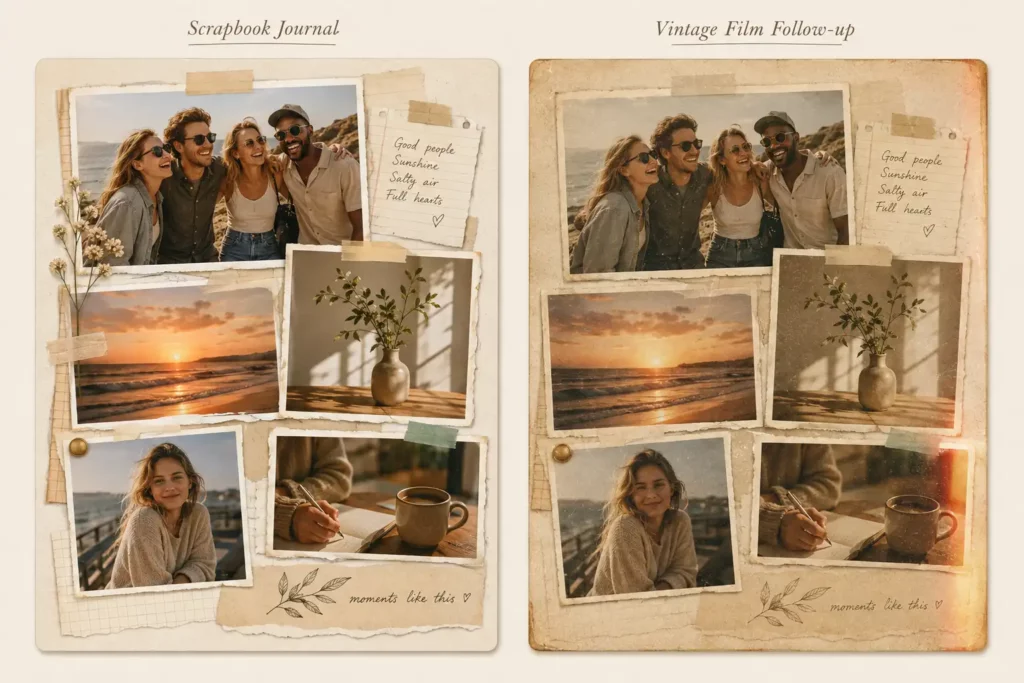
Arrange these photos in a scrapbook layout with torn paper edges, tape overlays, and warm analog tones.
Call the template_design skill.
Scrapbook and hand-drawn styles work especially well for travel, lifestyle, and everyday memory photos.
Want a more vintage film look?
Change to a vintage film grain style with faded warm tones and light leaks.
Call the template_design skill.
Bonus 2. Childhood nostalgia 3 to 5 photos
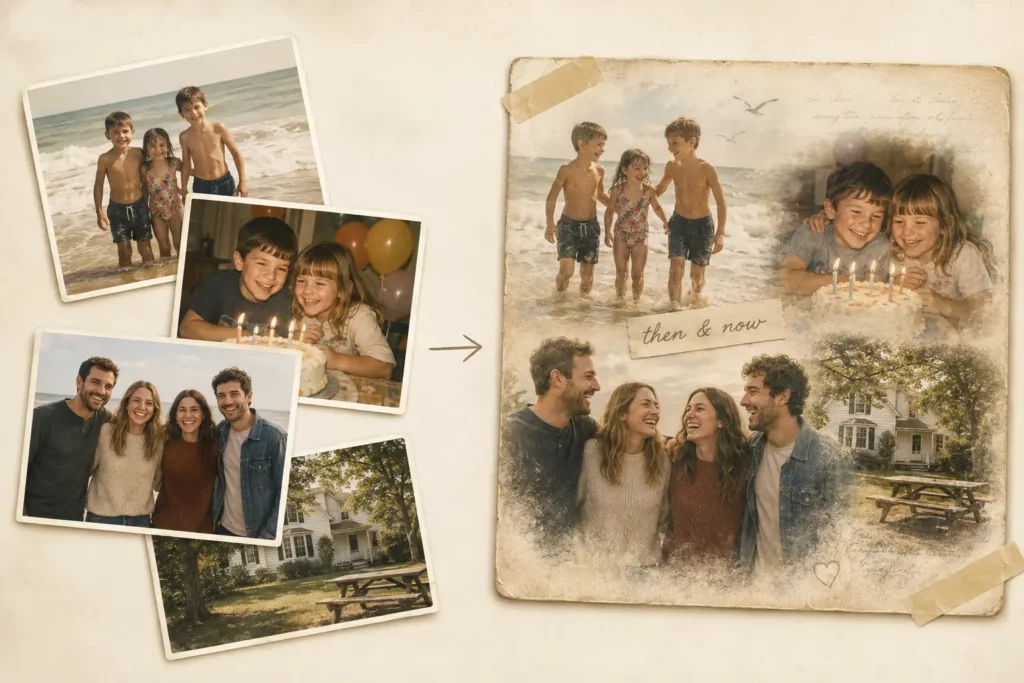
Combine these photos into a nostalgic memory collage with soft, faded tones and a warm sentimental mood.
Call the template_design skill.
Works well for throwback photos, family memories, or any “then and now” combination. The warm faded tone direction gives the AI enough to work with without over-specifying the layout.
Bonus 3. Product showcase 4 to 6 photos
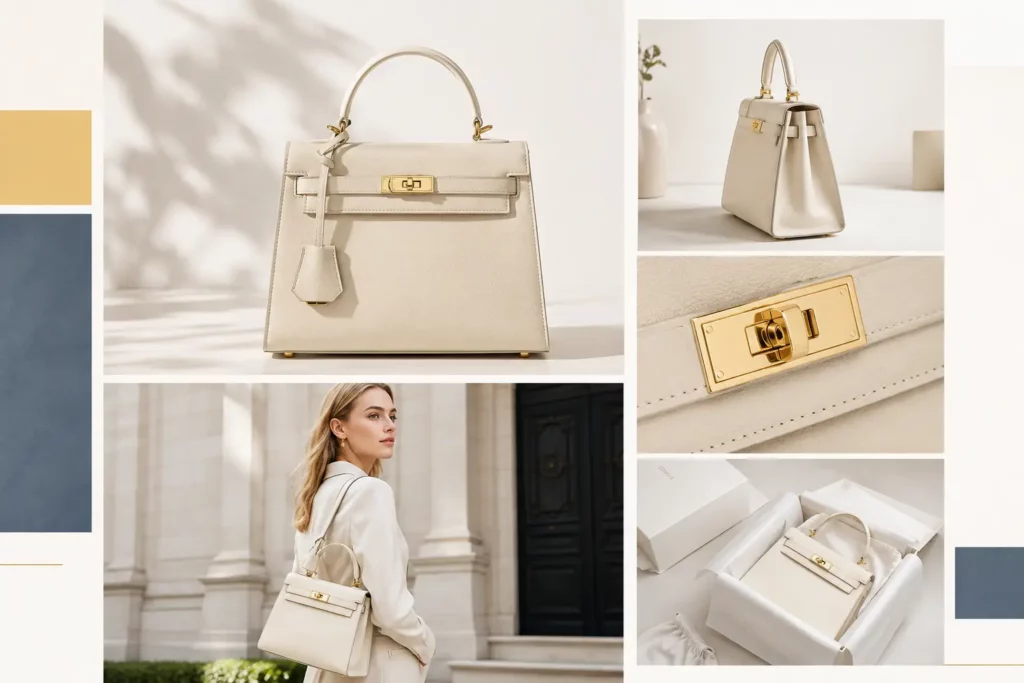
Arrange these product photos into a clean lifestyle grid collage with minimal decoration and a fresh, bright color scheme.
Call the template_design skill.
For e-commerce or social selling content. Keep the prompt clean and minimal. Too many decoration requests can distract from the product.
Want a more editorial feel?
Change to a premium editorial layout with cohesive color grading and no stickers.
Call the template_design skill.
How to Use These Prompts in PhotoGrid Agent?
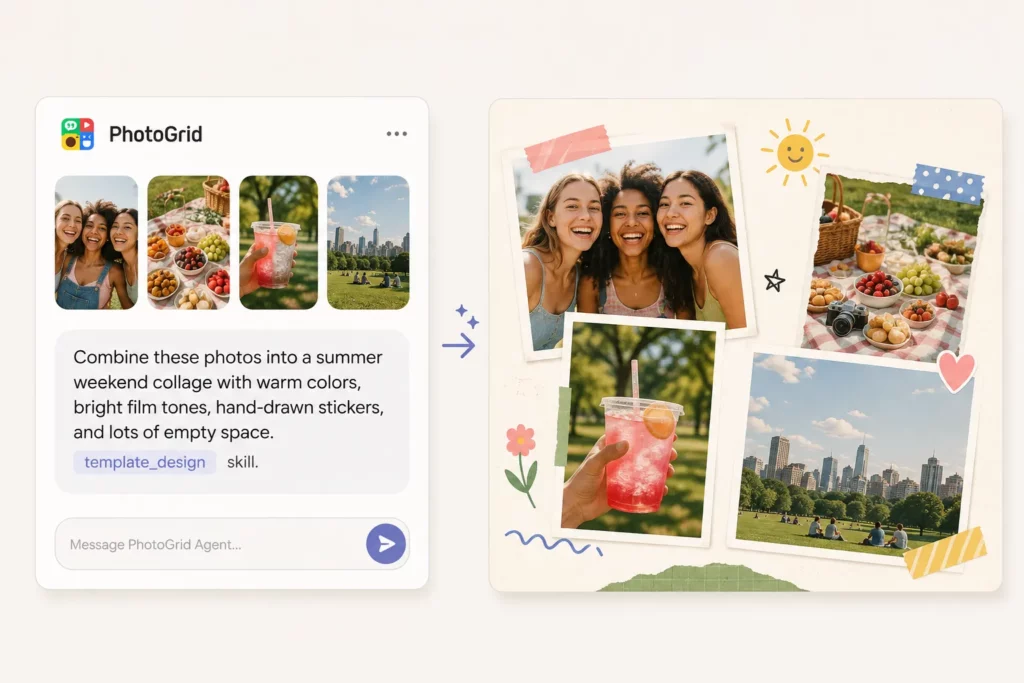
These prompts were tested in PhotoGrid Agent, which includes a collage design skill called template_design. Adding “Call the template_design skill” at the end of your prompt tells the Agent to use that workflow, taking your photo count, theme, layout direction, and style description into account. In my tests, including that instruction produced more structured and consistent results.
If you prefer building a collage manually with full layout control, the collage maker is still there for that.
Step 1: Open PhotoGrid Agent
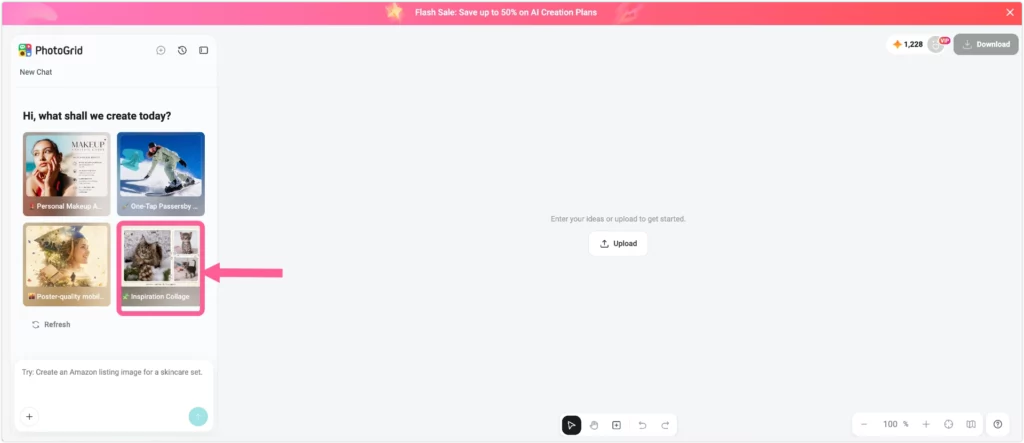
Go to PhotoGrid Agent and start a new chat session.
Step 2: Upload your photos and paste the prompt
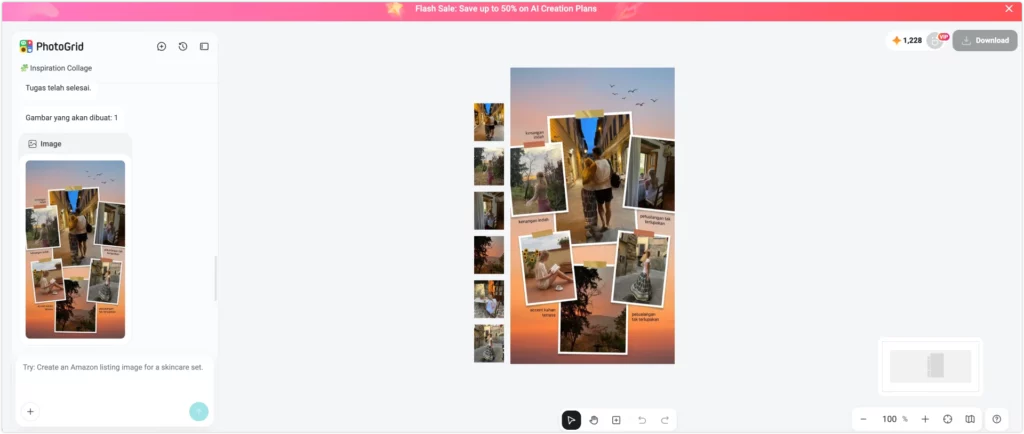
Upload 2 to 6 photos. Use clear, well-lit photos where possible. The AI reads your images to match the style, so blurry or dark photos tend to produce weaker results. Paste the prompt into the chat and keep “Call the template_design skill” at the end.
Step 3: Follow up if needed
Type a short follow-up in the same session to adjust the style. The AI keeps your photos and reworks the design layer.
⚠️ If the send fails or the generation gets stuck: close the session, open a new one, and try again. This happened occasionally in testing. A fresh session usually fixes it.
Do AI Collage Prompts Work in Other Languages?
Yes. Although I kept the copy-ready prompts in this guide in English so they are easier to scan and reuse, I also tested equivalent prompts in Traditional Chinese, Japanese, Indonesian, and Portuguese. PhotoGrid Agent followed the main layout, mood, decoration, and color instructions across all five languages.
| Language | What worked well in my tests |
|---|---|
| English | Detailed style directions and decoration lists |
| Traditional Chinese | Mood, travel-journal, and aesthetic descriptions |
| Japanese | Food, travel, and atmosphere directions |
| Indonesian | Seasonal mood and decoration requests |
| Portuguese | Color, sticker, and seasonal style directions |
These are observations from my own prompt tests, not a controlled language benchmark.
You do not need to translate your idea into English first. Describe the collage in the language that feels most natural to you.
How to Write Your Own AI Collage Prompt
Main Prompt Formula
You upload the photos. The prompt tells the AI how to arrange and style them.
Layout or photo count + theme or mood + decorations + color direction + Call the template_design skill
A few examples built from the same pattern:
- “3 photos in a loose scrapbook layout, French summer travel mood, hand-drawn flower stickers, warm faded tones. Call the template_design skill.”
- “4 photos, clean editorial grid, product lifestyle feel, soft pastel color scheme. Call the template_design skill.”
- “6 photos, Italian holiday vibe, destination-themed decorations, rich warm tones. Call the template_design skill.”
The more specific your description, the better the first result. Vague directions like “nice and pretty” give the AI too little to work with. If you want to try a trending aesthetic, the Y2K AI filter is a good starting point for that style.
Follow-Up Prompt Formula
When the first result is close but not right, use this pattern instead of asking the AI to remove things:
Keep what works + change one element + describe the new direction + Call the template_design skill
Examples:
- “Keep the current photo arrangement, but replace the decorations with hand-drawn botanical stickers and use warmer film tones. Call the template_design skill.”
- “Keep the layout, change the background to soft yellow and add bubble tea stickers. Call the template_design skill.”
This came directly from testing. In one session, I asked the AI to “reduce the elements” and it deleted all decorations and switched to a completely plain layout. Describing the replacement style instead of asking for removal produced a much better result.
One Prompt Mistake I Would Avoid
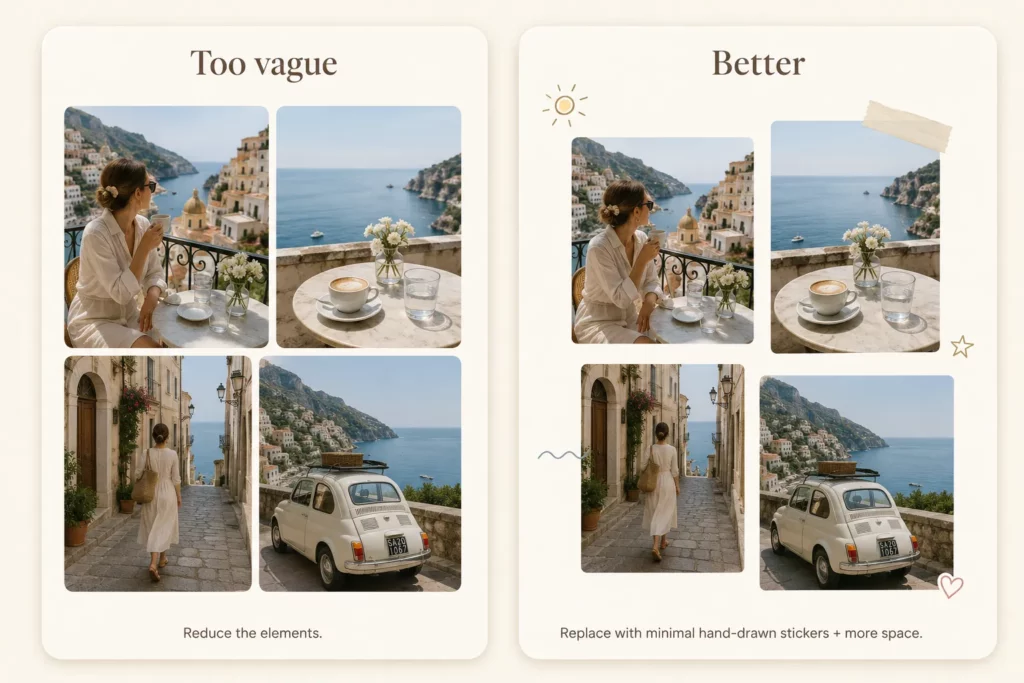
Too vague
Reduce the elements.
In my test, this removed nearly all of the decorations and left the collage much plainer than I wanted.
Better
Keep the current layout, but replace the decorations with a minimal hand-drawn sticker style and leave more empty space.
Call the template_design skill.
The second prompt tells the Agent what to replace the old style with instead of simply telling it what to remove.
What to Try Next
Open PhotoGrid Agent, upload your photos, paste the prompt, and adjust one design direction at a time if the first result is not quite right.
Start with the prompt closest to the photos you already have.
- Travel photos → Prompt 1 or 3
- Lifestyle or couple photos → Prompt 5 or the Scrapbook bonus
- Party or summer photos → Prompt 8 or 9
- Product photos → Bonus 3
AI Collage Prompt FAQs
What is a good AI collage prompt?
A good AI collage prompt specifies the layout, mood, decorations, and color direction without overloading the AI with unnecessary detail. From testing, prompts that named a specific aesthetic like “scrapbook layout with hand-drawn stickers and warm faded tones” produced much stronger results than vague directions like “make it pretty.”
Can AI make a collage from my own photos?
Yes. Upload your photos first, then describe how you want them arranged and styled. The Agent reads your actual photos together with the prompt to generate a layout that fits both the images and the style you described.
Do AI collage prompts have to be in English?
No. I also tested equivalent collage prompts in Traditional Chinese, Japanese, Indonesian, and Portuguese. The Agent followed the layout, mood, decoration, and color directions across all five languages, so you can write in whichever language feels most natural.
What does “Call the template_design skill” do?
It activates the collage-design workflow inside PhotoGrid Agent. The Agent then uses your photo count, theme, layout direction, and style description to build the collage. In my tests, including this instruction produced more structured and consistent results.
What if the AI deletes all decorations when I ask it to simplify?
Describe the new style you want instead of asking it to remove things. “Switch to a hand-drawn sticker style” works better than “make it less busy.” This was confirmed in testing: asking to reduce elements sometimes deleted everything and switched to a plain minimal layout.
How detailed should an AI collage prompt be?
Start short. In my tests, one clear layout direction, one mood, and one or two decoration ideas were usually enough. Add more detail only when the first result misses something specific.