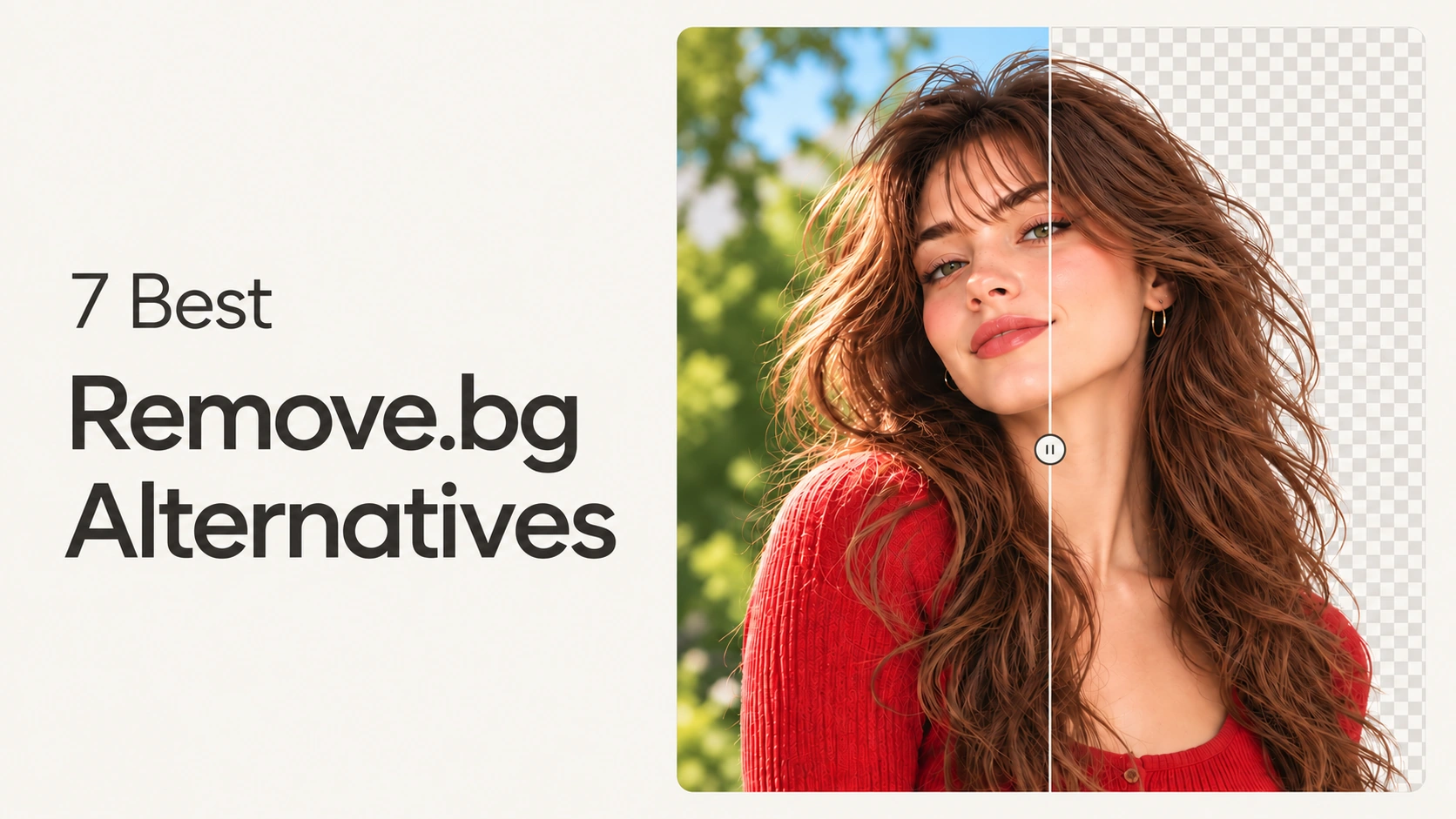
Remove.bg’s standalone website closes on December 1, 2026, and background removal moves into Canva. If you use it every week, you need a replacement before then. So on October 29, 2026, I ran the same four tricky photos through remove.bg and seven alternatives. I didn’t create an account or pay, so you see exactly what the free tiers give you.
Key Takeaways
- Photoroom gave the best free result in my test. It exported an original-size transparent PNG with no login and no watermark, and it scored highest on pets and products.
- PhotoGrid matched remove.bg on hair and pets and gave a free, watermark-free PNG without an account. The full-resolution HD download is free once you log in.
- Canva is the official replacement, but it scored lowest on the glasses photo, and you need an account to download anything.
What’s Changing with Remove.bg
According to the official remove.bg FAQ, here is what happens on December 1, 2026:
| What you use | What happens |
|---|---|
| remove.bg website | No longer available from 9:00 a.m. CET |
| Pay-as-you-go credits | Unused credits expire that day |
| Self-serve API | Moves to Leonardo.Ai, also owned by Canva |
| Enterprise API contracts | Not affected |
| Recommended replacement | Canva for single images and bulk batches |
Spend any remaining pay-as-you-go credits and download the images you still need before December 1. Then pick a new tool, so the deadline doesn’t land in the middle of a project.
Why People Are Looking for a Remove.bg Alternative
Remove.bg isn’t disappearing completely, since background removal moves into Canva. But in the Reddit threads about the shutdown, such as this one on r/canva and this request for alternatives on r/web_design, the same few worries keep coming up:
- Two clicks, no account. For many people, typing the remove.bg address was pure muscle memory. You dropped a photo in, got a cutout, and never had to register. Several commenters tried Canva’s remover and were stopped by a sign-up screen right away.
- Pasting straight from the clipboard. One of the most upvoted wishes was simple: paste a copied image with Ctrl+V instead of saving it first. People who grab images from the web relied on that shortcut every day.
- Fear of a paywall. The loudest worry is that a free tool will end up behind Canva Pro. The original poster noted that Canva’s remover inside designs is already Pro-only.
- No daily limit and a quick cleanup brush. Users miss being able to run image after image without a cap, and the small eraser for fixing leftover bits.
- Credits and integrations with a deadline. Unused pay-as-you-go credits expire on December 1. Anyone on the self-serve API also has to move to a new service.
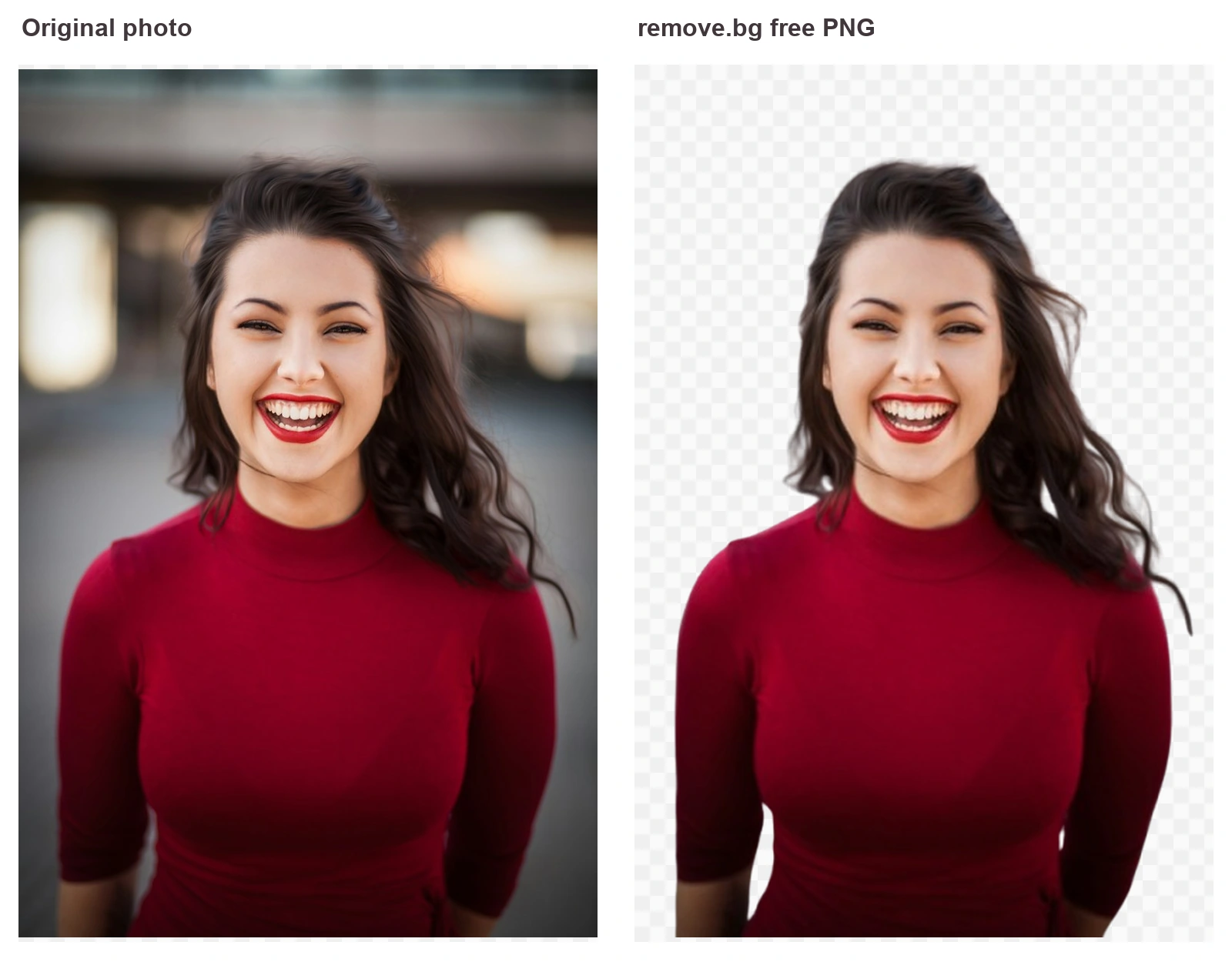
Those worries shaped the test. I checked how clean each cutout was, how big a free download you get, and whether you have to log in first. Remove.bg’s own free preview was only 408 × 612 pixels for my portrait, so that was the bar to beat.
How I Tested the Remove.bg Alternatives
I used four photos that usually trip up background removers:
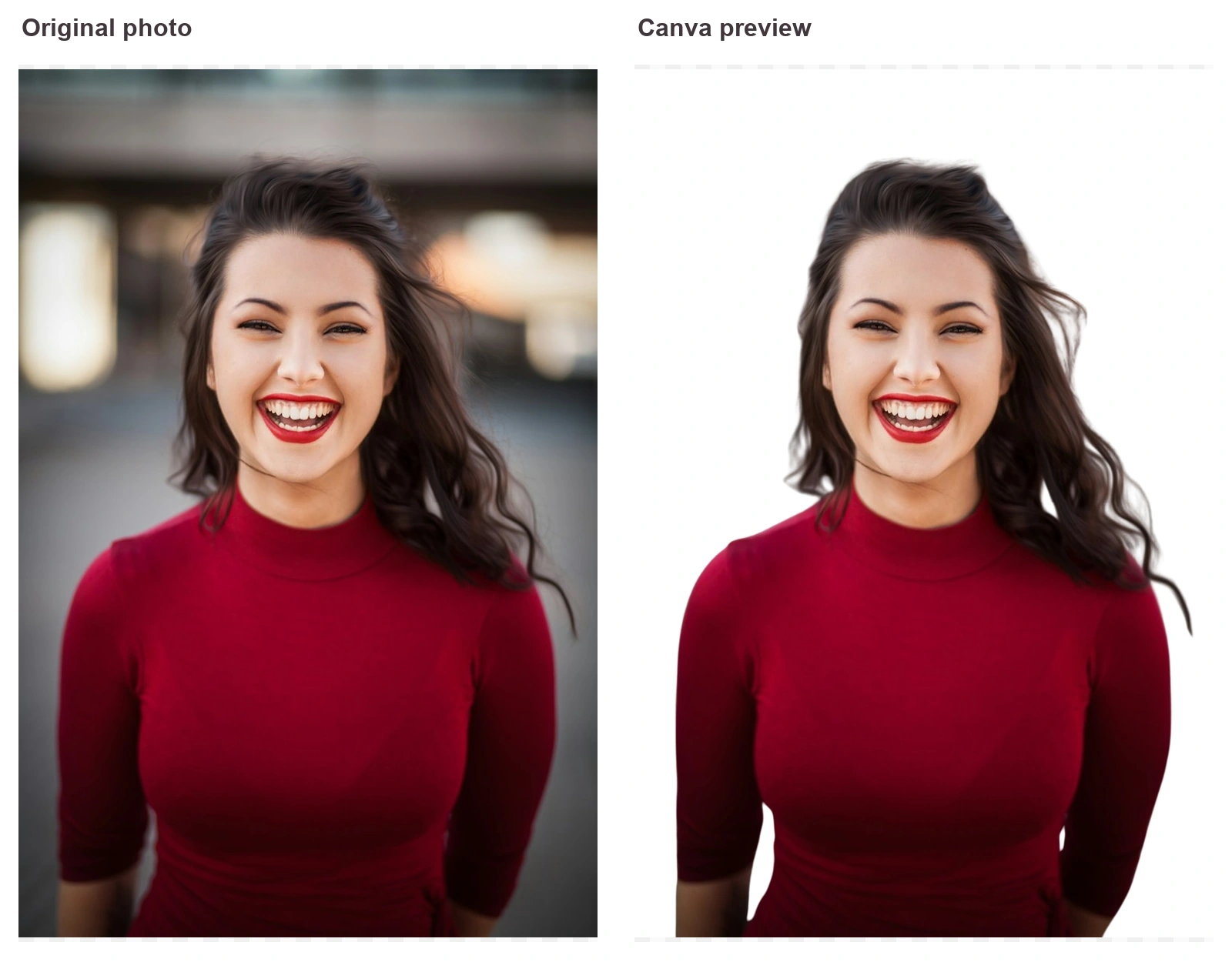
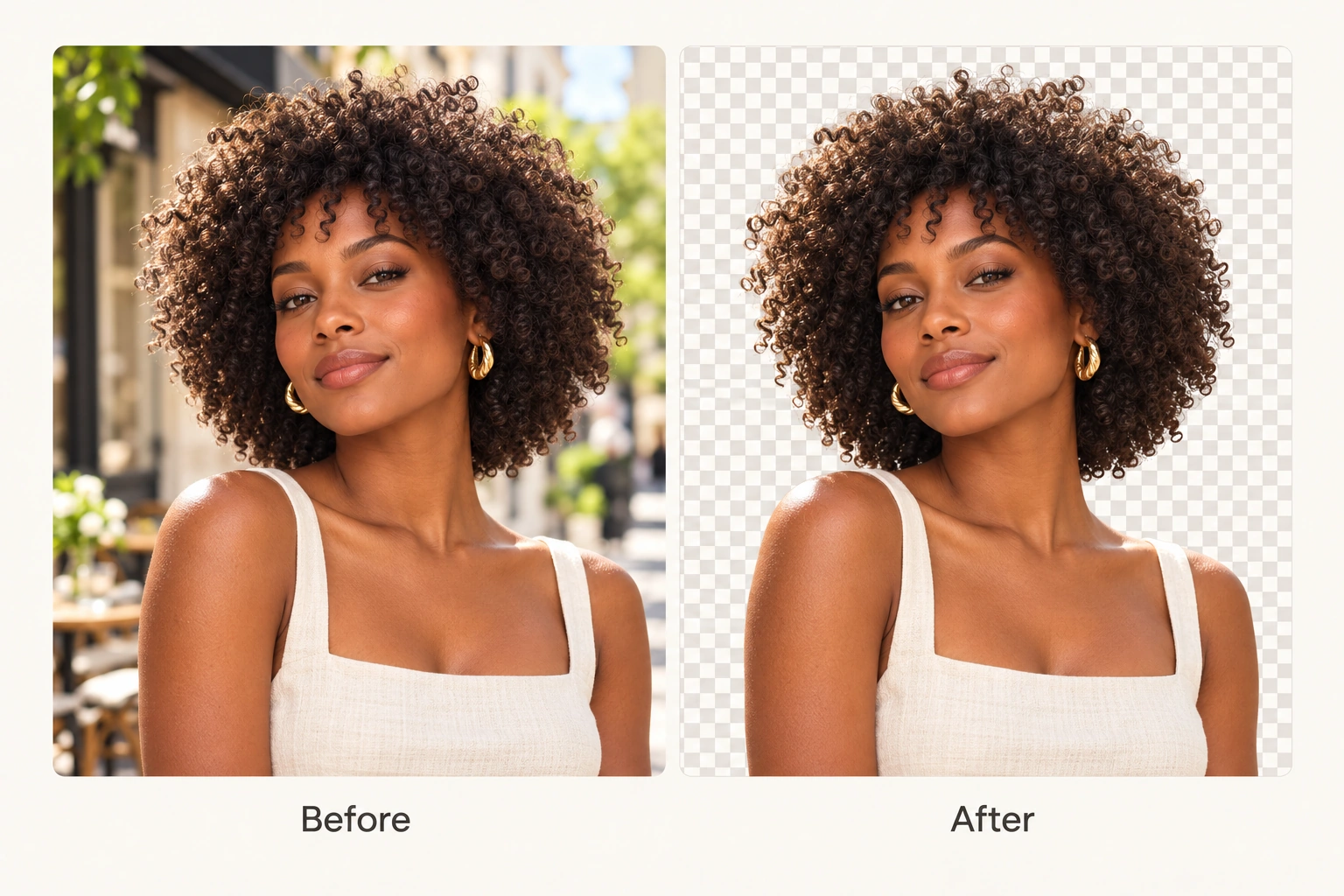
- Hair: a smiling woman with long dark hair against a dark background, where hair and backdrop blend together.
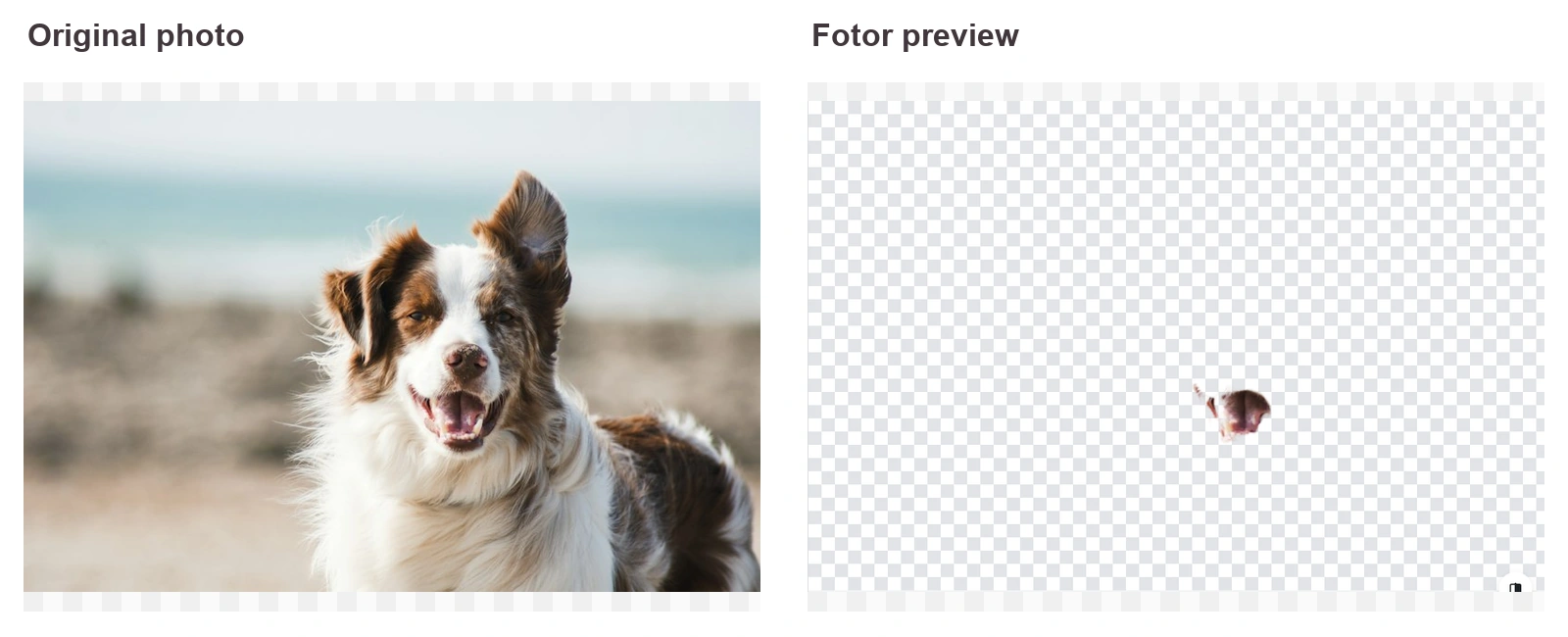
- Pet: a dog on a beach, with fur edges against sand and sky.
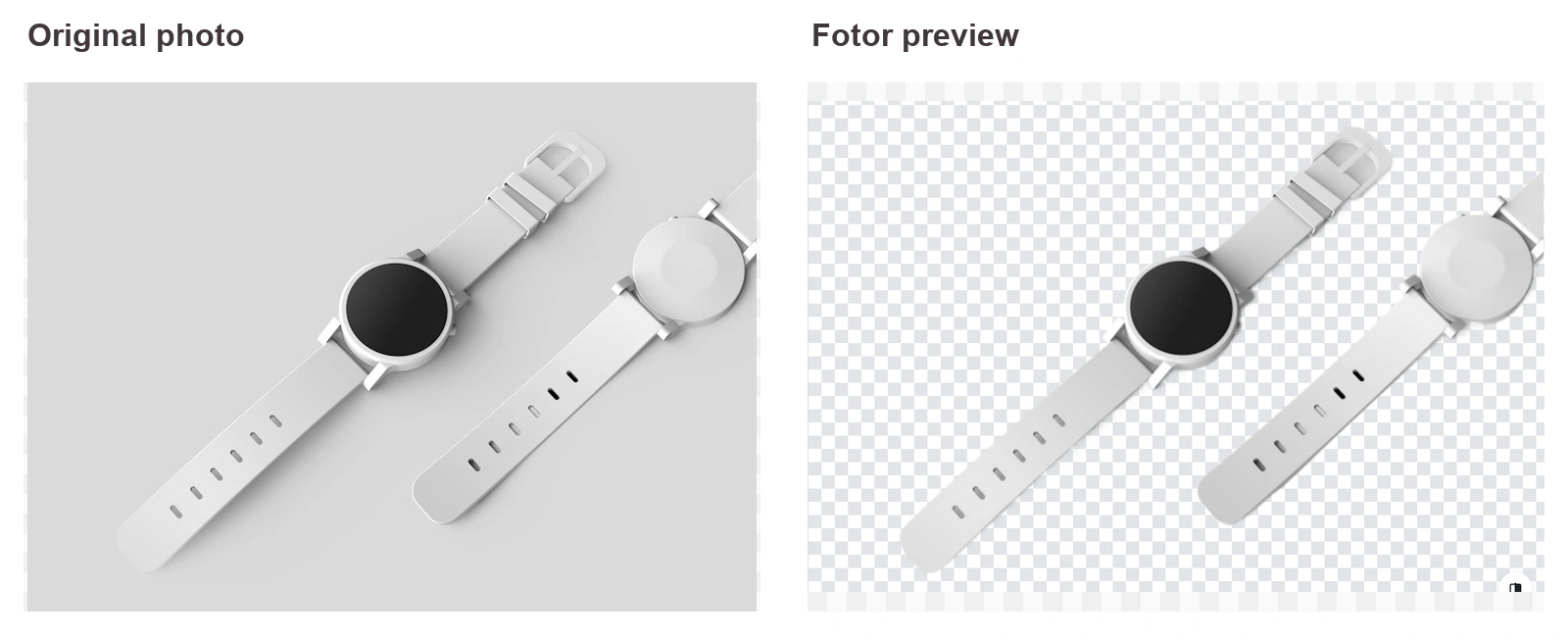
- Product: a pair of smartwatches on a light gray surface, a typical marketplace shot with thin straps and soft shadows.
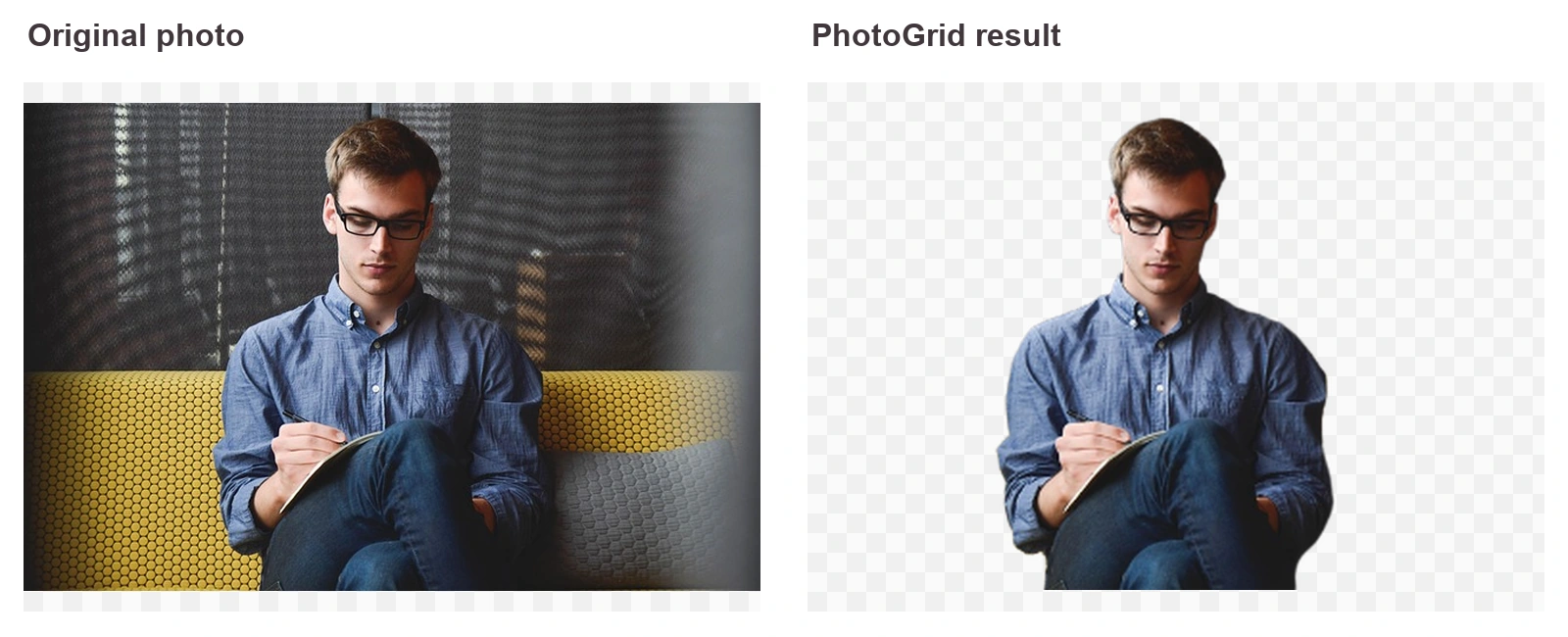
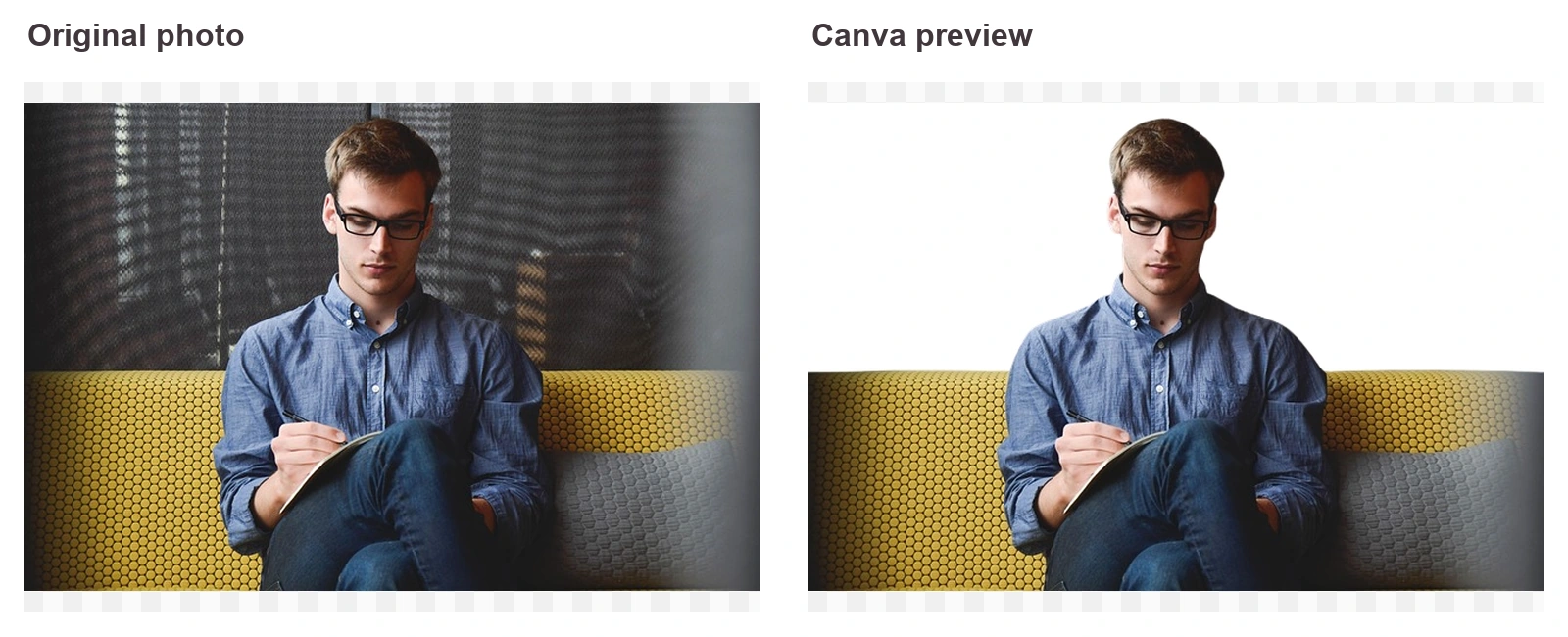
- Glasses: a man wearing glasses on a yellow sofa, where the frames and the busy room behind him both need careful edges.

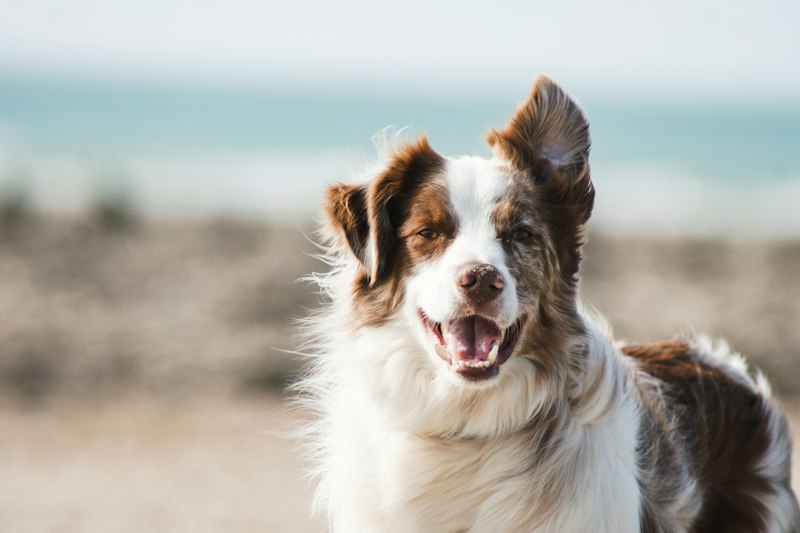
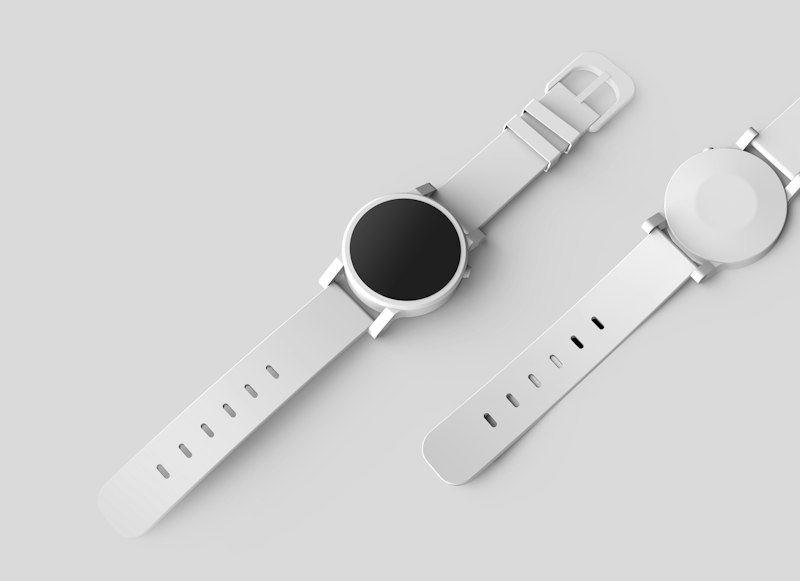

Each cutout got a score from 1 to 5 for clean edges and nothing missing or left behind. I also recorded what each free tier gives you: PNG download, file size, watermark, login, and processing time. Every test used the free tier with no account, on October 29, 2026.
Remove.bg Alternatives Compared
remove.bg is included as the baseline, so you can see how each tool compares with what you’re leaving.
| Tool | Hair | Pet | Product | Glasses | Free PNG without login | Watermark | Free export size | Time |
|---|---|---|---|---|---|---|---|---|
| remove.bg (baseline) | 4 | 4 | 5 | 4* | ⚠️ Preview only | No | About 0.25 MP (408 × 612 portrait) | 2 to 7s |
| PhotoGrid | 4 | 4 | 4 | 4 | ✅ | No | About 60% of original; full size free after login | 8 to 14s |
| Photoroom | 4 | 5 | 5 | 4 | ✅ | No | Original size | 4 to 8s |
| Pixelcut | 4 | 4 | 5 | 4 | ⚠️ Preview only | No | 1080 px long edge; full size free with sign-in | 4 to 5s |
| PicWish | 4 | 3 | 4 | 4 | ❌ | Yes, on preview | About 80% after login; full size on free trial | 7 to 10s |
| Fotor | 4 | 1 | 5 | 4 | ⚠️ First download only | No | Original, first file | 8 to 40s |
| Adobe Express | 4 | 4 | 5 | 5 | ❌ | No | Free account required | 5 to 12s |
| Canva | 4 | 4 | 4 | 3 | ❌ | No | Free account, limited HD downloads | About 8s |
Scroll horizontally to see all scores and download limits.
*remove.bg’s glasses score comes from a photo of a drinking glass, because the eyeglasses image was replaced after that run. All other tools used the eyeglasses photo.
Every tool handled hair about equally, so the real differences show up on pets, glasses, and what the free tier lets you download.
For reference, here is what remove.bg itself gives free users right now. The portrait downloaded free as a 408 × 612 preview, while the full 800 × 1200 file sat behind an “Unlock” button. Every result already shows an “Edit in Canva” button, and a banner across the top of the site announces the December 1 shutdown.
1. PhotoGrid: Best for Free Watermark-Free PNGs Without an Account
PhotoGrid is our own tool, and it went through the same test as everyone else.
PhotoGrid’s background remover scored 4 out of 5 on all four photos, matching remove.bg on hair and pets. On the glasses photo, it removed the whole yellow sofa and wall and kept the frames intact. The portrait kept the loose strands on both sides of her hair, including the long strand on the right. The dog came out with both ears and its fluffy chest fur, and the two smartwatches had clean edges along the white straps.
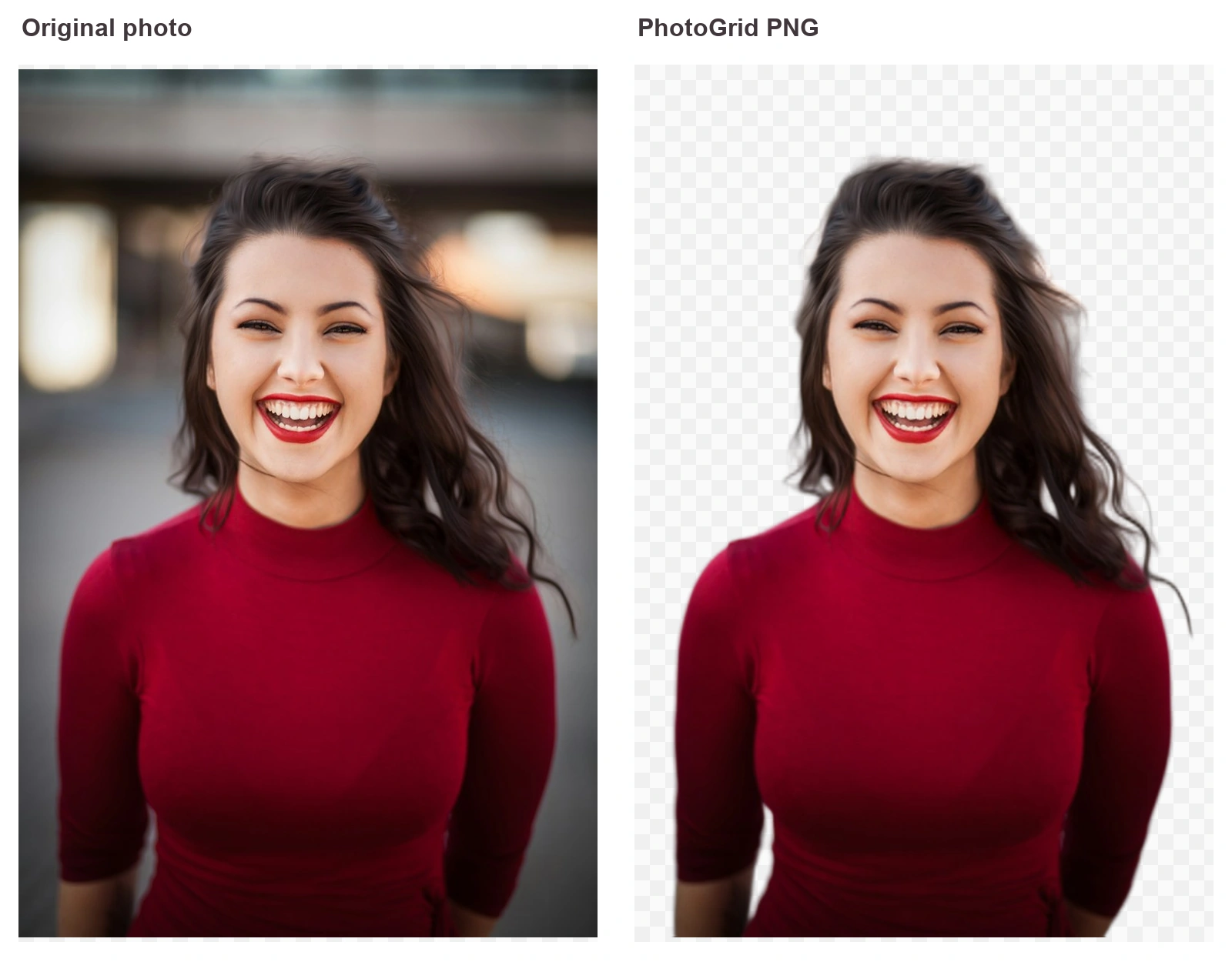
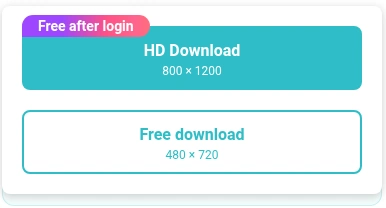
The download options are where PhotoGrid stands out. Without an account, you can save a transparent PNG with no watermark at 480 × 720 pixels for the portrait. Log in and the HD download at the original 800 × 1200 is free too. That’s larger than remove.bg’s 408 × 612 free preview of the same photo, and the HD file matches the full size remove.bg locks behind Unlock.
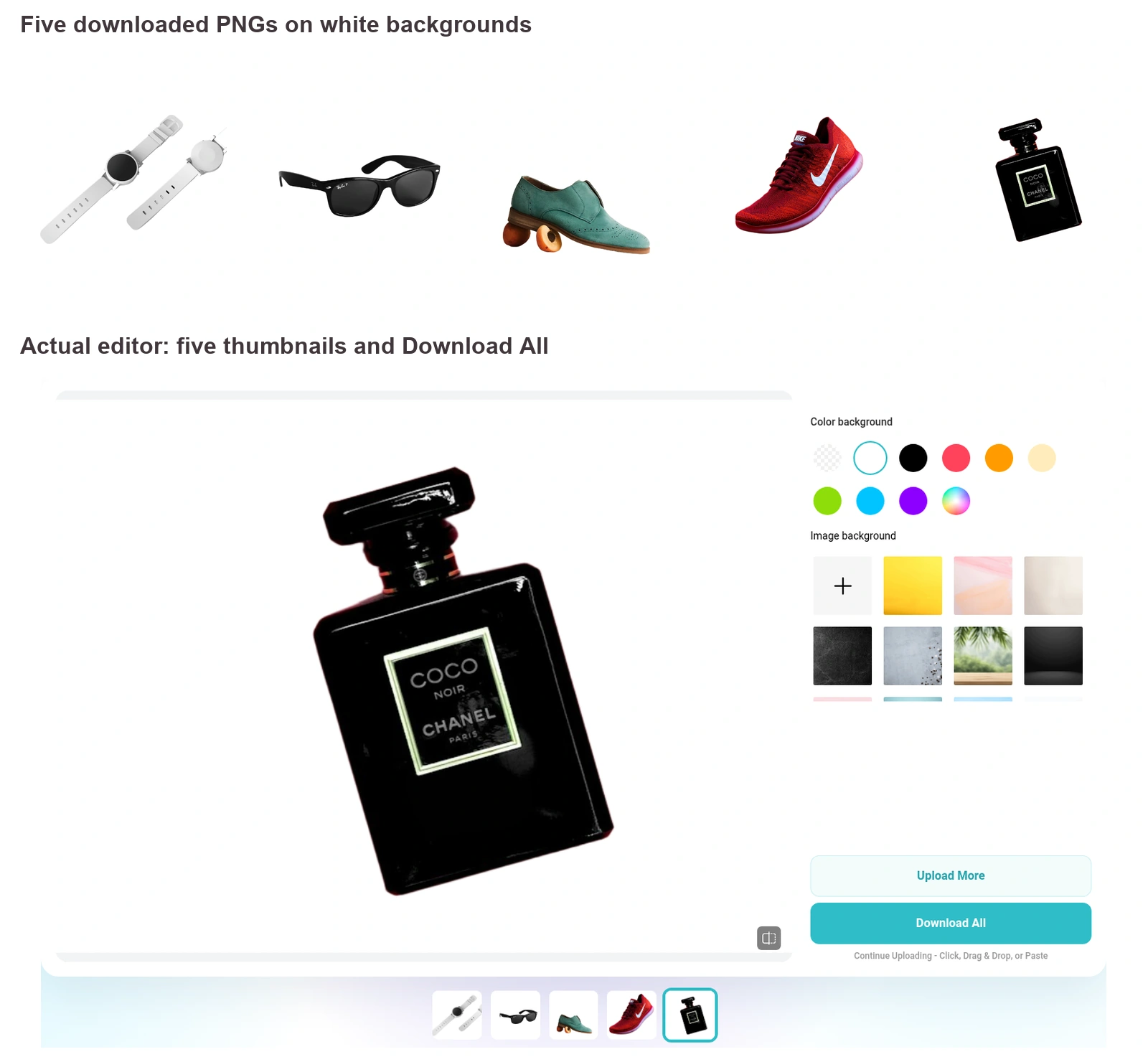
You can also finish the image in the same window. One click sets a white, black, or colored background, or a ready-made scene, and you can upload your own backdrop. For listings, drop the cutout onto a white background. For a full product shoot, keep dragging, dropping, or pasting photos into the same window, then save them all with Download All.
2. Photoroom: Best Free Export Quality
Photoroom gave the best free download in this test. From its background remover page, it exported an original-size transparent PNG with no login and no watermark. The dog came out with both ears and its full coat, and the two smartwatches had clean edges, so both scored 5.
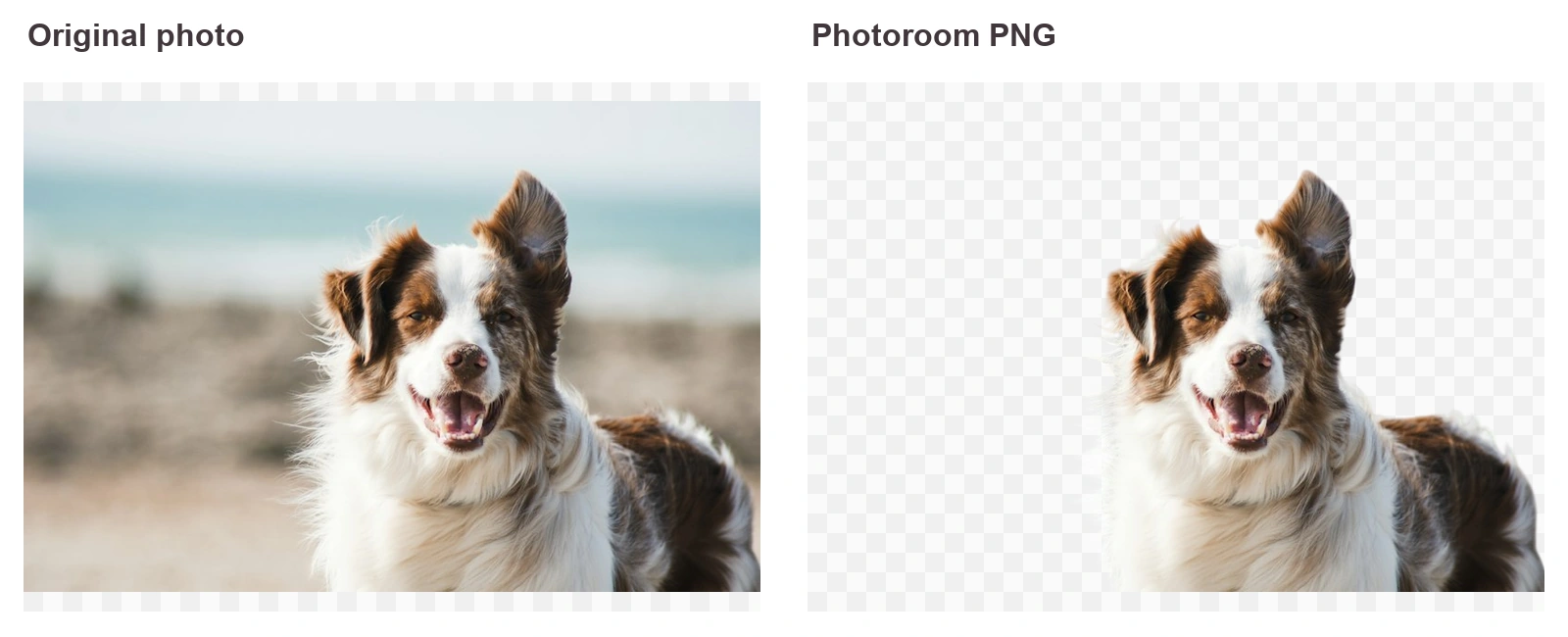
The people photos were good but not spotless. On the glasses photo, the yellow sofa and wall were gone, but part of the gray cushion stayed in the lower right corner, which earned it a 4. The hair portrait looked clean on a light background. When I placed the PNG on black, a thin dark-red fringe showed along the outer strands on the right.
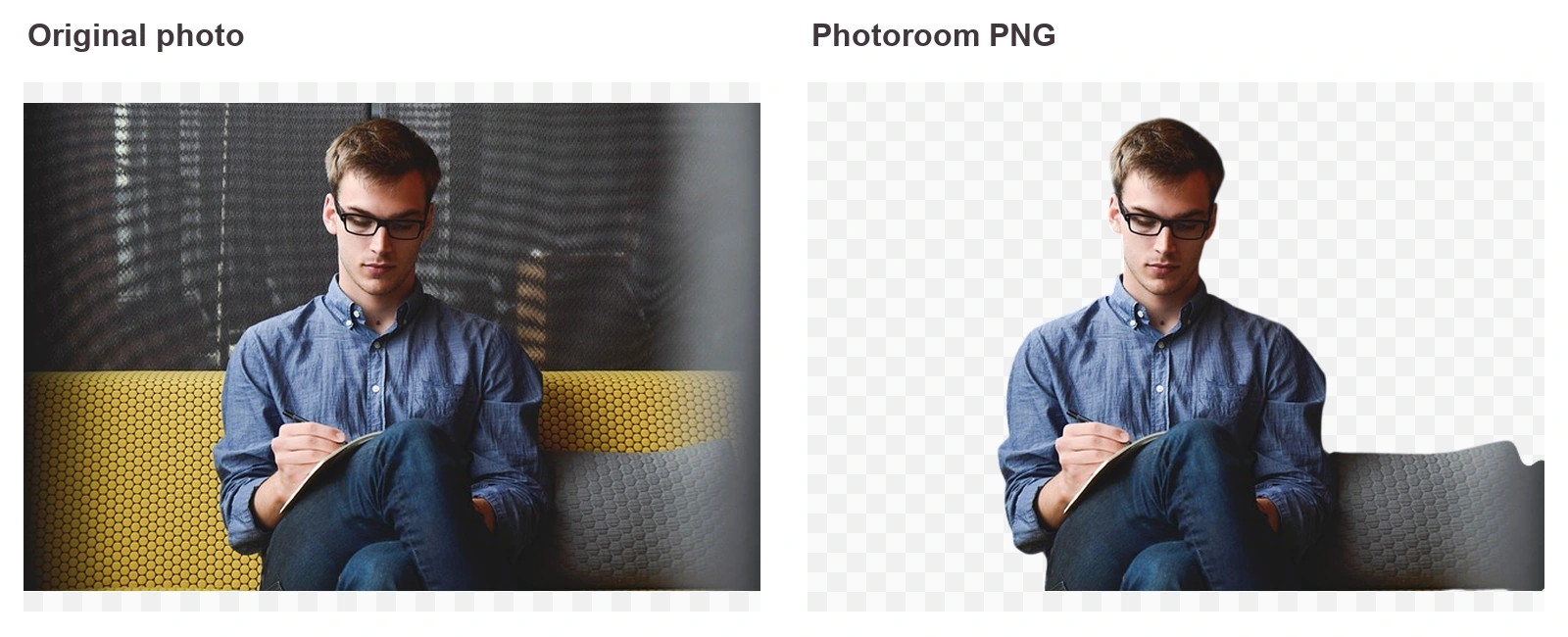
Watch out for: Downloading the cutout is free, but clicking “Edit for free” opens Photoroom’s editor, which asks you to log in or sign up before you keep editing.
3. Pixelcut: Fast Previews for Product Shots
Pixelcut was one of the fastest tools at 4 to 5 seconds. Both smartwatches came out with crisp edges along the white straps, which earned it a 5. The portrait kept her loose curls, and the dog kept both ears and its fluffy chest fur. On the glasses photo, the yellow sofa was gone and the frames stayed intact, with only a faint dark shadow left near his knee.
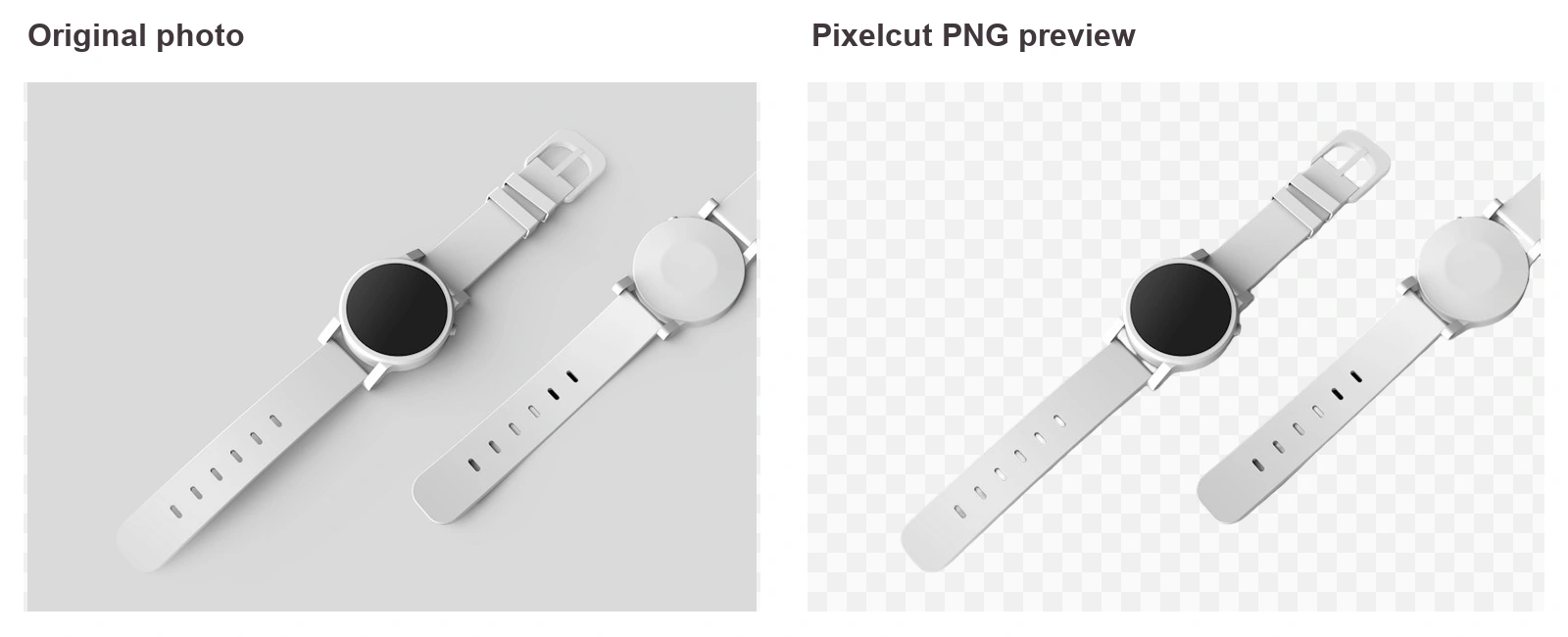
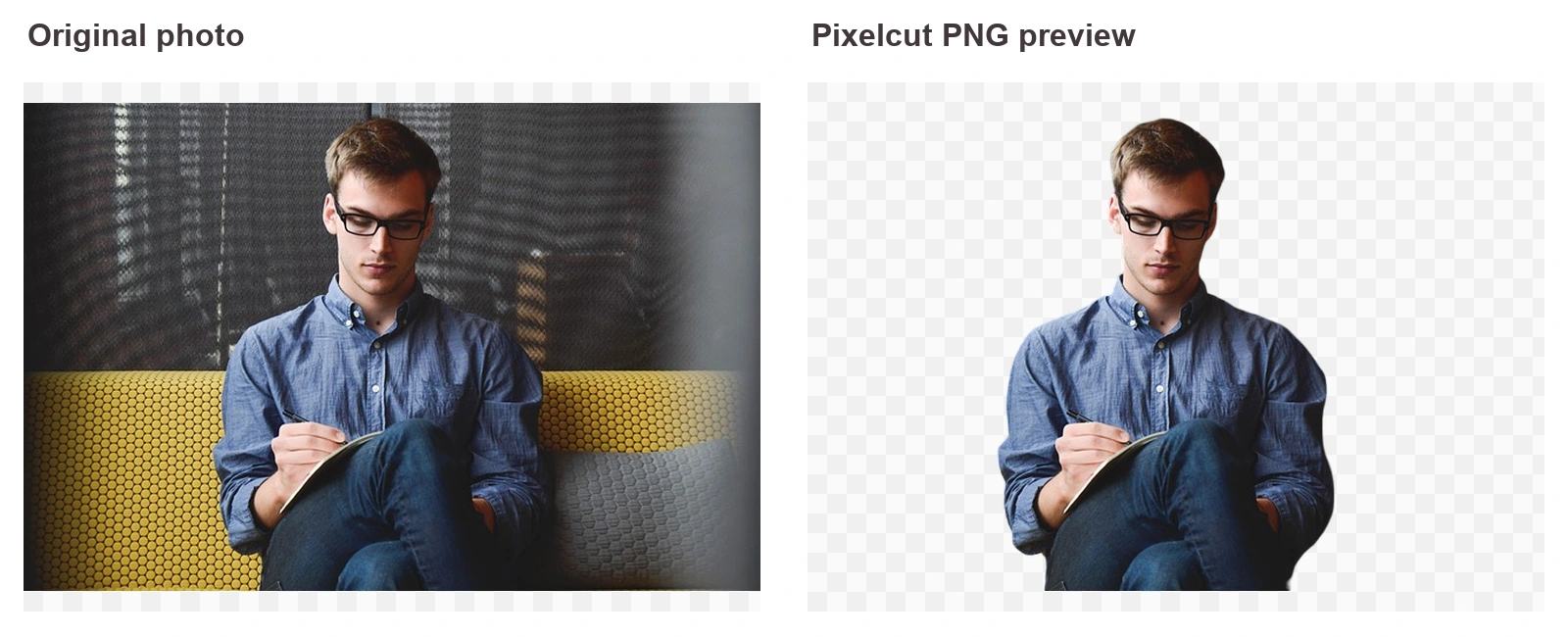
The download menu is clear about what’s free. For the portrait, the preview at 720 × 1080 downloads free with no watermark and no account. The full 800 × 1200 file is marked “Free with sign in.” The editor also adds a background generator, shadows, blur, and an upscaler next to your cutout.
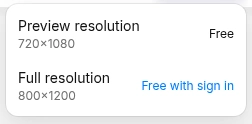
Watch out for: Choosing the full-resolution file or any extra edit opens a “Sign Up or Log In” window. If Pixelcut itself isn’t quite right, see the pixelcut alternative roundup.
4. Adobe Express: Best on Glasses, Free Account to Download
Adobe Express was the only tool to score 5 on the glasses photo. It removed the whole yellow sofa, kept the frames intact, and left only a soft shadow at the lower right of the cutout. It also scored 5 on the smartwatches, with clean edges on both white straps.
Hair and fur were close, with small flaws. The loose strands on the right side of the portrait stayed in, while a faint haze remained along the left edge of the hair. The dog showed a similar light halo along the fur on the left side of its face.
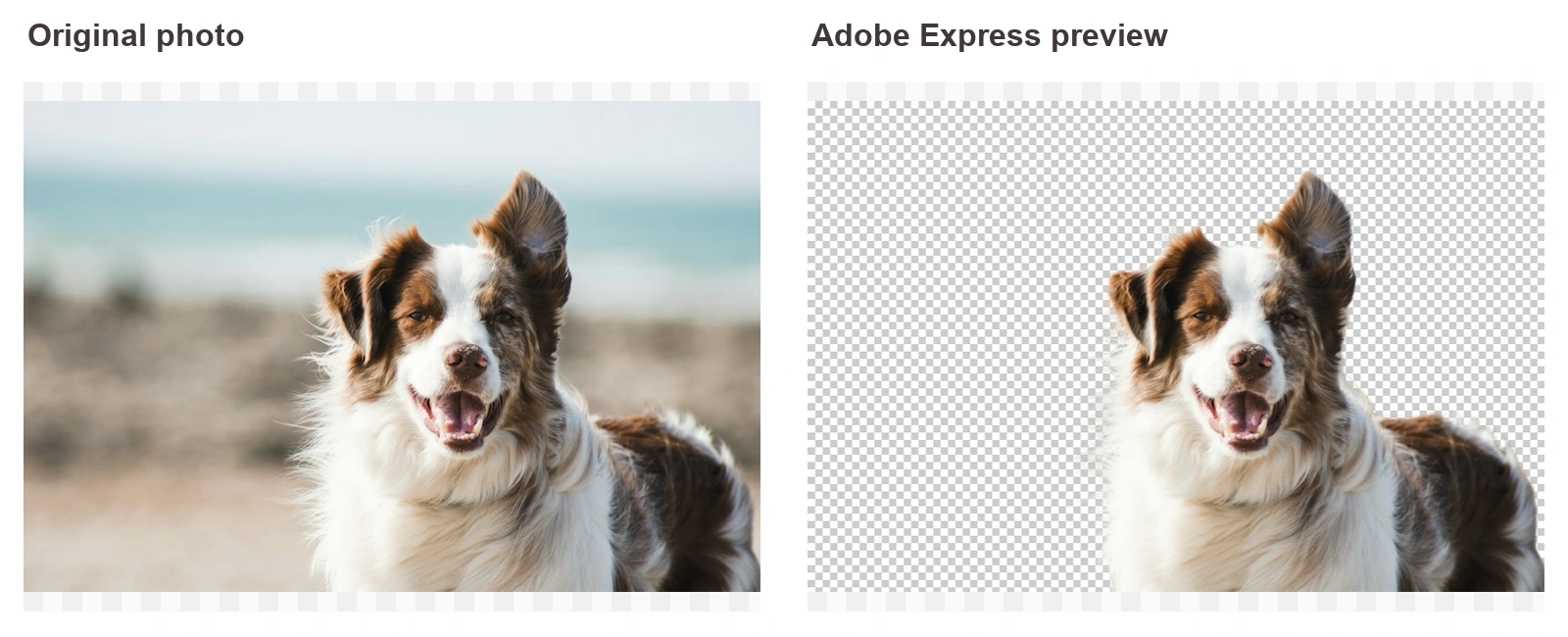
Watch out for: When you click Download, a pop-up asks you to “Sign up for free to download your file.” Adobe Express is free to use, but it isn’t a quick no-account tool.
5. PicWish: Solid Cutouts, Watermarked Preview
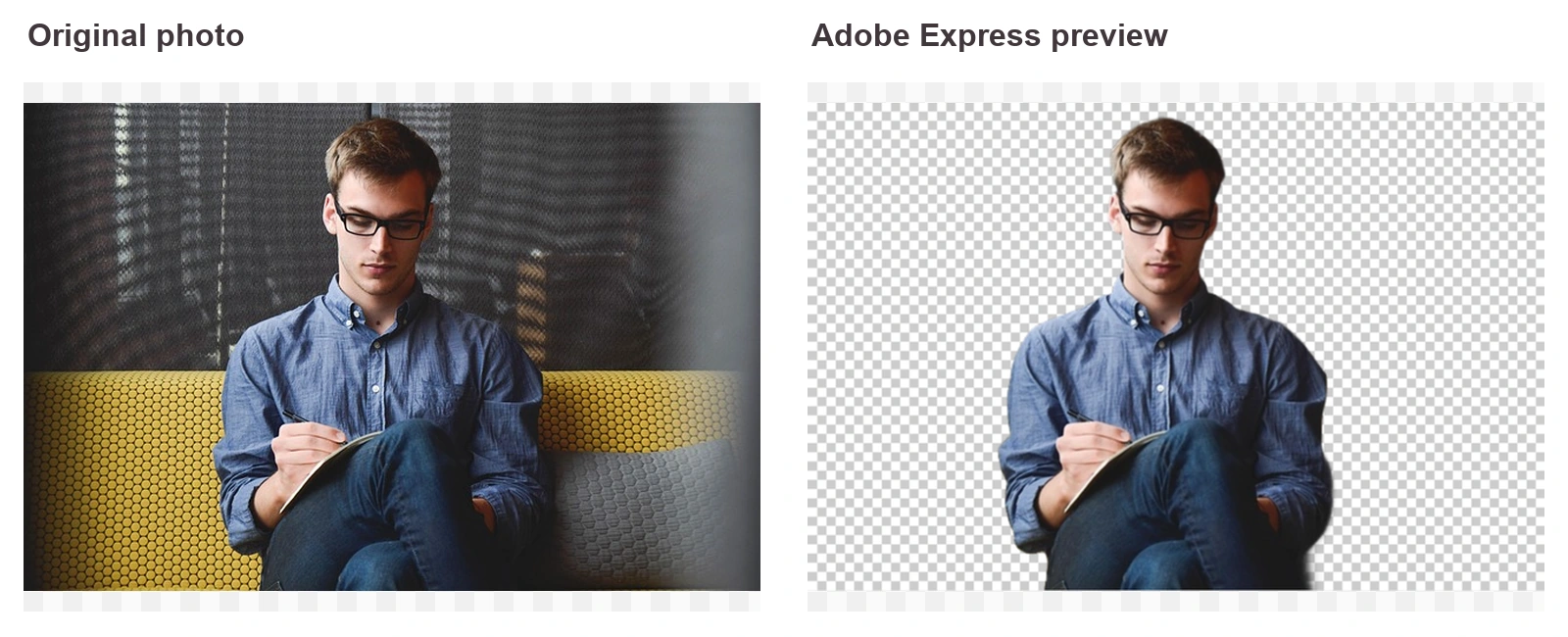
PicWish handled the people photos and products well. On the glasses photo, it removed the yellow sofa and wall and kept the frames intact. The portrait kept her loose curls, and both smartwatches came out clean, so those three scored 4. The dog scored 3, because the white fur along the left side of its face turned into a ragged, see-through edge.
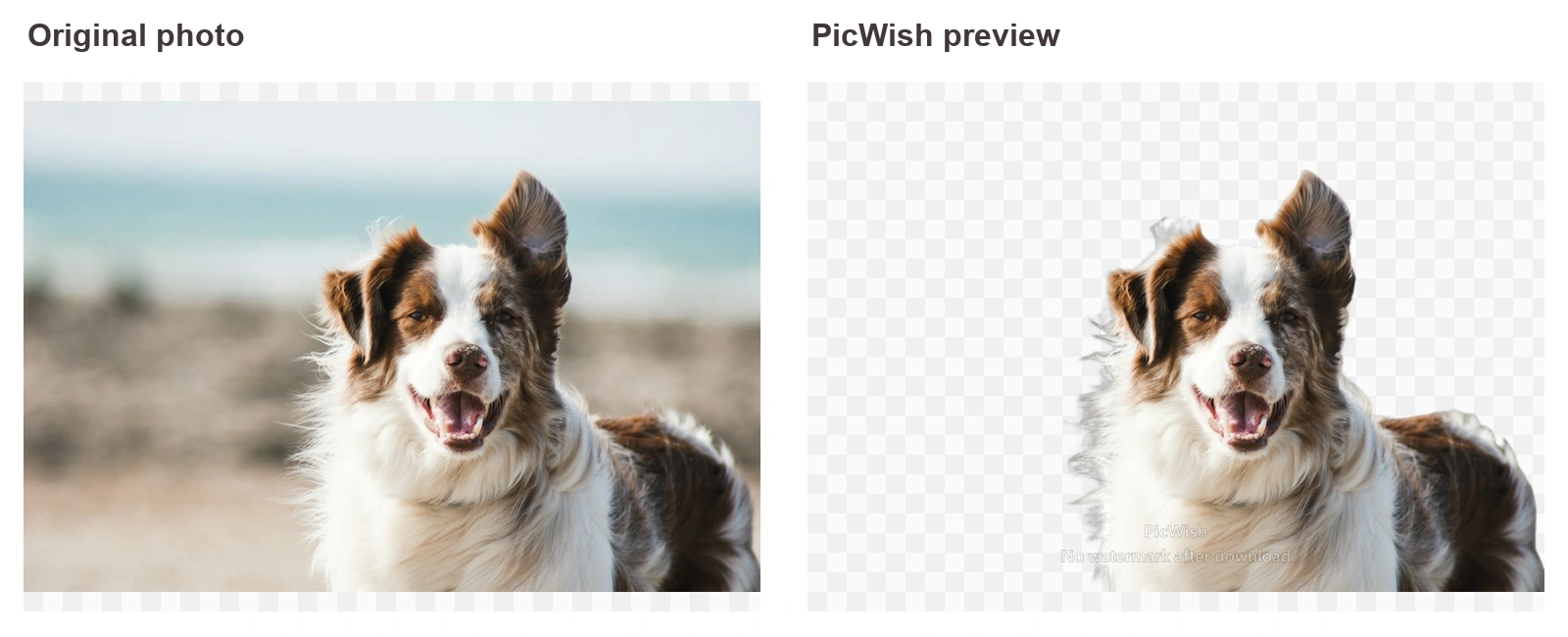
The download flow takes more steps than most tools here. The preview shows a large “PicWish, No watermark after download” overlay across the image. When you click Download, you choose between a smaller Free Image (640 × 960 for the portrait) and the Full Image at the original 800 × 1200, which is labeled Free Trial. Either way, a login window appeared before the file saved.
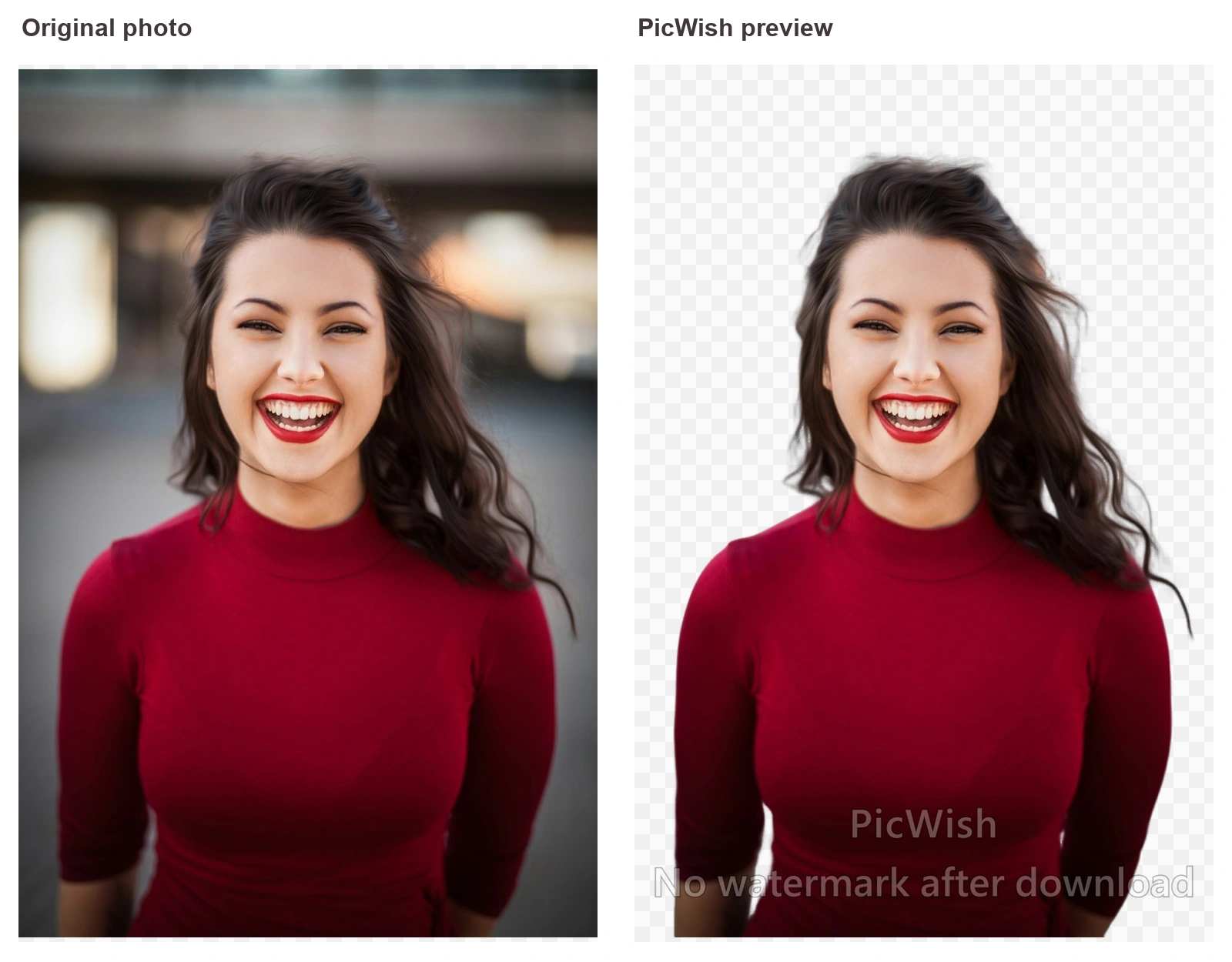
Watch out for: PicWish has handy extras like Refine, Resize, and Batch Edit next to the result, but you need an account before you can save anything.
6. Fotor: Good for Products, Struggled with Pets
Fotor scored 5 on the smartwatches, with both white straps cut out cleanly. The dog was the biggest failure in the whole test. Fotor kept only a small fragment of one ear and part of the head, and it dropped the rest of the dog, which earned it a 1.
The people photos landed in between. On the glasses photo, the yellow sofa was gone and the frames stayed intact, though the edge along his right arm looked slightly rough. The hair portrait looked fine on a light background. When I placed the PNG on black, a thin bright halo showed around the outer strands, so check it before using the cutout on dark designs.
Watch out for: The first download was free at the original size, with a “Downloaded Successfully!” message and no account. The next one opened a “Continue to Use Background Remover” sign-in window. Processing also varied widely, from 8 to 40 seconds.
7. Canva: The Official Remove.bg Replacement
Remove.bg’s FAQ points users to Canva for single images and bulk batches. In my test, Canva removed backgrounds without an account. The portrait kept the loose strands on both sides of her hair, the dog came out clean, and both smartwatches were cut out neatly. Those three scored 4 each.
The glasses photo was the weak spot. Canva removed only the wall above the man and left the whole yellow sofa and the gray cushion in the frame, which earned it a 3. The preview also showed results on a white background rather than a transparent one.
Watch out for: Clicking Download opens a “Log in or sign up to continue downloading” window, so you need a free Canva account to save anything. Canva’s own FAQ says free users get “a limited number of free high-resolution downloads,” and more downloads need a paid plan.
For Developers: Leonardo.Ai Replaces the Remove.bg API
If your app or store called the remove.bg API, the official path is Leonardo.Ai. Remove.bg’s FAQ says larger-volume and automated background removal is now part of Leonardo.Ai’s API suite. This is a developer tool with its own pricing and setup. Plan the migration before December 1, not after your API calls start failing.
Which Remove.bg Alternative Should You Pick?
Want the best free cutout with no account? Start with Photoroom.
Want a free, watermark-free PNG plus white backgrounds and batch uploads? Start with PhotoGrid.
Already paying for Canva Pro? Stay in Canva.
Replacing the remove.bg API? Move to Leonardo.Ai.
When Canva Is the Better Choice
Canva makes sense if your team already designs everything there. The background remover sits next to your templates, brand kit, and shared folders, so you skip the download-and-upload step. It’s also remove.bg’s officially recommended destination for bulk batches.
For quick one-off cutouts, though, the login wall and the weaker glasses result in my test make a dedicated background remover the faster route.
Remove.bg Alternative FAQ
Is remove.bg shutting down?
Yes, the standalone remove.bg website will no longer be available from December 1, 2026, at 9:00 a.m. CET. Background removal moves into Canva, and the self-serve API moves to Leonardo.Ai.
What happens to my remove.bg credits?
Unused pay-as-you-go credits expire on December 1, 2026, so use them before then. Existing Enterprise API contracts are not affected, according to the remove.bg FAQ.
What’s the best free alternative to remove.bg?
In my test, Photoroom gave the best free result, an original-size transparent PNG with no login. PhotoGrid also gave a free, watermark-free PNG without an account at about 60% of the original size, and its full-size HD download is free after login. Canva and Adobe Express both ask you to sign up for a free account before you can download, and Canva limits free high-resolution downloads.
What do Reddit users recommend as a remove.bg alternative?
The names that come up most in the shutdown threads are Photopea, Adobe Express, and Photoroom, plus the built-in “copy subject” feature on iPhone and Mac. Designers also mention Figma and Photoshop if they already pay for them. In my test, Photoroom and PhotoGrid gave free PNGs without a login, while Adobe Express asked for a free account before the download.
Which background remover handles people wearing glasses best?
Adobe Express handled it best and was the only tool to score 5 on the glasses photo. PhotoGrid, Photoroom, Pixelcut, PicWish, and Fotor scored 4, and Photoroom left a small piece of the sofa cushion behind. Canva scored 3 because it kept the yellow sofa and cushion in the frame.
Can I change the background instead of removing it?
Yes, once the background is gone, you can change background to a solid color, a studio backdrop, or a new scene.
PhotoGrid
Remove.bg closing doesn’t have to slow you down. Run one of your usual photos through a replacement today, and you’ll have a working setup before the deadline.