Key Takeaways
Wallpaper Maker Understands You: Most wallpapers fail due to poor cropping and layout, but a collage wallpaper adds balance, storytelling, and visual clarity.
Easy Design for Every Device: With the right collage maker, you can create free, high-resolution wallpapers that fit phones, tablets, and computers effortlessly.
Recently I browsed a post titled “I am not sure where to ask but How do i start making my own wallpapers?“on Reddit. The original poster asked for help creating a wallpaper from an image he likes, which made me want to ask everyone :
Do you know how to make your own wallpaper? Have you ever tried the best wallpaper maker?
If you’re still using the default system background, a selfie from three years ago, or a blurry travel photo that doesn’t even match your screen size, it might be time for an upgrade.
Why does wallpaper matters?
- the first thing you see Every time you open your phone, tablet, or computer📱
- a mirror reflecting your unique taste and personality🪞
In 2026, loving yourself might just start with creating a personalized wallpaper.💗
The good news is you can easily craft custom wallpapers using PhotoGrid’s collage maker. No advanced skills or hefty costs required. This article will provide inspiration and guidance for your wallpaper creation journey.
🤔 Why Your Wallpaper Lacks Appeal
Before changing your wallpaper, it helps to understand why so many backgrounds feel uninspired in the first place.
| 😖Issue | ‼️Core Problem | 🔑Key Results |
|---|---|---|
| ☝️Single Photo Reliance | ☹️One image rarely fits perfectly | 😳Distortion, awkward cropping, unbalanced focus |
| ❌Wrong Screen Ratio | 🖥️Screen proportions differ | 🔍Poor fit, excessive zooming, reduced clarity |
| 🤷♂️Ignore Structure | 🏠No space for UI elements | 📖Visual clutter, blocked content, poor readability |
| 💬Lack of Story | 👩🎤No personal intention | 🫤Feels random, limited meaning, no narrative |
| ⬆️No Design Enhancement | 🖼️No layout or adjustments | 👀Flat look, weak hierarchy, poor color harmony |
PhotoGrid’s wallpaper maker addresses each of these issues by transforming a single, static image into a thoughtfully designed composition.
- Combine multiple images in a structured collage that preserves important details and keeps focal points centered.
- Select the correct ratio for iPhone, iPad, or desktop at the very beginning, your design fits naturally without excessive zooming or quality loss
- Organize visual structure, leaving intentional space for clocks, widgets, and icons so readability is never compromised
- Allow you to tell a clearer story by connecting related moments—whether from a trip, a relationship, or a personal milestone—into one cohesive visual narrative
- Create a polished wallpaper without requiring professional design skills
🤩 Make Your Wallpaper Interesting with PhotoGrid’s Collage Wallpaper Maker
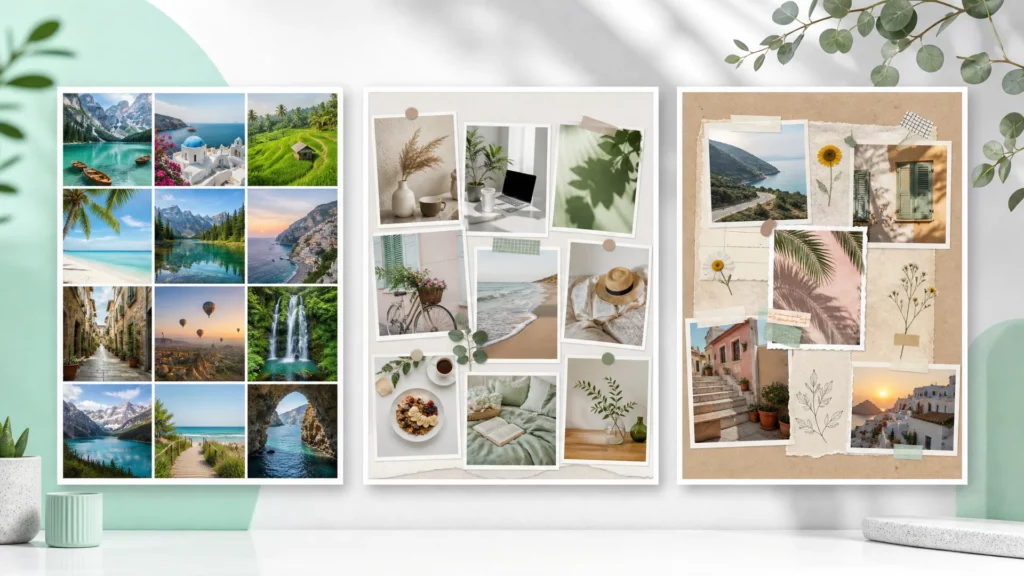
Instead of relying on one photo, wallpaper maker allows you to combine moments, adjust layout, and design intentionally. Here are five highly relatable scenarios where a collage-style wallpaper makes a real difference.

🧧Celebrate the Year of the Horse with a Meaningful Wallpaper
Welcoming the Year of the Horse? A collage wallpaper maker allows you to design something more symbolic and personal than a single festive image.
- Combine traditional horse illustrations with modern minimalist backgrounds.
- Blend festive red and gold elements with soft neutral tones to create visual balance.
- Arrange zodiac symbols, calligraphy, and horse imagery in a clean, structured layout.
Decorate your iPhone with a thoughtfully crafted seasonal art piece, allowing your screen to reflect celebration, culture, and personal intention rather than a generic holiday background.
🤳Turn Personal Portraits into a Confident Visual Story
Love taking selfies and want to turn your best shots into unique wallpapers? PhotoGrid’s collage wallpaper maker is your best choice.
- Combine close-up and full-body shots to create visual variety.
- Use clean grid layouts to keep the composition balanced.
- Leave intentional empty space so the clock and icons do not cover your face.
Instead of one stretched image, you create a mini gallery that feels stylish and thoughtfully arranged, almost like a personalized magazine cover on your lock screen.
🐶Showcase Your Pet’s Personality from Multiple Angles
Desire to see your furry friend’s smiling face the moment you open your phone each day? But ordinary photos just don’t cut it. Use wallpaper maker to capture those special moments!
- Mix playful, sleepy, and close-up expressions in one layout.
- Use rounded frames or soft spacing to match a cute aesthetic.
- Highlight your pet’s face in the center while supporting it with smaller action shots.
Collages better showcase your pet’s personality, making wallpaper vibrant and unique rather than monotonous.
🧑🧑🧒Relive Family Travel Memories in One Glance
Plan to set photos from a trip as your wallpaper to kickstart your day?Try using collage wallpaper maker to bring together those travel moments!
- Combine landscape views with candid family shots.
- Arrange photos chronologically to reflect the journey.
- Add subtle spacing so the layout feels airy and organized.
Instead of scrolling through your camera roll, your wallpaper becomes a compact visual summary of your favorite trip, bringing emotional warmth every time you unlock your device.
👫Capture Couple Moments Without Overcrowding
Want to capture a cherished, loving relationship? Turn a romantic date into an enviable collage wallpaper with our template.
- Pair a close-up selfie with a wide scenic shot from the same date.
- Use balanced symmetry to keep both faces visible and unobstructed.
- Adjust brightness slightly to improve readability under app icons.
A collage lets you keep the emotional intimacy while maintaining a clean and polished layout that works well on both phone and desktop screens.
✨Celebrate Your Favorite Celebrity or Public Figure
Admire a favorite singer, actor, or public figure? A collage allows you to design something more creative than a simple fan image.
- Combine performance shots with portrait-style photos.
- Create contrast between black-and-white and color images.
- Design a structured layout that feels intentional rather than random.
The redesigned wallpaper resemble meticulously curated idol fan board, allowing your wallpaper to showcase personal interests rather than generic, cookie-cutter designs.
No matter the theme—festive zodiac art, personal portraits, pets, travel memories, romance, or your favorite celebrity—a well-designed wallpaper feels far more meaningful than a single image. Wallpaper maker helps you structure layouts, balance spacing, and layer moments intentionally, turning every wallpaper into a personal visual statement.
💗4 Ways to Make Your Wallpaper Look More Comfortable and Beautiful

Designing a wallpaper is not just about selecting photos; it is also about optimizing for the device where it will be displayed.
1. Always design around functional space
- iPhone: The top area is typically occupied by the clock and widgets, so key elements like faces or text should be positioned slightly lower to avoid being covered.
- iPad: App icons are spread across a larger grid, which means central areas can easily feel cluttered if the design is too detailed.
- Mac: The desktop center often holds folders and files, so keeping the middle clean helps maintain clarity and visual balance.
2.Maintain color harmony
Choosing two to four complementary tones creates cohesion and prevents visual overload. For example, warm beige and soft brown tones create a calm look, while cool blues and greys feel modern and minimal. Consistent color treatment across all photos in the collage instantly elevates the design.
3.Use spacing intentionally
Slight margins between collage blocks create breathing room and help each image stand out. Without spacing, multiple photos can feel cramped. With balanced spacing, the wallpaper looks polished and refined.
4. Always export in high resolution
Blurry backgrounds are especially noticeable on large screens such as iPads and Macs. A high-quality wallpaper maker should preserve image clarity, so your design looks sharp on every device. With PhotoGrid’s AI image upscaler, it is easy to enhance the image quality.
🧑🎨Design Your Wallpaper on PhotoGrid in Three Steps
Creating a wallpaper on PhotoGrid is straightforward and does not require advanced design knowledge.

Step 1 Upload images and choose ratio
Upload your chosen photos and select the appropriate ratio for your device, whether it is iPhone, iPad, or desktop. Starting with the correct dimensions ensures your layout fits perfectly from the beginning.
Step 2 Design your wallpaper
Customize your collage wallpaper by adjusting spacing, background color, and alignment. You can apply stickers, texts or remove unwanted elements directly within the editor.
Step 3 Download your design
Export your wallpaper in high resolution and download it directly. Once saved, you can set it as your wallpaper on any device without worrying about compression or distortion.
🙋♀️ Wallpaper Design FAQ
Can I download my wallpaper for free?
Yes, you can design and download your wallpaper for free in high resolution.
Will my wallpaper include a watermark?
No, your exported wallpaper remains clean and watermark-free. If you need to remove the watermark form your image, you can also use PhotoGrid’s watermark remover.
Can I design wallpapers for different devices?
Yes, you can adjust ratios and export designs for iPhone, iPad, Mac, and other screen sizes.
Why use a collage maker instead of one single photo?
A collage maker provides structure, storytelling, and better space control, which makes your wallpaper look intentional and visually balanced.
Why is PhotoGrid considered one of the best wallpaper makers?
PhotoGrid provides multiple collage layouts, AI enhancement tools and free HD exports. No professional skills needed.