Key Takeaways
- PhotoGrid is the strongest free all-in-one AI photo editor we tested in 2026, with 15+ AI tools, watermark-free exports, and no skills required.
- Most free AI photo editors hide watermarks or cap daily edits. Only a few deliver clean results without hidden costs.
- The best AI photo editor depends on your needs: PhotoGrid for everyday use, Luminar Neo for photographers, and Adobe Firefly for design teams.
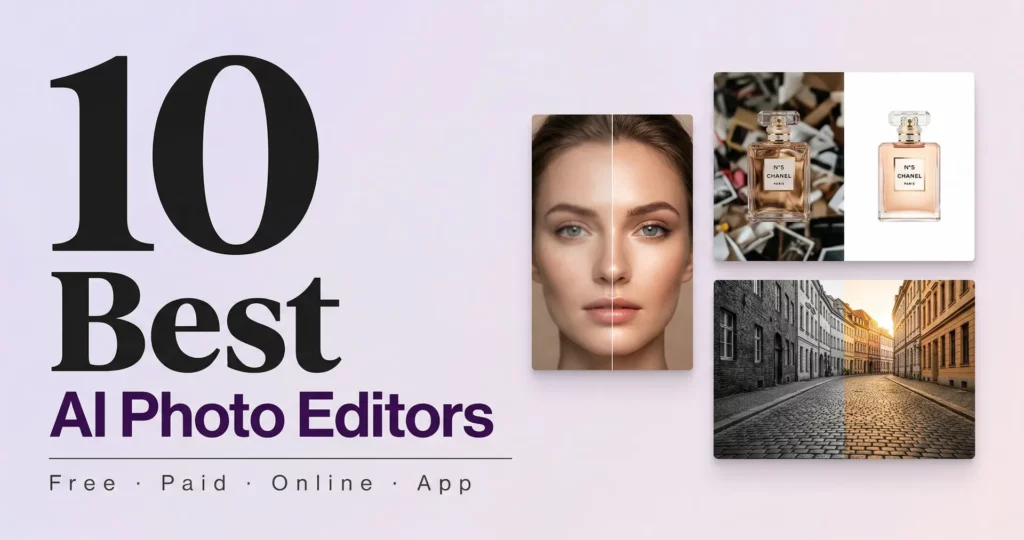
I have been testing AI photo editors for two weeks because I kept running into the same problems: watermarks on free downloads, daily edit limits that run out fast, and tools that only do one thing well. In this guide I cover 10 options across free, paid, online and app, tested on real photos for background removal, portrait retouching, old photo restoration, and e-commerce product shots. Whether you are a beginner, a content creator, or a professional photographer, you will find the best AI photo editor for your situation here.
What Makes the Best AI Photo Editor in 2026? (3 Things That Matter)
The best AI photo editor in 2026 does three things well. It produces natural-looking results, gives you a genuinely usable free tier, and covers enough tools that you do not need five different apps to finish one photo.
Here is what I looked at when testing every editor in this guide:
- Output quality. Does the result look natural? Skin should not look like plastic. Background removal should not leave jagged edges around hair. The best editors in 2026 make edits that are hard to spot.
- True free access. Is the free tier actually useful? No watermarks on downloads, no “3 free edits per day” limits that disappear in minutes, no forced upgrades just to see the result.
- Ease of use. Can someone with zero design experience get a professional result in under two minutes? The best tools in 2026 say yes.
I kept seeing the same complaint across Reddit threads on r/photography and r/AskPhotography. Users are tired of paying for multiple tools that each do one thing. One photographer wrote that he was paying Adobe, Topaz, and Luminar every month and none of them covered everything he needed. In 2026, the editors that win are the ones that consolidate without compromising.
Best AI Photo Editors in 2026: Free vs Paid, Compared
Each tool was scored on output quality, free tier usability, ease of use, and range of AI tools available.
| Tool | Free Tier | Watermark-Free | Batch | Platform | Best For |
| PhotoGrid ⭐⭐⭐⭐⭐ | ✅ Sign-up required | ✅ Yes | ✅ 20 images | Web / iOS / Android | Everyday users |
| Canva ⭐⭐⭐⭐ | ✅ Yes | ⚠️ Paid only | ❌ No | Web / iOS / Android | Social media posts |
| Fotor ⭐⭐⭐⭐ | ✅ Limited | ⚠️ Paid only | ✅ Yes | Web / iOS / Android | Batch editing |
| Remini ⭐⭐⭐⭐ | ✅ Limited | ⚠️ Paid only | ❌ No | Web / iOS / Android | Portraits |
| PhotoRoom ⭐⭐⭐⭐ | ✅ Limited | ⚠️ Watermark | ✅ Limited | Web / iOS / Android | Product photos |
| Luminar Neo ⭐⭐⭐⭐ | ❌ Trial only | ✅ Yes | ✅ Yes | Desktop only | Photographers |
| Adobe Firefly ⭐⭐⭐⭐ | ⚠️ Limited credits | ✅ Yes | ⚠️ Limited | Web / Desktop | Design teams |
| Picsart ⭐⭐⭐⭐ | ✅ Limited | ⚠️ Paid only | ❌ No | Web / iOS / Android | Creative edits |
| Topaz Photo AI ⭐⭐⭐ | ❌ Paid only | ✅ Yes | ✅ Yes | Desktop only | Noise reduction |
✅ = Fully supported · ⚠️ = Partially supported · ❌ = Not available
According to G2’s 2026 category data, AI image tools average a 9.18 out of 10 likelihood-to-recommend score, the highest of any software category tracked that year.
Best AI Photo Editors for Everyday Users
PhotoGrid: Best All-in-One Free AI Photo Editor
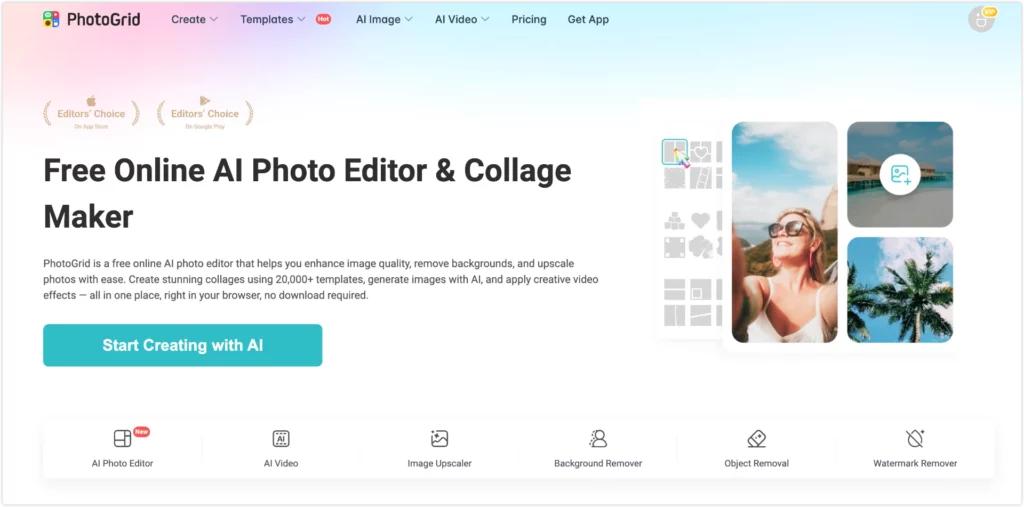
I tested PhotoGrid on a product jar that needed a clean mockup, a soft portrait that fell apart when zoomed in, and a headshot with a messy home office background. It handled all three in under a minute, and the free exports stayed watermark-free throughout.
Here is what stood out, where it falls short, and who should use it.
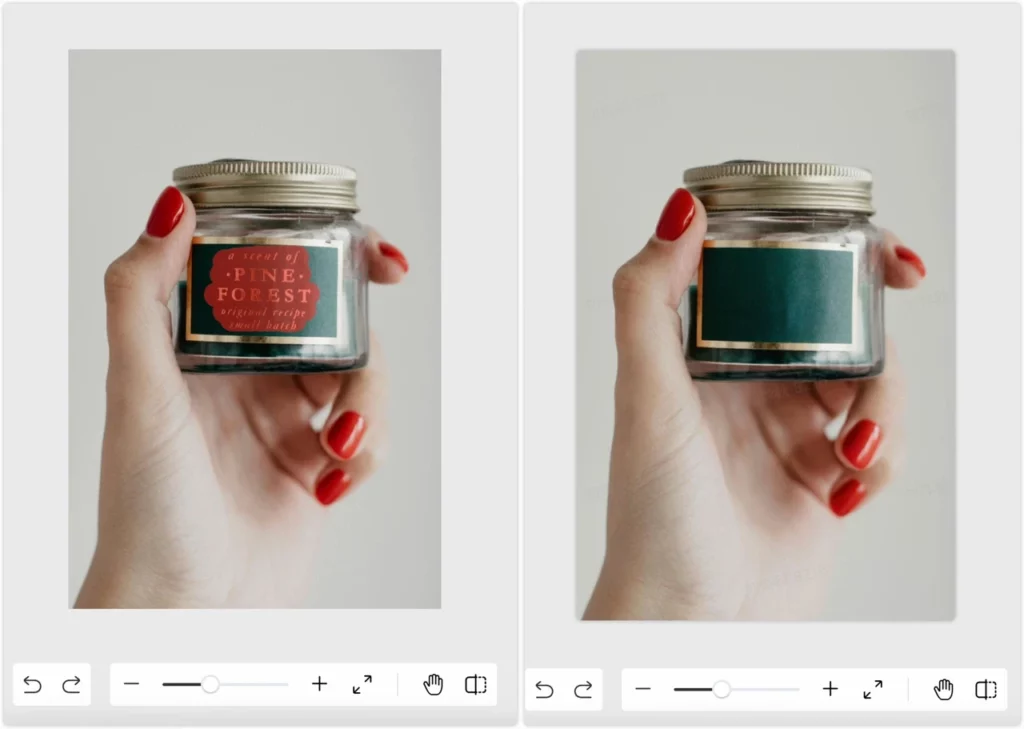
Remove Watermark from Photo: Product Label Gone in One Click
The jar photo still had the original brand label on it, and I needed a clean version for a mockup. I used PhotoGrid to remove the watermark and the label was gone in about 3 seconds. The gold border, glass texture, and shadows underneath all stayed exactly as they were. The auto mode cleared most of it instantly, but the fingers gripping the jar needed a quick touch-up with the brush tool to get the edges fully clean. Two passes and it was done.
Blurry and Dark? The Image Enhancer Fixed It in Seconds
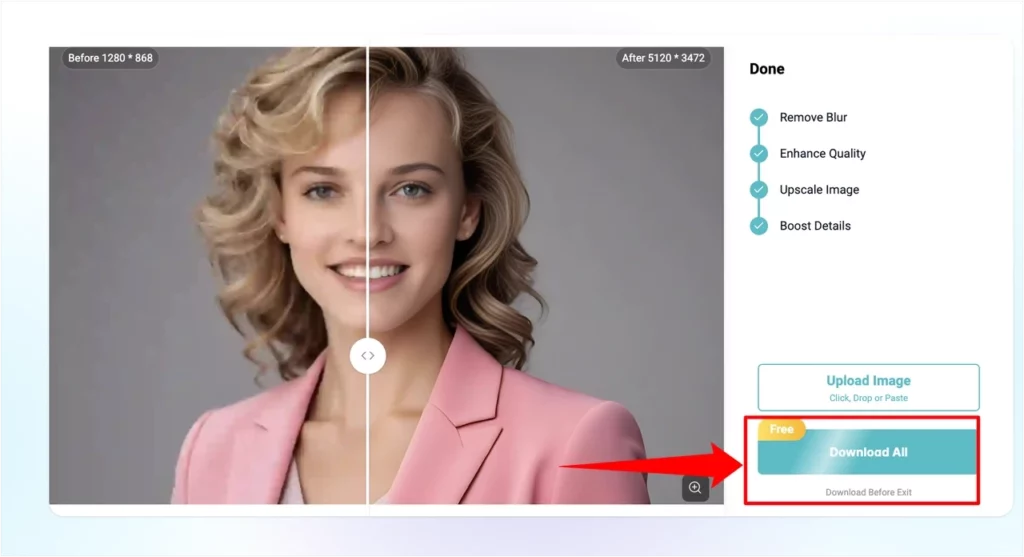
I took a portrait that looked fine on my phone but fell apart the moment I zoomed in. Ran it through the enhancer and it went from 1280 × 868 to 5120 × 3472, hair detail sharp, skin tone clean. If you ever need to increase photo resolution without downloading anything, this is the fastest way I’ve found.
Remove Background: Messy Room Gone in 4 Seconds
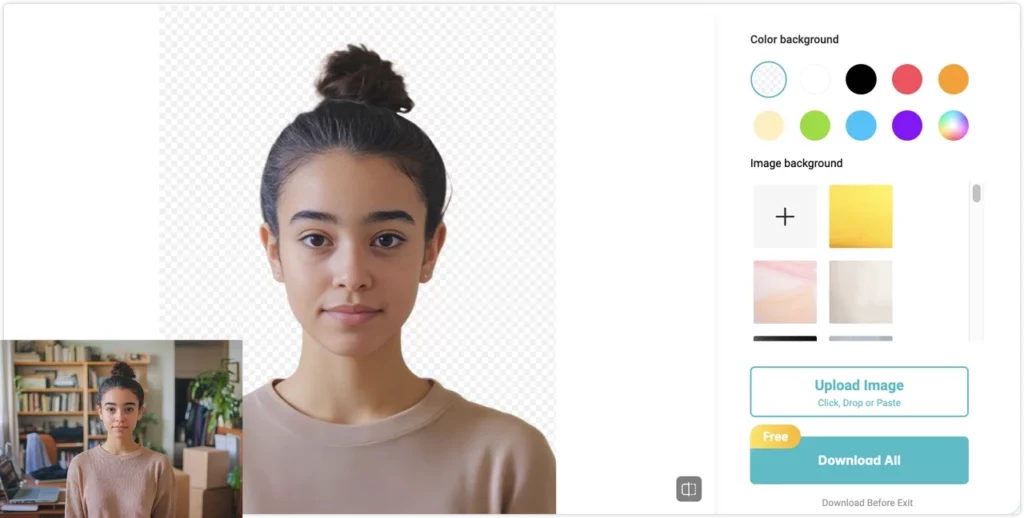
The original shot had a home office behind the subject, bookshelves, boxes, the whole room. Background removal cut everything out cleanly in about 4 seconds, fine hair edges around the bun included. I swapped in a solid color right inside the editor and it was done. If you need a quick ID photo, you can change the background to white or any color for free, no extra app needed.
The only time I hit a limit was when I tried to enhance more than 5 photos in one session on the free tier. That is worth knowing before you start a large batch job.
One e-commerce user on Reddit reported processing 340 product photos in 47 minutes using AI tools, compared to three days of manual editing. With PhotoGrid’s batch mode you can process up to 20 photos at once.
| ⭐ Rating | 4.9/5 |
| 💰 Price | Free to start · Pro from $2.83/mo |
| 🎯 Best For | Everyday users, e-commerce sellers, social media creators |
| 🚫 Not For | Professional photographers needing RAW support or layer-based editing |
| 🌐 Platform | Web / iOS / Android |
💡 Pro Tip: PhotoGrid’s lightning-fast online performance in 2026 is powered by its integration with the Nano Banana 2 (Gemini 3.1 Flash Image) engine. This allows the tool to execute complex background removals and 4K upscaling in the cloud with near-zero latency, even if you are editing on an older laptop or mobile browser.
✅ Pros
- 15+ AI tools in one place so you never need to switch between apps
- Watermark-free exports on the free tier with no daily credit cap
- Batch processing handles up to 20 photos at once and outputs in 4K
- Works in any browser on any device without downloading anything
- Pro plan at $2.83 a month is significantly cheaper than Canva Pro at $12.99 or Adobe at $22.99
❌ Cons
- Some advanced AI filters and templates are only available on the Pro plan
- Not designed for RAW editing or complex layer-based compositing
Canva: Best AI Photo Editor for Social Media Posts
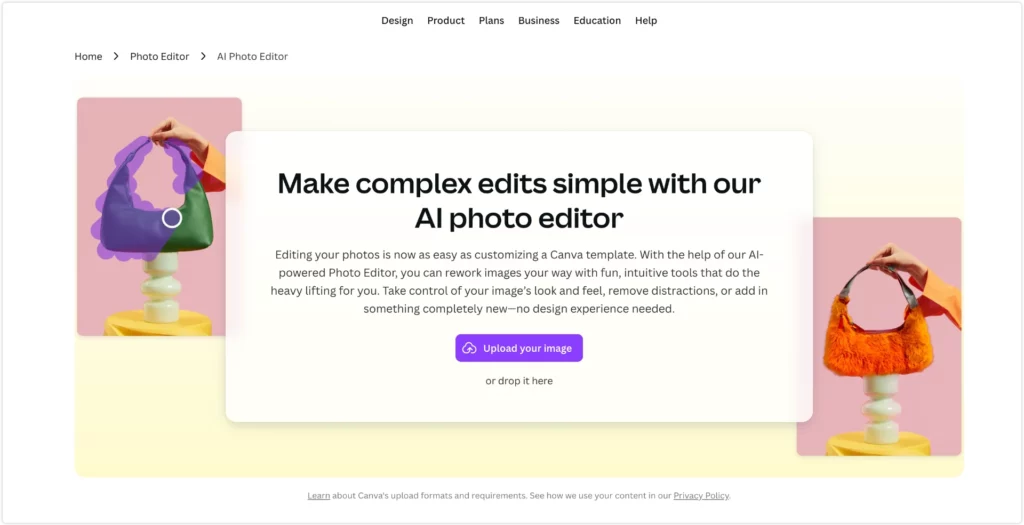
I tested Canva’s Magic Edit on a social media post and swapped out the background using a text prompt in seconds. For social media teams that need templates, brand kits, and AI editing in one place, Canva is genuinely hard to replace. The workflow from editing straight into a ready-made template is smoother than any other tool we tested.
| ⭐ Rating | 4.5/5 |
| 💰 Price | Free plan available · Pro from $12.99/mo |
| 🎯 Best For | Social media managers, small business owners, content creators |
| 🚫 Not For | Users who need deep photo editing without a template workflow |
| 🌐 Platform | Web / iOS / Android |
✅ Pros
- Magic Edit lets you change anything in a photo with a text prompt
- Massive template library for social media, presentations and marketing
- Free plan is genuinely useful for everyday content creation
❌ Cons
- Watermark on free exports unless you upgrade to Pro
- AI editing tools are not as deep as dedicated photo editors
Fotor: Best AI Photo Editor for Batch Editing
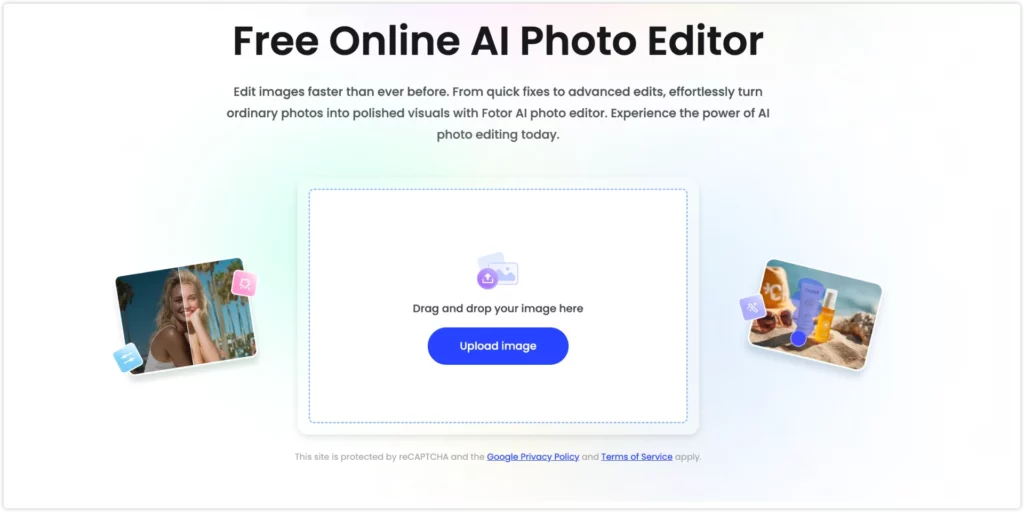
I uploaded a batch of product images and Fotor’s one-click AI enhancer improved brightness, contrast and sharpness across all of them in under a minute. It is straightforward and reliable for anyone who needs consistent results across a large catalog fast.
| ⭐ Rating | 4.4/5 |
| 💰 Price | Free plan available · Pro from $8.99/mo |
| 🎯 Best For | E-commerce sellers, bloggers, marketers needing fast bulk edits |
| 🚫 Not For | Users who need creative AI tools beyond basic enhancement |
| 🌐 Platform | Web / iOS / Android |
✅ Pros
- One-click AI enhancement works well across large batches of photos
- Clean interface that is easy to navigate without any learning curve
- Solid background removal and portrait retouching on the free tier
❌ Cons
- Free plan caps the number of AI edits per day
- Output quality does not match PhotoGrid for detailed or complex edits
Remini: Best AI Photo Editor for Old Photos and Portraits
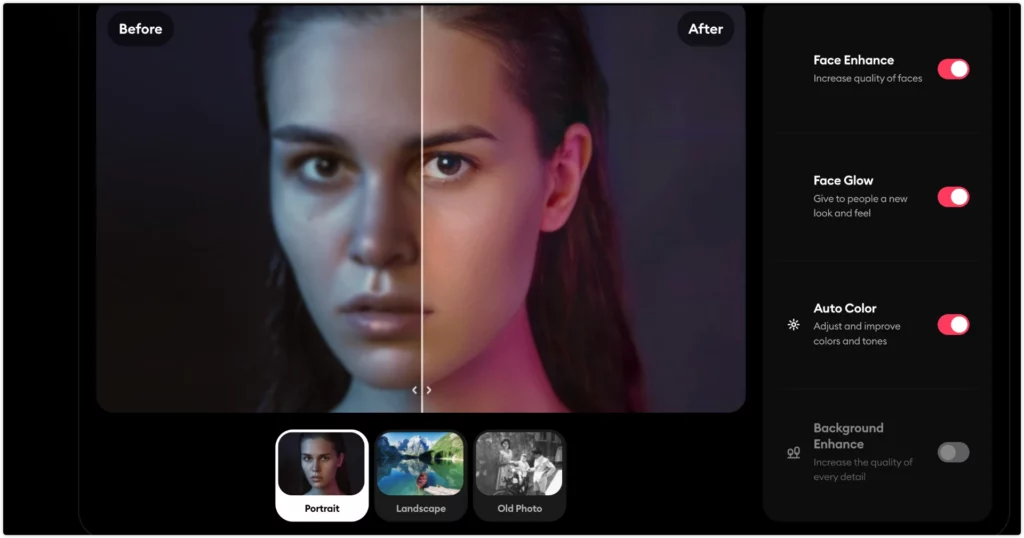
I tested Remini on a faded portrait from the 1990s. The facial details came back sharp and natural without touching a single setting.
The best use of AI is not always making photos look better. Sometimes it is making them look like they used to. When I ran an old photo of my grandmother through Remini, the result stopped me for a moment. The sharpness was not just technical. It felt like getting something back. For a detailed comparison, explore the Remini alternatives full breakdown worth checking before you decide.
| ⭐ Rating | 4.4/5 |
| 💰 Price | Free plan available · Pro from $4.99/mo |
| 🎯 Best For | Casual users restoring old photos, portrait and selfie enhancement |
| 🚫 Not For | Users who need anything beyond portrait and face-focused editing |
| 🌐 Platform | Web / iOS / Android |
✅ Pros
- Best portrait restoration we tested at this price point, sharpens faces naturally
- Very simple interface with almost no learning curve
- Works well on old damaged photos that other tools struggle with
❌ Cons
- Limited to portrait and face-focused editing only
- Free plan caps the number of enhancements per day
PhotoRoom: Best AI Photo Editor for Product Photos
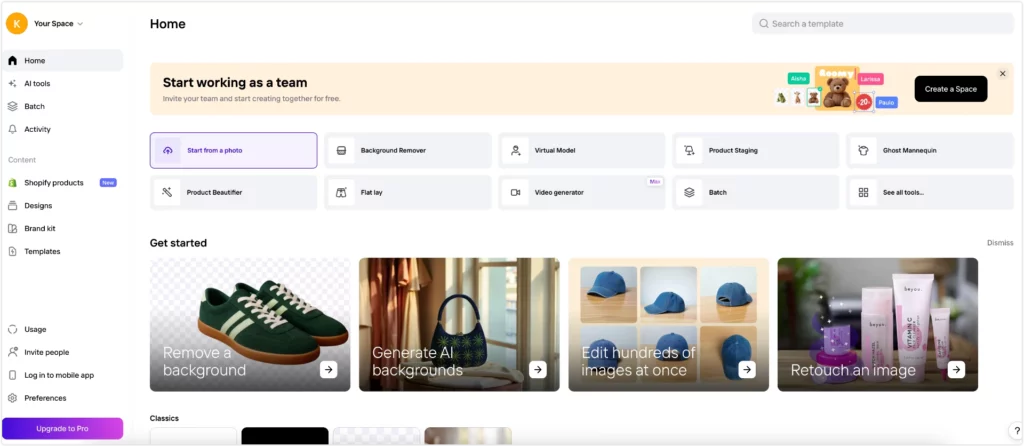
I uploaded a product shot taken outdoors, rocks and leaves in the background. PhotoRoom automatically removed the background the moment I hit “Start from a photo,” no extra steps needed. The result came back clean in about 4 seconds, rope edges and all. For e-commerce sellers, the studio-style output is ready for Amazon or Etsy without any manual adjustments.
One thing to know before you start: PhotoRoom asks you to create an account and complete a short onboarding survey before you can edit anything. That adds a minute of friction upfront.
| ⭐ Rating | 4.4/5 |
| 💰 Price | Free plan available · Pro from $12.99/mo |
| 🎯 Best For | E-commerce sellers on Amazon, Etsy, Shopify |
| 🚫 Not For | Users who need general photo editing beyond product photography |
| 🌐 Platform | Web / iOS / Android |
✅ Pros
- Background removal optimized specifically for product photography
- Automatically generates studio-style backgrounds that match marketplace standards
- Mobile app lets you shoot and edit product photos on the go
❌ Cons
- Requires account creation and onboarding survey before you can start editing
- Only useful for product photography, not general editing needs
Pixlr AI: Best AI Photo Editor for Students and Hobbyists
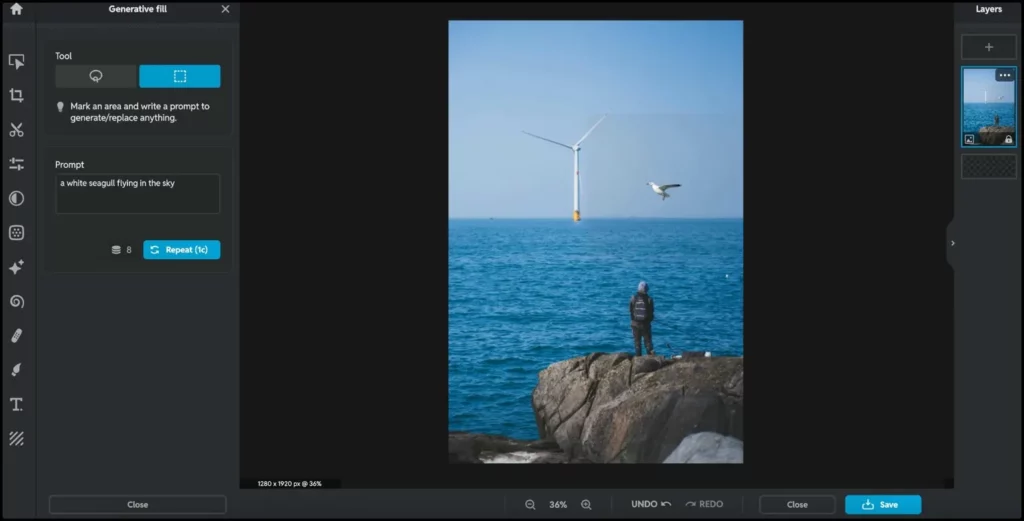
I uploaded a coastal photo and used Generative Fill to add a seagull to the sky with a single text prompt. It worked on the first try and matched the lighting naturally. For students who want to experiment with AI editing without paying for Adobe, Pixlr gets surprisingly close.
One thing to know upfront: Pixlr requires a login before you can save anything. I had already uploaded my photo and typed out the prompt before it asked me to sign in. After logging in, it sent me back to the homepage and I had to start over. Once inside, the free tier gives you 10 credits to start, with each AI generation using 1 credit, and only 3 free saves per day. It is enough to test the tool, but you will hit the wall fast if you are editing seriously.
That said, the layer support is a genuine surprise. Multiple layers in a browser-based free editor is rare, and it makes Pixlr feel closer to a lightweight Photoshop than anything else at this price point.
| ⭐ Rating | 4.2/5 |
| 💰 Price | Free to start · Plus from $1.99/mo |
| 🎯 Best For | Students, hobbyists, casual creative editors |
| 🚫 Not For | Anyone needing unlimited saves or batch editing |
| 🌐 Platform | Web / iOS / Android |
✅ Pros
- Generative Fill works with simple text prompts and matches scene lighting naturally
- Layer support in the browser is rare for a free tool
- Affordable paid plans starting at $1.99 a month
❌ Cons
- Login required before saving, and it redirects you to homepage afterward
- Only 3 free saves per day and 10 starter credits
Best AI Photo Editors for Professional Use
Luminar Neo: Best AI Photo Editor for Photographers
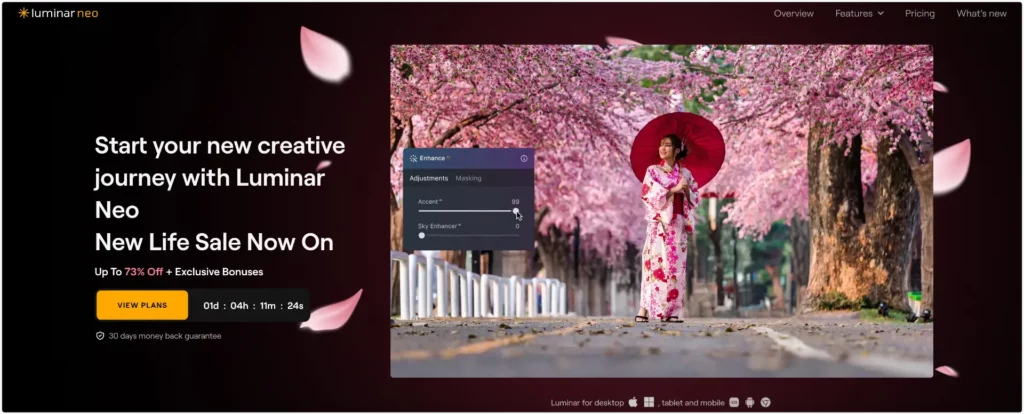
I tested Luminar Neo on landscape shots and portrait work. The Sky AI replacement is the best we tested: swap a flat grey sky and the tool automatically adjusts the ground lighting to match without any manual masking. The 2025 update added a proper Layers panel that finally closes the gap with Photoshop for non-destructive editing.
For photographers tired of subscriptions, Luminar Neo starts at $9.95 a month and offers a one-time purchase option. Adobe Photoshop costs $22.99 a month with no one-time option. That difference matters over time.
| ⭐ Rating | 4.7/5 |
| 💰 Price | From $9.95/mo · One-time purchase available |
| 🎯 Best For | Landscape photographers, portrait pros, high-volume shooters |
| 🚫 Not For | Casual users or anyone who needs a browser-based or mobile tool |
| 🌐 Platform | Desktop only (Mac + Windows) |
✅ Pros
- Sky AI replacement auto-adjusts ground lighting with no manual fixes needed
- New Layers feature competes with Photoshop for non-destructive editing
- One-time purchase option avoids subscription fatigue
- Runs smoothly on older hardware without lag
❌ Cons
- Desktop only with no browser version and no mobile app
- No usable free tier, trial is heavily restricted
Adobe Firefly: Best AI Photo Editor for Design Teams
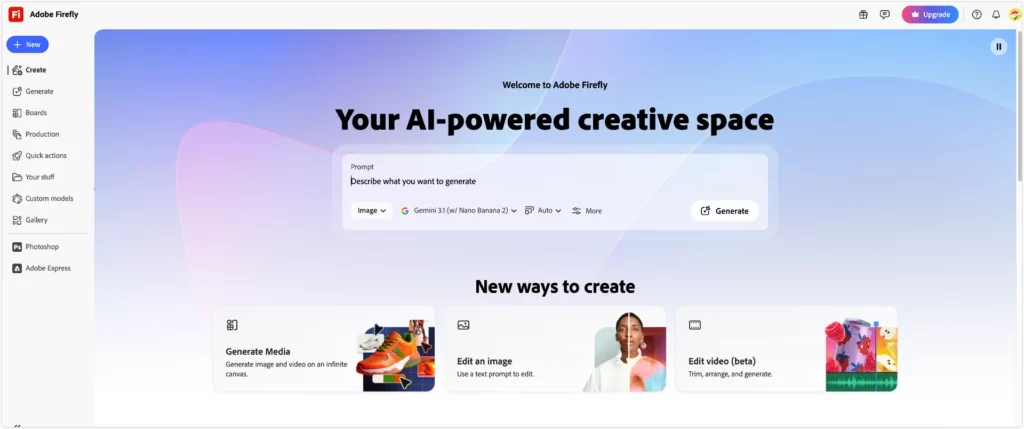
I tested Generative Fill inside Photoshop on a product shot with a cluttered background. The result was clean with consistent lighting. For enterprise teams where brand accuracy matters, Firefly is the most reliable generative AI tool available. For teams already paying for Creative Cloud, Firefly is included, which changes the value calculation entirely.
| ⭐ Rating | 4.6/5 |
| 💰 Price | From $22.99/mo (Creative Cloud) |
| 🎯 Best For | Designers, marketing teams, enterprise users inside Adobe ecosystem |
| 🚫 Not For | Anyone outside the Adobe ecosystem or on a tight budget |
| 🌐 Platform | Web / Desktop |
✅ Pros
- Generative Fill works seamlessly inside existing Photoshop workflows
- Commercially safe, trained on licensed Adobe Stock content
- Integrates directly with Adobe Express, Illustrator and Premiere
❌ Cons
- Expensive for anyone outside the Adobe ecosystem
- Free credits run out quickly for heavy users
- Generative Fill still struggles with complex lighting and fine text details
Picsart: Best AI Photo Editor for Creative Edits
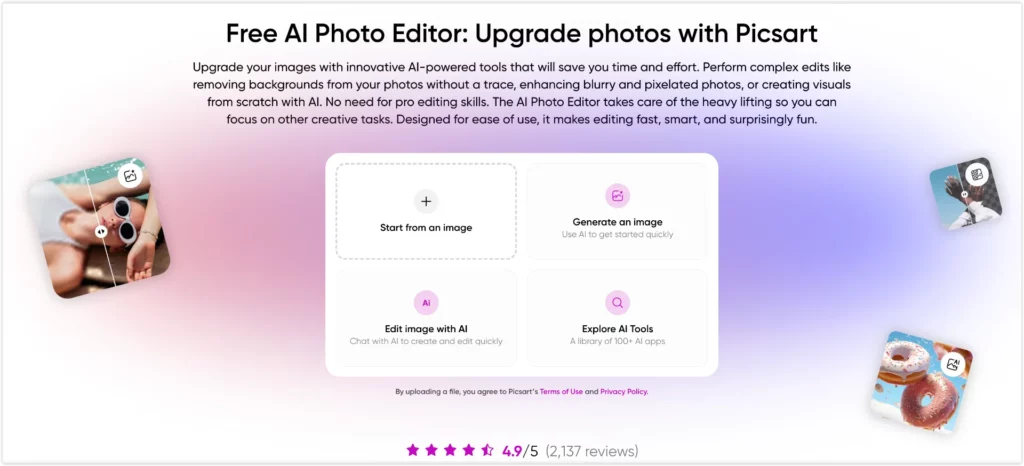
I tested the AI background replacement and style transfer tools on Picsart and both worked well for social content. It is more of a creative playground than a traditional editor, which makes it ideal for creators who want trending visual styles fast.
| ⭐ Rating | 4.3/5 |
| 💰 Price | Free plan available · Pro from $6.58/mo |
| 🎯 Best For | Social media creators, influencers, hobbyists wanting artistic styles |
| 🚫 Not For | Users who need consistent, precise editing results |
| 🌐 Platform | Web / iOS / Android |
✅ Pros
- Wide range of AI tools including style transfer and background replacement
- Strong mobile app for editing on the go
- Active community for sharing and discovering creative edits
❌ Cons
- Free plan pushes users toward paid tier frequently
- Output quality varies and is less consistent than dedicated editors
Topaz Photo AI: Best AI Photo Editor for Noise Reduction
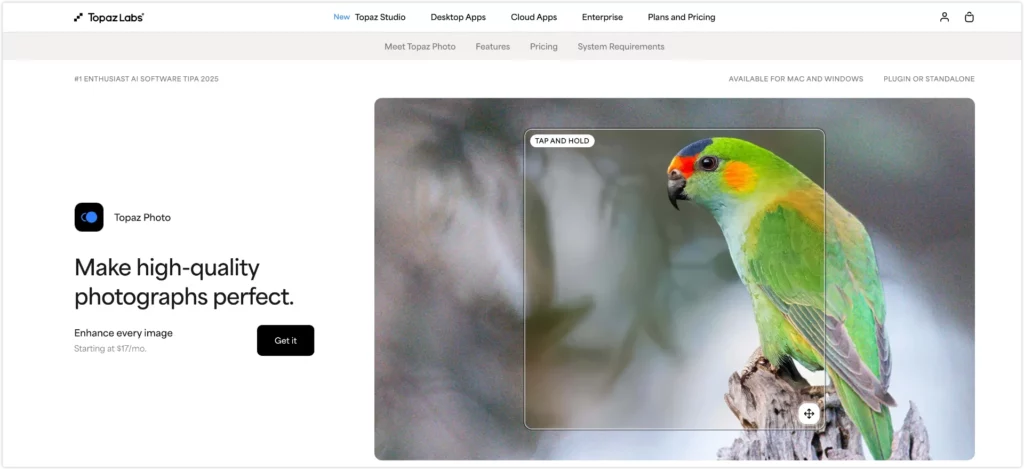
I tested Topaz on high-ISO shots from a low-light shoot. The noise reduction was noticeably better than every other tool in this guide. For noise reduction on high-ISO shots, Topaz produces results no other tool here can match. That is not a close call. Reddit’s r/photography community consistently recommends it for one specific job: batch-cleaning technically flawed images from a shoot.
Topaz starts at $17 a month with no free tier. That is a significant commitment, but for photographers who shoot in difficult conditions regularly, the results justify it.
| ⭐ Rating | 4.5/5 |
| 💰 Price | From $17/mo · One-time purchase available |
| 🎯 Best For | Professional photographers fixing noise, blur and low-resolution images |
| 🚫 Not For | Casual users or anyone needing creative editing tools |
| 🌐 Platform | Desktop only (Mac + Windows) |
✅ Pros
- Industry-leading noise reduction on high-ISO shots, better than any other tool we tested
- Batch processing handles large volumes consistently
- One-time purchase option available
❌ Cons
- No free tier and no meaningful trial before purchase
- Desktop only with no browser or mobile version
- Only useful for technical image quality fixes, not creative editing
Which AI Photo Editor Should You Pick?
- Want a free editor with no watermark? Start with PhotoGrid
- Posting to Instagram, TikTok, or LinkedIn? Try Canva
- Restoring old family photos? Choose Remini
- Editing product images for Amazon or Etsy? Go with PhotoRoom
- Shooting RAW files or need layer-based editing? Use Luminar Neo
- Already inside Adobe Creative Cloud? Firefly is already there
- Fixing noise on high-ISO shots? Topaz Photo AI is the specialist
How to Edit Photos with AI for Free: The Easiest Guide in 2026
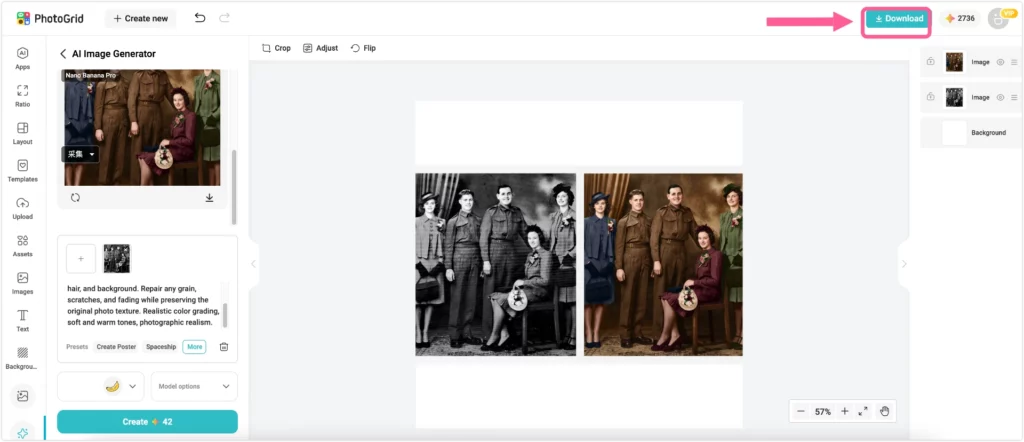
You do not need design skills or a paid plan to get professional results. Here is how to do it in under two minutes.
Step 1: Open PhotoGrid in your browser
Go to PhotoGrid’s AI photo editor on any device and create a free account. It works on Mac, Windows, Android, and iPhone with no download needed.
Step 2: Upload and pick a tool
Drag and drop your photo in JPG, PNG, JPEG, or WebP format. The AI identifies what needs fixing and handles it automatically. Remove a background, enhance a blurry shot, or colorize an old family photo in one click without any manual brushing or settings to adjust.
Step 3: Download your result
Export in 4K, choose your aspect ratio, save as JPG or PNG. Watermark-free every time.
AI Photo Editor FAQ: Your Top Questions Answered
- What is the best free AI photo editor with no watermark?
Look for three things: no watermark on exports, a usable free tier, and more than one AI tool. In our testing, PhotoGrid was the strongest fit for that combination. It gives you 15+ AI tools including background removal, image enhancement, and old photo restoration, with full-resolution watermark-free downloads. A free account is required to save your edits.
- What is the best AI photo editor online?
Look for a browser-based tool that works on any device without downloading anything. In our testing, PhotoGrid was the strongest option for free watermark-free results online. Canva also runs entirely in your browser but adds a watermark on free exports.
- Which AI photo editor has the most features?
PhotoGrid covers the widest range of tools in one place for free, including background removal, image upscaling, watermark removal, portrait retouching, AI image generation, AI filters, and a collage maker. Adobe Firefly has more advanced generative features but requires a Creative Cloud subscription starting at $22.99 a month.
- Which AI photo editor is best for product photos?
For e-commerce product photos, PhotoRoom and PhotoGrid are both strong picks. PhotoRoom specializes in replacing backgrounds with studio-style looks optimized for Amazon, Etsy, and Shopify. PhotoGrid lets you batch-process up to 20 images at once in 4K and covers more editing tools overall.
- Is AI photo editing good enough to replace Photoshop?
For most everyday tasks, yes. Background removal, object erasing, portrait retouching, and image enhancement are all handled well by modern AI editors. For complex compositing, multi-layer design work, or RAW processing at a professional level, Photoshop still leads. Most people do not need Photoshop. They just think they do.
- Why do some AI-edited photos look fake or plastic?
This happens when AI over-processes skin texture or pushes facial details too far. The best editors in 2026 preserve natural grain and pore texture. In any tool, subtle is always better than maximum enhancement. If a portrait looks over-edited, reduce the enhancement level and run it again.
- Is PhotoGrid available as an app on iOS and Android?
Yes. PhotoGrid works in your browser and also has a free app on iOS and Android. You get the same 15+ AI tools on both, so you can edit on your phone or on your computer, whichever works best for you.
Best AI Photo Editor in 2026: My Top Pick and Why
If I had to pick one AI photo editor for everyday free use, I would use PhotoGrid.

It covers more ground than any other free tool we tested, the exports stay watermark-free, and it works in any browser without downloading anything. For the price of $2.83 a month on Pro, nothing else comes close.
If I were a professional photographer shooting at volume, I would add Luminar Neo for its creative control and one-time purchase option. If my team was already inside Adobe Creative Cloud, I would use Firefly without hesitation.
According to Congruence Market Insights, over 60% of users now prefer AI-powered one-click enhancements over manual editing. The tools that win in 2026 are the ones that make great editing feel effortless and invisible.
Last updated: April 2026. Prices and features verified directly from each tool’s website.