Key Takeaways
- If you need the avatar to actually hold your product on screen, PhotoGrid is the only tool I tested that does it without a Pro upgrade or extra compositing.
- The biggest difference between these tools is workflow. Some start with the product, while others start with the avatar or the script.
- Most AI UGC tools still separate the avatar from the product. If that matters for your video, check the Product in Video column before paying for a plan.
Last updated: June 2026. Prices and plan limits were checked on public pricing pages or during hands-on testing. AI tool pricing changes often, so check each tool before choosing a plan.
I needed to turn a product image into a UGC-style video. No studio. No creator budget. Just one product packshot and a goal: get something that could pass the scroll test on TikTok, Reels, or a product page.
So I tested five of the most talked-about AI UGC generators in 2026 using the same product, the same brief, and the same benchmark: does the avatar actually look like someone recommending this product, or does it just look like an ad?
Here is what I found.
Best AI UGC Generators at a Glance
Each tool was scored on product integration, workflow simplicity, watermark policy, language support, and trial accessibility.
| Tool | Best For | Workflow | Product in Video | Starting Price | Watch Out |
|---|---|---|---|---|---|
| PhotoGrid ⭐⭐⭐⭐⭐ | Product-led videos | Product image → avatar video | ✅ Holds product | ~$3 in my test | Prompt-sensitive |
| Creatify ⭐⭐⭐⭐ | Hook + batch testing | Product URL → ad variations | ⚠️ Separate product | $39/mo | Free = watermark |
| MakeUGC ⭐⭐⭐ | Talking-head drafts | Script → avatar video | ⚠️ Pro only | $49/mo | Product-in-hand = $119/mo |
| Arcads ⭐⭐⭐⭐ | Avatar realism | Avatar → polished presenter | ⚠️ Not confirmed | $77/mo in my test | No free trial |
| ImagineArt ⭐⭐ | Budget testing | Prompt → quick draft | ⚠️ Limited | $9/mo in my test | Limited control |
Quick Recommendation
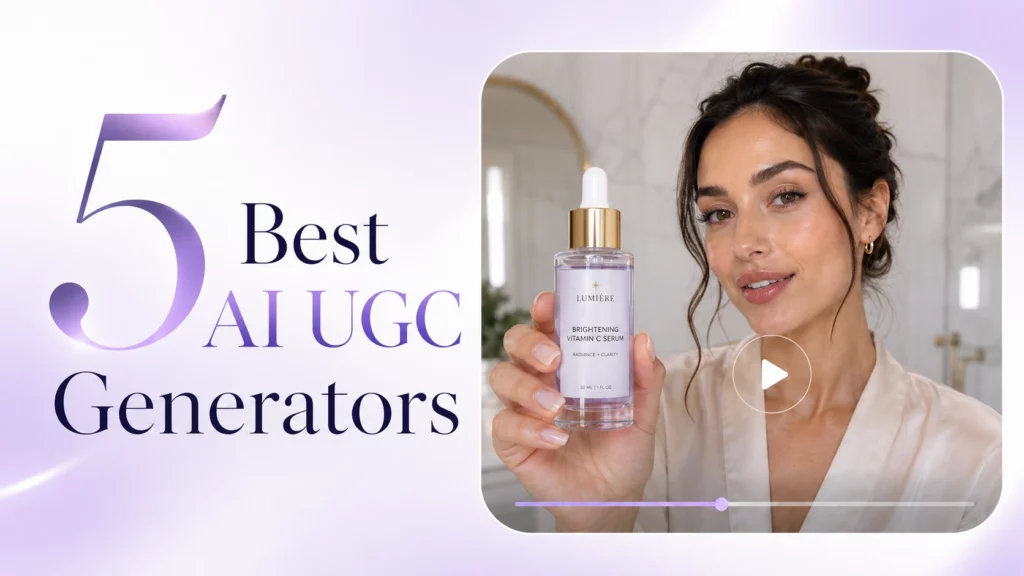
PhotoGrid — Best if you need the product physically in the video from day one. Upload a product image, pick an avatar and scene, write one prompt, and generate a video where the creator holds your product on screen.
Creatify — Best for testing multiple hook scripts and format variations at volume. The product stays beside the avatar rather than in hand.
MakeUGC — Best for low-cost talking-head drafts. Product-in-hand is available but only on the $119/month Pro plan.
Arcads — Best for the most realistic avatar quality in this comparison. Starts at $77/month with no free trial.
ImagineArt — Best for the lowest barrier to entry. Free plan refreshes daily, but avatar and scene control are limited.
1. PhotoGrid: Best AI UGC Generator for Product-Led Videos
💡 Core Strength: The only tool I tested where one product image, one avatar, and one prompt produce a video where the avatar actually holds your product on screen.
I had one product image, generated with GPT Image 2 before the test. I wanted to see whether I could turn that single packshot into something that looked like a real creator recommending the product on TikTok or a product page.
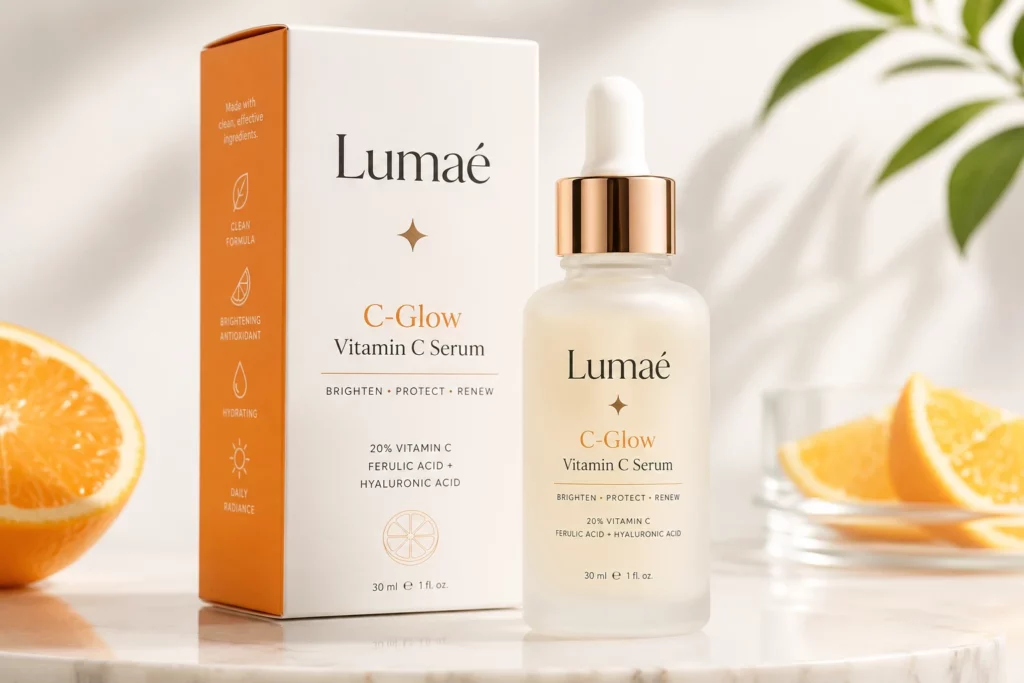
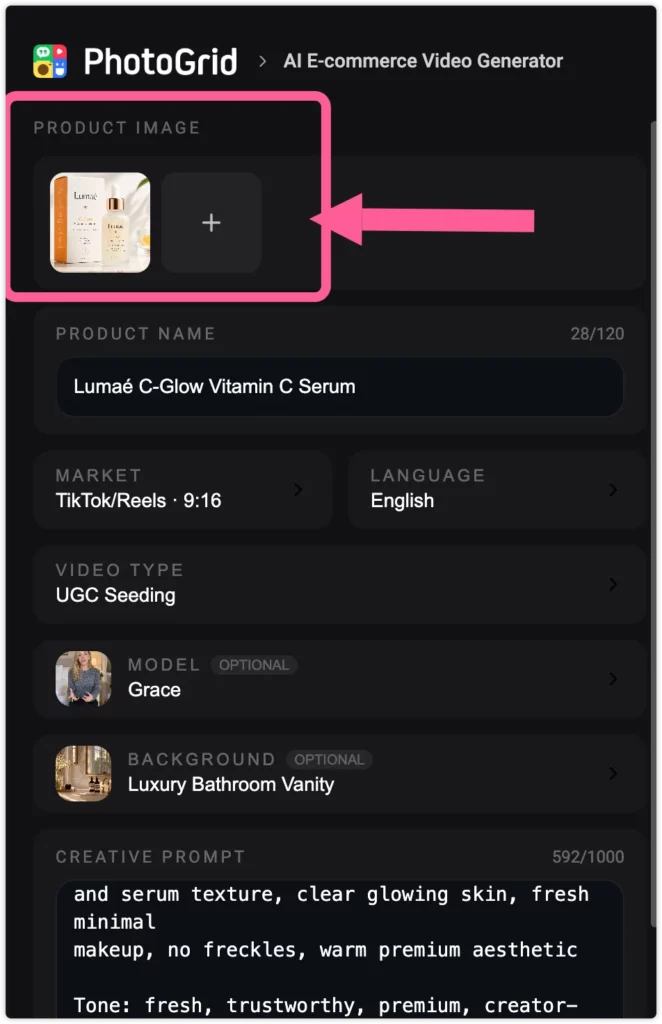
I uploaded the Lumaé C-Glow Vitamin C Serum image, selected Grace as the avatar, chose Luxury Bathroom Vanity as the scene, and wrote a prompt describing the selling points, the target audience, and what I wanted Grace to do on screen. A few minutes later, Grace was standing in a luxury bathroom holding the serum bottle toward the camera, with the label visible and the lighting matching the skincare brief.
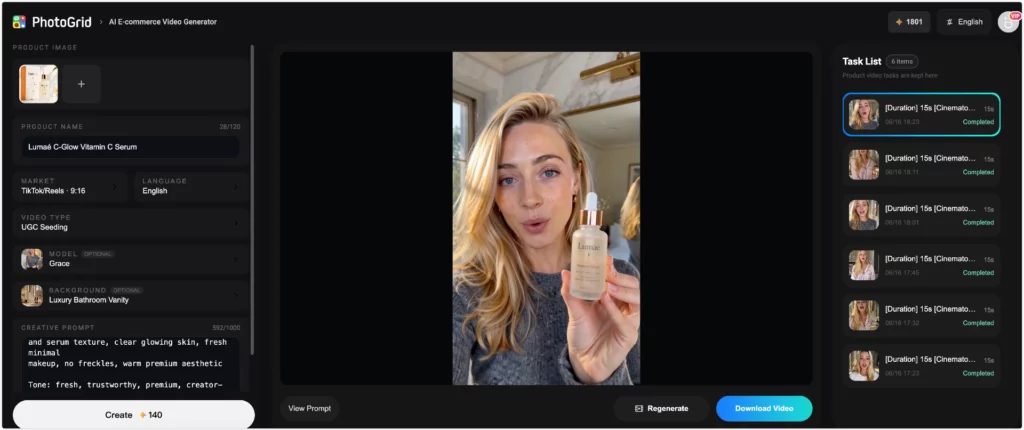
That was the result from one product image, one avatar selection, one scene, and one prompt. No separate product overlay. No editing step afterward.
I ran into one issue during testing. My first two attempts produced heavy freckles on the avatar because I used the phrase “sensitive skin” in the target audience field. The model applied that language to Grace’s appearance instead of just the script. Switching to lifestyle descriptors fixed it immediately. “Women aged 22 to 38 who love clean beauty and gentle ingredients” produced a clean, glowing result across the next generation.
A second thing worth knowing before you start: some public avatars have fixed visual traits that prompts cannot override. Checking the avatar preview thumbnail before committing saves credits and avoids surprises, especially for beauty and skincare briefs.
Why PhotoGrid Stood Out in This Test
Every other tool I tested kept the avatar and the product separate. Creatify placed the product beside the avatar in the frame. Arcads and MakeUGC at their entry tiers produced talking heads with no product present. ImagineArt accepted a product image, but it did not give me the same avatar selection, scene control, or product-in-hand workflow.
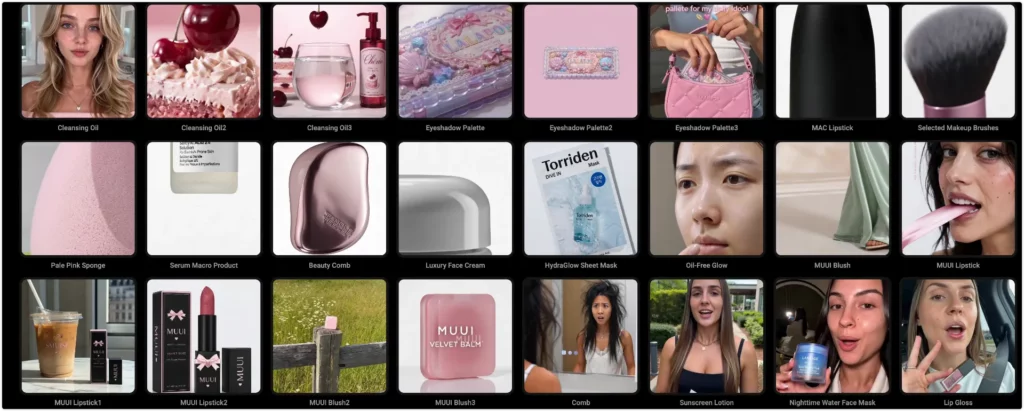
PhotoGrid was the only tool where the uploaded product image fed directly into the generation and the avatar interacted with it as part of the scene. That is not a small difference for ecommerce brands. It is the difference between a video that looks assembled and a video that looks like a creator recommendation.
PhotoGrid’s AI UGC tool handles the product integration layer, while the AI talking avatar feature manages the spokesperson element. For teams that also need campaign-ready output beyond the video, the AI ad generator extends the workflow into complete ad assets without switching platforms.
🎯 Best For
- Ecommerce brands and DTC sellers who need the product physically present in the video without a separate editing step
- Brands selling physical products on TikTok, Meta, or product pages where product visibility matters in the first three seconds
- Small teams that want to go from a product image to a publishable UGC draft in one session
Prompt Tips for Beauty and Skincare Ads
PhotoGrid’s creative prompt field accepts up to 1000 characters. That space matters. It lets you specify the product, the audience, the scene, the presenter’s action, the selling points, the tone, and appearance guardrails all in one input, without having to choose what to leave out.
A prompt structure that worked well in this test:
- Product: Lumaé C-Glow Vitamin C Serum
- Audience: Women aged 22 to 38 who love clean beauty and morning skincare routines
- Scene: Bright luxury bathroom with soft natural light
- Action: The presenter holds the serum bottle and speaks about adding it to a morning routine
- Selling points: Lightweight texture, vitamin C, hyaluronic acid, healthy-looking glow
- Tone: Casual, trustworthy, premium, not overly polished
- Appearance guardrails: clear glowing skin, no freckles, fresh minimal makeup
Pricing
PhotoGrid uses a credit pack system with no monthly subscription required. In my June 2026 test, credit packs started at around $3. Subscription plans are also available for teams with higher volume.
| ⭐ Rating | 4.8/5 |
| 💰 Price | Credit packs from ~$3 in my test |
| 🎯 Best For | Product-led ecommerce UGC |
| 🚫 Not For | Corporate spokesperson or training videos |
| 🌐 Platform | Browser, iOS, Android |
✅ Pros:
- Product Integration: The uploaded product image feeds directly into the generation and the avatar holds it on screen without a separate compositing step
- Six Video Types: UGC Seeding, Short Drama, Product Showcase, VSL Ad, TVC Ad, and Before and After each produce a structurally different output, not just a different template
- Platform Presets: TikTok, Instagram, YouTube Shorts, YouTube, Kwai, and Amazon aspect ratios are built into the workflow
- No Watermark in My Test: The export I tested did not include a watermark
- Flexible Entry: In my June 2026 test, credit packs started at around $3 with no monthly subscription required
❌ Cons:
- Prompt Sensitivity: Skin-related language in the target audience field affects avatar appearance, not just the script, which requires extra care for beauty briefs
- Fixed Avatar Traits: Some public avatars have visual characteristics that prompts cannot override
- Physical Interaction Limits: Complex actions such as squeezing a tube or opening a dropper are inconsistent across generations
Bottom line: If you have a product image and need a video where someone is actually holding and recommending that product, PhotoGrid is the only tool in this comparison that did it without a monthly Pro upgrade or a separate compositing step. The workflow felt like one session from upload to download.
2. Creatify: Best AI UGC Generator for Hook Testing at Scale
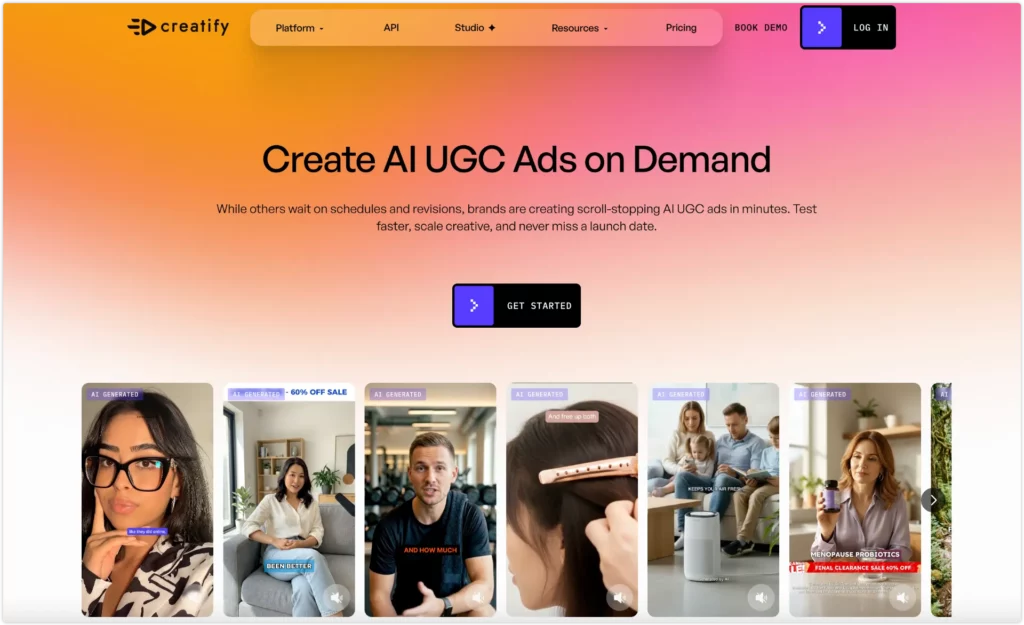
💡 Core Strength: The strongest AI script generation of any tool I tested, with up to 13 format variations per brief.
Verdict: Creatify produces the best scripts in this comparison, but the workflow is the most complex and the free tier only outputs watermarked previews.
✅ Best for: Performance marketing teams who need to test multiple hooks and script angles at volume for Meta and TikTok campaigns.
❌ Skip if: You need the avatar to hold or interact with your product, or you want a simple workflow without a multi-step brief builder.
What stood out in my test:
Creatify is built around a URL-to-video pipeline. I pasted a product description and filled in the selling points, target audience, and video settings. By the time I reached the script selection screen, I had clicked through at least seven decisions.
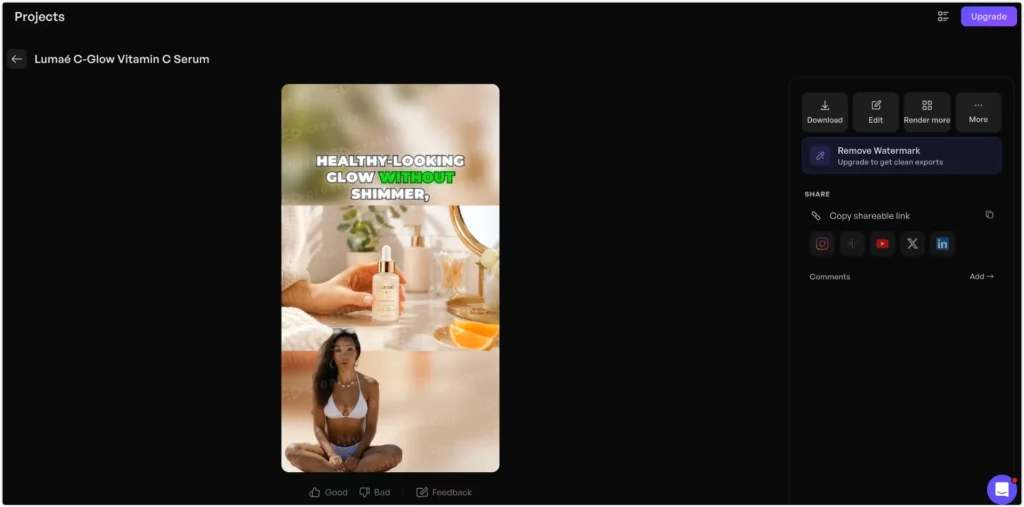
The script quality made those steps worth noticing. Creatify generated a Before and After hook that read like something a real creator would say, not a marketing brief. The problem was that I could not preview the 13 generated variations before selecting one to render, and selecting triggered a credit deduction. On the 10-credit free trial, that meant one blind choice used my entire free allowance.
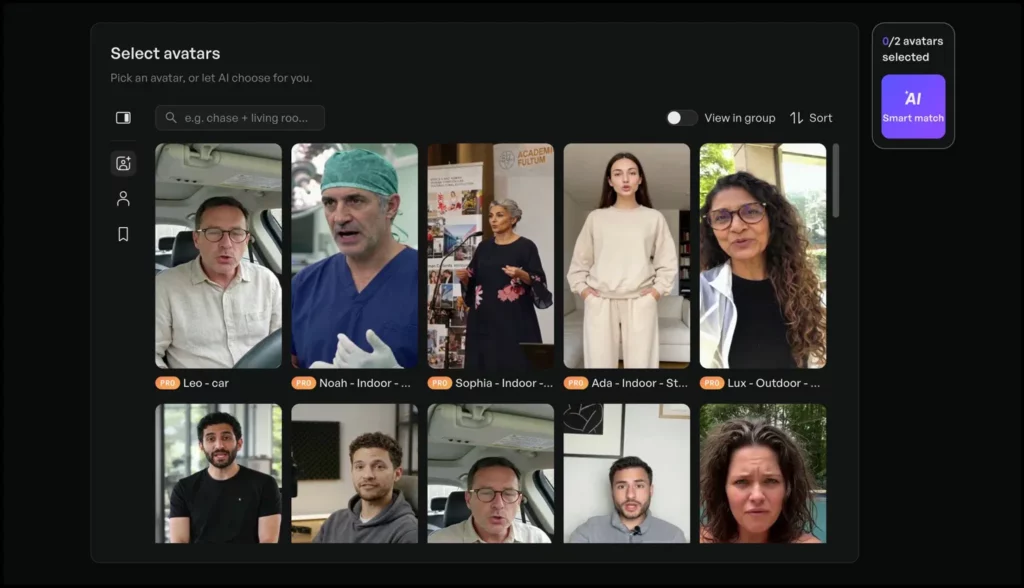
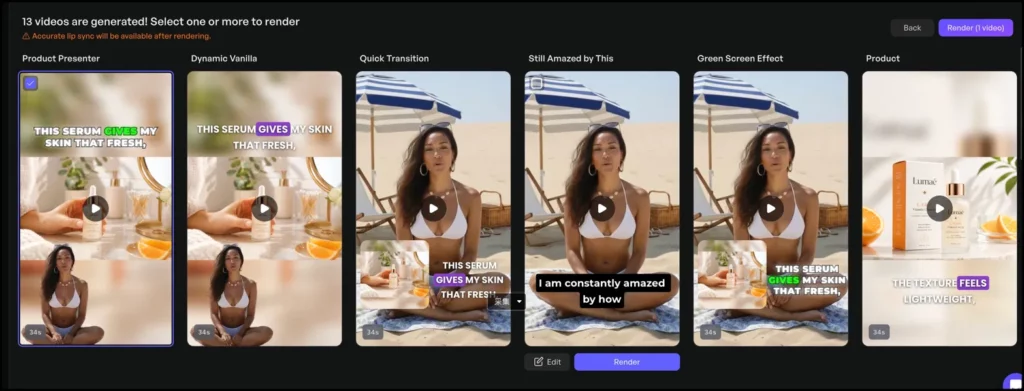
The rendered video placed the serum bottle beside the avatar, not in her hand. The product and the presenter were two separate elements assembled into the same frame.
| ⭐ Rating | 3.5/5 |
| 💰 Price | $39/month (100 credits) |
| 🎯 Best For | High-volume hook and script testing |
| 🚫 Not For | Product-in-hand UGC ads |
| 🌐 Platform | Browser |
✅ Pros:
- Strong AI script generation with multiple angles per brief
- URL-to-video pipeline pulls product data automatically
- 13 format variations per generation
- 75+ languages supported
- Target audience suggestions based on product description
❌ Cons:
- Cannot preview variations before spending credits
- Free tier outputs watermarked videos only
- Avatar does not interact with the physical product
- 7 or more steps from start to finished video
Bottom line: Choose Creatify for script quality and hook volume testing. Do not choose it if the product needs to appear in the avatar’s hands.
3. MakeUGC: The Budget-Friendly AI UGC Generator for Talking-Head Videos
💡 Core Strength: The lowest monthly entry price among avatar-led UGC tools in this comparison, with a library of over 1000 avatars.
Verdict: MakeUGC is a solid budget entry point for talking-head hook testing, but product-in-hand is locked behind the most expensive plan.
✅ Best for: Performance marketers testing hooks and avatar styles for Meta or TikTok ads at the lowest possible entry price.
❌ Skip if: You need the product physically held or shown in the video and you are not ready to pay $119 per month for the Pro plan.
What stood out in my test:
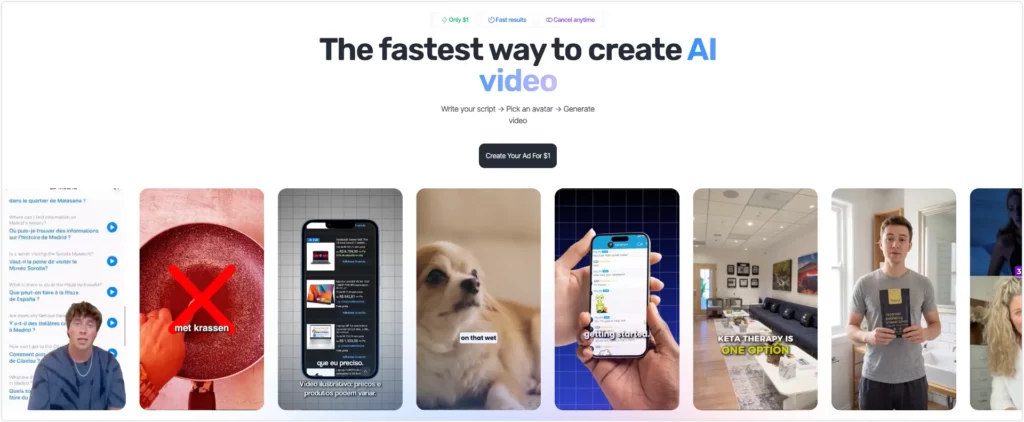
The workflow is genuinely simple. You write a script, pick an avatar from a library of over 1000, and generate a short video. There is no product URL field and no complex brief builder, which makes it the fastest tool to get started with after PhotoGrid.
The detail worth checking before you sign up is product-in-hand. MakeUGC promotes this feature on its homepage, but it is not available on the Startup plan at $49 per month or the Growth plan at $69 per month. It only unlocks on the Pro plan at $119 per month. The $1 trial showed a 3-day access window during checkout, so cancel before renewal if you are only testing.
One more thing the pricing page does not make obvious: editing a video you have already generated costs an additional credit. There is no free revision pass once a video has been rendered.
| ⭐ Rating | 3.5/5 |
| 💰 Price | $49/month (5 videos) |
| 🎯 Best For | Avatar-led hook testing on a budget |
| 🚫 Not For | Product-in-hand UGC at the entry price |
| 🌐 Platform | Browser |
✅ Pros:
- Lowest monthly entry price among avatar-led UGC tools in this comparison
- Simple script-to-avatar workflow with no product URL required
- 1000+ avatar library with strong demographic diversity
- 50+ languages with native lip-sync
- Batch mode for generating multiple drafts at once
❌ Cons:
- Product-in-hand locked behind the $119 per month Pro plan
- $1 trial auto-converts after 3 days
- Editing a generated video costs an additional credit
- Onboarding requires a company profile and ad spend survey before access
Bottom line: Choose MakeUGC if you want affordable avatar-led hook testing and you do not need the product in hand. If product-in-hand is a requirement, budget for the Pro plan from the start.
4. Arcads: The AI UGC Generator with the Most Realistic Avatars
💡 Core Strength: The most believable AI presenter faces of any tool in this comparison, with ElevenLabs voice integration on higher tiers.
Verdict: Arcads produces the most realistic avatars I tested, but the entry barrier is the highest and there is no free trial.
✅ Best for: Funded DTC brands and performance marketing agencies with dedicated ad budgets who need the highest avatar realism for premium brand positioning.
❌ Skip if: You are a solo seller or small team testing a new product, or you need the avatar to physically interact with the product.
What stood out in my test:
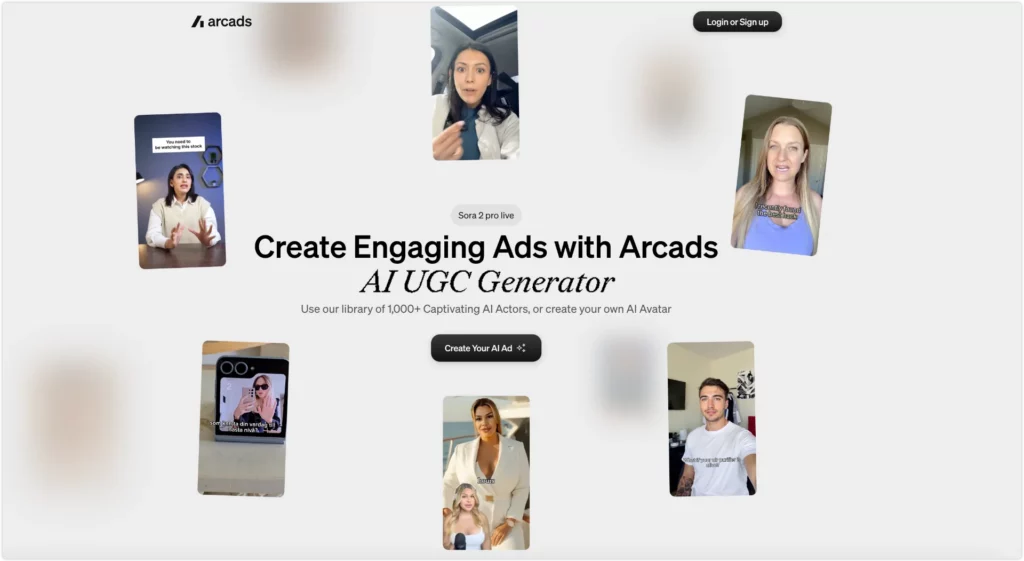
Arcads has the strongest avatar quality of any tool in this comparison. The faces are detailed, the micro-expressions are natural, and the delivery does not sound scripted. For beauty brands where audiences scrutinize skin texture and facial authenticity, Arcads holds up better than the alternatives.
The onboarding tells you exactly who this tool is built for. Before you see any pricing, Arcads asks for your company size, how many creatives you tested last month, and your monthly ad spend. The options for ad spend start at under $20K and go up to $1M and above. After the survey, the Starter plan appears at $77 per month for 40 video clips.
The physical product limitation applies here too. Arcads clearly leads on avatar realism, and its website promotes product-holding features. In my test workflow, however, I did not get the same straightforward product-image-to-product-in-hand result that I got from PhotoGrid. The approach used by most experienced performance marketers is to pair an Arcads avatar voiceover with real B-roll footage of the product.
| ⭐ Rating | 4.0/5 |
| 💰 Price | $77/month (40 clips) |
| 🎯 Best For | Premium brand avatar realism |
| 🚫 Not For | Solo sellers or teams that need product-in-hand demos |
| 🌐 Platform | Browser |
✅ Pros:
- Highest avatar realism in this comparison
- Large library with diverse scenes and demographic settings
- ElevenLabs voice cloning integration on Pro plan
- Strong for beauty, health, and premium brand positioning
- 30+ languages supported
❌ Cons:
- No free trial and onboarding requires an ad spend survey
- Starts at $77 per month, the highest entry price in this comparison
- Product-holding was advertised, but I did not confirm a straightforward product-image-to-product-in-hand workflow in my test
- Requires external B-roll for physical product demonstrations
Bottom line: Choose Arcads if avatar realism is the most important factor and you have the budget to support it. Do not choose it if you need the simplest product-image-to-product-in-hand workflow for a small ecommerce test.
5. ImagineArt: Best for Budget Creators Who Want the Simplest Starting Point
💡 Core Strength: The lowest price of any tool in this comparison, with a free tier that refreshes daily and a three-input workflow.
Verdict: ImagineArt has the simplest workflow and the lowest price of any tool in this comparison, but it offers the least control over avatar appearance, scene, and output resolution.
✅ Best for: Solo creators and small brands who want the lowest possible barrier to entry for AI UGC testing and do not need avatar selection or scene customization.
❌ Skip if: You need a specific avatar style, a branded background scene, or campaign-ready video resolution for paid social placements.
What stood out in my test:
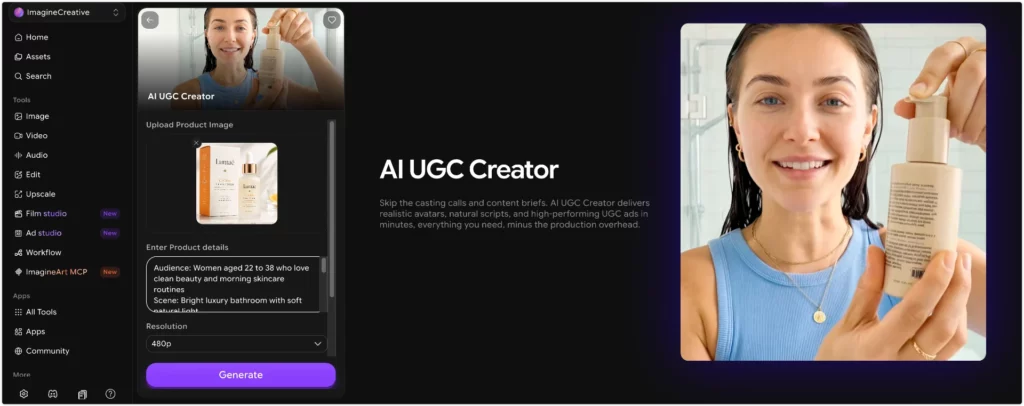
ImagineArt is not built specifically for ecommerce UGC ads. It is a generative AI creative suite that includes an AI UGC Creator as one of its tools. The workflow is the simplest I tested across all five tools. I uploaded a product image, entered the product details and a creative prompt, chose a duration and aspect ratio, and clicked Generate. There was no avatar library to browse, no scene selection, and no platform presets.
ImagineArt accepted the product image, but it did not give me the same avatar selection, scene control, or product-in-hand workflow that PhotoGrid provided. I had no control over which avatar appeared or what background was used. The standard UGC output I tested was capped at 480p, which is usable for concept testing but not campaign-ready for most paid social placements.
What ImagineArt offers in return is price. In my test account, the free plan refreshed 100 credits every 24 hours, which was enough for light testing without any subscription. The lowest paid option appeared at $9 per month billed annually (the monthly rate was $13 per month) and covered image generation, video, lipsync, and audio under a single credit pool.
| ⭐ Rating | 2.5/5 |
| 💰 Price | Free (100 credits/day) or $9/mo billed annually ($13/mo monthly) |
| 🎯 Best For | Budget-first concept testing with minimal setup |
| 🚫 Not For | Product videos that need avatar control or campaign-ready resolution |
| 🌐 Platform | Browser |
✅ Pros:
- Simplest workflow of any tool tested, with three inputs to generate
- Lowest entry price in this comparison
- Free plan with daily credit refresh for light testing
- Single credit pool covers image, video, lipsync, and audio
❌ Cons:
- No avatar selection or background scene options
- Maximum 480p resolution in the standard workflow
- Limited aspect ratio options
- Credits expire monthly and do not roll over
- Not purpose-built for ecommerce UGC ads
Bottom line: Choose ImagineArt if you want the lowest possible barrier to entry and you are comfortable with limited control over the output. If you need avatar selection, scene customization, or higher resolution, start with PhotoGrid or MakeUGC Pro instead.
When AI UGC Does Not Work: The Physical Product Problem
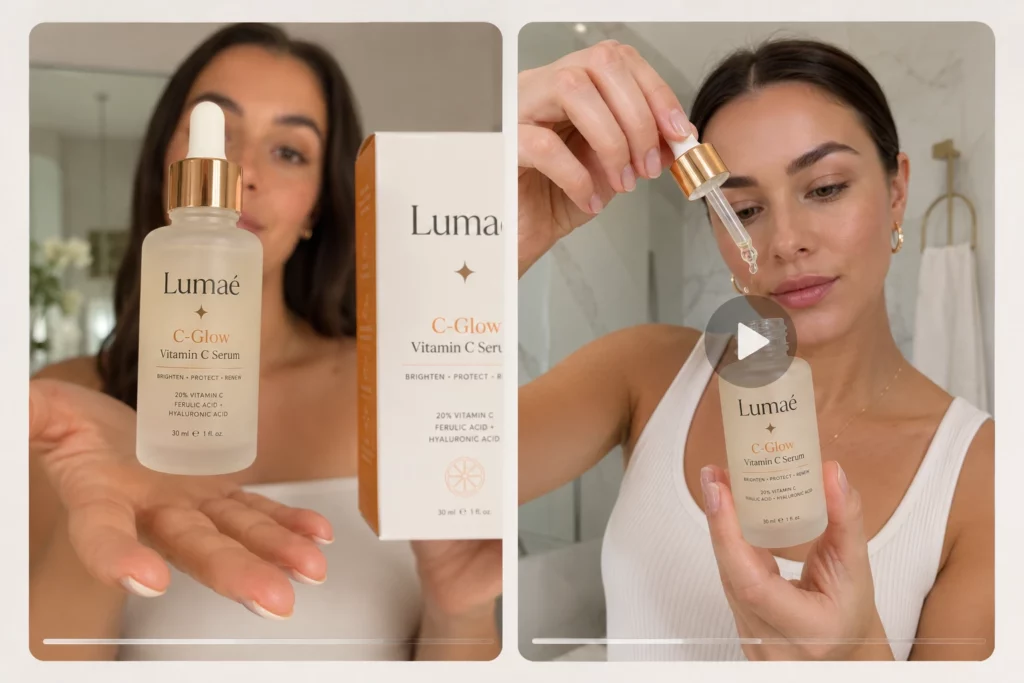
Every tool in this comparison shares one limitation. AI avatars cannot reliably hold, open, or apply a physical product. Fingers warp. Products float. Labels distort. This is also a common complaint in AI UGC tool discussions on reddit, where users often focus less on avatar quality and more on whether the final video can pass as a believable product recommendation.
PhotoGrid handles this better than the others because the product image integrates directly into the generation rather than being composited in afterward. But even then, complex physical interactions such as squeezing a tube, opening a dropper, or spreading cream are inconsistent across generations.
The solution used by most experienced performance marketers in 2026 is a hybrid approach: use an AI avatar for the hook and the spoken testimonial, then cut to real footage for the product close-up. This combination performs better than pure AI generation for physical goods because the trust signal stays intact where it matters most, which is when the product is actually on screen.
AI UGC vs. Hiring a Creator: A Realistic Cost Comparison
| AI UGC Tool | Human Creator (Fiverr / Billo) | |
|---|---|---|
| Cost per usable video | $2 to $20 | $50 to $300 |
| Turnaround | Minutes to hours | 3 to 14 days |
| Variations per brief | 1 to 13 | 1 to 3 |
| Physical product handling | Limited | Strong |
| Script control | High | Negotiated |
AI wins on speed, volume, and cost per variation. Human creators still win when your product requires hands-on demonstration or when you need social proof that audiences can verify on an actual creator profile.
The most effective approach in 2026 is not choosing between them. Use AI for rapid hook testing and use a human creator to film the winning concept at scale.
Also Tested: Tools Outside This Comparison
HeyGen is frequently recommended alongside the tools in this article. After testing it directly for a product ad, the recommendation needs a clear qualification. HeyGen is not an ecommerce UGC tool. It is an enterprise video platform built for multilingual localization. The UGC entry point has a 200-character script limit and no product image upload. The output is a talking head with no product present. Where HeyGen genuinely leads is translating and lip-syncing existing video content into 175 or more languages, which is a different use case from ecommerce UGC ad creation.
AdCreative.ai includes a UGC video feature alongside its broader ad creative platform, but the trial requires a credit card upfront and converts automatically after 7 days. For this comparison, I focused on tools where the UGC video workflow was the primary product rather than one module inside a larger platform.
Best AI UGC Generator in 2026: My Verdict
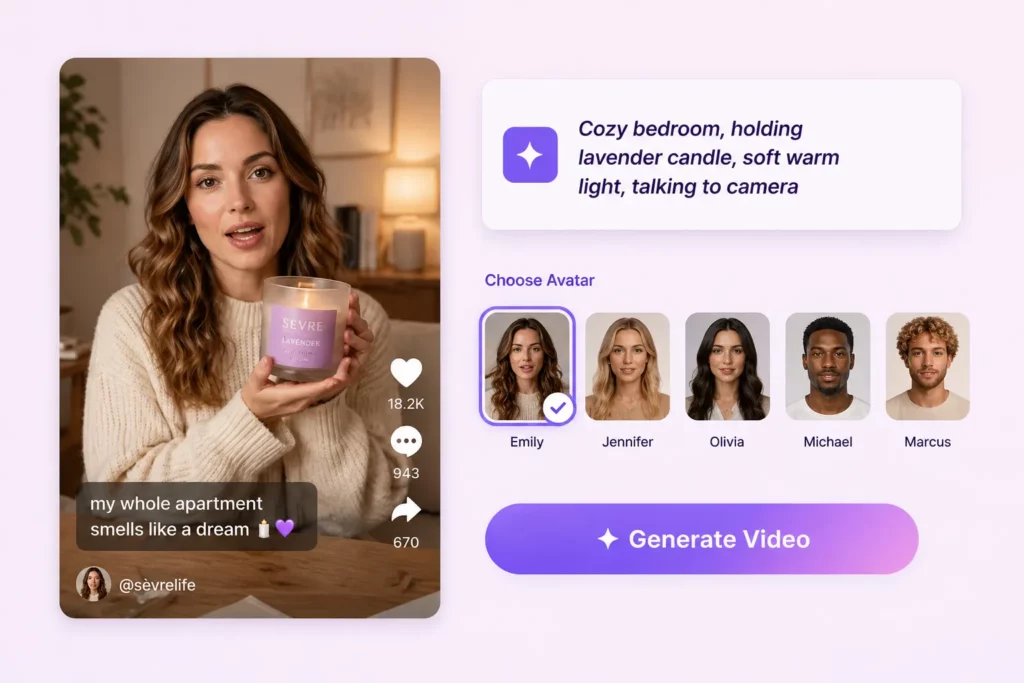
PhotoGrid helps you preview AI avatars, generate multiple hook variations, show natural product-in-hand scenes, and export watermark-free HD videos for TikTok, Meta, Shopify, and product pages.
After testing five tools on the same product and the same brief, the clearest finding was this: most AI UGC tools in 2026 are still avatar-first. They give you a great presenter and let the product sit beside them.
If your ad needs the product to be part of the story and not just a prop in the corner, that matters. PhotoGrid was the only tool that solved that problem without requiring an upgrade or a separate editing step.
For hook testing at volume, Creatify produces the best scripts. For avatar realism on a premium brand, Arcads holds up best under scrutiny. For the lowest possible starting cost, ImagineArt gets you in the door without a subscription.
The right tool depends on what your ad actually needs to show.
Best AI UGC Generator FAQs
Which AI UGC generator is best for skincare and beauty brands?
PhotoGrid is the strongest option for beauty and skincare brands that need the product visually present in the video. The avatar holds and interacts with the uploaded product image, which is a meaningful difference from tools that composite the product separately. Arcads produces the most realistic avatar faces for premium brand positioning but starts at $77 per month and does not offer a free trial.
Can AI UGC generators read my product image and use it in the video?
PhotoGrid reads your uploaded product image and integrates it into the avatar video directly. Creatify can analyze a product URL and pull listing images to build the creative around. MakeUGC, Arcads, and ImagineArt do not integrate a product image into the avatar video in the same way at their entry-level plans.
Why does my AI avatar look like it has a skin condition?
This happens when your prompt includes skin-related language such as “sensitive skin,” “redness,” or “barrier repair” in the target user or video style description. AI models apply those terms to avatar appearance, not just to the script narrative. Replace skin condition language with lifestyle descriptors such as “women who love clean beauty” instead of “women with sensitive skin.”
Is Creatify free to use?
Creatify offers 10 free credits on signup, which covers one video generation. The output at the free tier includes a Creatify watermark across the video. Removing the watermark requires a paid plan starting at $39 per month. The 13 video variations generated per brief cannot be previewed before you select one to render, which means your free credits are spent on a blind choice.
What is the cheapest AI UGC generator in 2026?
ImagineArt offers a free plan with 100 credits refreshed every 24 hours, making it the lowest barrier to entry in this comparison. For ecommerce-specific UGC with product integration, PhotoGrid offered credit packs from around $3 in my June 2026 test, with no monthly subscription required.
Is product-in-hand available on all AI UGC tools?
No. Among the tools tested in this article, PhotoGrid is the only one that integrates the product image directly into the generation at the entry price. MakeUGC offers product-in-hand but only on the Pro plan at $119 per month. Creatify and ImagineArt kept the avatar and product separate in my test. Arcads advertises product-holding features, but I did not confirm the same simple product-image-to-product-in-hand workflow during this test.