AI UGC Video Generator for Product Ads

Turn a product photo and a creative brief into a creator-style video ad. Choose an AI presenter, describe how the product should appear, and develop hooks for TikTok, Instagram Reels, Meta ads, or your online store—without organizing a shoot.

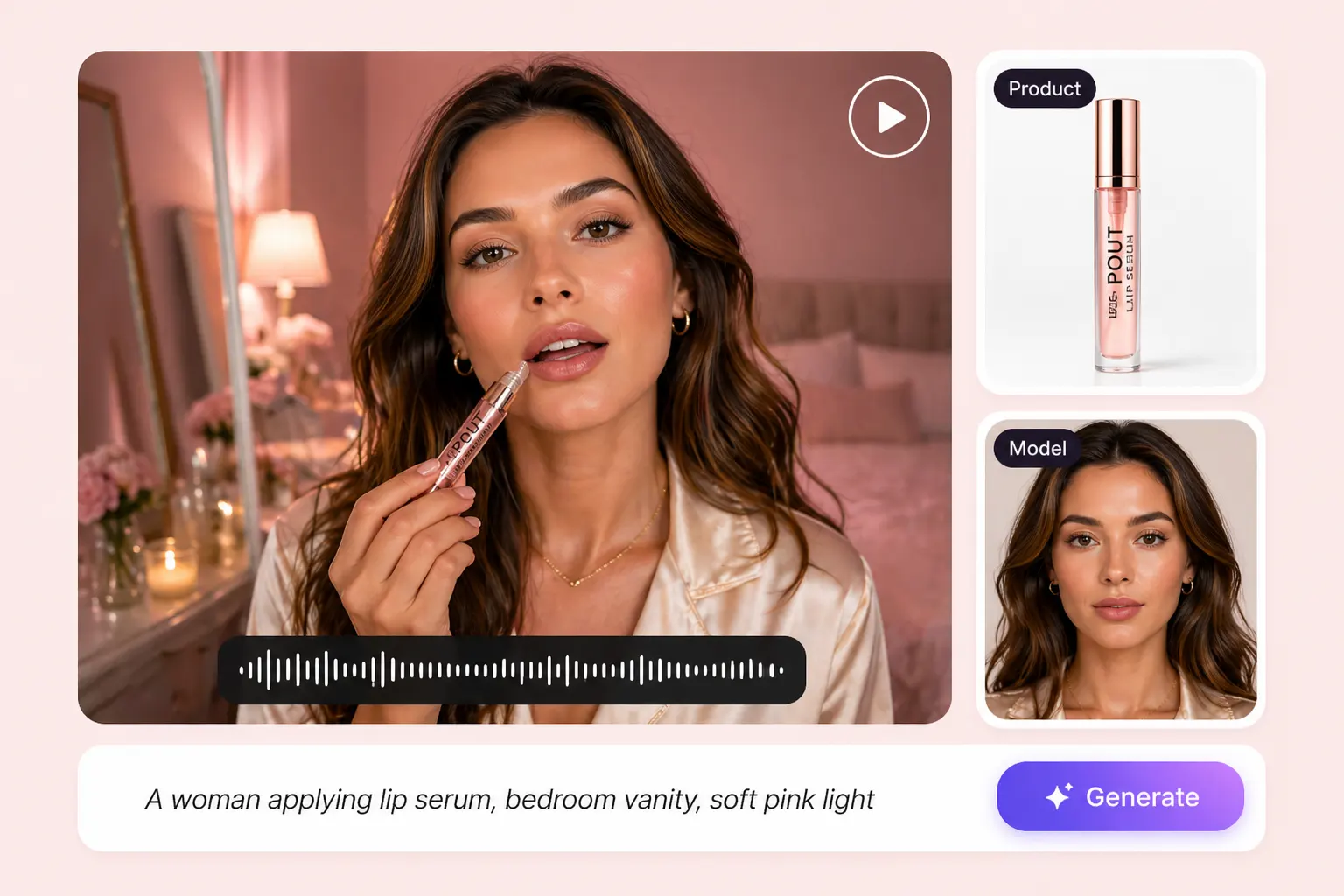
AI UGC product video with a presenter applying lip serum beside product and model reference images

Create AI UGC Ads from Your Product Photos

Upload a clear JPG, JPEG, PNG, or WebP image, then explain what the product does and who it is for. Use the product image as a reference for a presenter-led introduction, an unboxing idea, or an everyday demonstration. Start with one selling point so the video has a clear message from the opening to the final call to action.
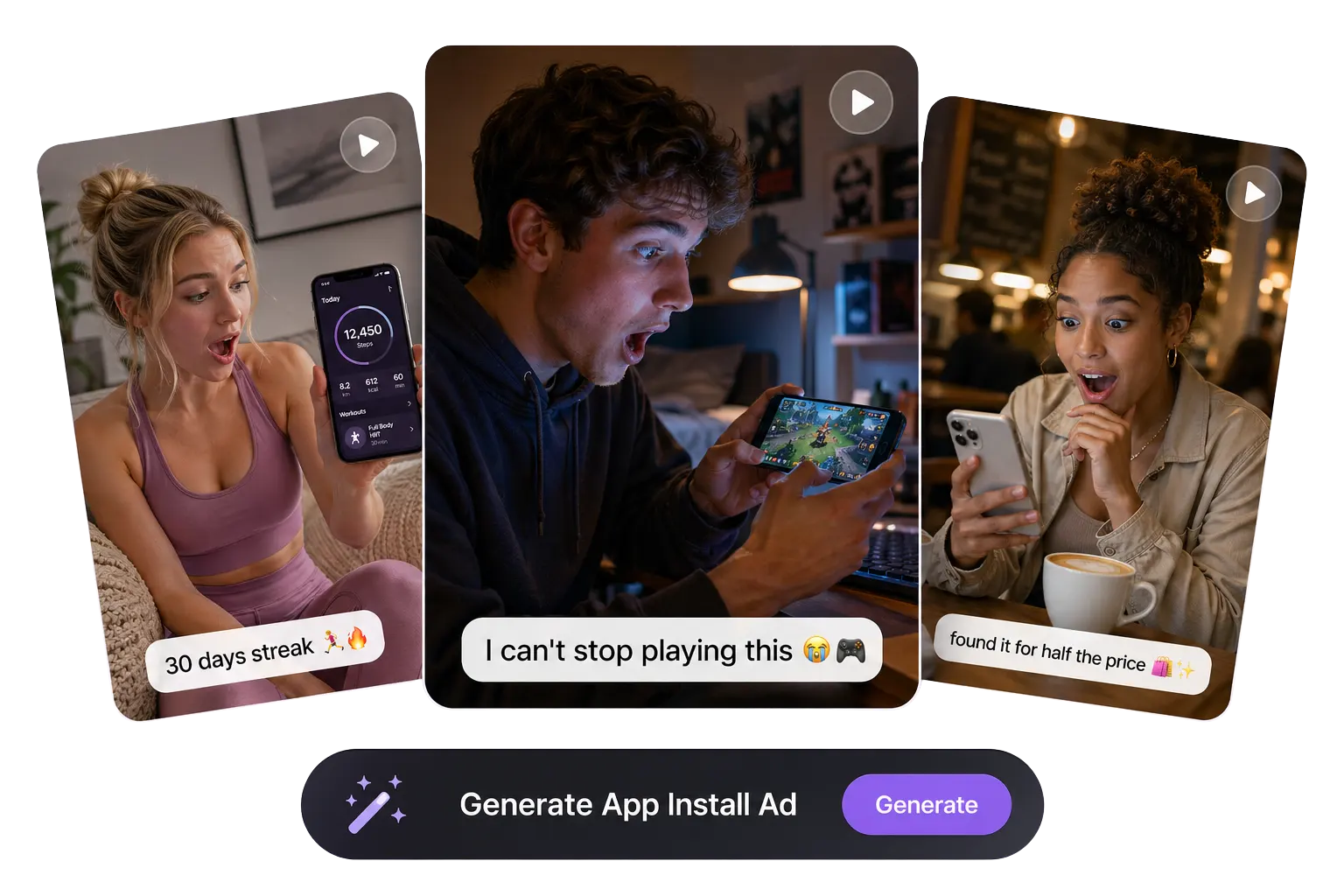
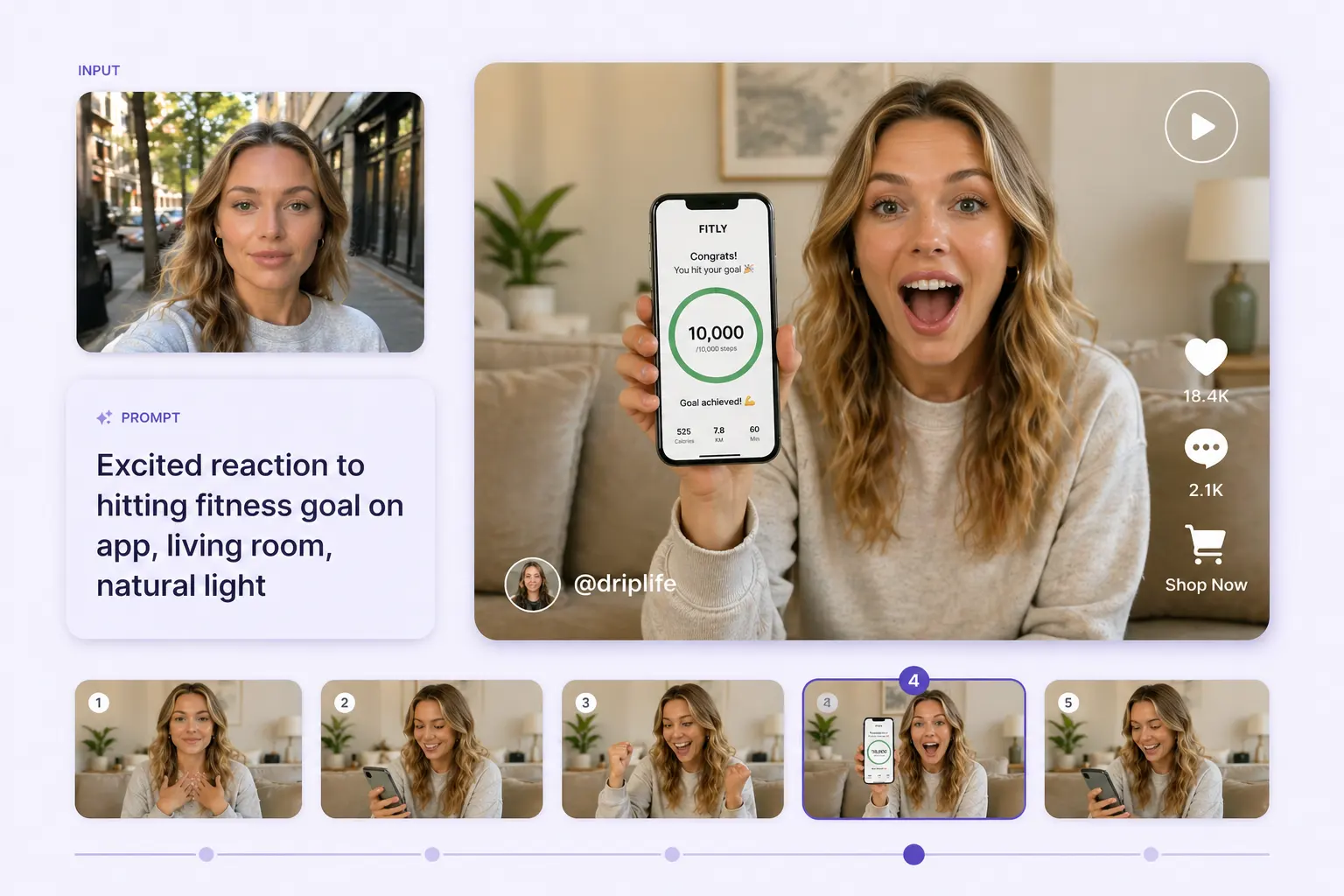
AI presenter showing a fitness app alongside several video variation thumbnails

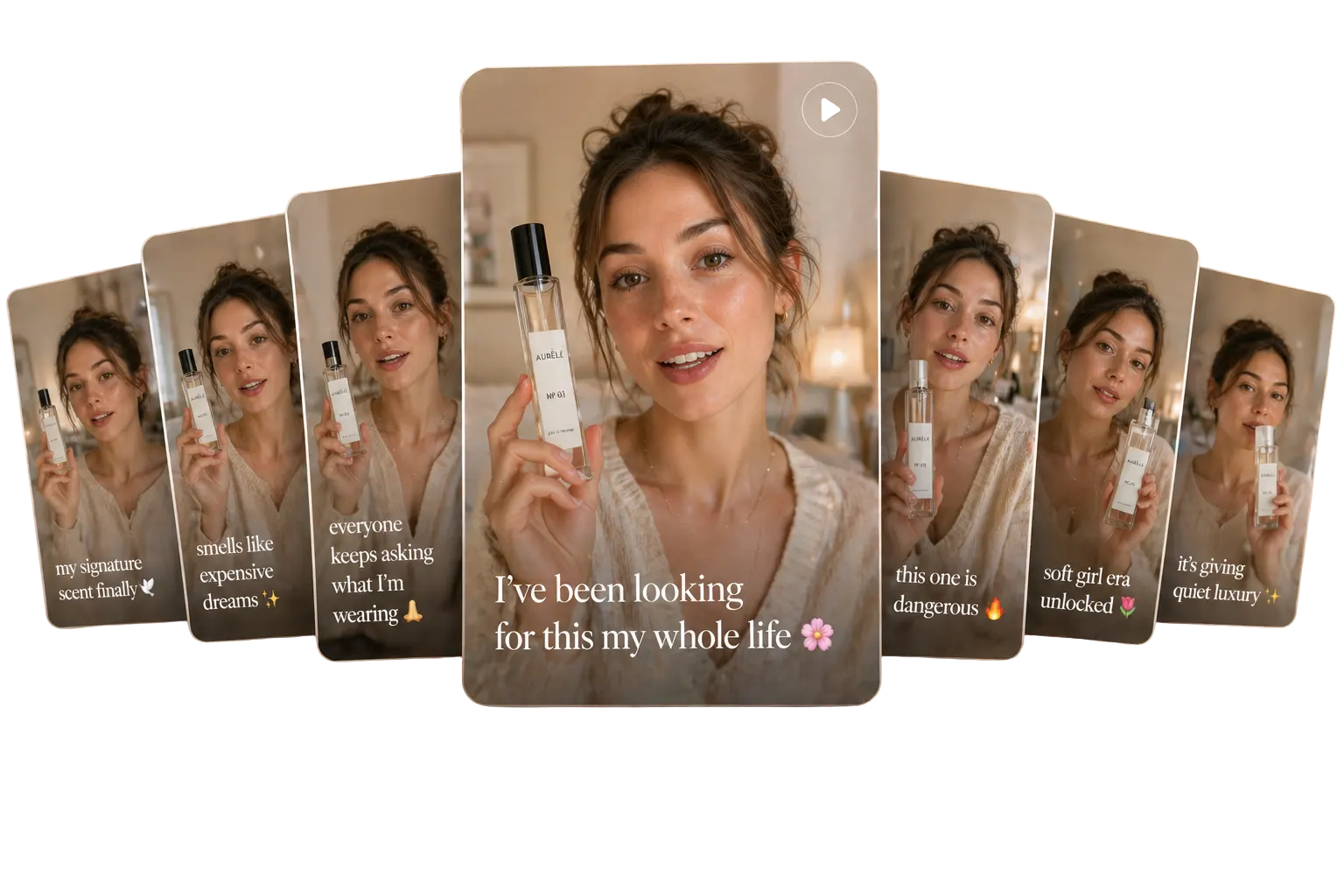
Test UGC Video Hooks Around Different Buying Reasons

Build several creative angles from the same product: lead with a customer problem, show a practical use, or introduce a distinctive feature. Change the opening line while keeping the product, offer, and audience consistent. This gives you a more useful set of UGC ad concepts to compare than repeating the same script with a different background.
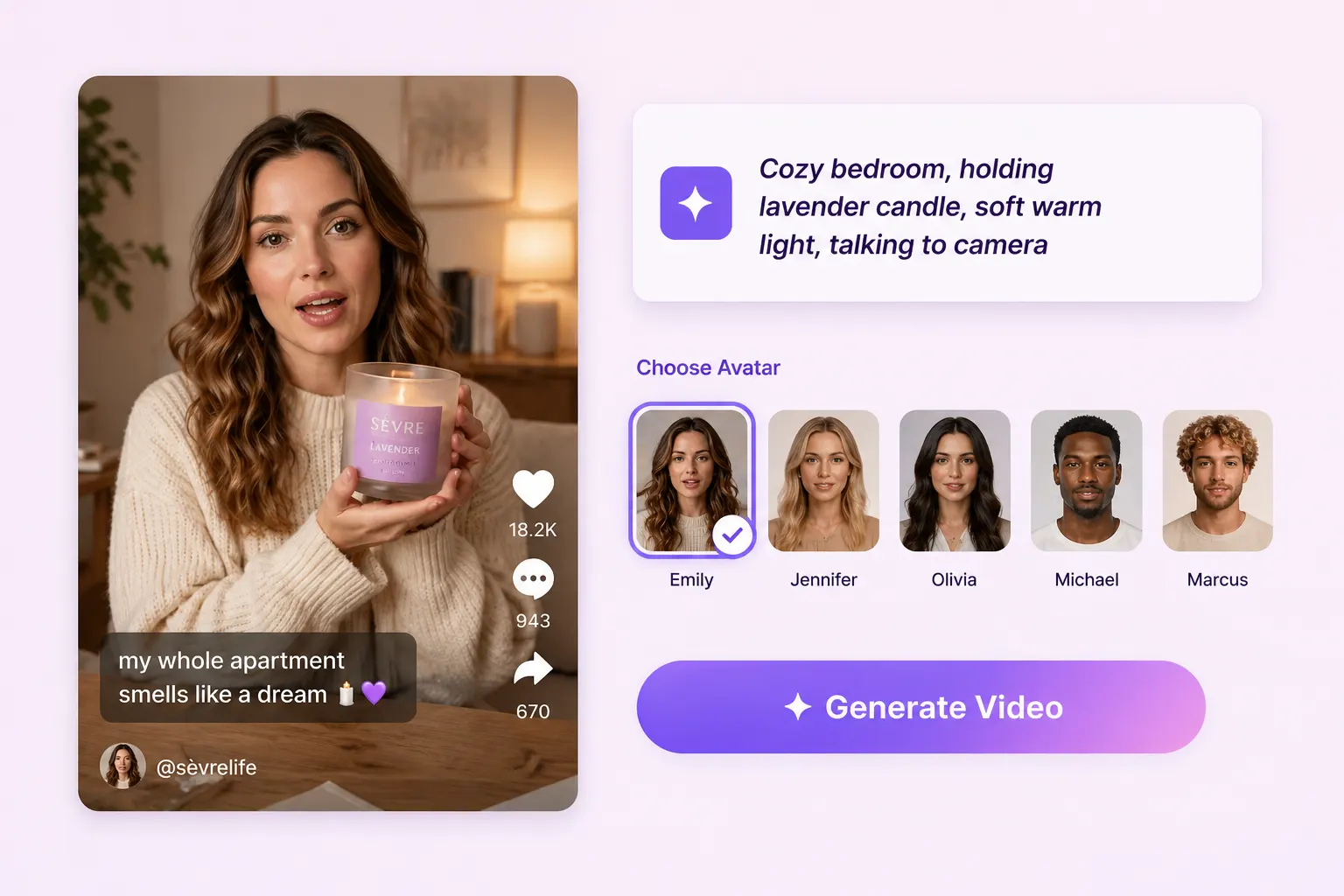
AI presenter holding a lavender candle beside a selection of creator avatars

Match Your AI Avatar, Script, and Product Scene

Choose an available AI presenter or add a custom character reference, then select a scene that makes sense for the product. Give the presenter a clear role: introduce an item, explain a feature, or walk through a routine. Keep the tone and script appropriate to your audience. For a speech-led presentation, explore the AI talking avatar generator.
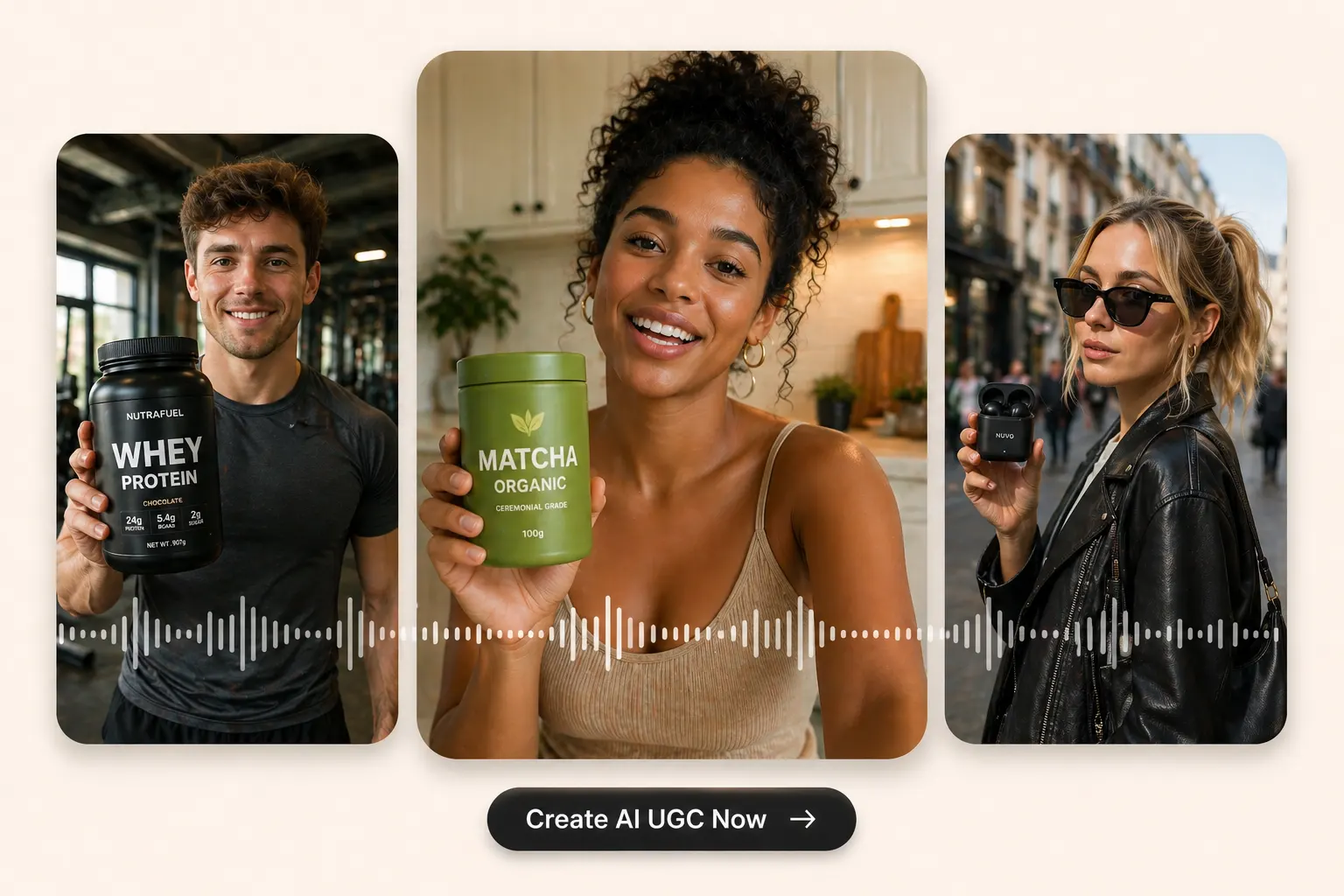
Three AI presenters holding protein powder, matcha, and wireless earbuds

Download UGC Videos for Social Ads and Product Pages

Choose an available aspect ratio before generating: vertical 9:16 suits TikTok, Reels, and Shorts, while square or landscape formats serve other placements. Review the product appearance, speech, and closing message before downloading your watermark-free video. For additional campaign formats, use the AI ad generator.

AI UGC Video Ads for Ecommerce and Social Campaigns

Give each video a specific job: explain a product, demonstrate a routine, test a hook, or introduce a digital service. Adapt the message to the audience and placement.
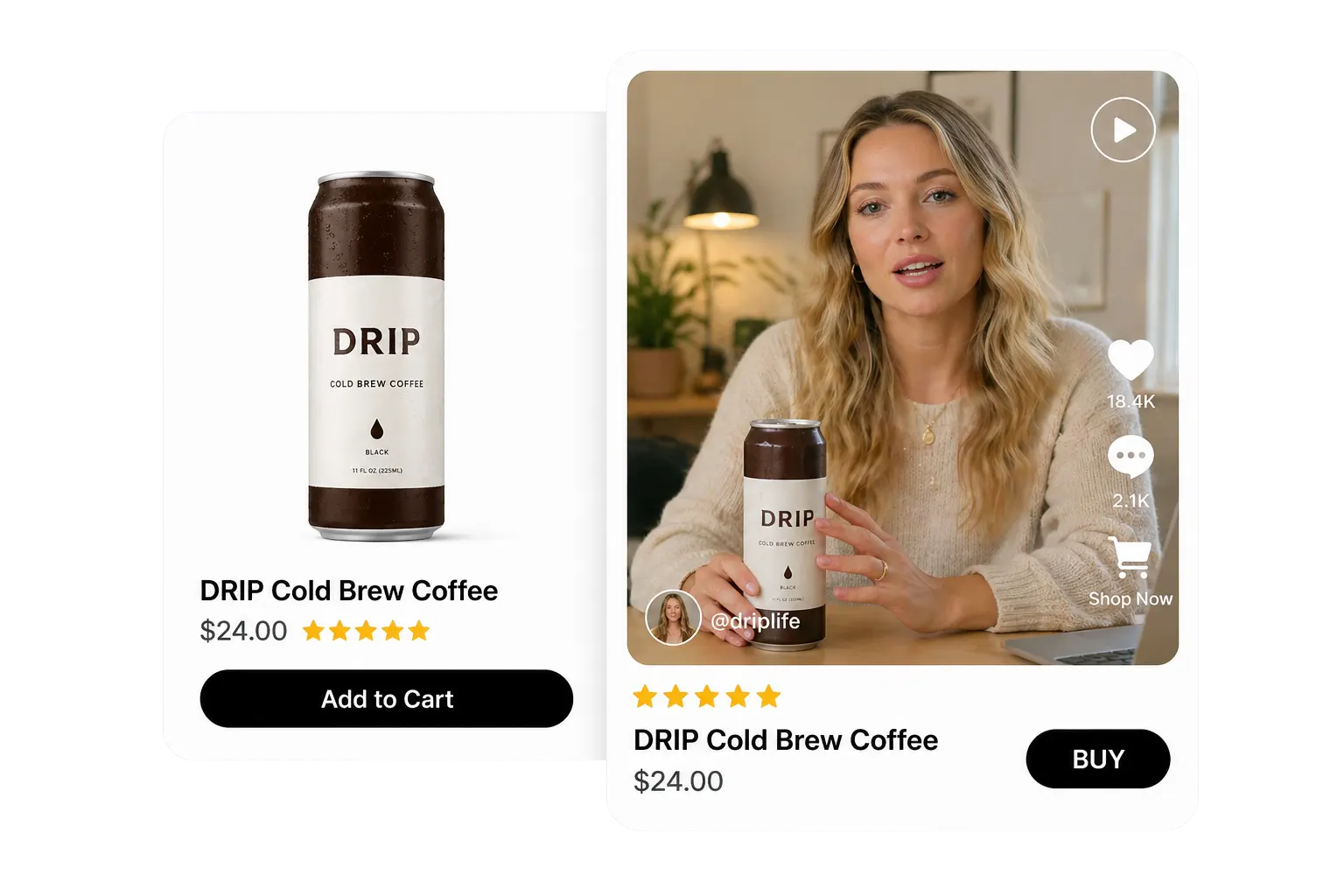
Shopify cold brew product page beside an AI presenter holding the product

Product Demonstrations for Shopify and TikTok Shop

Turn a product image into a short explanation of what the item is, how it fits into everyday use, and why a shopper might consider it. Build the script around a product detail customers need to understand, such as size, material, or use. Publish the finished clip alongside the product information in your store or social campaign.
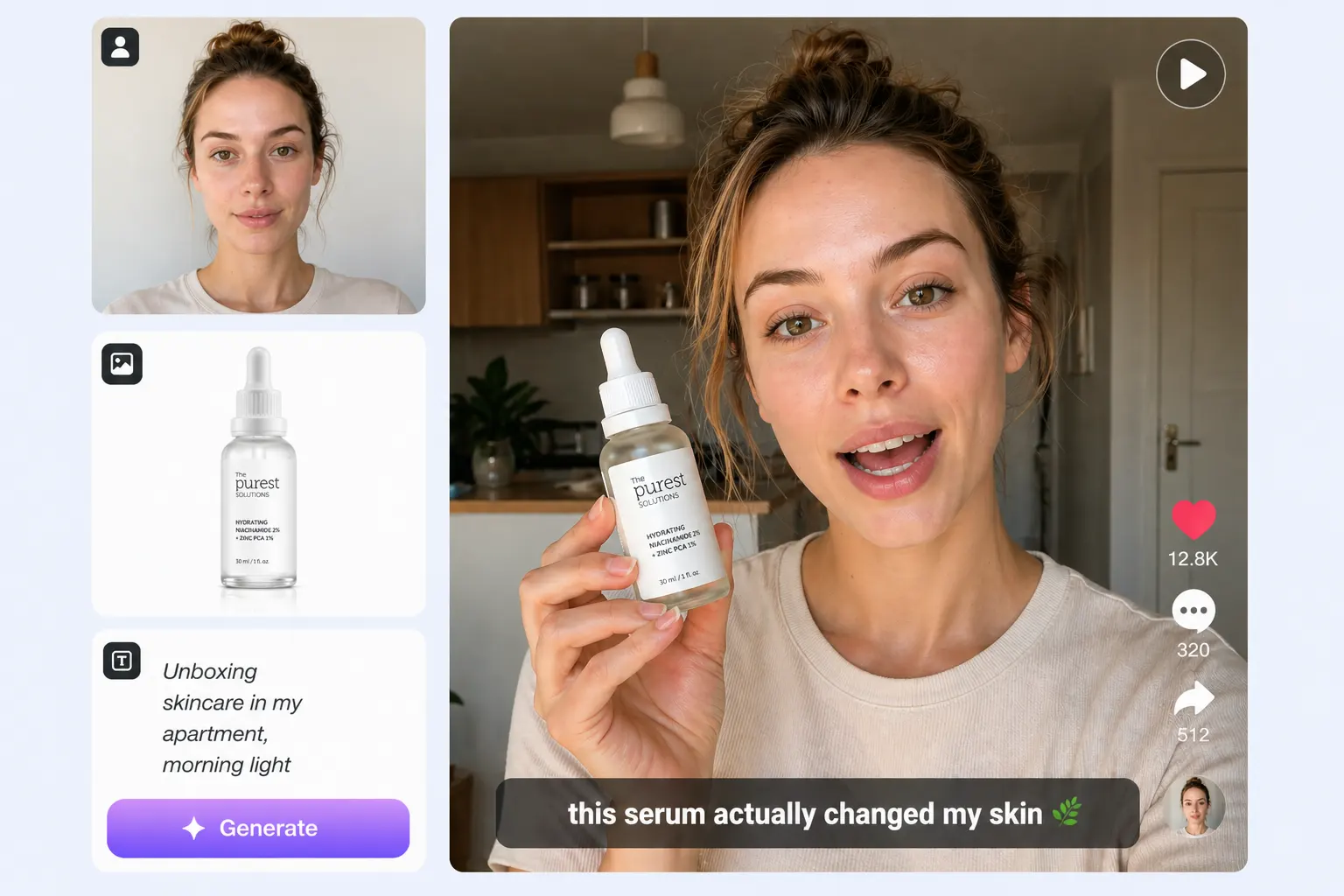
How to Make an AI UGC Video with PhotoGrid

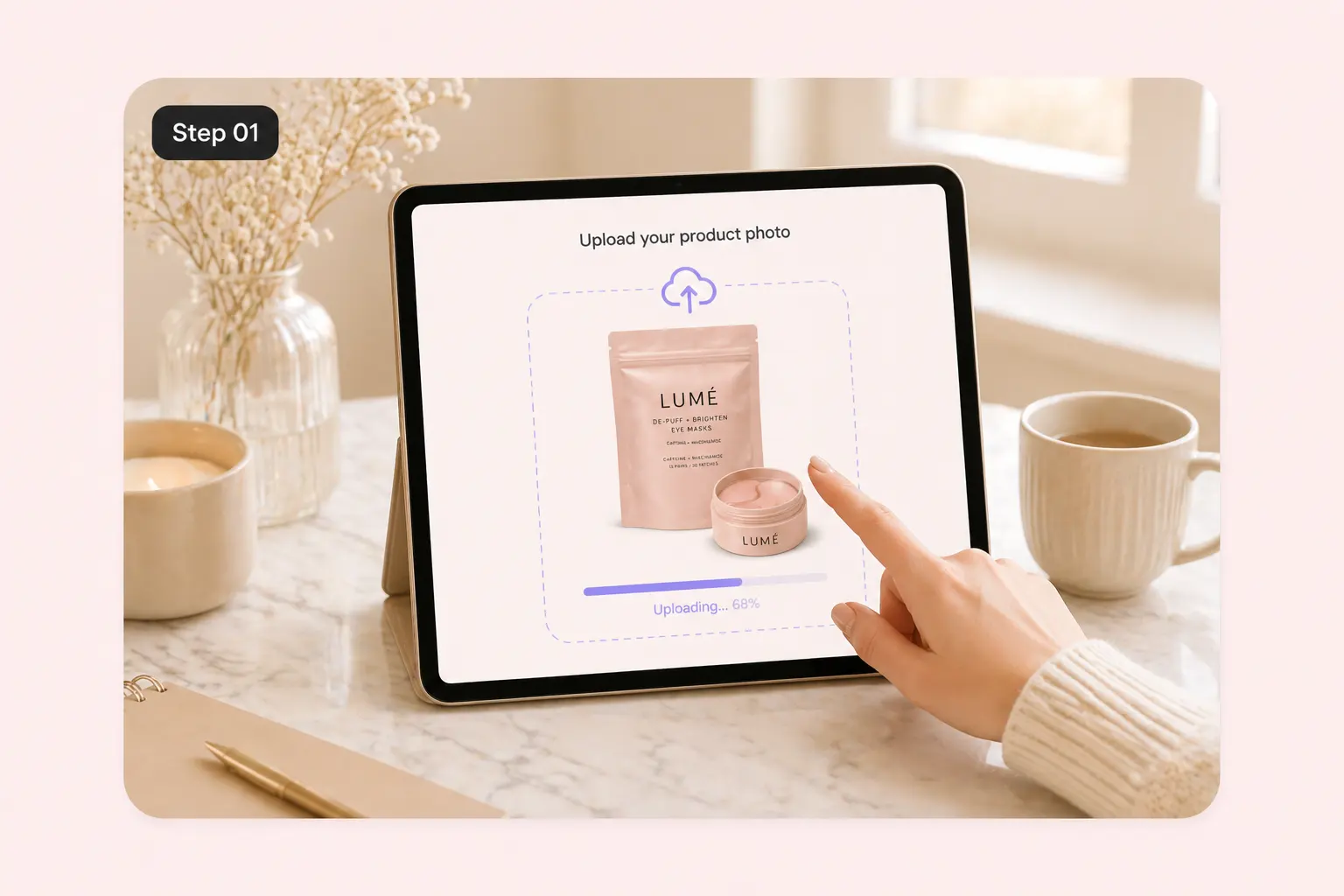
Product image uploading in the AI UGC video workspace

1. Add Your Product and Creative Brief

Upload a clear product photo and describe the audience, main benefit, and action you want to show. Keep packaging and labels visible in the reference image, and write a short brief focused on one product.
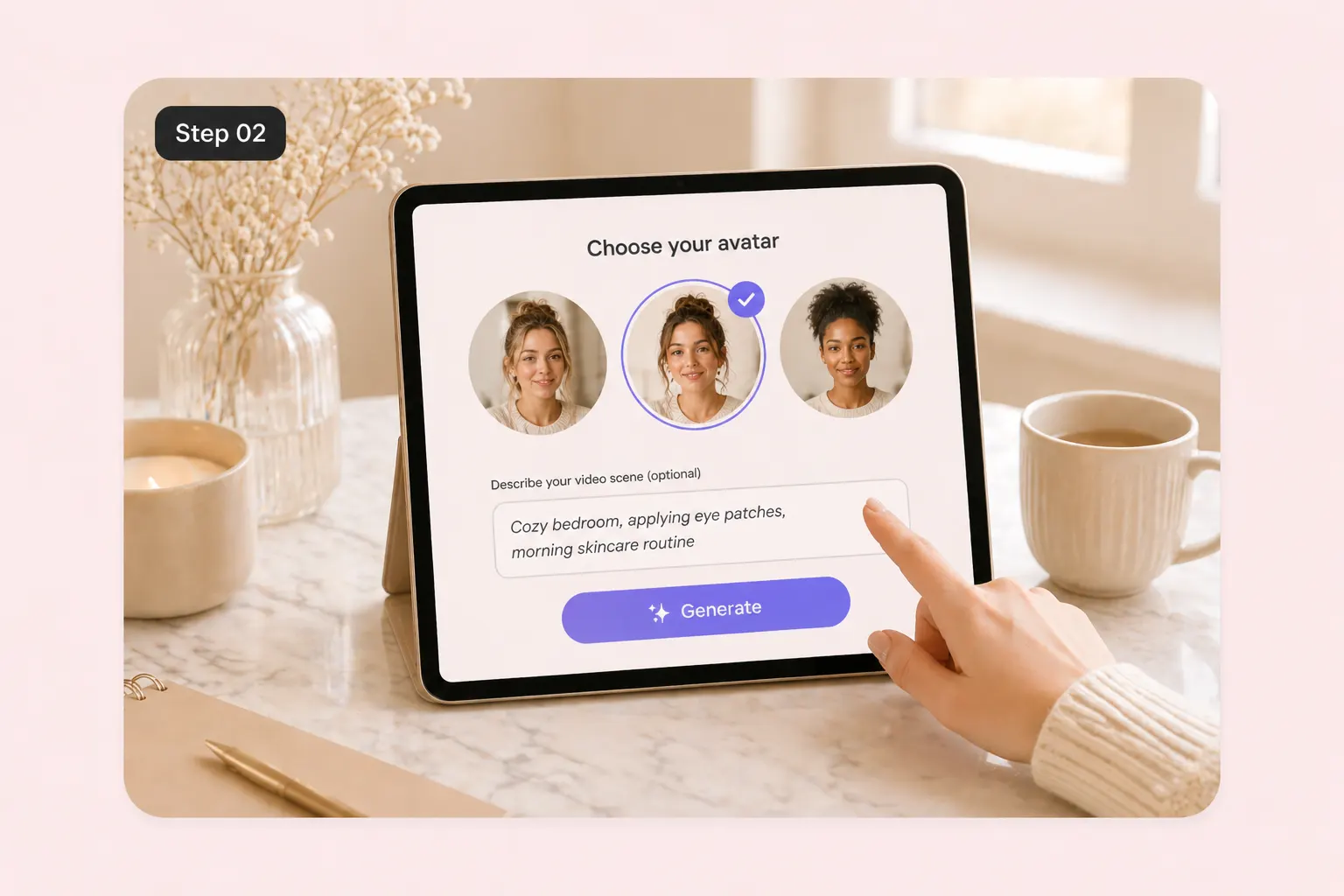
Avatar choices and a scene description for a skincare product video

2. Choose an Avatar, Scene, and Format

Select a presenter and setting that fit the message. Set the available aspect ratio for your publishing channel, then refine the hook, tone, and closing call to action before you generate.
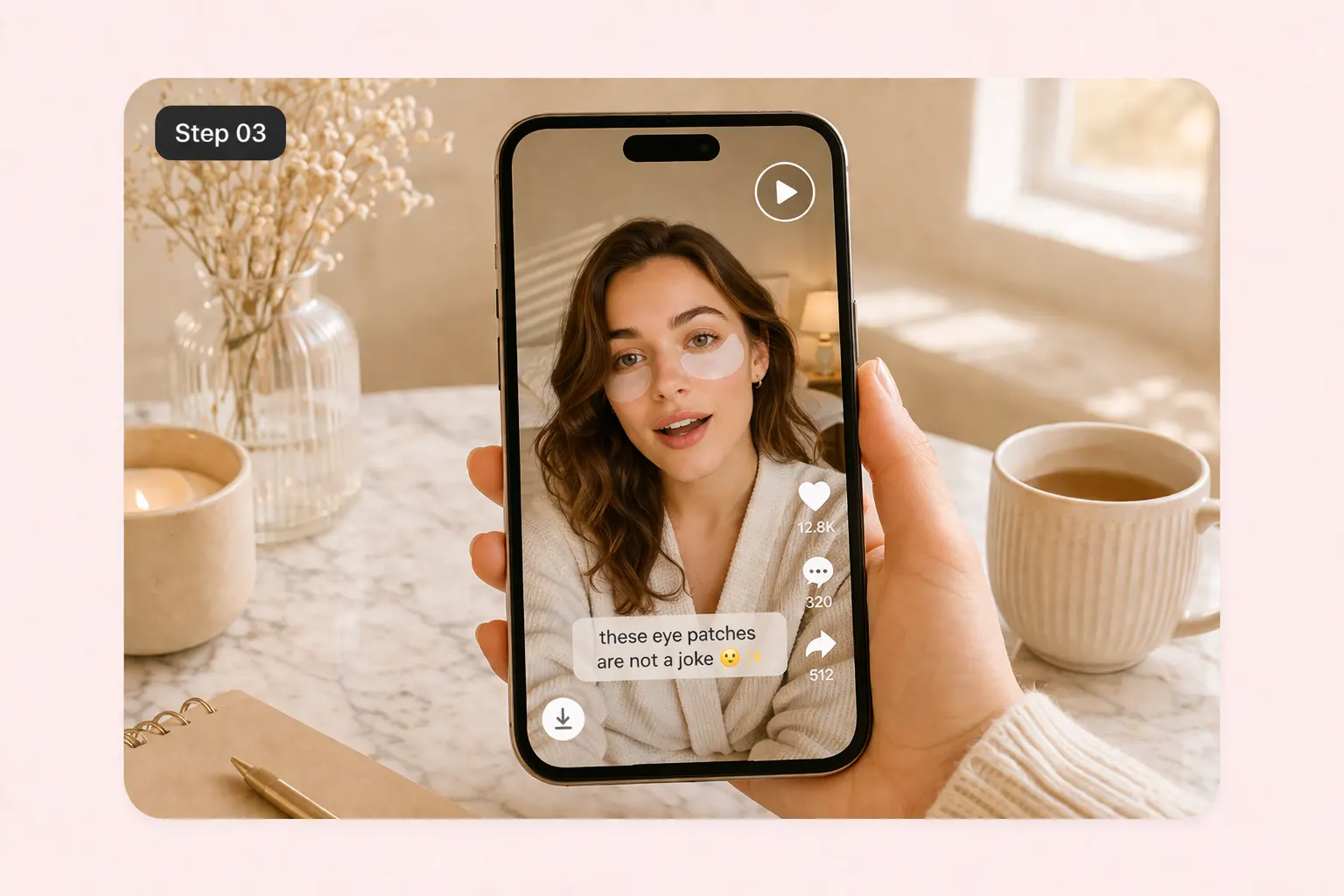
Mobile preview of an AI UGC skincare video with a download control

3. Generate, Review, and Download

Review the completed video for product accuracy, readable details, natural speech, and a clear ending. Adjust the brief if needed, then download the version you want to use in your store or social campaign.
Why Use PhotoGrid for AI UGC Creation?

A Product-Led Starting Point

Work from your own product reference and selling points, so each concept is tied to an actual item rather than a generic promotional script.

Reusable Creative Inputs

Keep the same product and audience while changing the opening, presenter, or scene. Develop a focused set of concepts without starting each brief from scratch.

Presenter and Scene Choices

Combine available avatars, custom references, and settings to explore an introduction, demonstration, or routine suited to your brand.

A Browser-Based Video Workflow

Move from your product assets to a generated result in one online workspace. Check the displayed credit cost before generating and review the result before publishing.
Choose the plan that fits how you create
Unlock AI-powered photo editing and video generation with flexible plans
Free
Starter tools for casual exploration
$0/mo
Standard photo editing tools
Basic collage & layout tools
Selection of free templates
100 MB cloud storage
Watermarked exports
VIP
Perfect for casual creators
180credits/month
Up to ~180 AI-generated images
Up to ~18 AI-generated videos
Access to Core AI Models
Unlimited Fast AI Editing
No Watermark Downloads
Batch Edit up to 10 Images
1,000 Cloud Projects
Commercial Usage Rights
Multi-device Access
Ultra
Unlimited creativity for professionals
2,000credits/month
Up to ~2000 AI-generated images
Up to ~200 AI-generated videos
Priority Access to New AI Models
Unlimited Fast AI Editing
Fastest Processing Priority
Highest Generation Capacity
Batch Edit up to 50 Images
30,000 Cloud Projects
Commercial Usage Rights
Priority Access to New Features
Premium Customer Support
Renews Automatically. Cancel Anytime. For more details, read the
Terms of UseandPrivacy Policy

AI UGC Video Generator FAQs

What is an AI UGC video generator?

arrow-downarrow-right

How is AI UGC different from real customer UGC?

arrow-downarrow-right

How do I create an AI UGC ad from a product photo?

arrow-downarrow-right

Can I use my own product photos and AI avatar references?

arrow-downarrow-right

Is PhotoGrid's AI UGC generator free?

arrow-downarrow-right

Which image formats and video aspect ratios can I use?

arrow-downarrow-right

What should I write in an AI UGC ad prompt?

arrow-downarrow-right

How can I create different UGC ad hooks for the same product?

arrow-downarrow-right

Tools for Your Next Product Video