AI Video Generator

Turn text or images into cinematic AI video with more control from the start. Choose an AI model, guide the motion from first frame to last, and create free AI video drafts for Reels, YouTube, ads, and more. PhotoGrid's online AI video generator brings your idea to life in three simple steps, without opening a timeline, learning editing skills, or switching between extra tools.

Three AI-generated video previews side by side: a perfume product ad, a woman in Santorini, and an AI avatar speaking to camera

Generate AI Video from Any Text Prompt

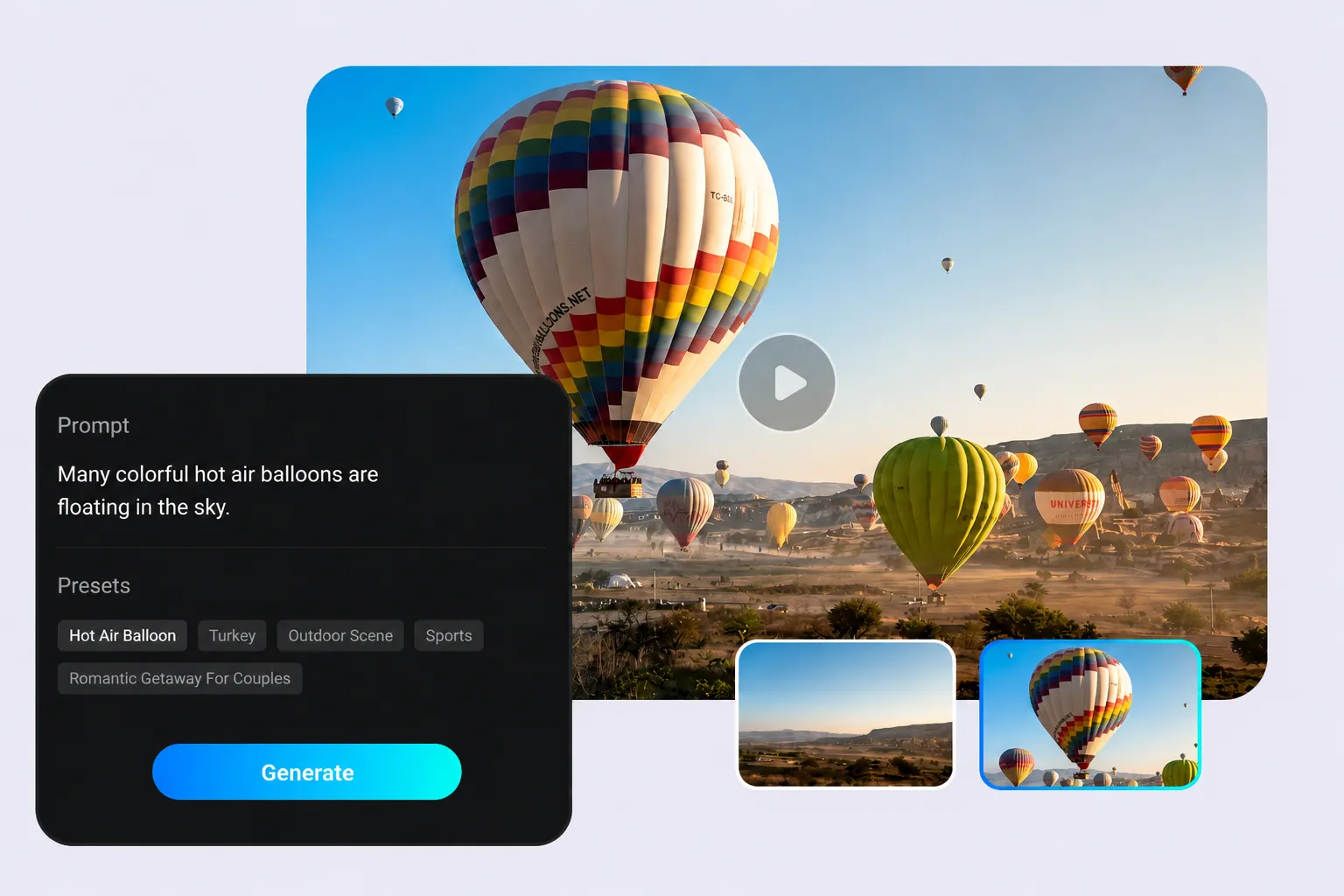
Describe any scene, script, product idea, or story prompt, and PhotoGrid turns your words into a free AI video draft you can keep editing or publish faster. Choose an AI model, adjust the style, and create text-to-video content for Reels, ads, YouTube, and more without touching a timeline. Type your prompt in English, Spanish, Indonesian, Chinese, or any language and the AI video generator works the same way.

A text prompt about hot air balloons generates a cinematic aerial video, with preset tags and multiple output thumbnails shown

Turn Any Image into a Moving AI Video

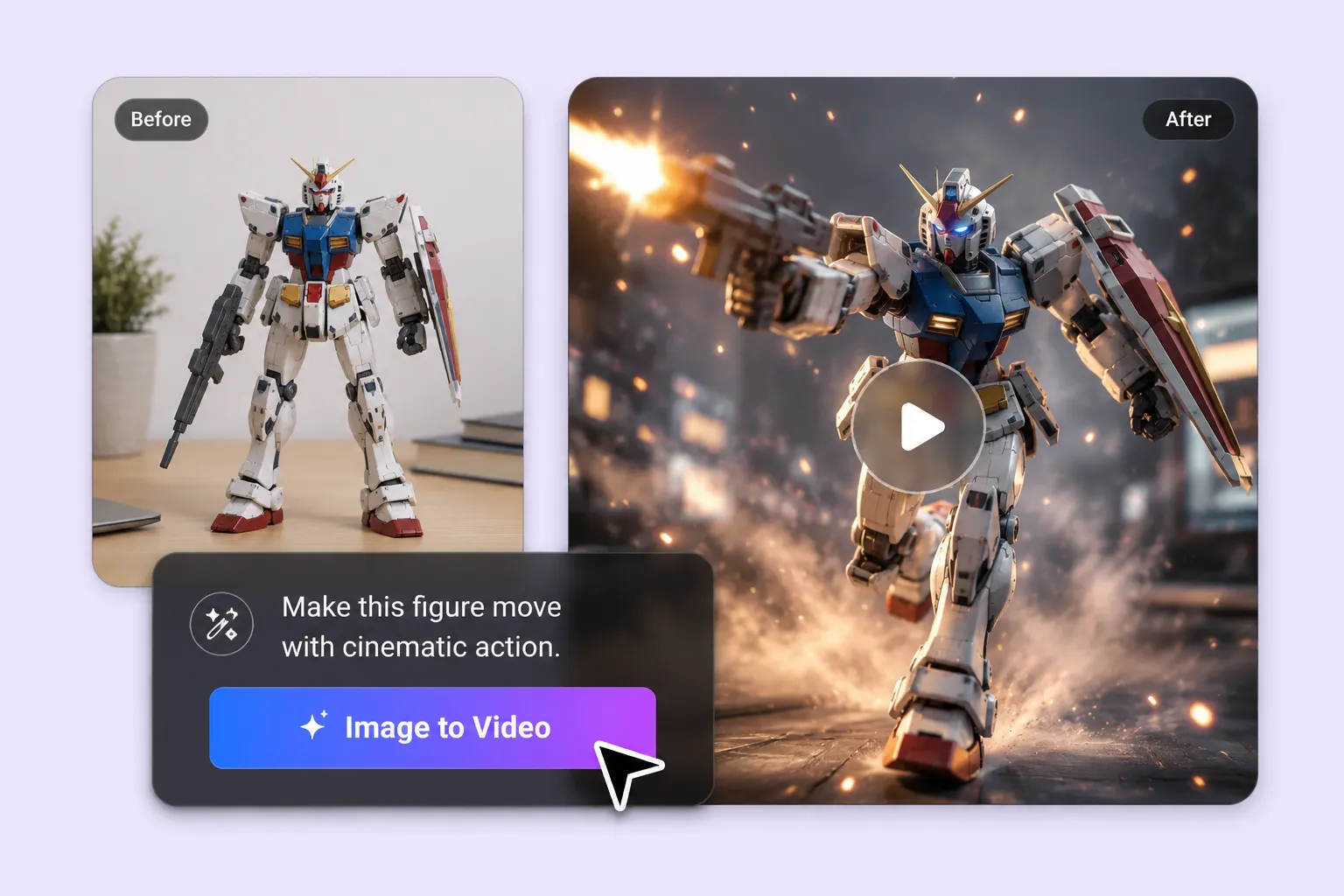
Static visuals are easy to scroll past, but motion helps your content stand out in the feed. Upload a product photo, portrait, concept image, or old picture, and PhotoGrid's image to video AI generator turns it into a moving clip with natural motion and social-ready framing. Use photo to video AI for product demos, social posts, or memory clips, and animate old photos without filming anything new.

A Gundam figure photo transforms into a cinematic action video with sparks and motion blur, before and after comparison

Start Your AI Video from a Ready-Made Template

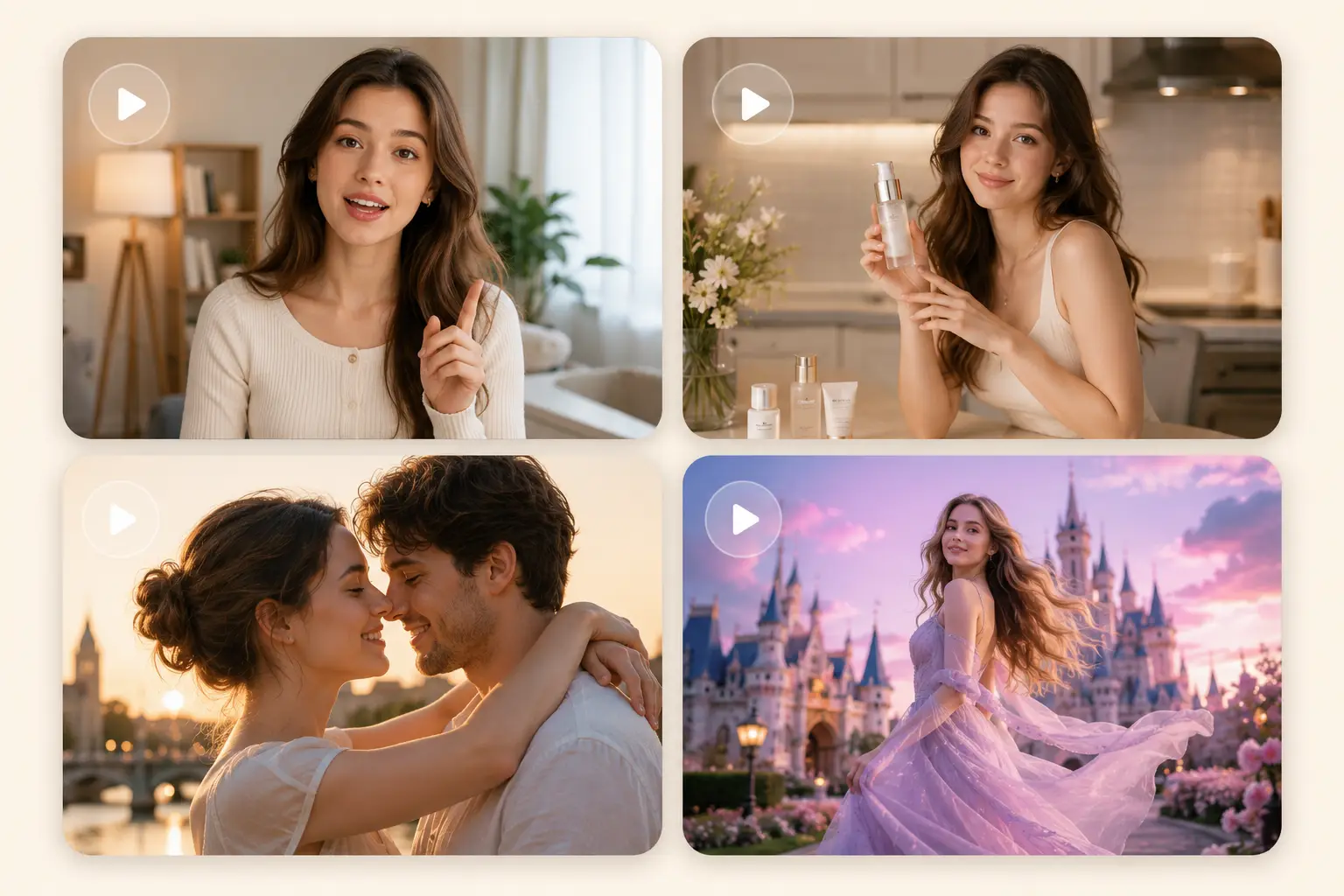
Wondering how to make AI videos without any editing experience? Pick a ready-made AI video template for social posts, product ads, UGC clips, or YouTube Shorts. Add your image or text prompt, then generate a polished video draft without building every scene from scratch. Templates help you move faster from idea to publish-ready content. Explore viral templates for dance clips, object animations, social hooks, and playful photo-to-video effects.

Four AI-generated video scenes: a woman speaking to camera, a skincare product demo, a romantic couple at sunset, and a princess in front of a fantasy castle

Control AI Video Motion from First Frame to Last

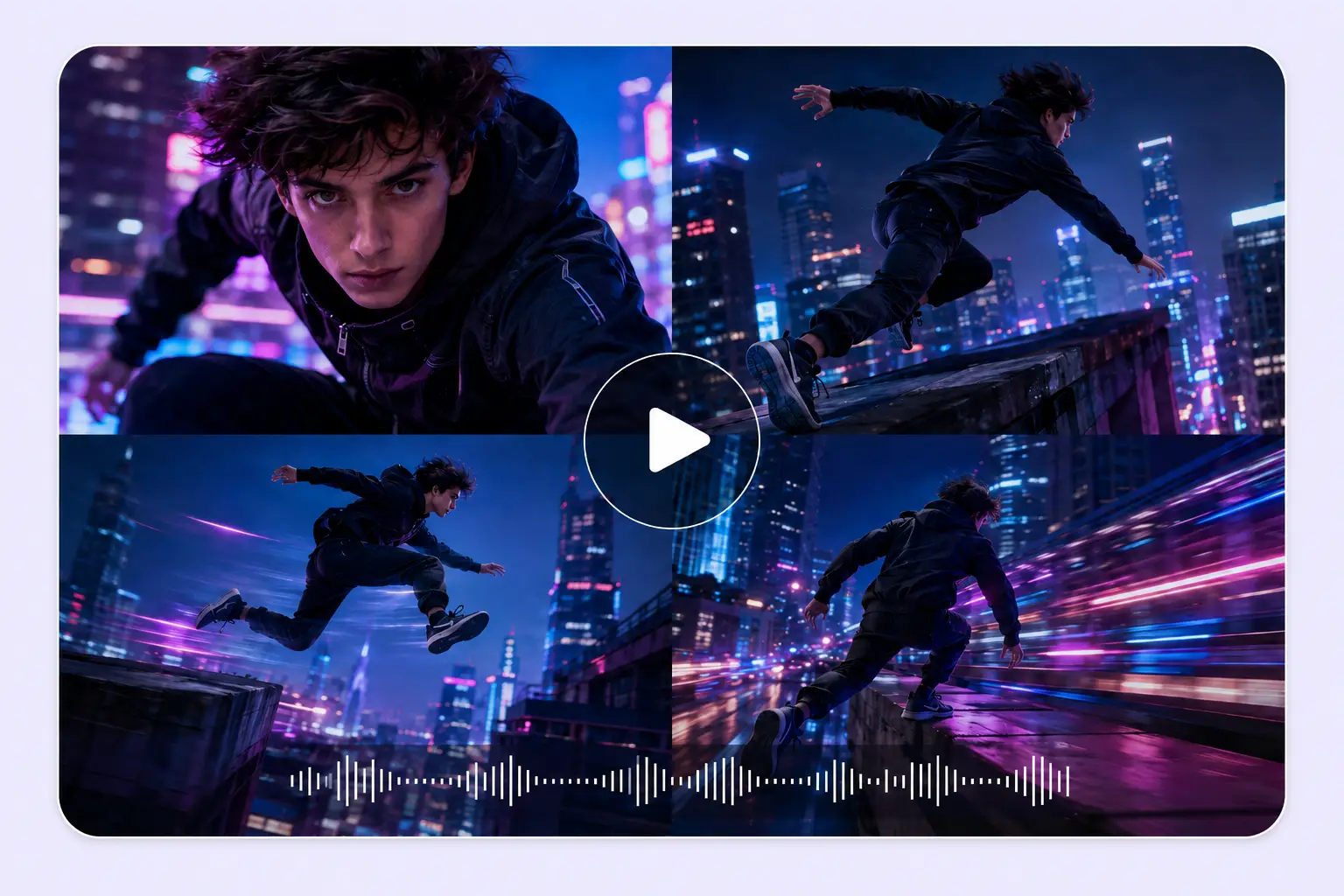
Without frame control, AI motion can feel random and hard to predict. Set your start frame and end frame, and PhotoGrid helps the AI video generator create a clearer movement path between them. Use keyframe-style control to lock your opening shot, guide the closing scene, and keep each transition more intentional. The result is AI video motion that follows your direction with less random movement.

A multi-angle action sequence of a young man parkour running through a neon-lit cyberpunk city, with an audio waveform at the bottom

Set AI Video Duration, Aspect Ratio, and Resolution Your Way

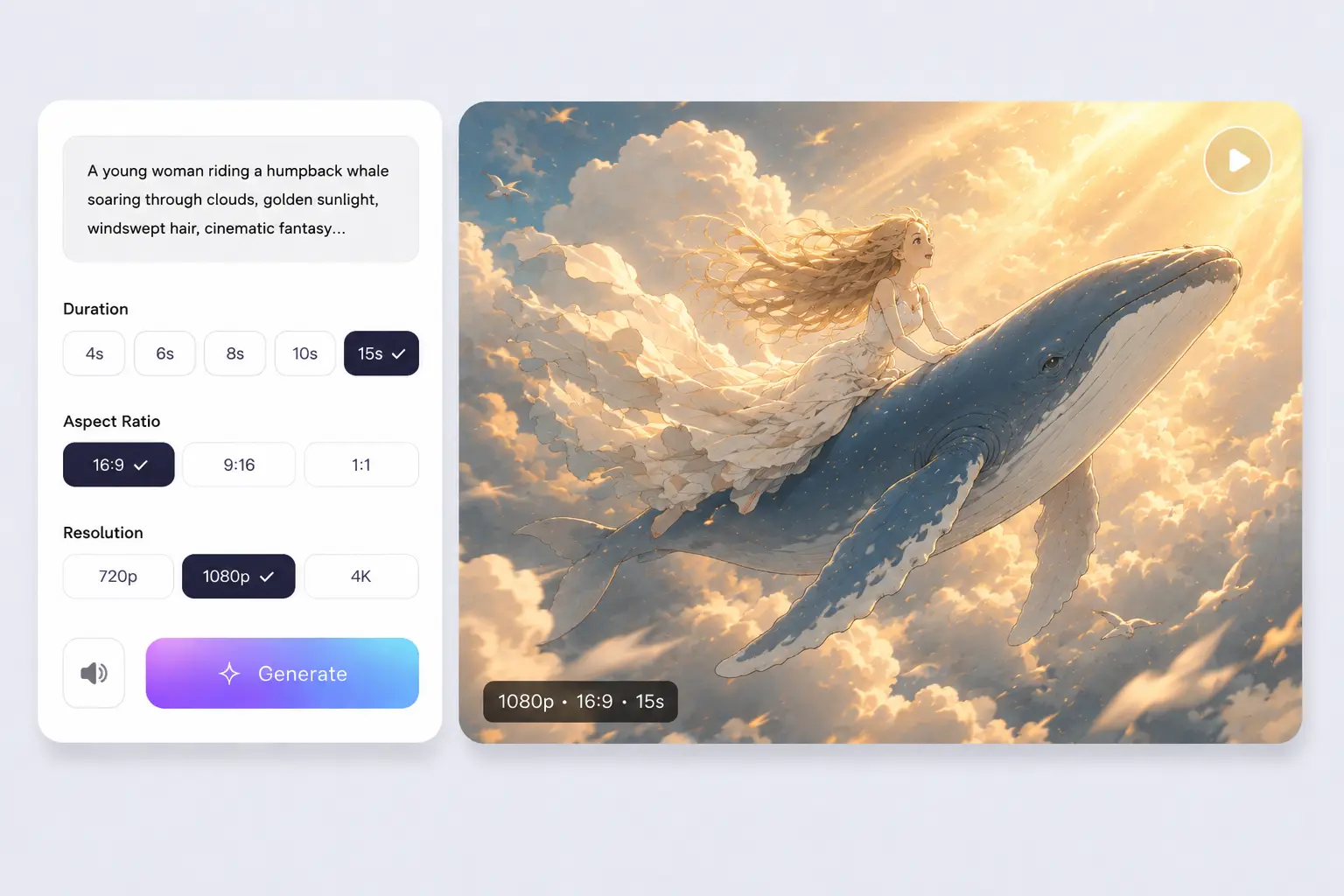
Every platform needs a different video format, and the wrong setup can mean extra resizing or regenerating later. Before you generate, set the clip length to 5, 10, or 15 seconds, pick 16:9 for YouTube, 9:16 for Reels and TikTok, or 1:1 for social feeds, and choose 720p or 1080p resolution. The right format from the start keeps your AI video ready to publish without extra steps.

A fantasy scene of a girl riding a humpback whale through golden clouds, with duration, aspect ratio, and resolution controls on the left

Generate with Trending AI Video Models for Every Style

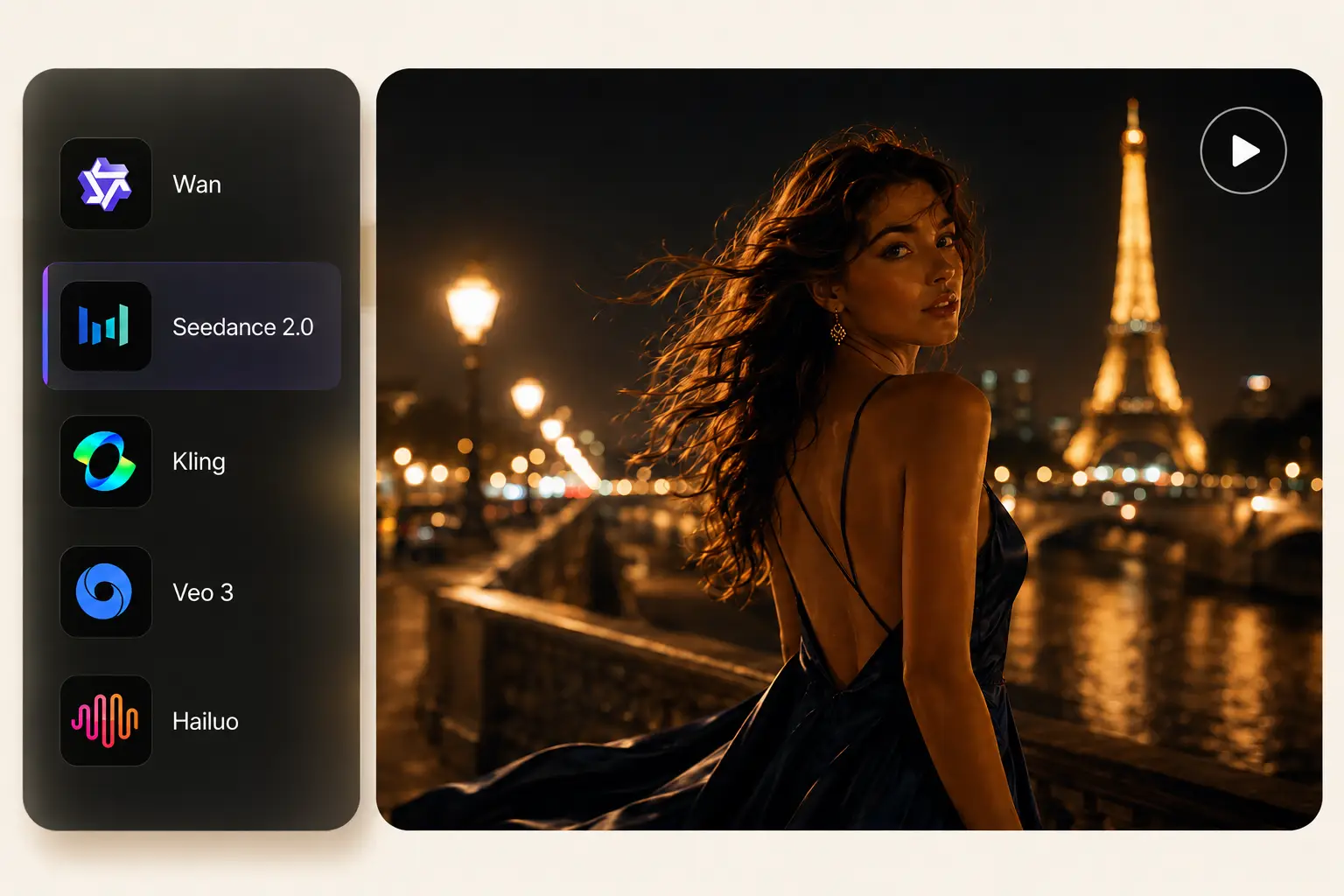
Different ideas need different AI video models. Choose from trending options like Seedance 2.0, Veo 3, HappyHorse 1.0, Kling 3.0, Hailuo 2.3, Wan 2.7, and more for cinematic scenes, product motion, character-driven clips, social ads, or audio-led videos. Switch between models in one workspace and find the look, motion, and style that fit your project without leaving the platform.

A woman in an evening gown standing by the Seine River at night, with a model selector showing Wan, Seedance 2.0, Kling, Veo 3, and Hailuo

Make AI Video for Every Goal, Every Platform

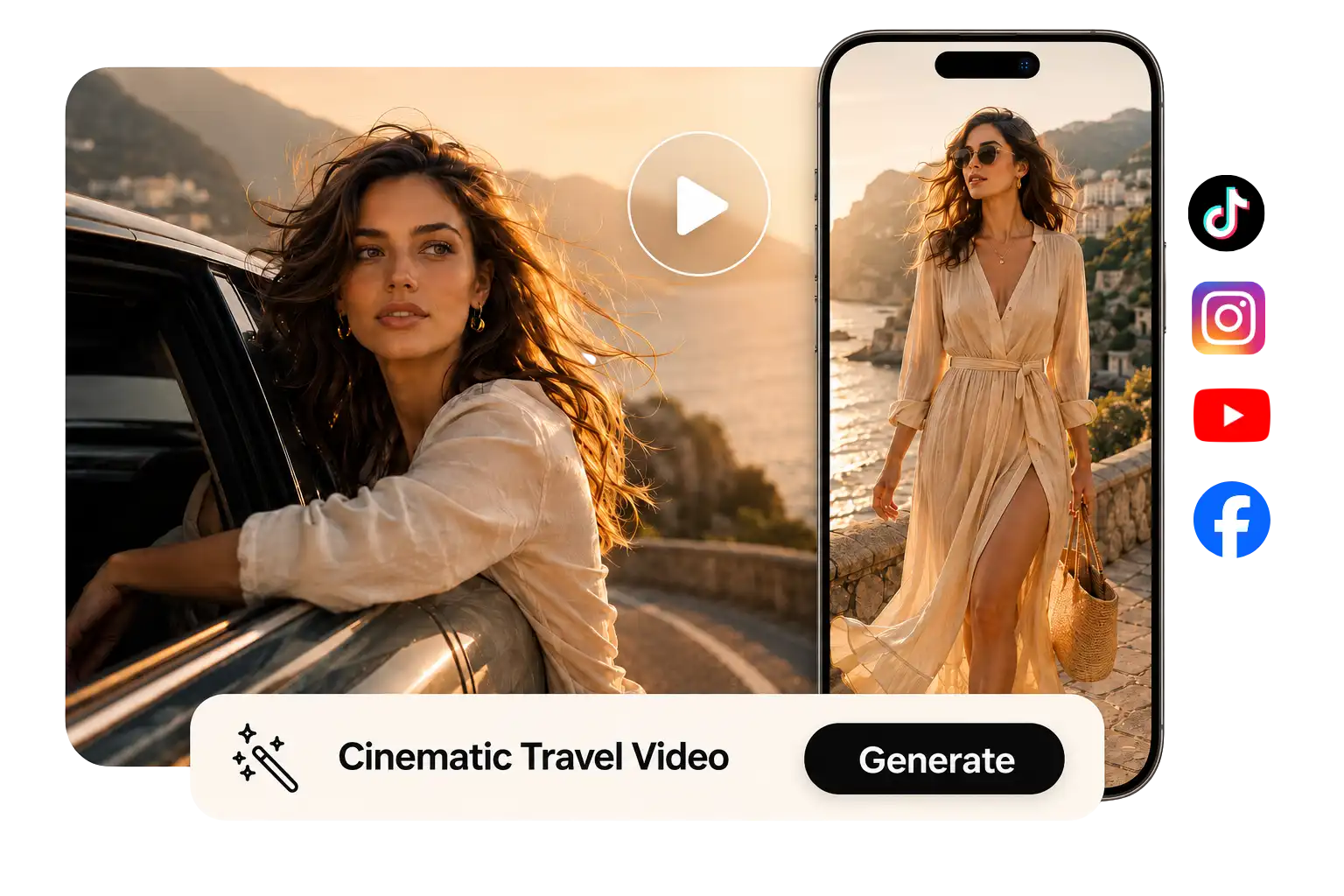
From a 3-second Reels hook to a full product ad draft, PhotoGrid helps you create AI video for every major channel in one place. Start from a text prompt or upload any image, and the AI video generator turns either one into a moving clip ready to publish.

Social Media
E-commerce
UGC & Avatars
Memories
A travel photo of a woman by the Amalfi Coast turns into a cinematic video clip, shown on both a desktop screen and a phone

Stop the Scroll with AI Video for Reels, TikTok, and Shorts

The first three seconds decide everything. Generate AI video sized for 9:16 Reels, TikTok, or YouTube Shorts from a text prompt or image, and publish social-ready content without extra cropping or editing.
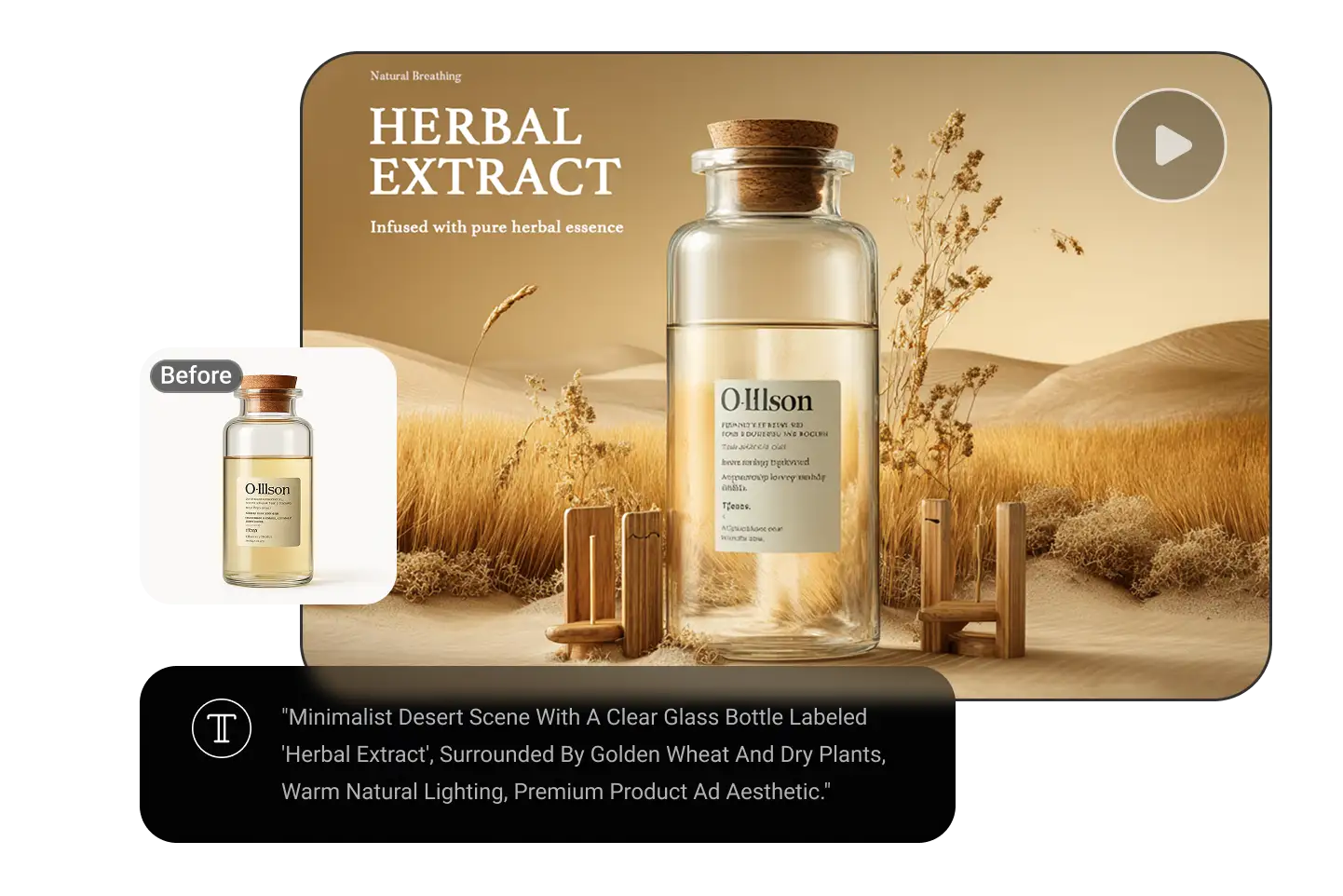
A plain herbal extract bottle is transformed into a cinematic desert scene product ad through a text prompt

Turn Any Product Photo into an AI Video Ad

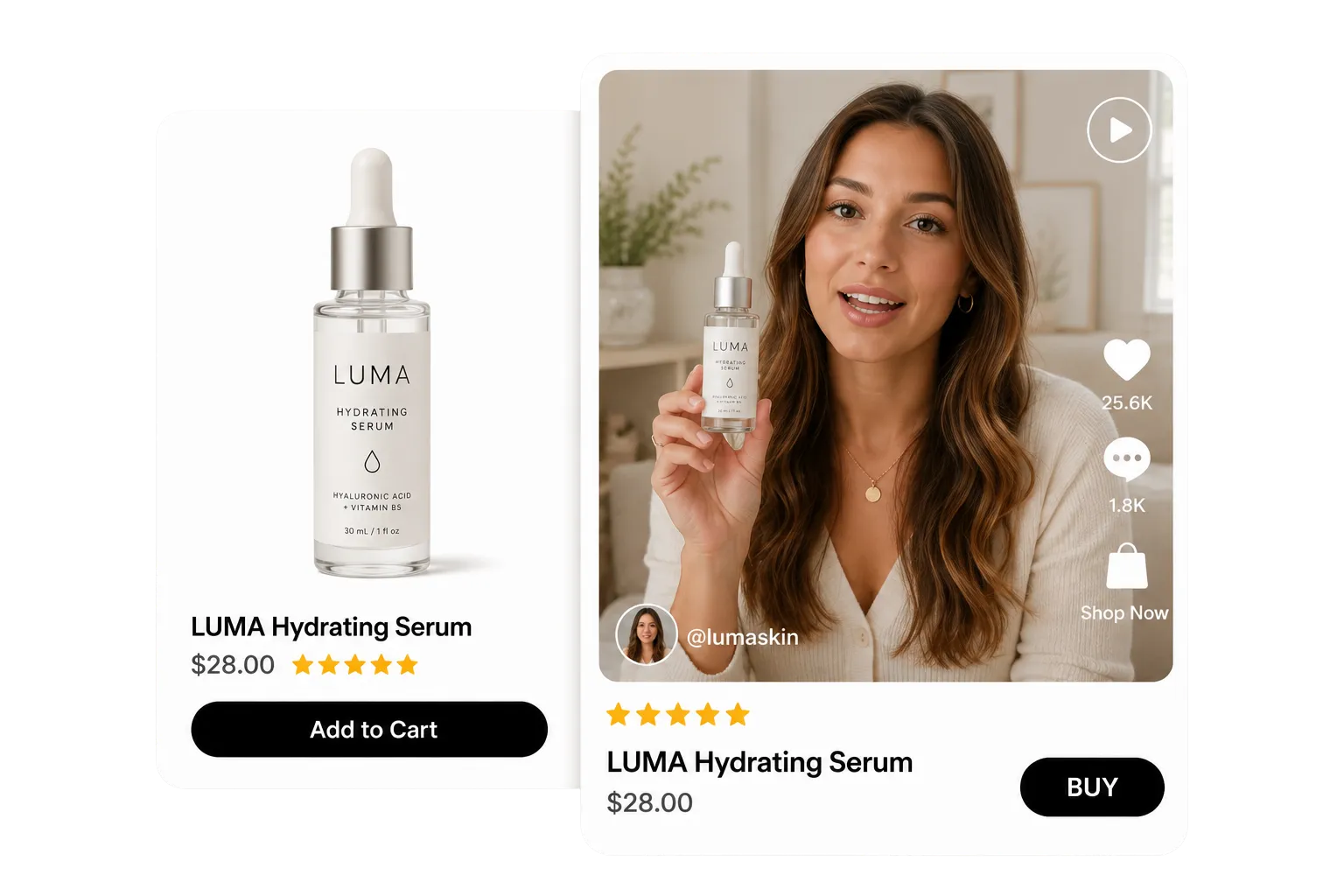
Static product photos get ignored in a moving feed. Upload any product image and generate a dynamic AI video ad with motion and depth, ready for paid social or organic posts. Use the free AI ad generator to turn product shots into video ads without a shoot or editing team.

A static skincare product listing becomes a TikTok-style creator video with a woman holding and reviewing the serum

Create UGC and Talking Avatar Videos Without Filming

Upload your product image and PhotoGrid builds the video around it, pairing your product with a creator-style presenter who delivers your key benefit in the first three seconds. Add the AI talking avatar for product explainers and onboarding, or go straight to the AI UGC generator to move faster without a shoot or brief.

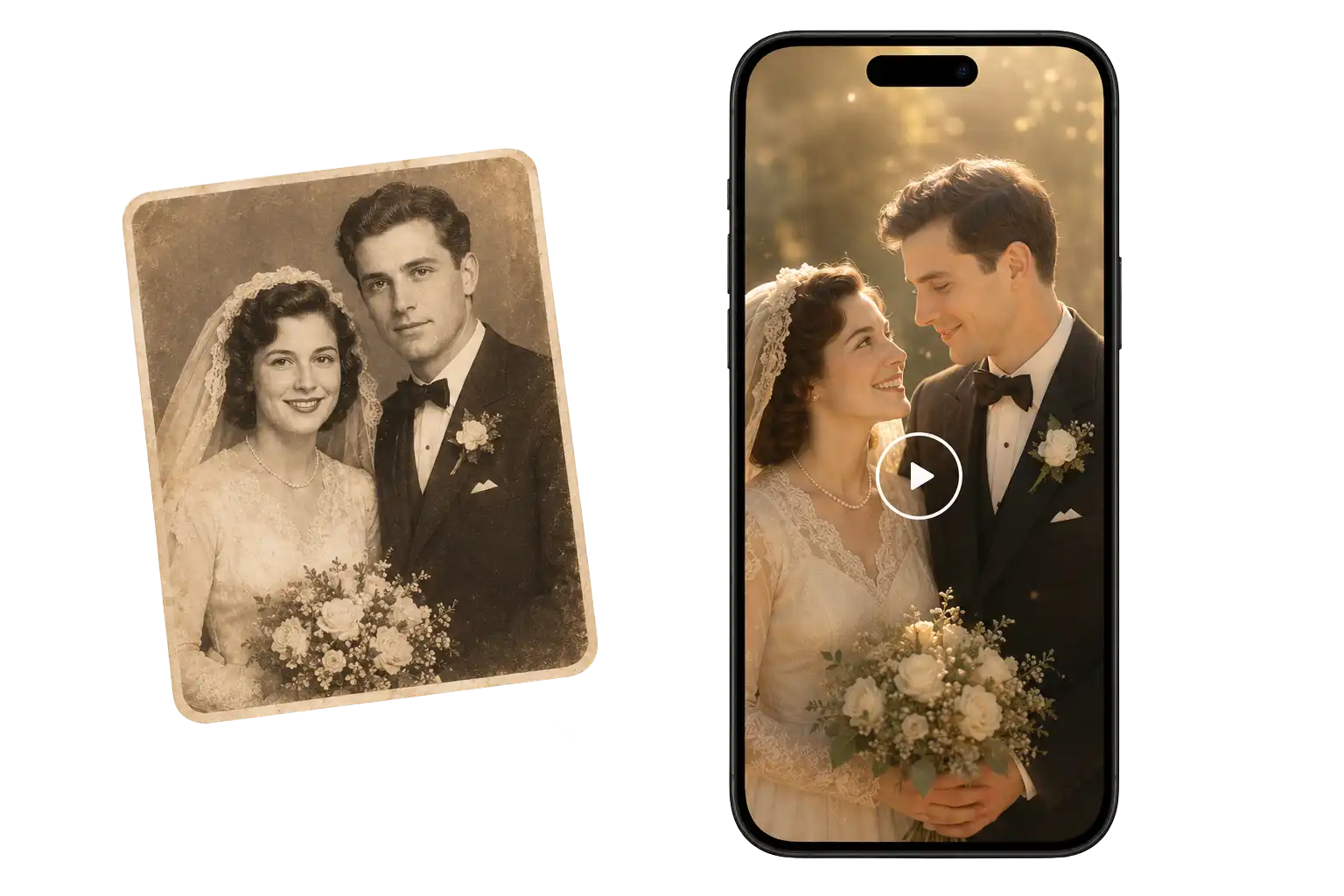
A faded black-and-white wedding photo from the 1950s comes alive as a colorized, animated video on a smartphone screen

Bring Old Photos to Life with AI Memory Videos

Old photos tell better stories when they move. Upload a portrait, family photo, or graduation picture and the image to video AI generator brings it to life with natural motion and cinematic depth, from tribute videos to personal memory clips.

How to Make a Free AI Video with PhotoGrid?

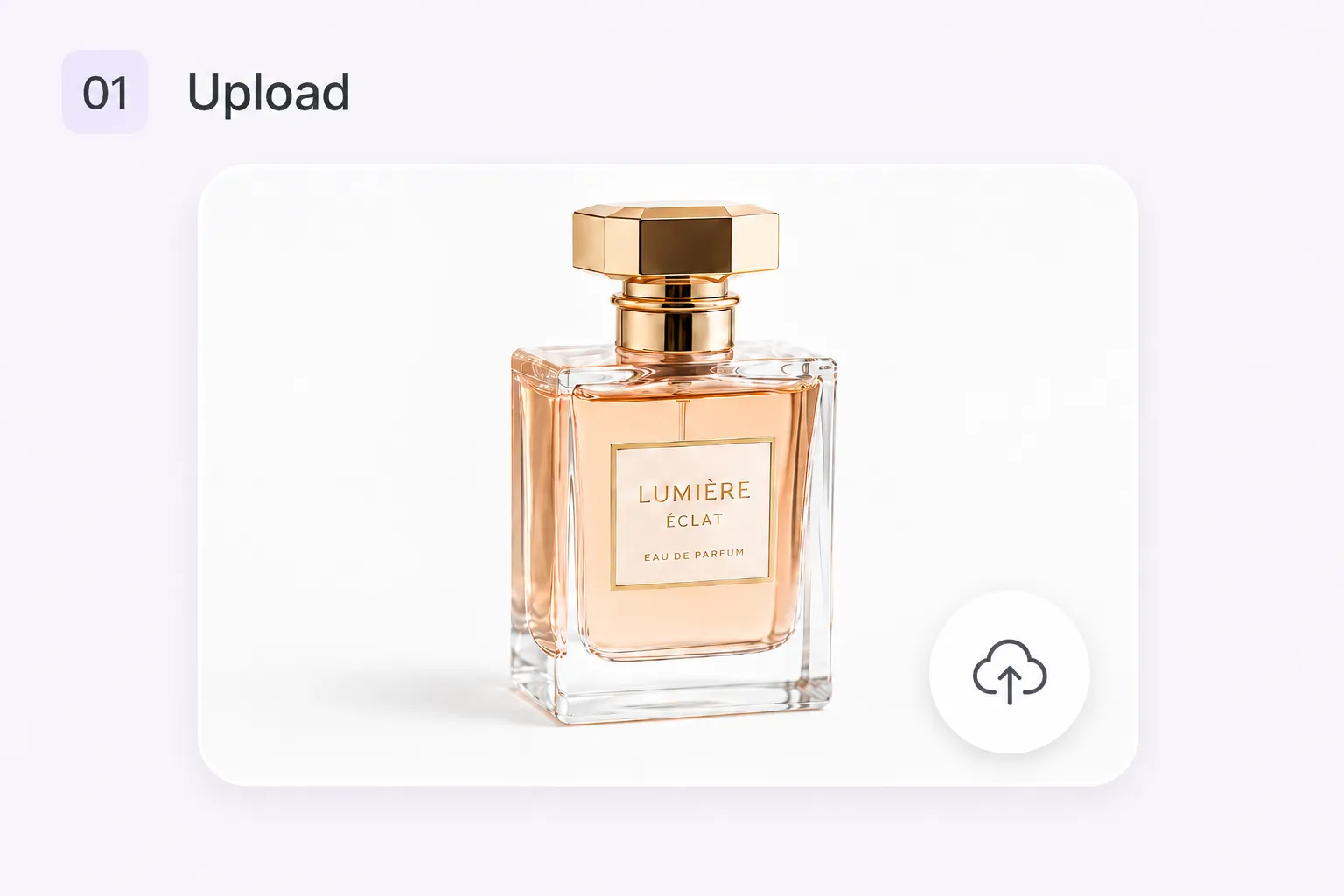
A perfume bottle on a white background ready to be uploaded as the source image for an AI video

Start with a text prompt for text to video AI generation, or upload a product image, old photo, or concept picture for image to video AI creation. Create a fresh source image with the free AI image generator first, then turn it into an AI video.

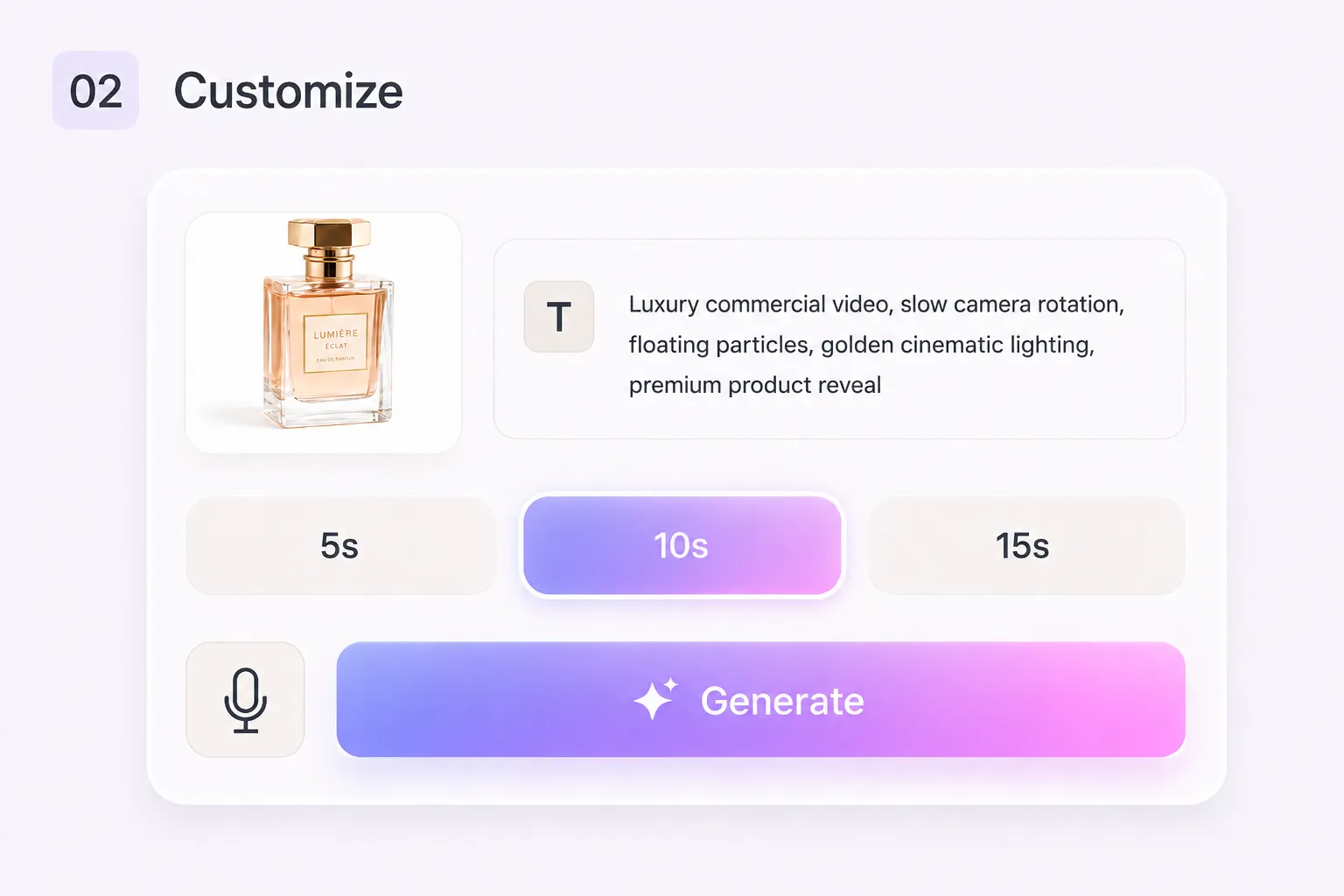
A customization panel showing the uploaded perfume photo, a text prompt describing a luxury product video, and duration options

Choose from AI video models such as Seedance, Veo, Kling, Wan, HappyHorse or other available models based on the look and motion you want. Set the clip duration to 5, 10, or 15 seconds, choose 16:9, 9:16, or 1:1, and select 720p or 1080p resolution before you generate.

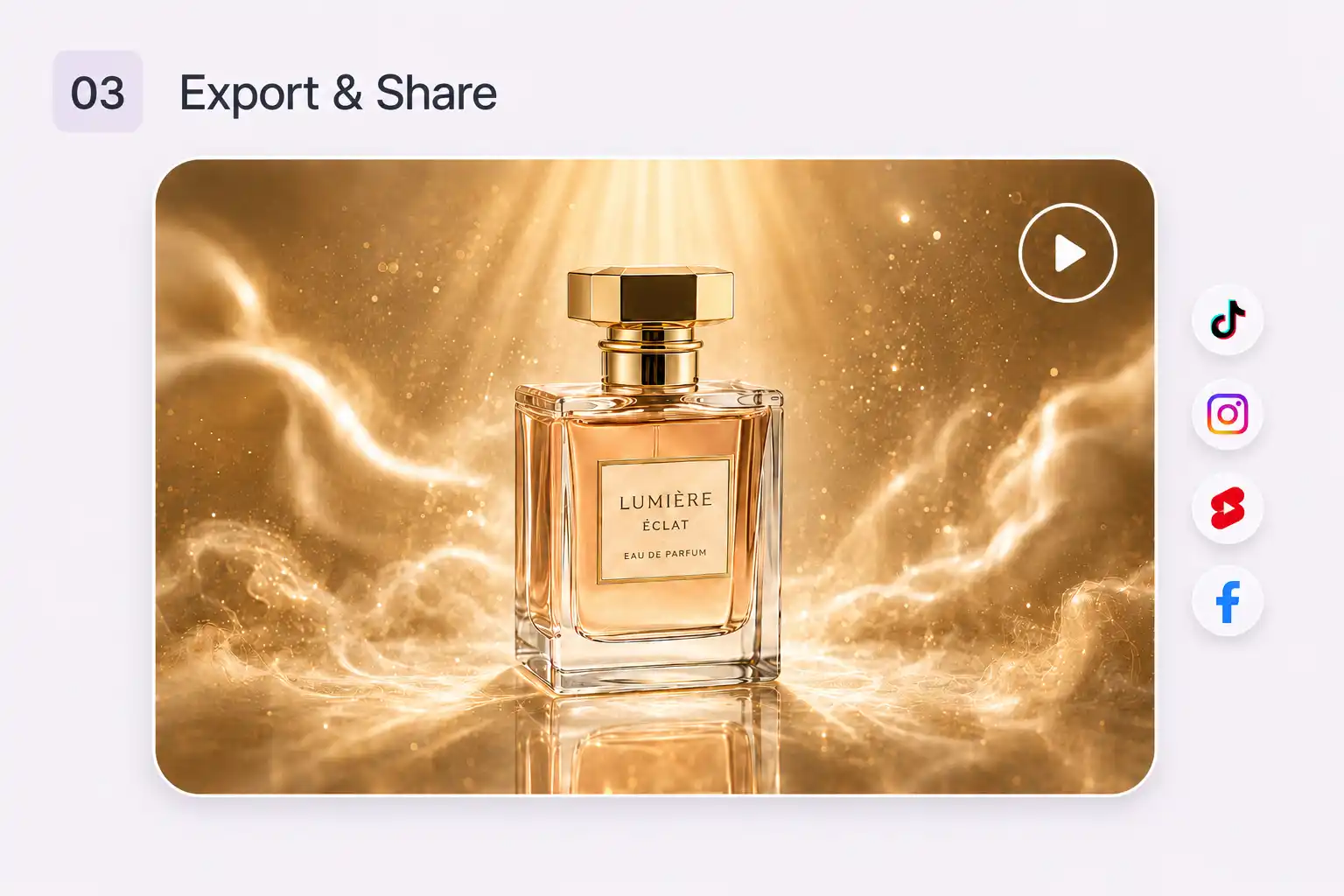
The finished perfume video rendered in golden cinematic lighting, with export icons for TikTok, Instagram, YouTube, and Facebook

Click Generate and review your AI video draft. Adjust the style, motion, or format if needed, then export it for product ads, UGC clips, YouTube videos, Reels, TikTok, Shorts, social posts, or any channel you want to publish on.

Why Choose PhotoGrid's AI Video Generator?

Export your AI video clips without any watermark and keep your content clean for ads, social posts, client projects, and every channel you publish on.

Every AI video you generate can be exported in 1080p resolution. Get sharp, high-quality clips ready to publish on YouTube, Reels, TikTok, or any platform without extra processing.

Type your prompt in English, Spanish, Indonesian, Chinese, or any language and PhotoGrid's AI video generator works the same way. No translation needed before you generate.

AI Video Generator FAQs

What makes the best AI video generator in 2026?

arrow-downarrow-right

Is there an AI video generator without watermarks?

arrow-downarrow-right

How long does it take to generate an AI video?

arrow-downarrow-right

What makes a good AI video prompt?

arrow-downarrow-right

Create Your First AI Video Today

Every idea deserves to move. Turn your text, images, and creative goals into publish-ready AI video drafts for Reels, ads, and more.
Motion control, format settings, and AI models that fit your project from the start. Start generating right now.