
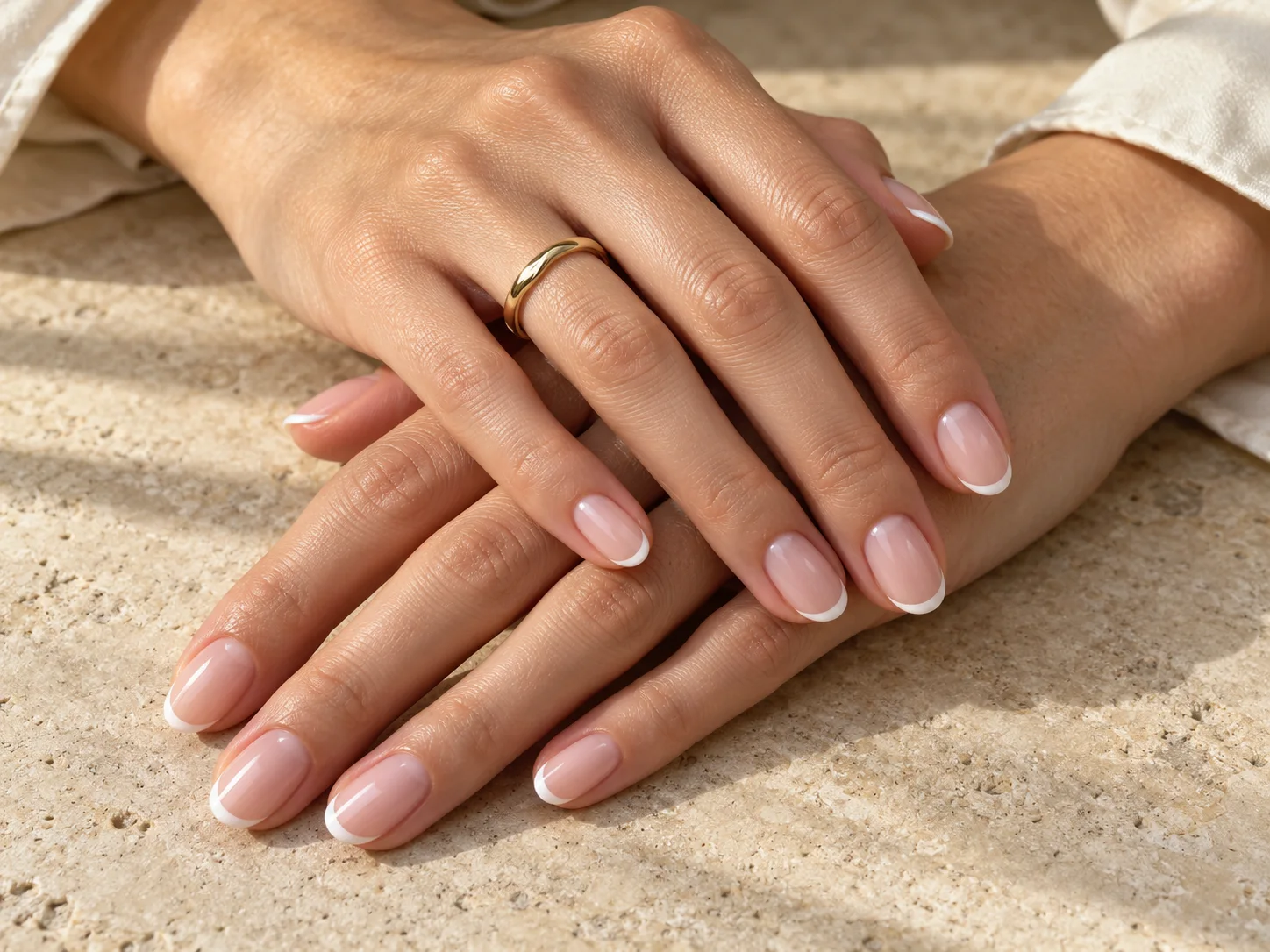
French Tip Nails
A sheer pink base with clean white tips. Try a thin micro French tip for short nails or switch to colorful tips for a playful finish.

Design your own nails with PhotoGrid's AI nail generator. Turn a text description into custom nail art, or upload a photo of your hands to try on different nail colors, shapes, lengths, and designs before your next manicure.
Click, Drop or Paste
Supported formats: JPG/JPEG/PNG/WEBP
Need inspiration for your next set? PhotoGrid's AI nail art generator lets you create everything from delicate French tips to bold chrome and 3D designs. Explore these styles, then use a text prompt to make your favorite look your own.
A sheer pink base with clean white tips. Try a thin micro French tip for short nails or switch to colorful tips for a playful finish.
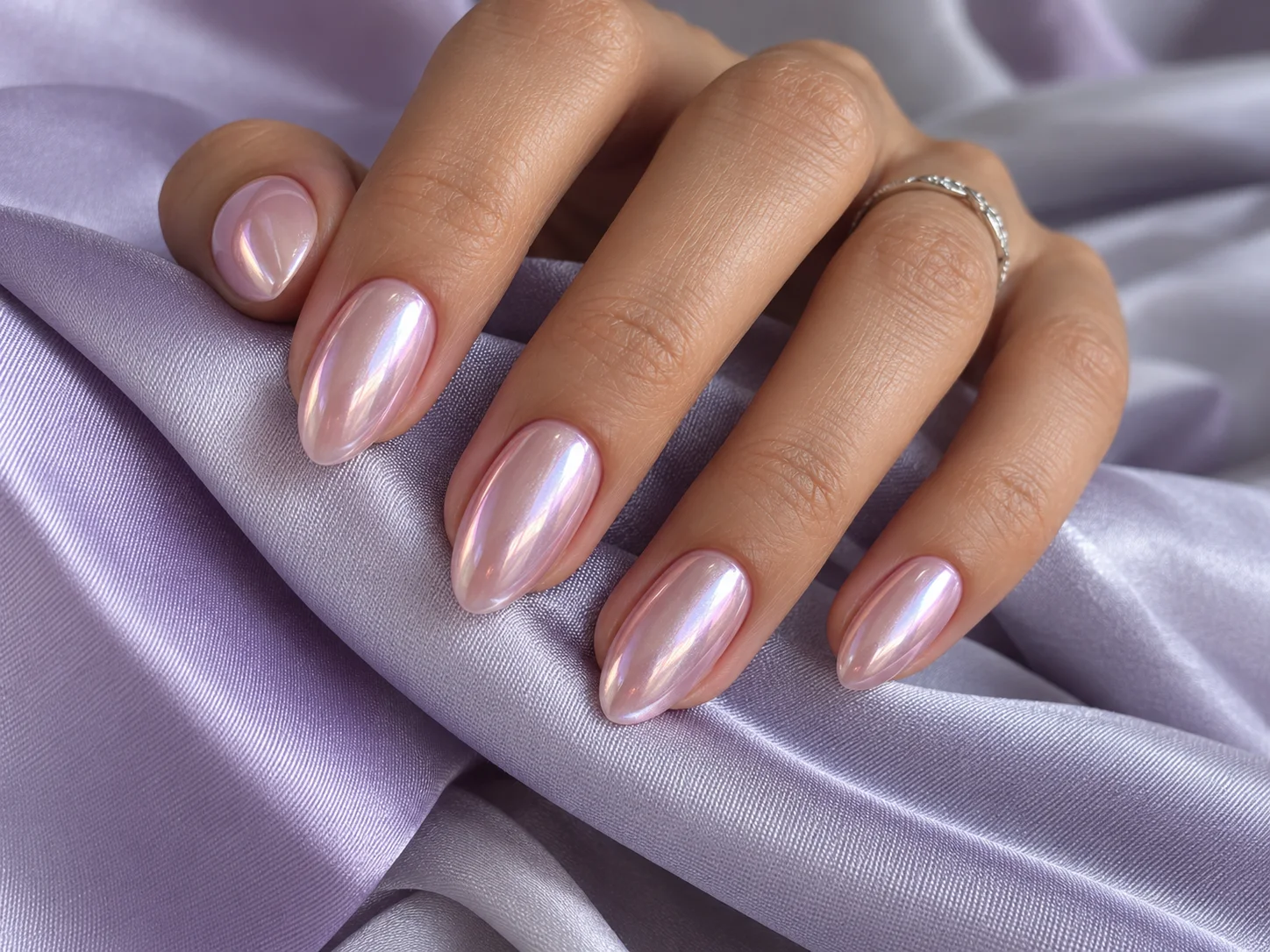
Go for a reflective finish in silver, pink, or pearly white. Chrome works well as a full manicure or a subtle accent over French tips.
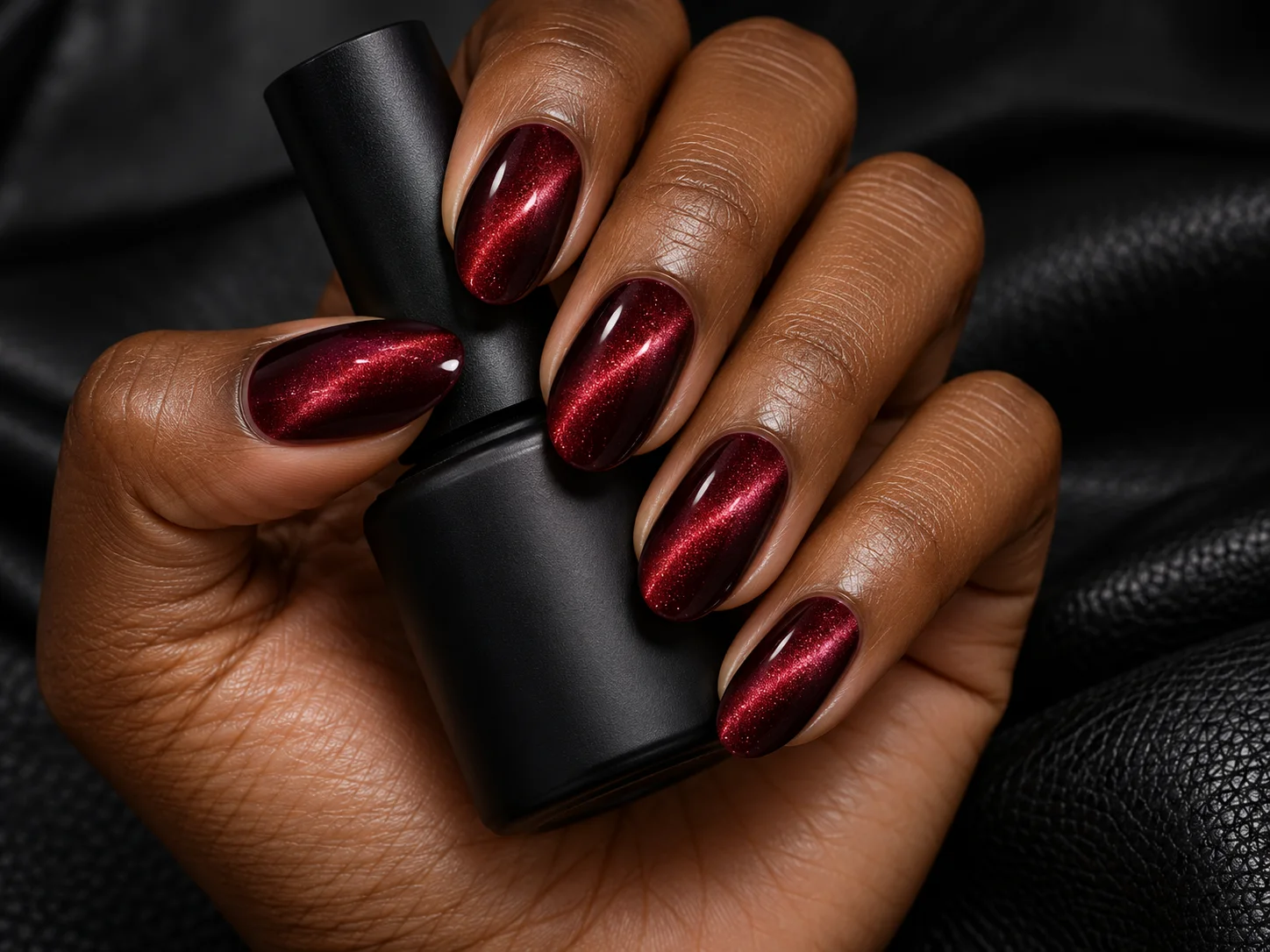
Magnetic shimmer creates a shifting, velvet-like glow. Dark red, emerald green, and smoky purple are especially striking choices.
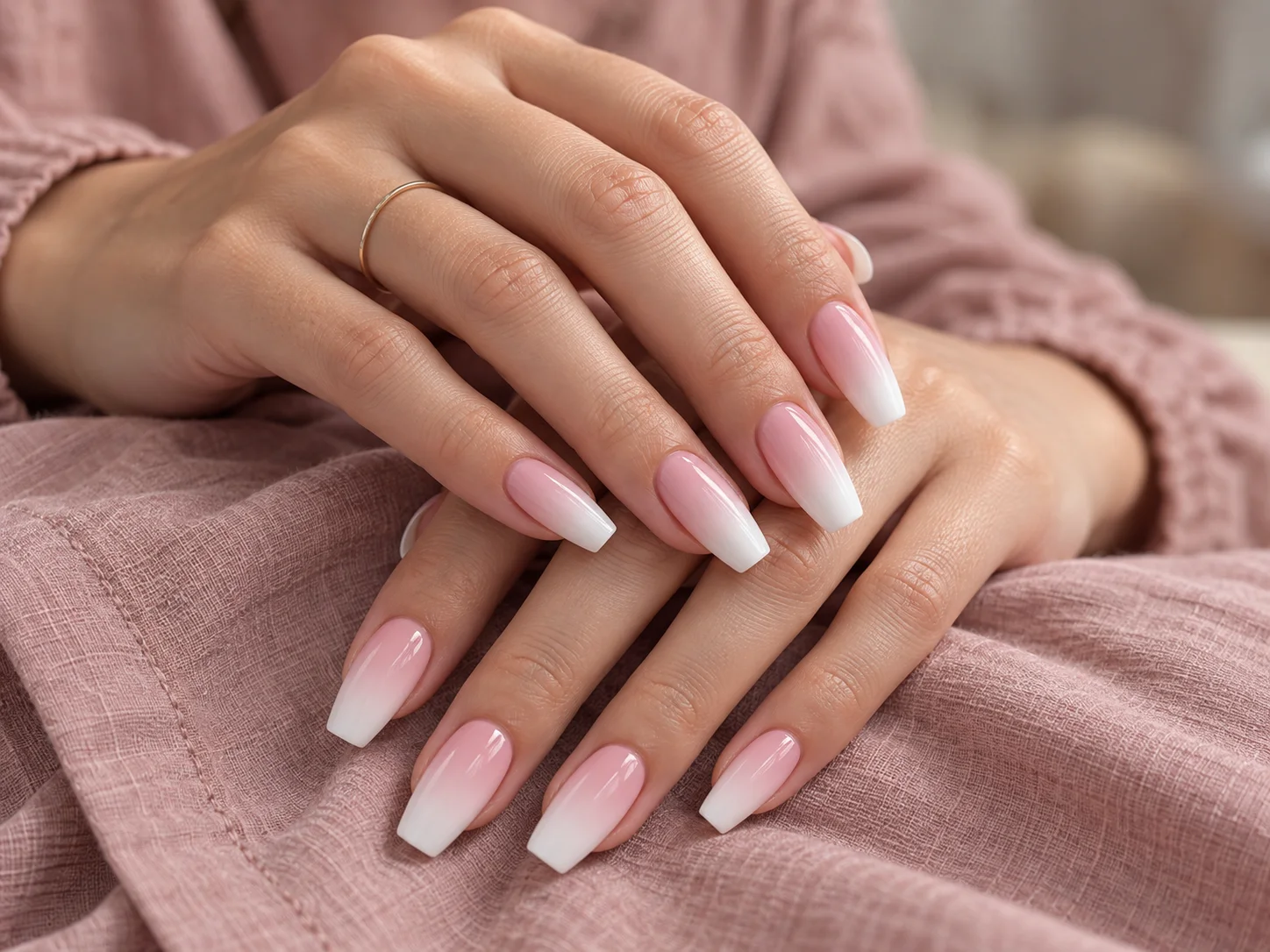
Blend two shades into a smooth gradient. A soft pink-to-white fade gives a classic look, while brighter color combinations feel more playful.
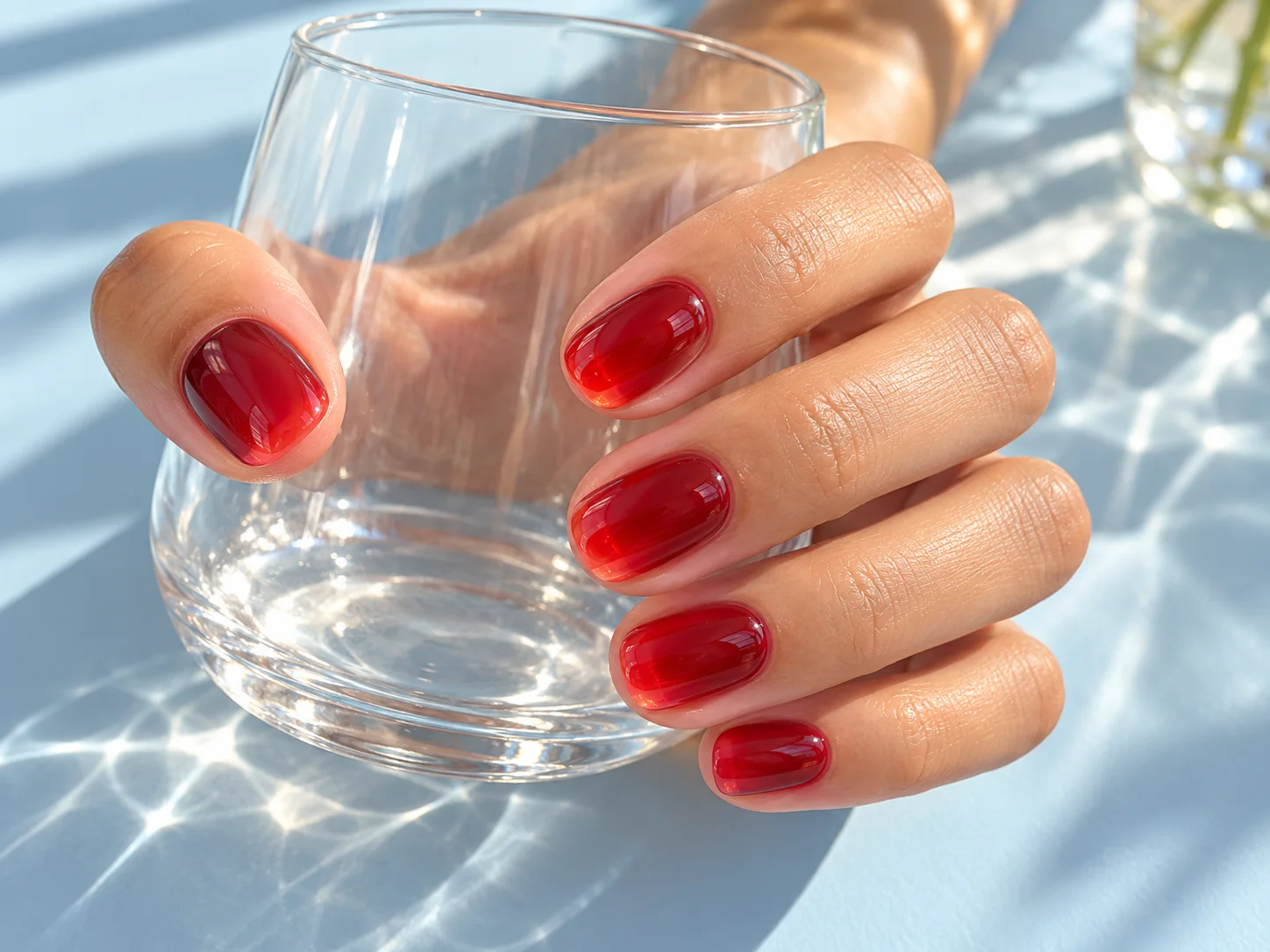
Translucent colors give jelly nails their glossy, candy-like appearance. Try cherry red, peach, or sheer pink for a fresh, lightweight look.
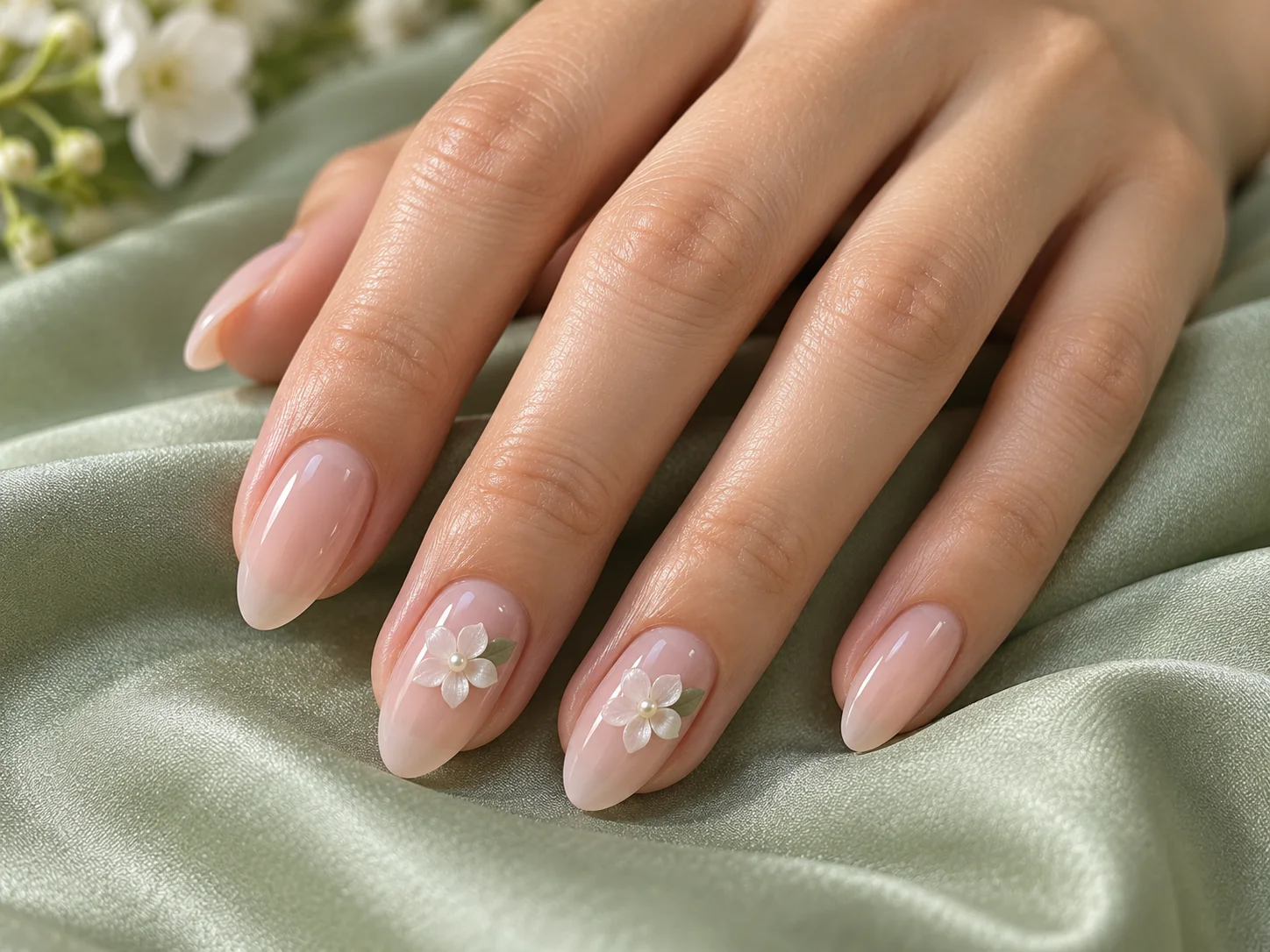
Add small raised flowers, pearl accents, or sculpted details to a simple base. Keep the decorations concentrated on one or two nails for a more delicate result.
PhotoGrid's AI nail design generator lets you create nail art from text or try a new manicure on your own hand photo. Follow three simple steps.
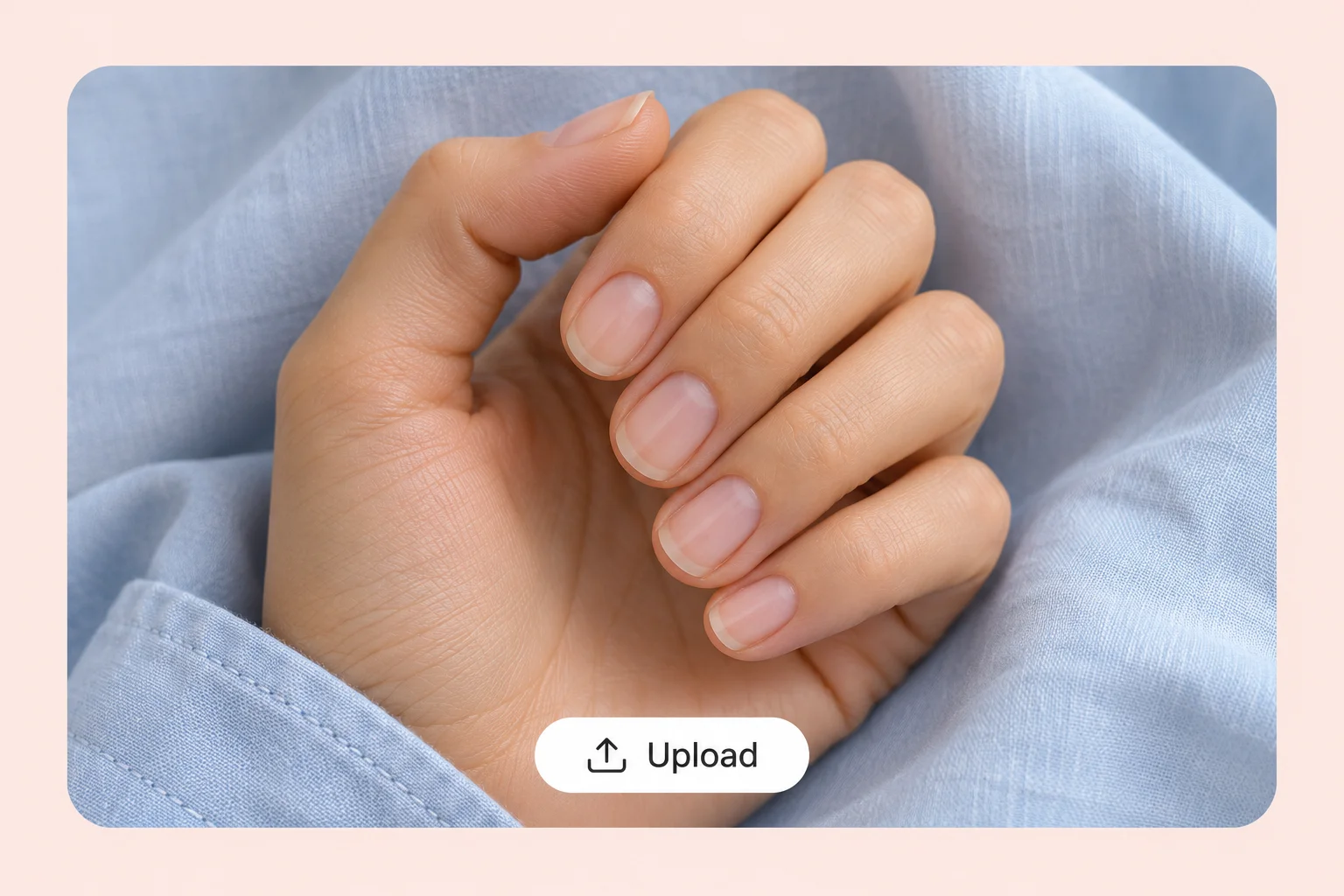
Start with a text prompt to create a new nail design, or upload a clear photo of your hand to see how different manicures look on your nails.
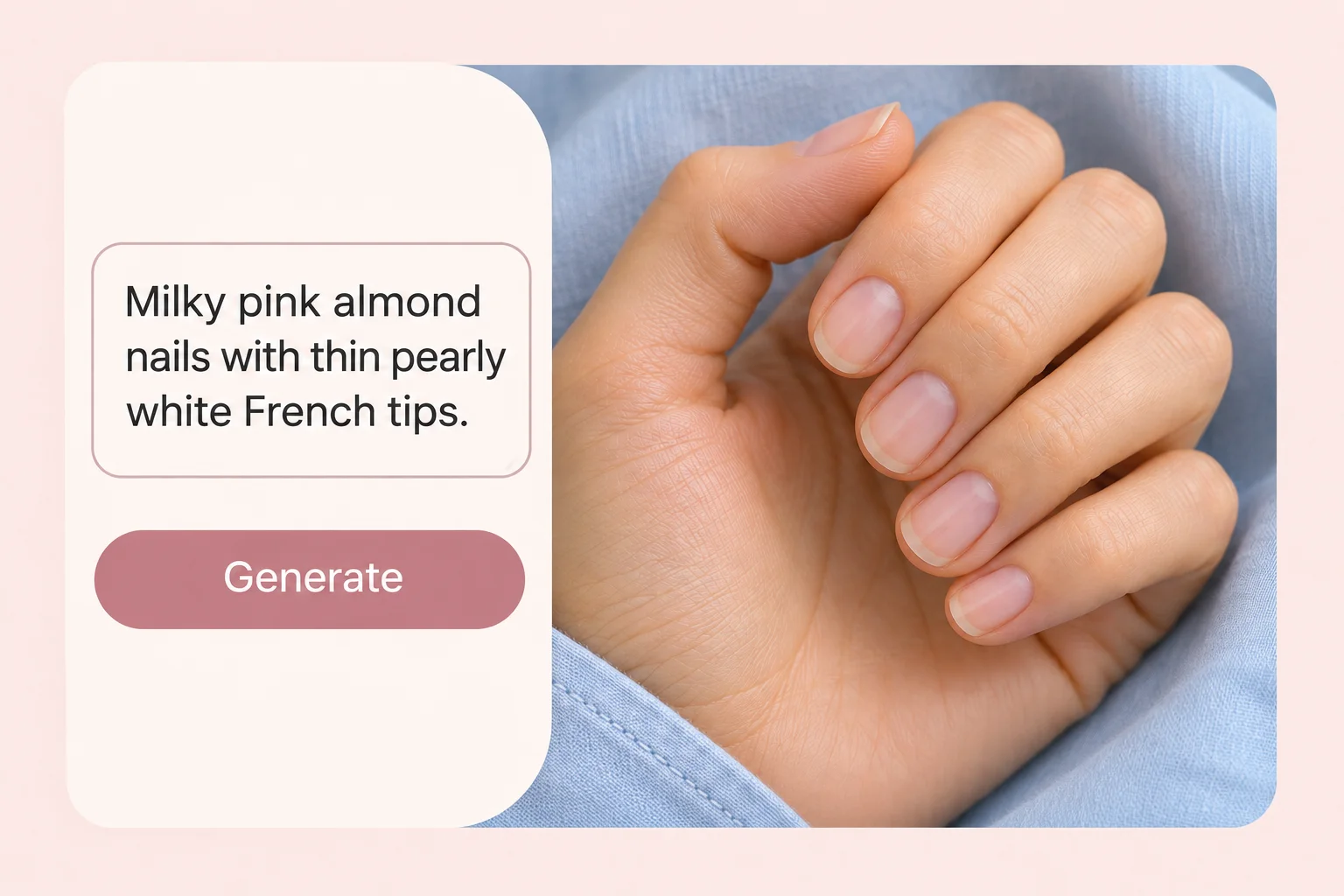
Enter your preferred nail shape, length, color, and style. For example, try "short almond nails with milky pink polish and thin white French tips."
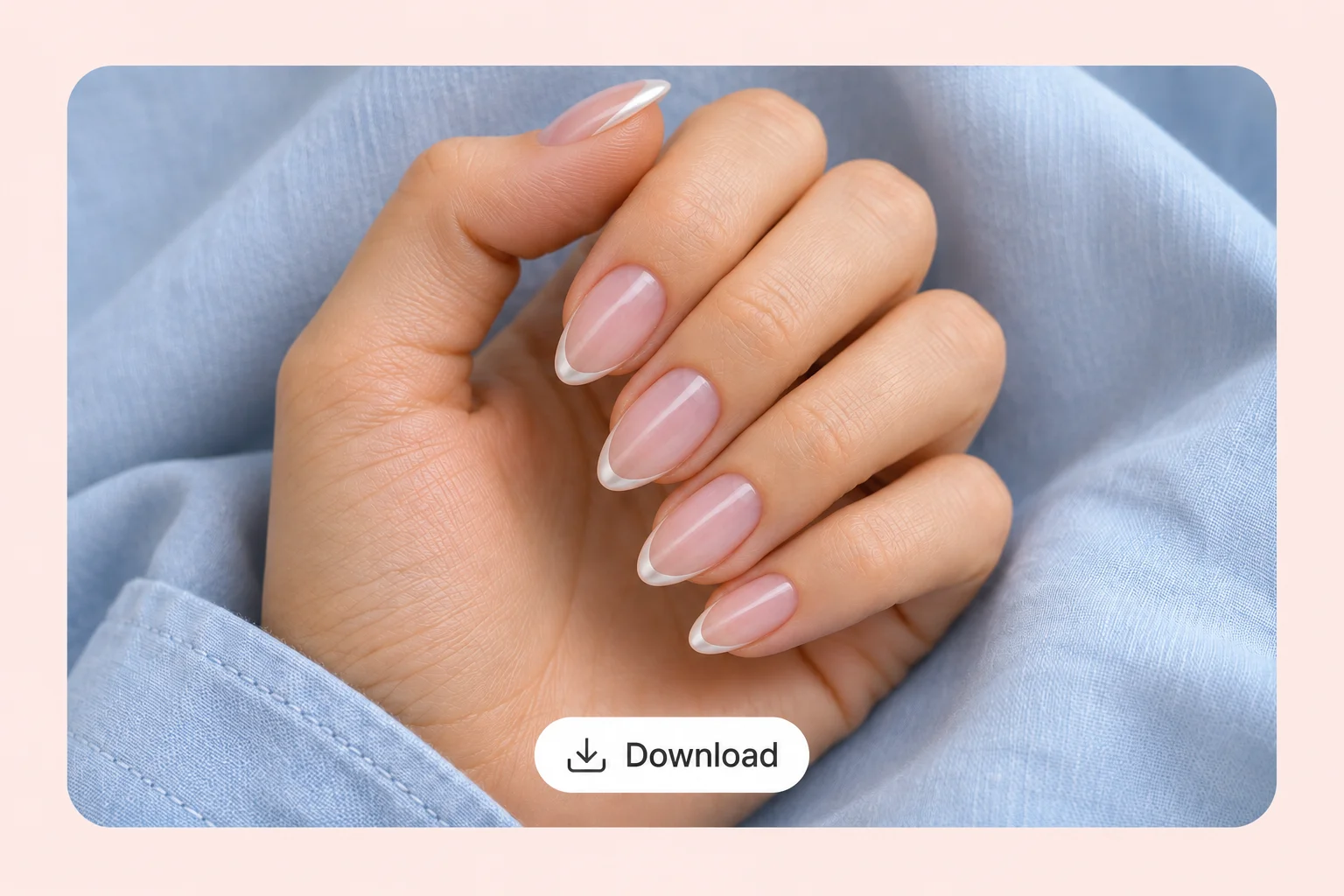
Click Generate to see your AI nail design. Adjust your prompt to try another look, then download your favorite result for your next salon visit.
Wondering whether long almond nails or cherry red polish would suit you? Upload a photo of your hand and use PhotoGrid’s virtual nail try-on to preview different colors, shapes, and lengths before your next manicure.
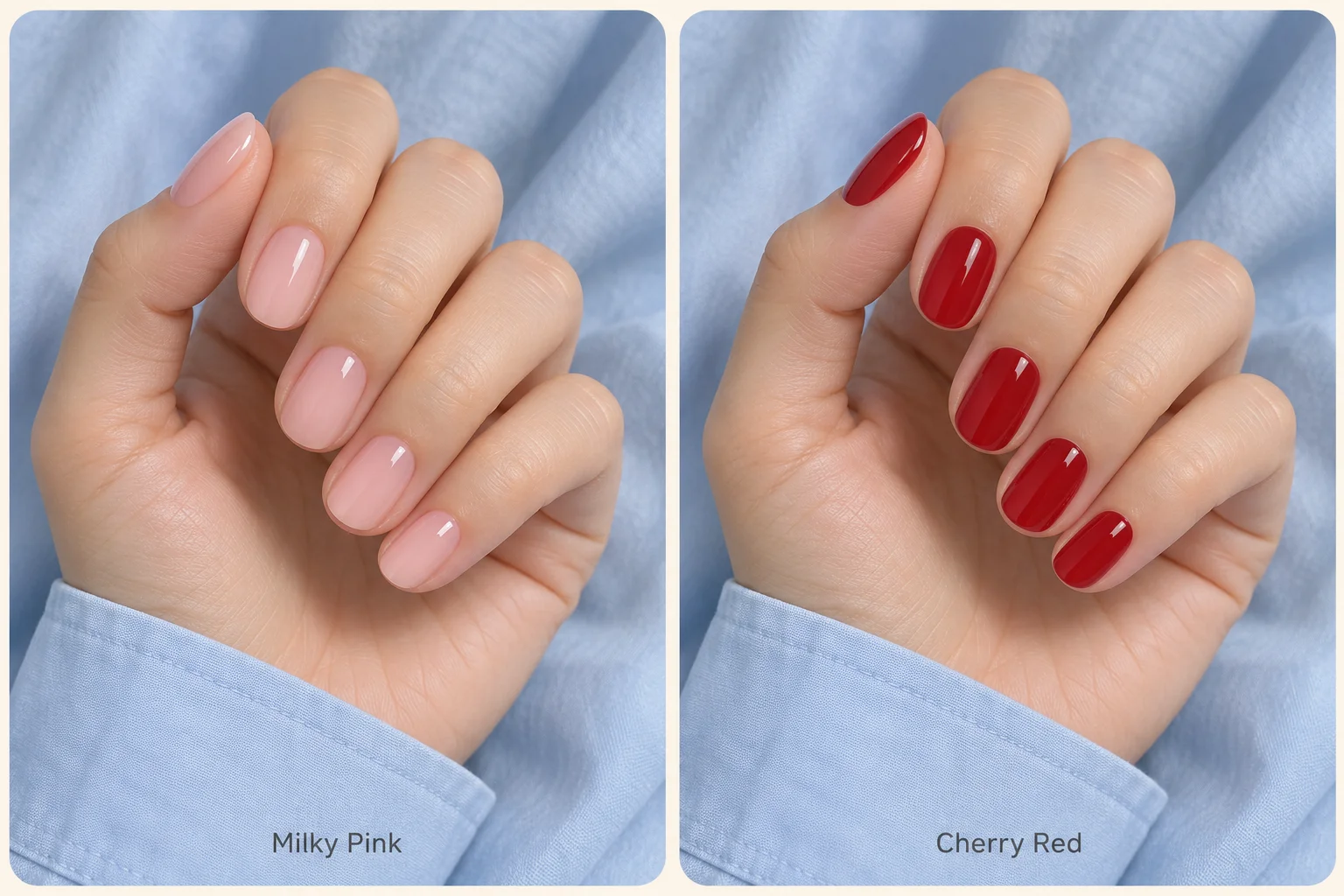
Try milky pink, cherry red, or chocolate brown on your own hand while keeping the nail shape and length the same.
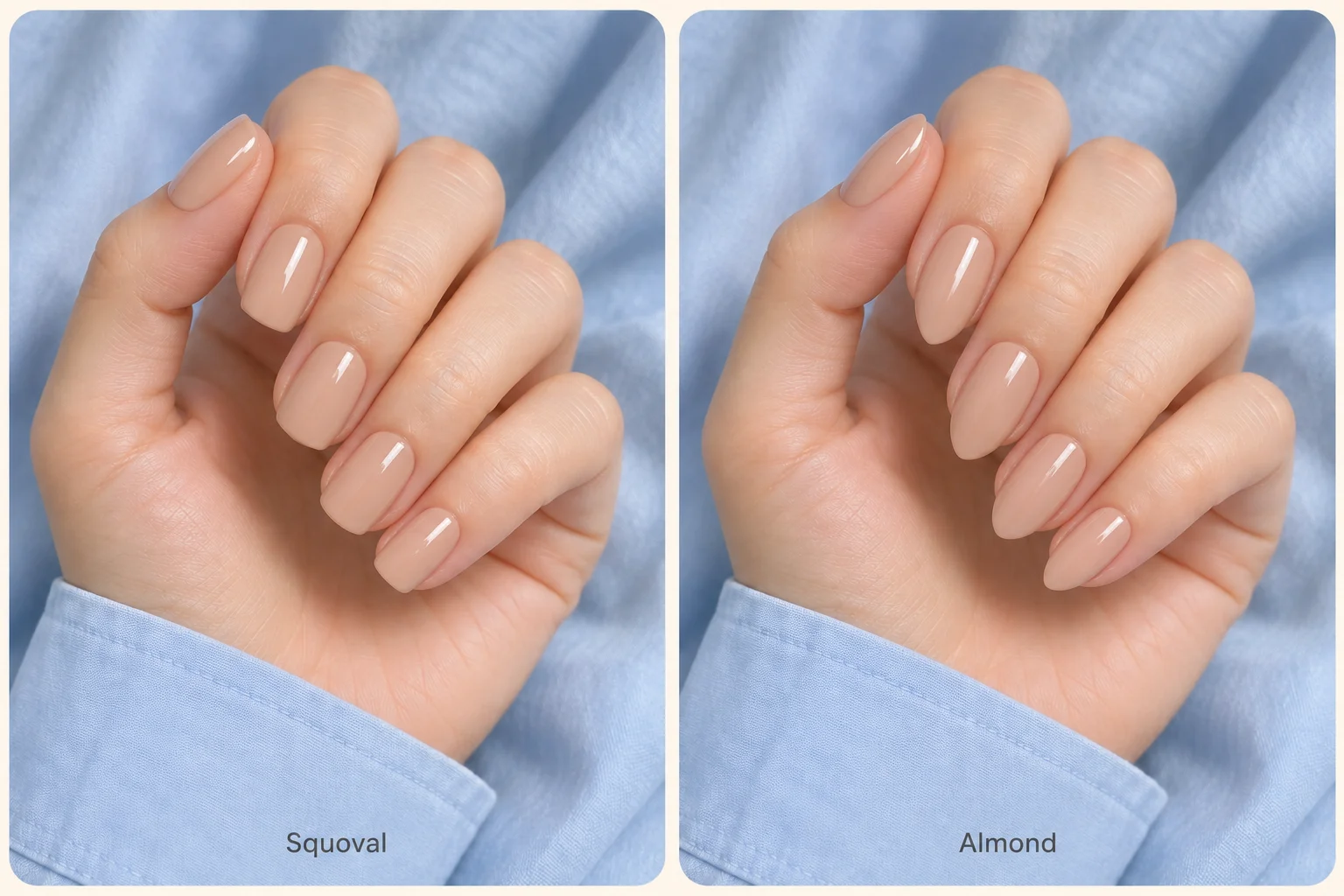
Compare squoval and almond nails on the same hand to see which shape you prefer.
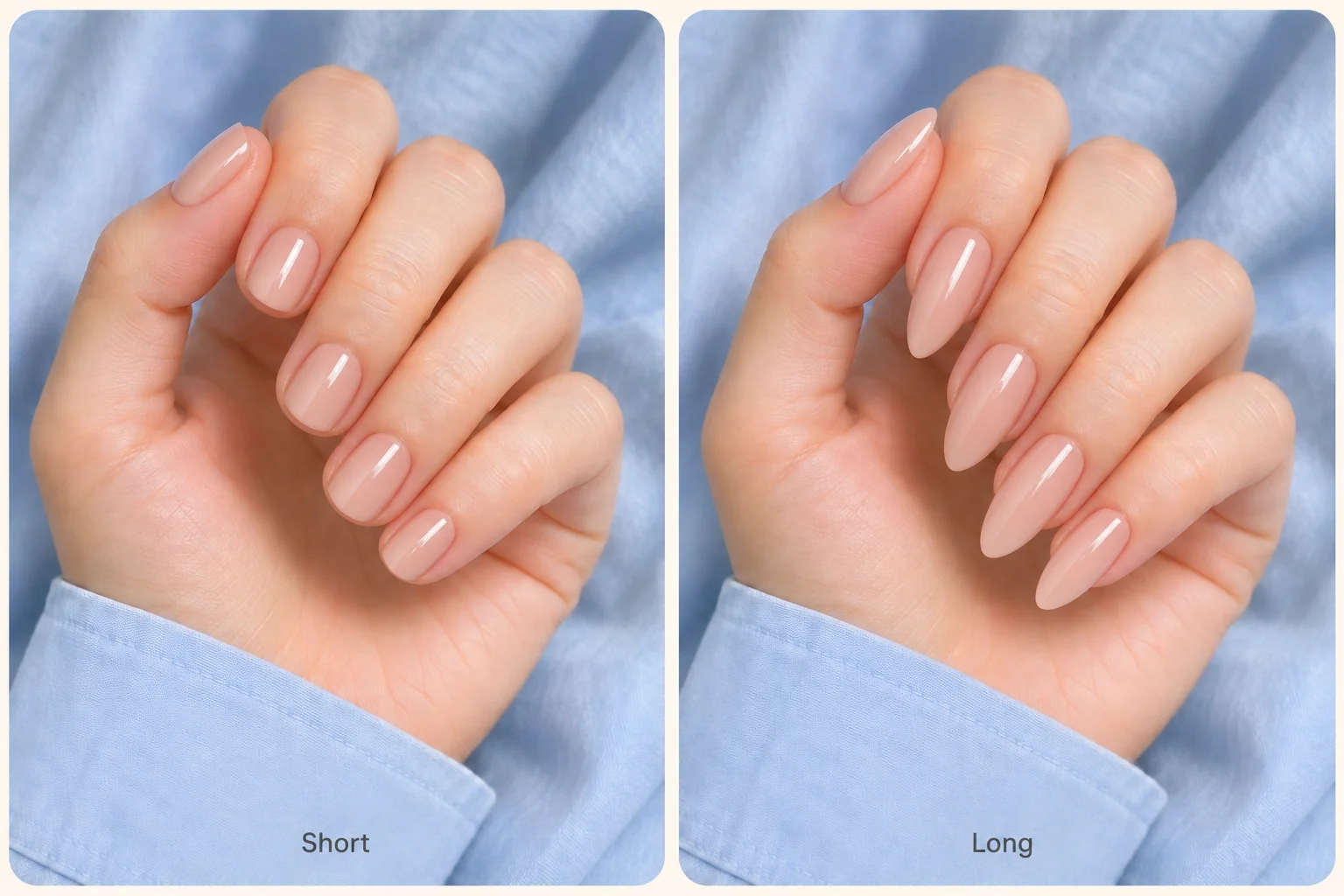
Preview the same nail color and shape in short and long versions before choosing your length.
You can give the AI detailed instructions or start with a simple idea. The more specific your description, the easier it is to guide the result toward the manicure you want.
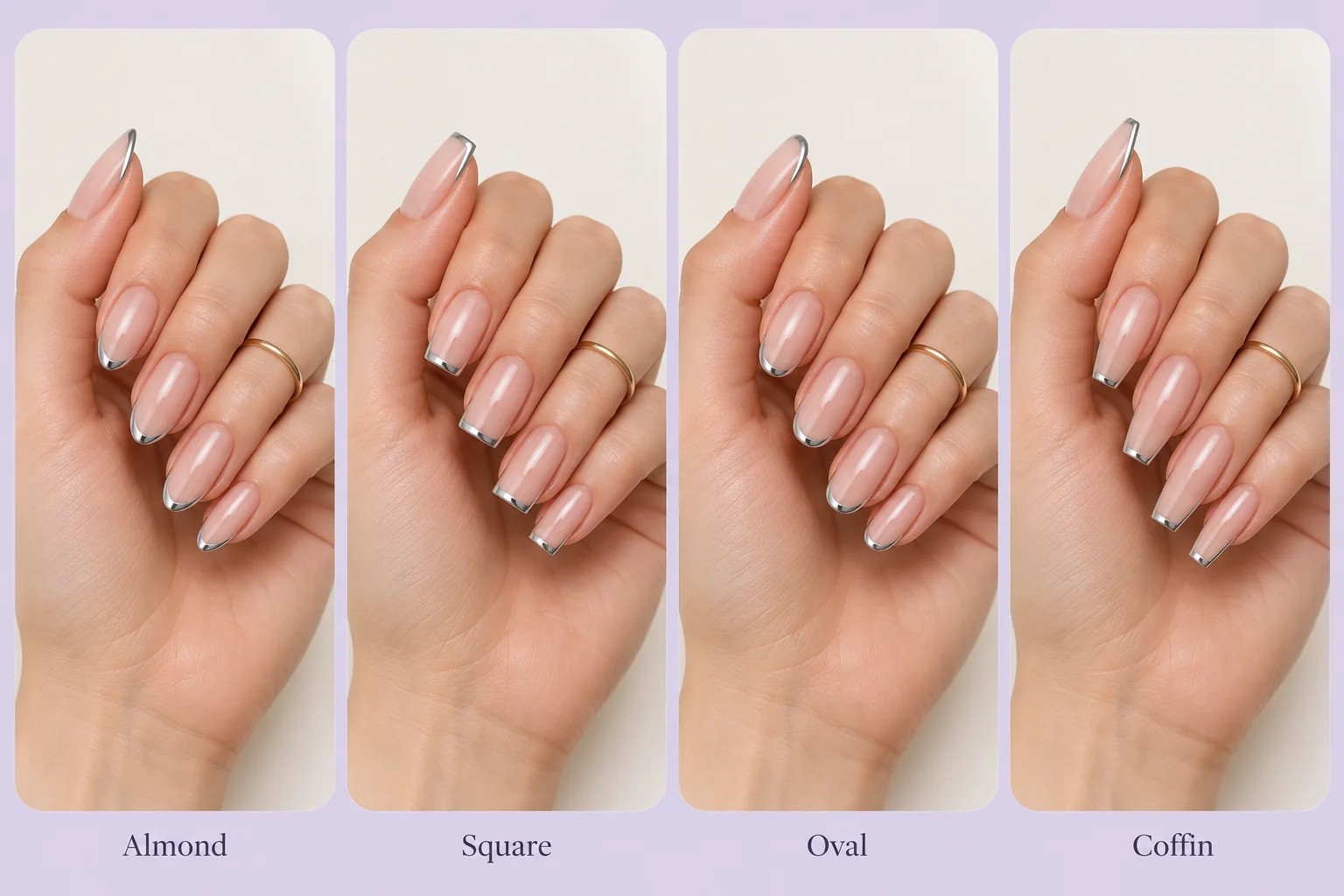
Try the same polish on two shapes when you are deciding between them.
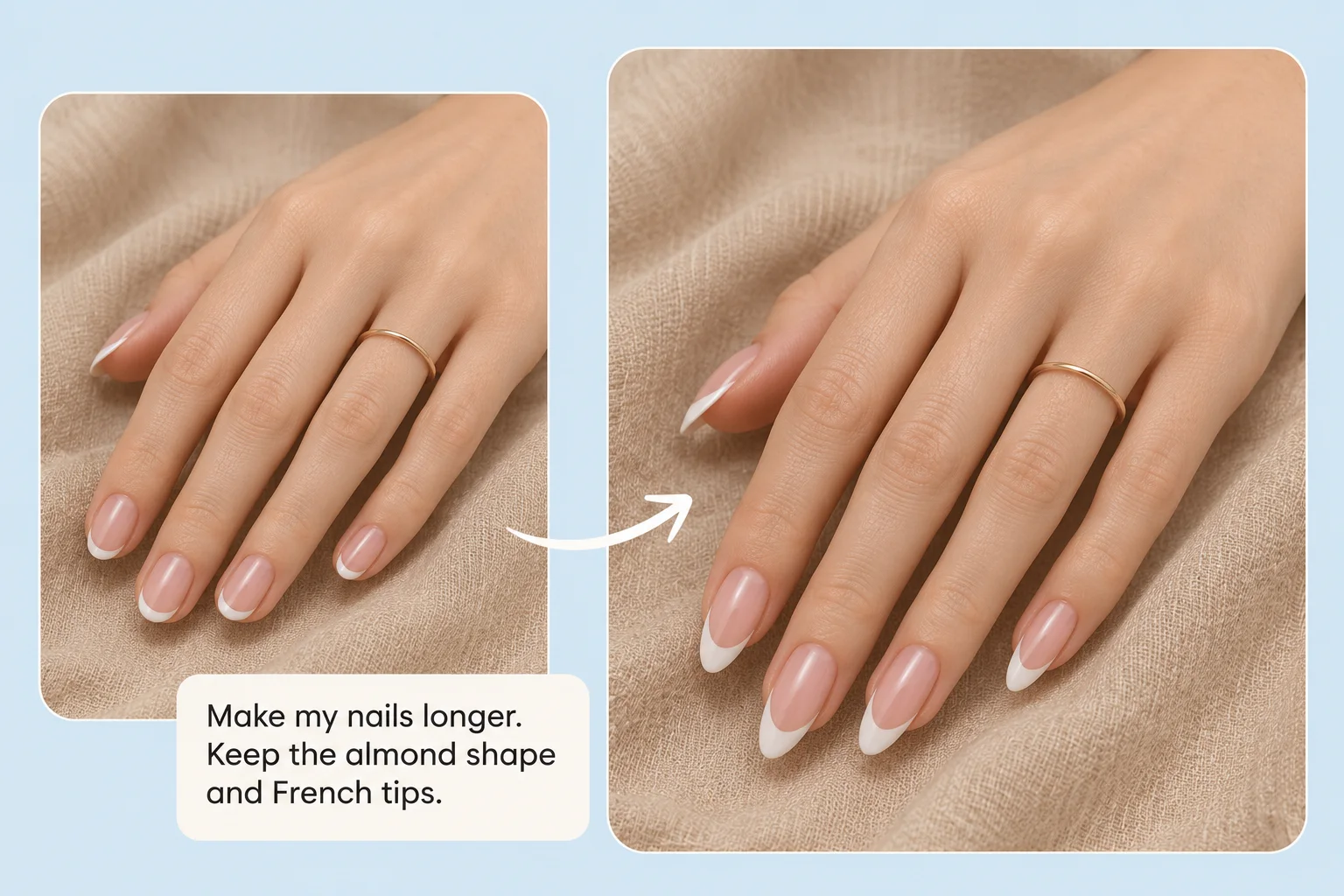
Ask for short, medium, or long nails. If you want to keep your natural length, include that instruction in your prompt.
Try: “Keep my original short nail length and add glossy nude polish.”
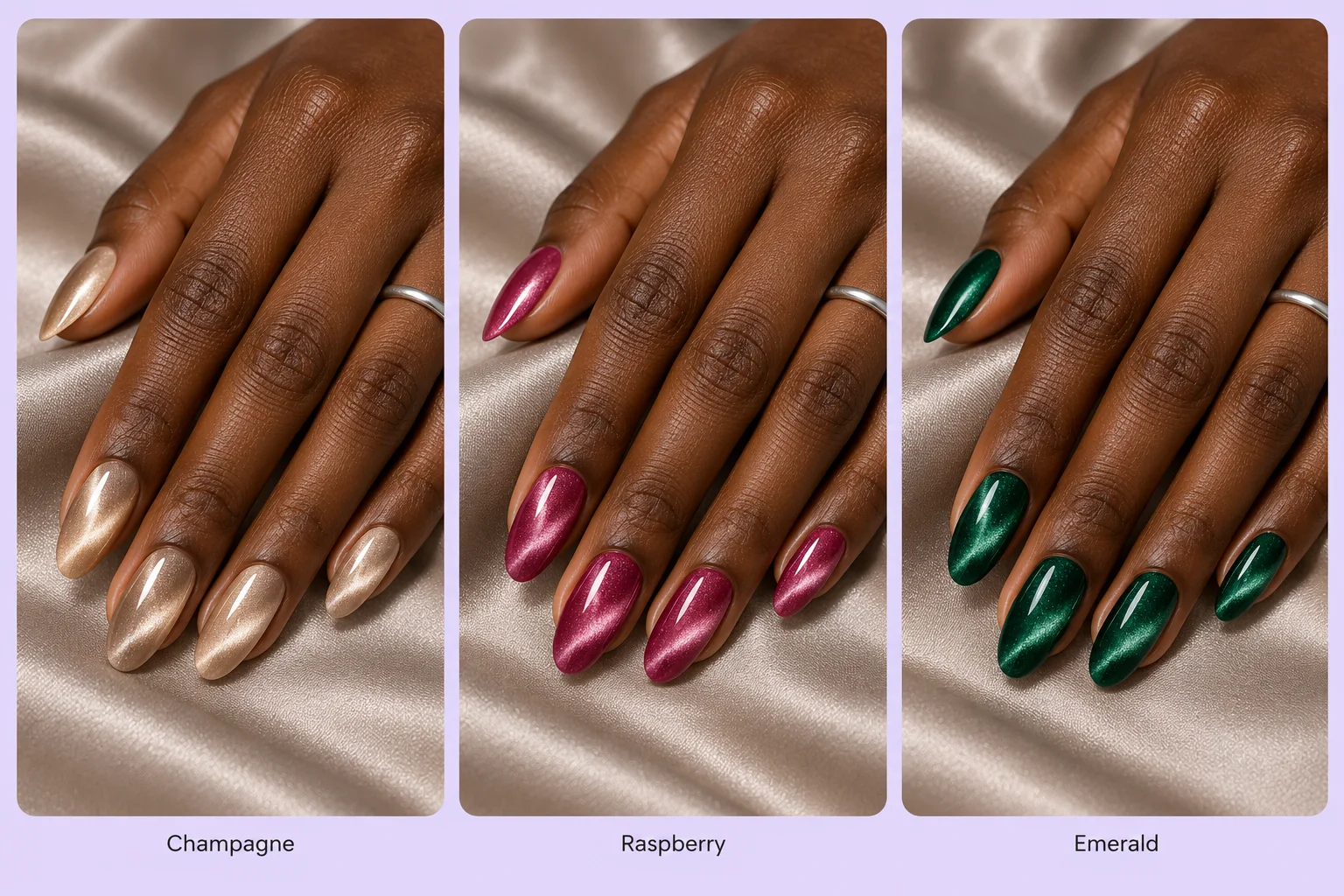
Test a new shade without changing the rest of your manicure. Specify the exact color and tell the AI to preserve the original shape and length.
Try: “Change only my nail polish to deep cherry red. Keep the original nail shape, length, hand pose, and background.”
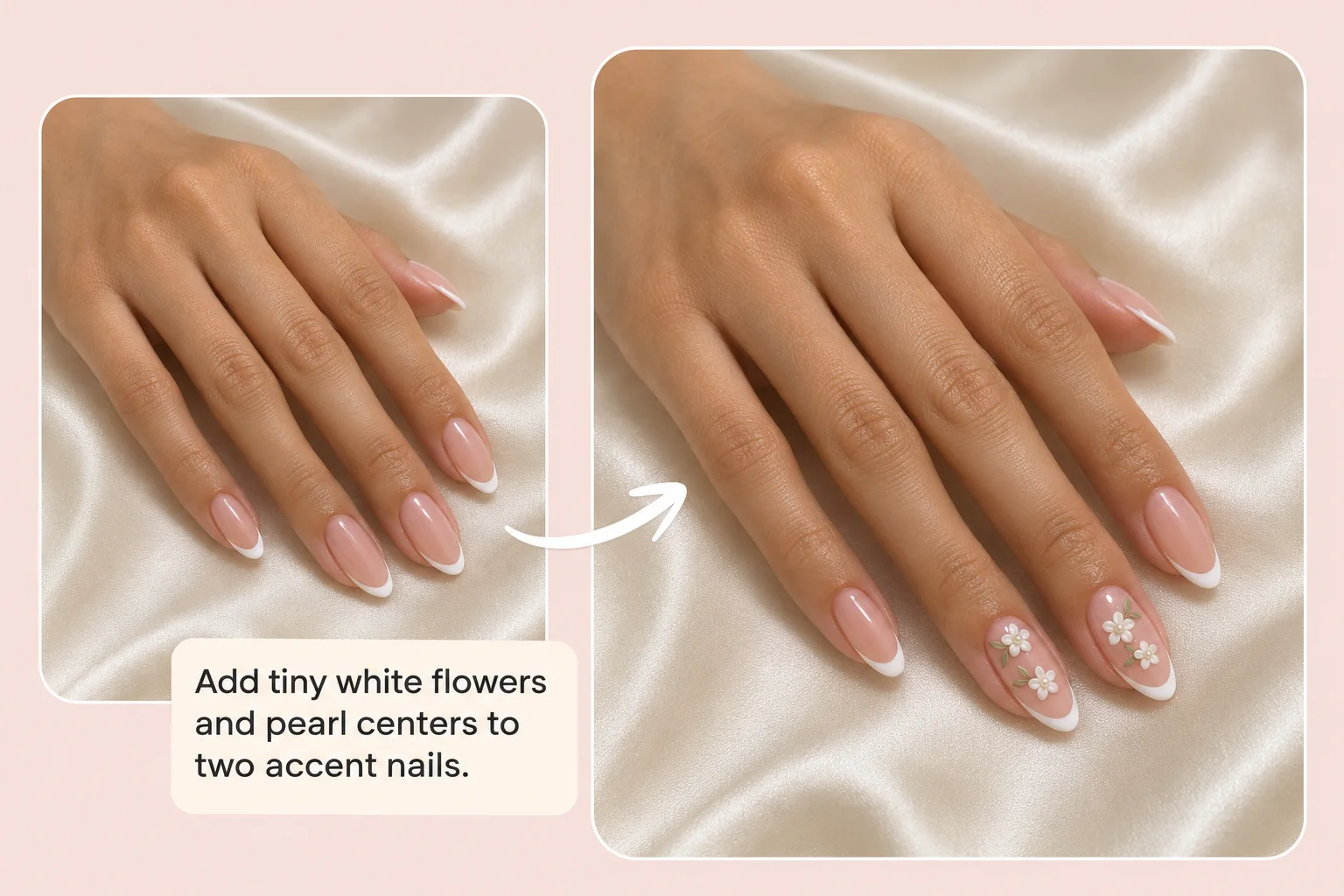
Describe the finish and placement of your decorations. You can request tiny flowers on two accent nails, silver chrome French tips, or a fine gold line along each cuticle.
Try: “Add thin silver chrome French tips to my existing nails. Keep the base color sheer pink and preserve the original nail length.”
Upload a clear photo of your hand, then copy a prompt below to try a new manicure. Customize the colors or details to make it your own.
Try a sheer milky pink base with delicate white French tips.
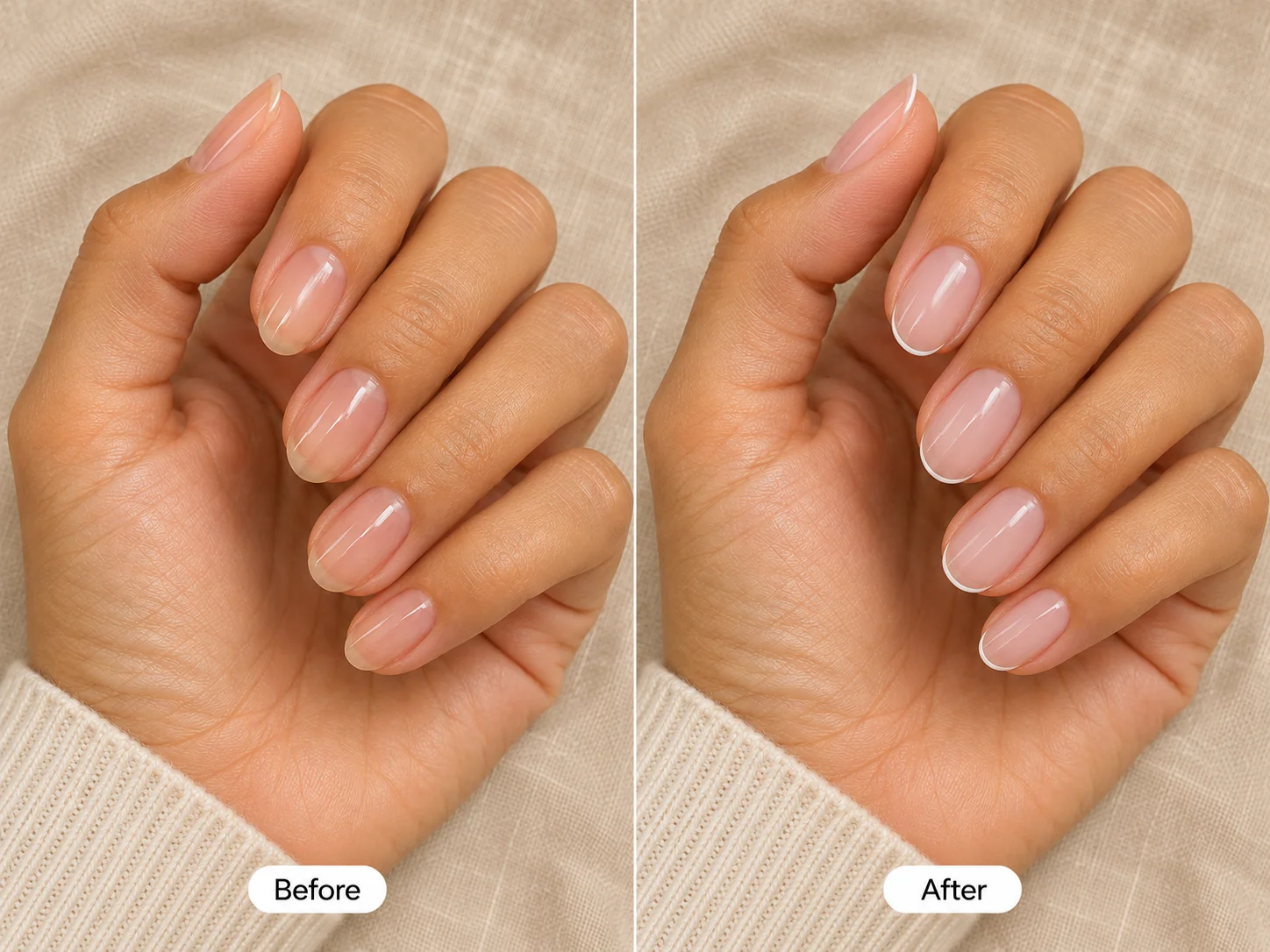
Use my uploaded hand photo. Change only the manicure to a sheer milky pink base with ultra-thin white French tips and a glossy gel finish. Preserve the original nail shape and length, hand pose, finger proportions, skin tone, clothing, lighting, and background. Keep the result photorealistic.
Give classic French tips a soft, pearlescent glow.
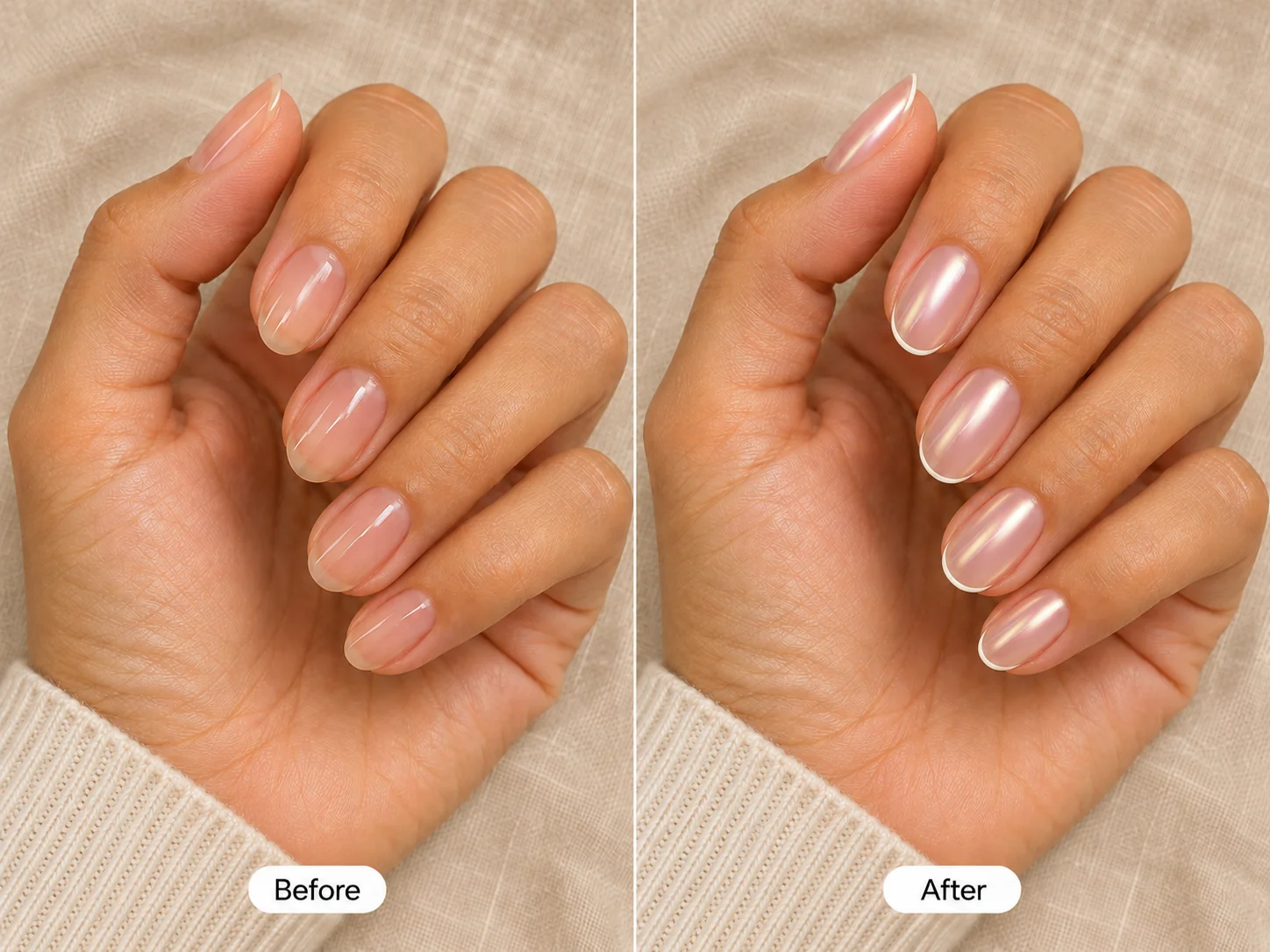
Use my uploaded hand photo. Apply a sheer rosy nude base and narrow ivory French tips with a smooth pearl chrome glaze reflecting subtle pink and champagne tones. Preserve the original nail shape and length, hand pose, finger proportions, skin tone, clothing, lighting, and background. Change only the manicure and keep it photorealistic.
Add tiny chocolate-brown dots to creamy ivory French tips.
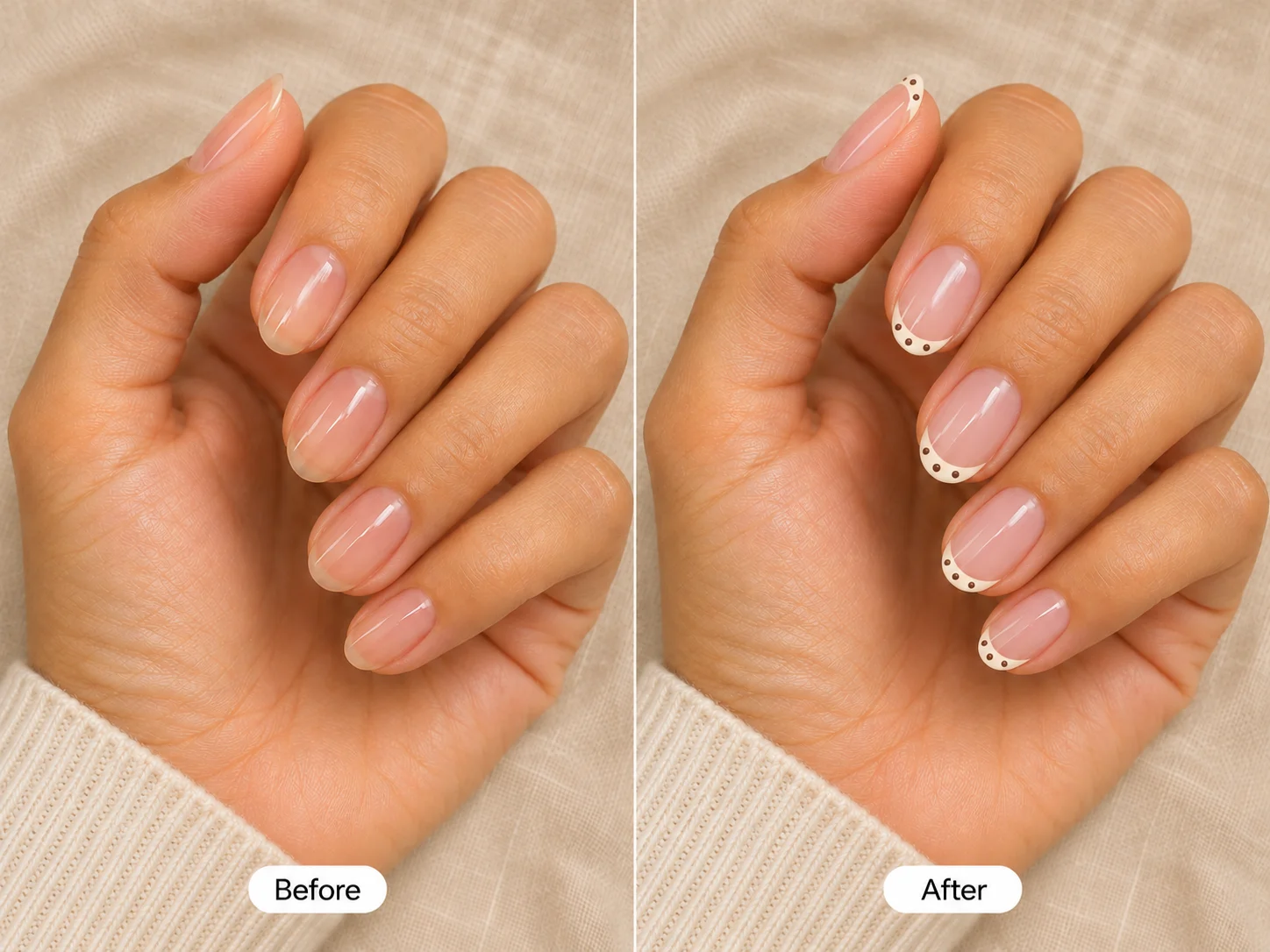
Use my uploaded hand photo. Apply a sheer nude pink base with creamy ivory French tips. Add three to five tiny chocolate-brown polka dots within each ivory tip and finish with glossy gel. Preserve the original nail shape and length, hand pose, finger proportions, skin tone, clothing, lighting, and background. Change only the manicure.
Try deep cherry red nails with a luminous magnetic shimmer.
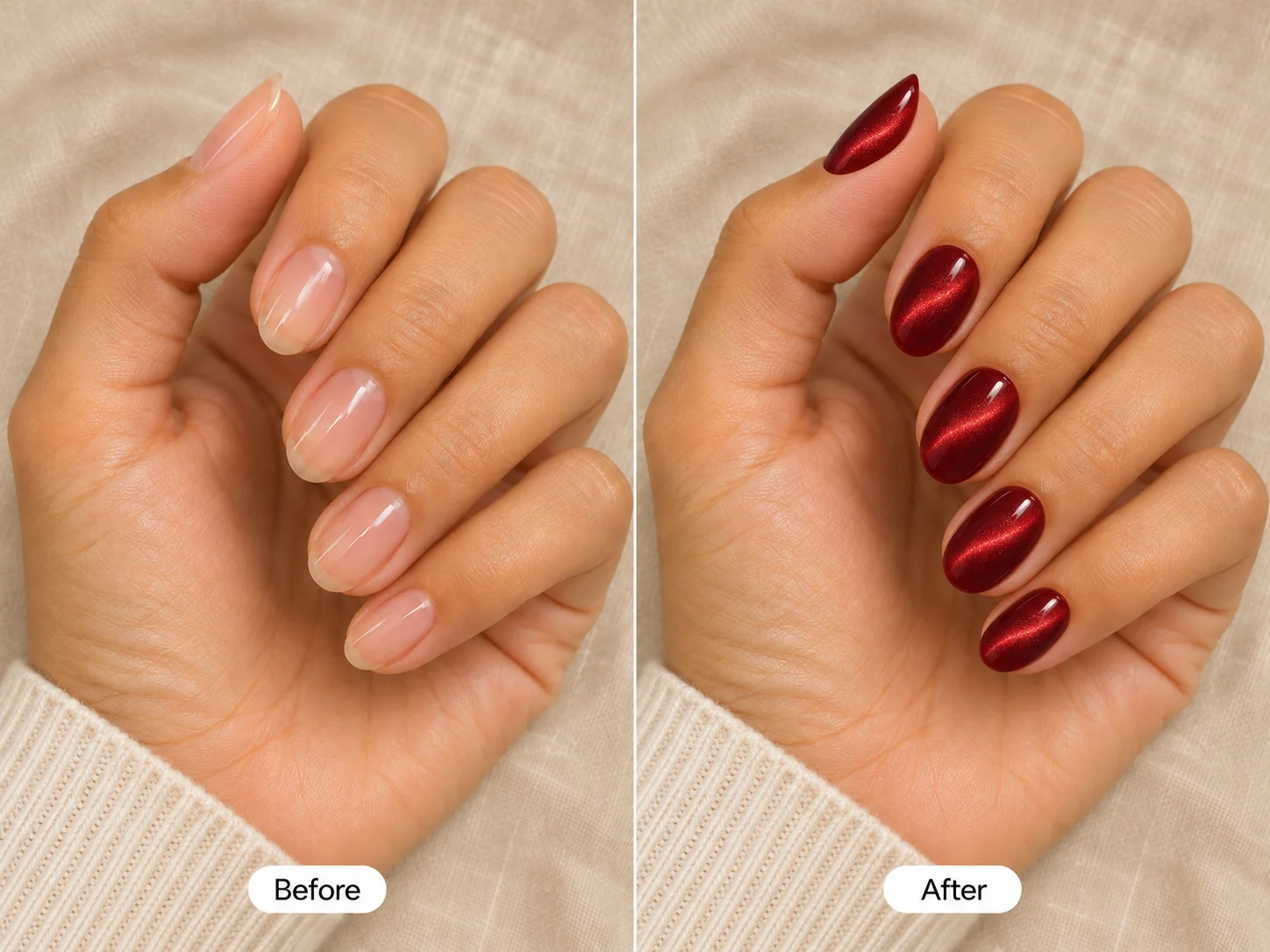
Use my uploaded hand photo. Change only the nail polish to deep cherry red cat-eye gel with fine velvet-like shimmer and a luminous diagonal magnetic band on each nail. Add a smooth glossy finish. Preserve the original nail shape and length, hand pose, finger proportions, skin tone, clothing, lighting, and background. Keep the result photorealistic.
Create a translucent rose-pink manicure with a reflective chrome glaze.
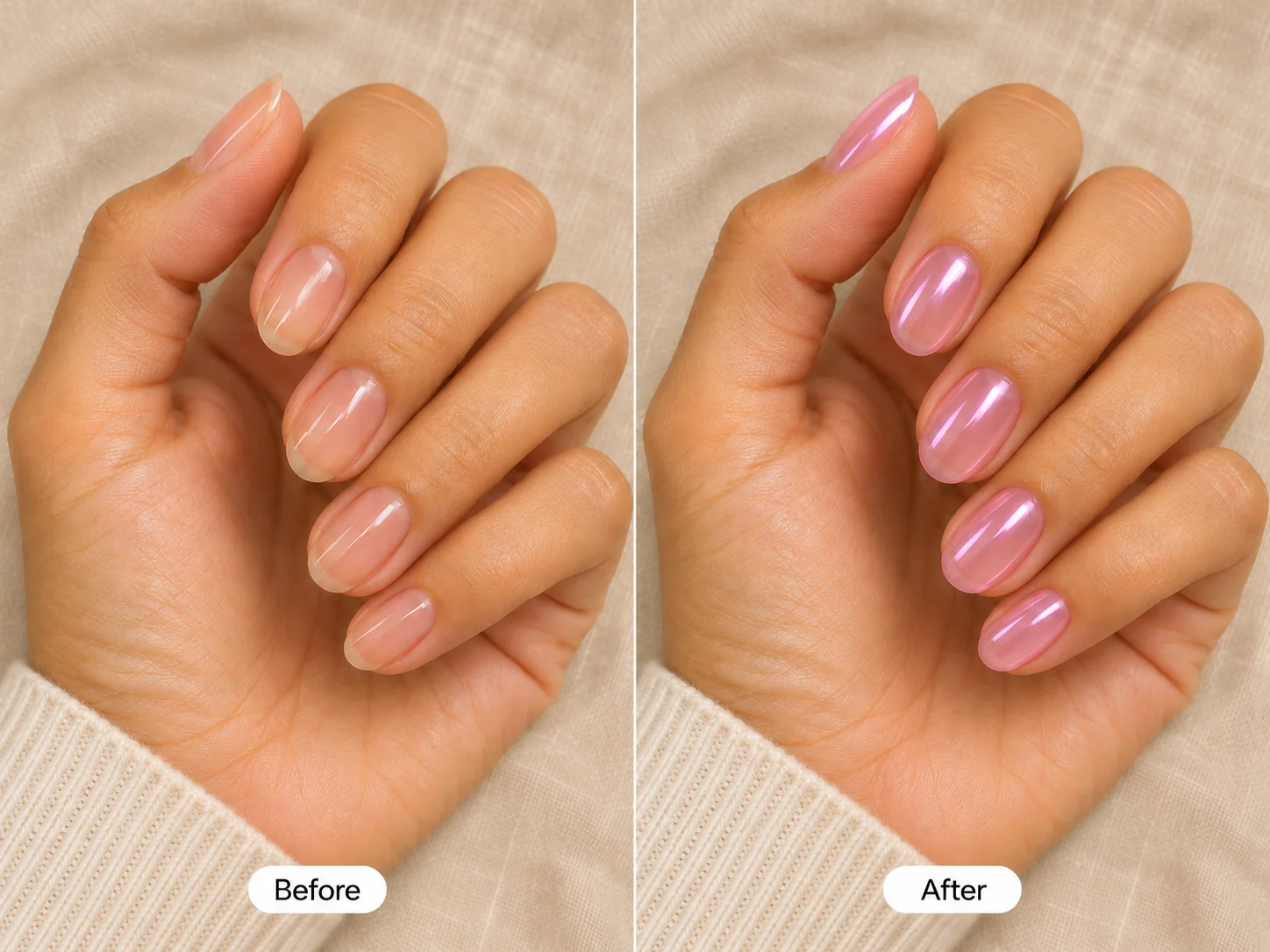
Use my uploaded hand photo. Change only the manicure to translucent rose-pink jelly polish with glass-like depth and a smooth pink chrome glaze reflecting subtle lilac highlights. Do not add French tips or decorations. Preserve the original nail shape and length, hand pose, finger proportions, skin tone, clothing, lighting, and background.
Explore icy lilac nails with shifting blue and pink reflections.
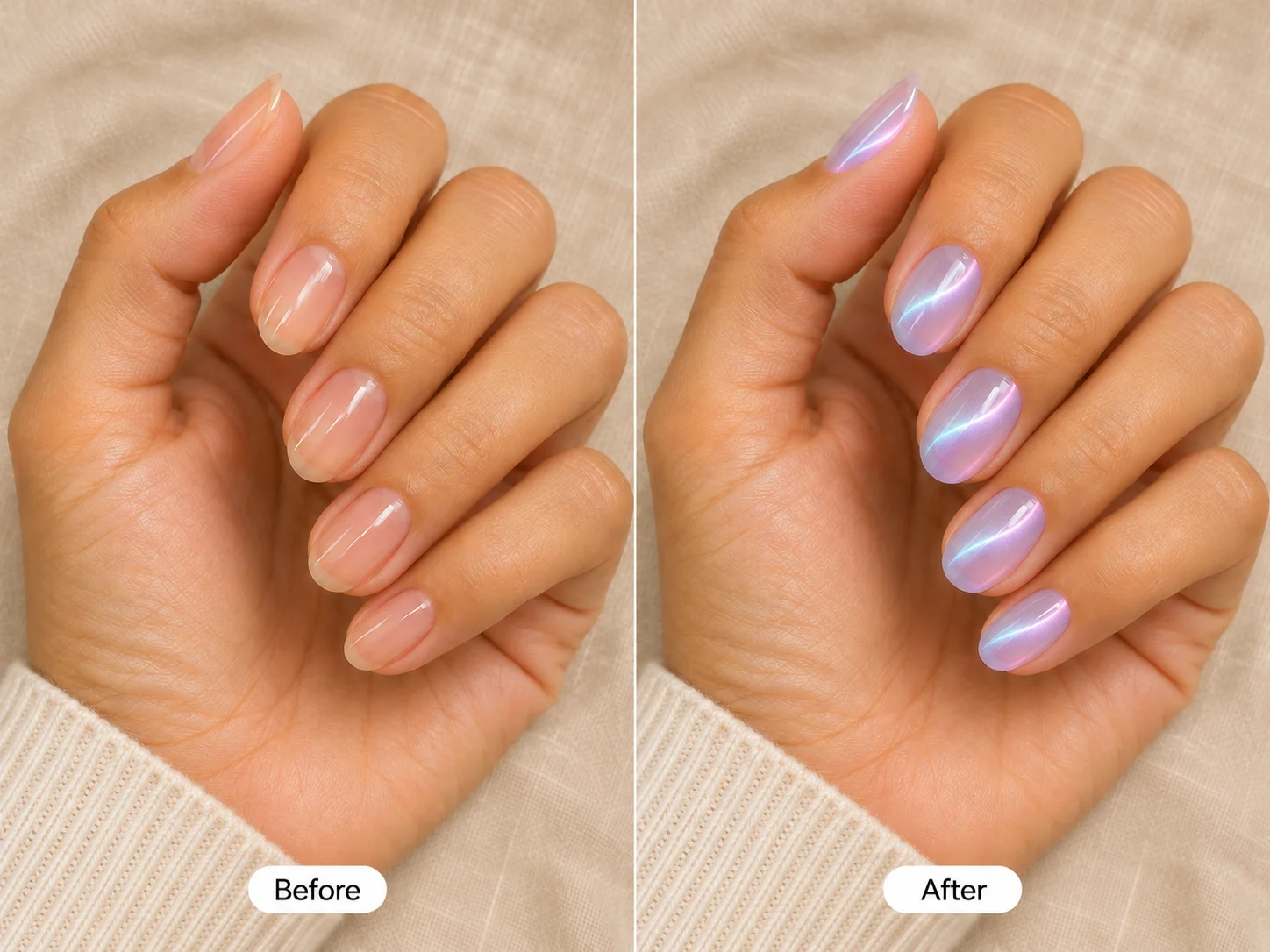
Use my uploaded hand photo. Apply an icy lilac cat-eye manicure with fine magnetic shimmer and a luminous diagonal band shifting between pale blue, lavender, and soft pink on each nail. Add a glossy gel finish. Preserve the original nail shape and length, hand pose, finger proportions, skin tone, clothing, lighting, and background. Change only the manicure and keep it photorealistic.
For more creative visuals beyond manicures, PhotoGrid's AI image generator also lets you create images from text or transform uploaded photos.
Found a manicure you love but cannot explain exactly what you want? Use PhotoGrid to turn your ideas into a clear visual reference.
Start with the nail shape and length, then choose the color, finish, and decorative details. Generate a few variations and save your favorites before your appointment.
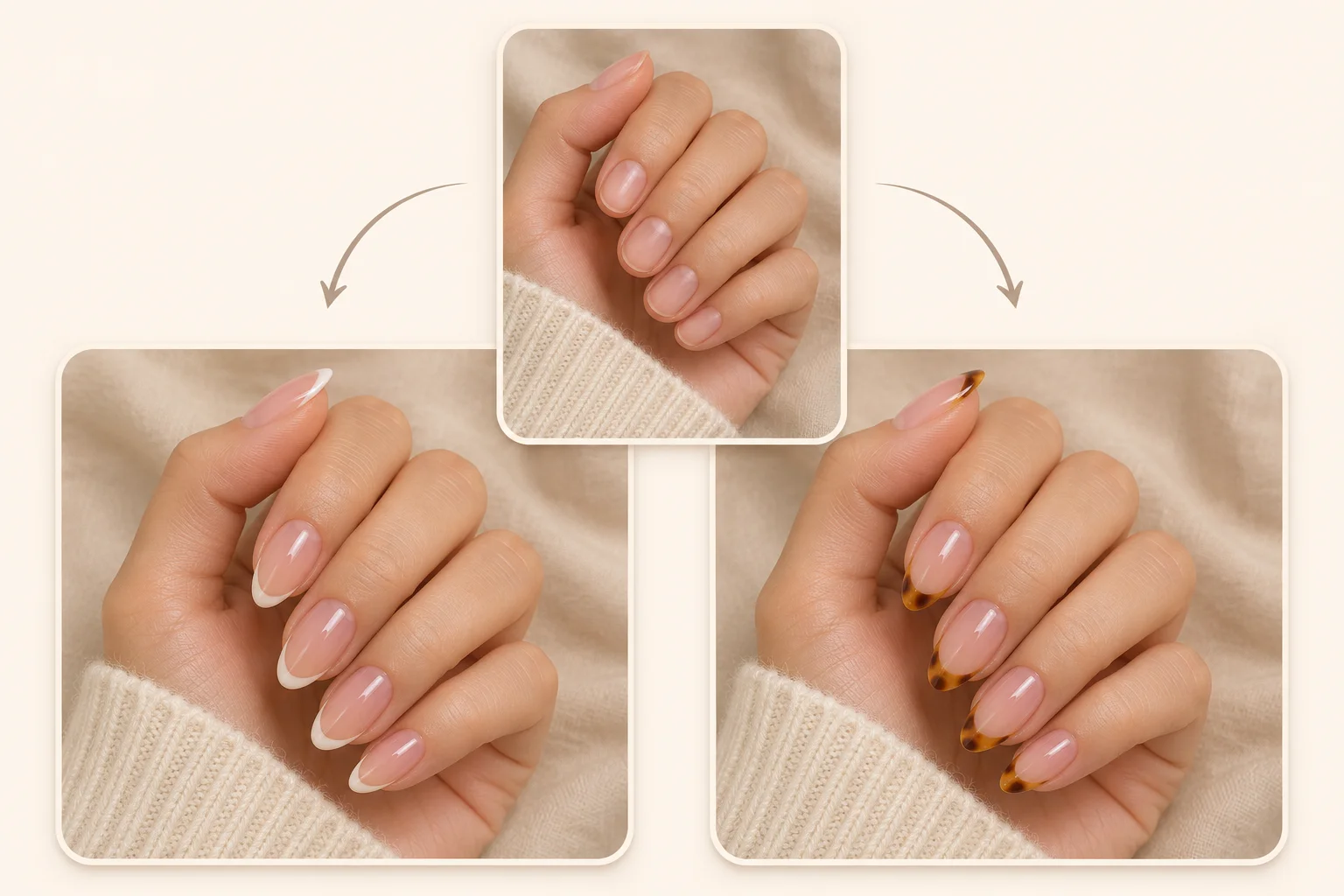
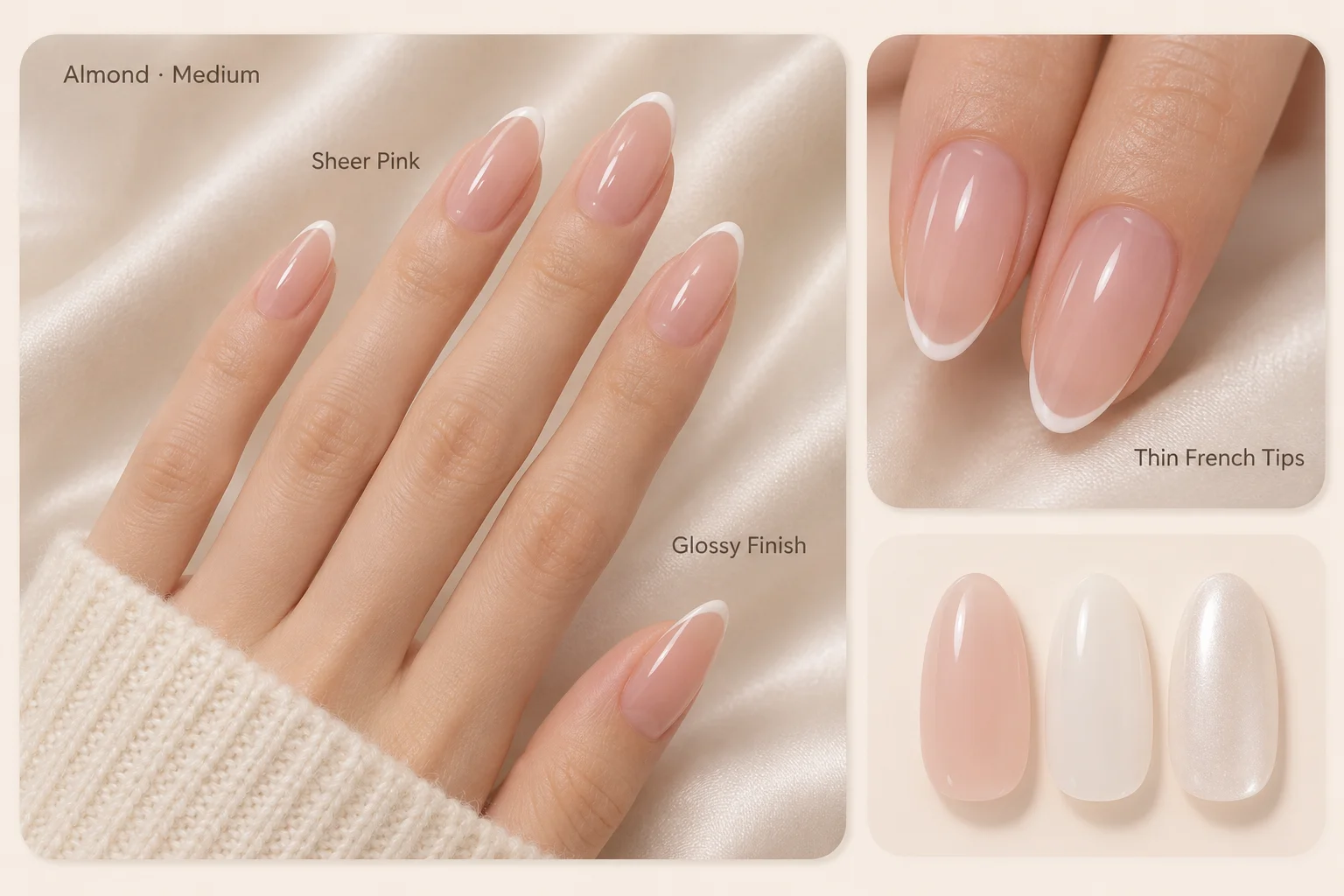
A useful salon reference should show:
If you are choosing between several designs, put your favorites together with PhotoGrid's AI collage generator. A single comparison image makes it easier to discuss the details with your nail technician.

Have a nail design in mind? Turn it into an image you can see. Still choosing between colors or shapes? Upload your hand photo and try a few looks before your next salon appointment.